Day 28 of #DailyUI ✅
Contact page designed!
Key features:
→ Clear contact details
→ Business hours and location
→ Simple split layout
→ Easy, user-friendly access
Built to make reaching out feel fast and effortless
#UIDesign#UIUX#ContactPage#Figma#DailyUIChallenge
Day 26 of #DailyUI ✅
Subscribe form designed!
Key features:
→ Clean email signup
→ Clear CTA button
→ Simple, friendly layout
→ Easy and quick to complete
Built to make subscribing feel effortless
#UIDesign#UIUX#SubscribeForm#Figma#DailyUIChallenge
Day 25 of #DailyUI ✅
TV app designed!
Key features:
→ Featured carousel
→ Continue Watching row
→ Clear category navigation
→ Large content cards
→ Dark, cinematic layout
Built to make browsing feel smooth and immersive
#UIDesign#UIUX#TVApp#Figma#DailyUIChallenge
Day 24 of #DailyUI ✅
Boarding pass designed!
Key features:
→ Clear route and flight details
→ Passenger name and seat info
→ Large QR code
→ Clean, easy-to-scan hierarchy
Made to feel calm, classy, and travel-ready
#UIDesign#UIUX#BoardingPass#Figma#DailyUIChallenge
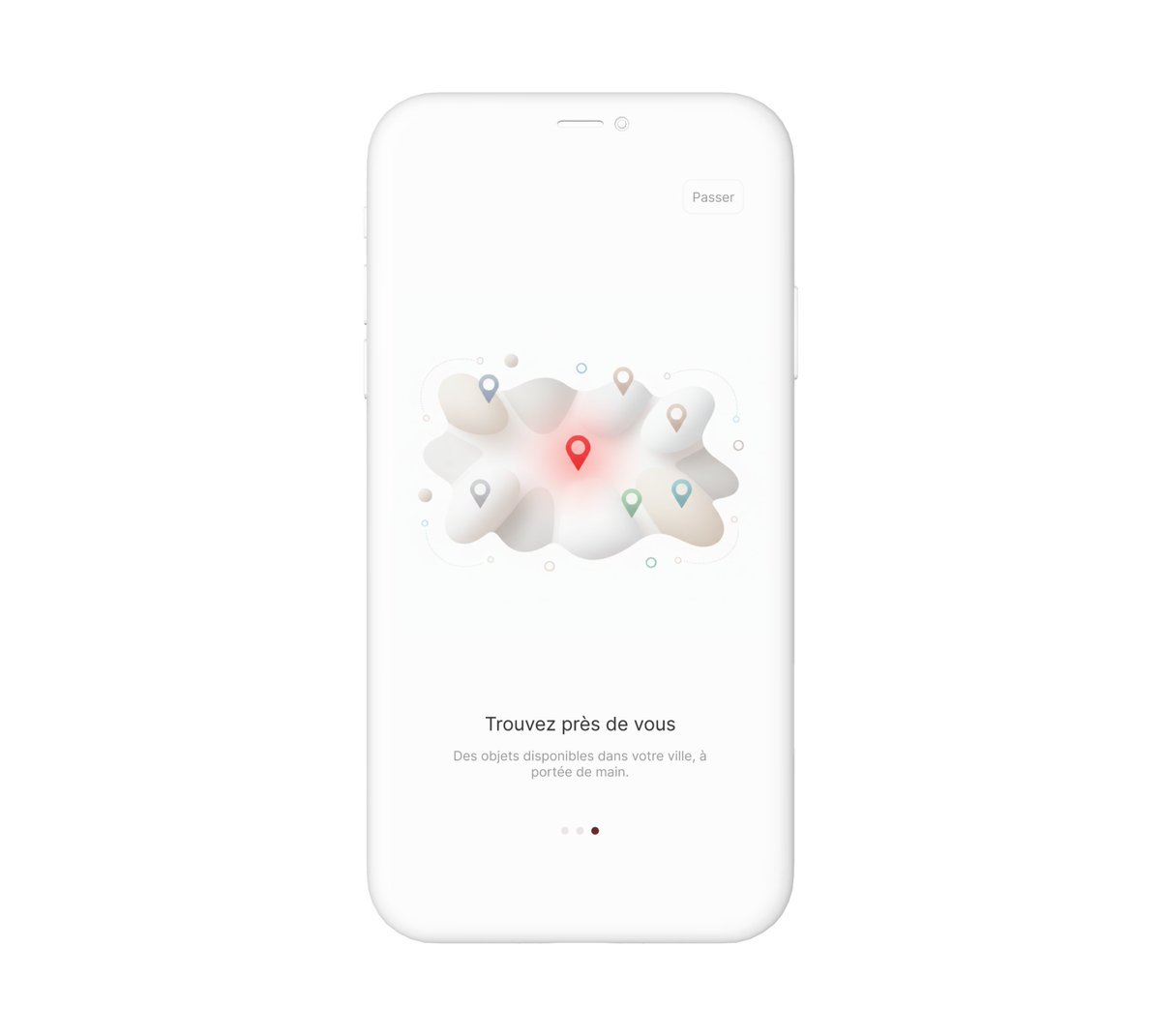
Day 23 of #DailyUI ✅
Onboarding screens designed!
Key features:
→ Clean welcome flow
→ Progress indicators
→ Friendly illustrations
→ Clear Get Started CTA
Built to make the first impression feel smooth and inviting
#UIDesign#UIUX#Onboarding#Figma#DailyUIChallenge
Day 22 of #DailyUI ✅
Search UI designed!
Key features:
→ Large search bar
→ Autocomplete suggestions
→ Clean filters
→ Easy-to-scan result cards
→ Simple and useful layout
Built to make searching feel fast and effortless
#UIDesign#UIUX#SearchUI#Figma#DailyUIChallenge
Day 21 of #DailyUI ✅
Home monitoring dashboard designed!
Key features:
→ Live home status overview
→ Clean daily-use layout
→ Modern smart home interface
Built to make home data feel simple and easy to manage
#UIDesign#UIUX#DashboardDesign#Figma#DailyUIChallenge
Day 20 of #DailyUI ✅
Location tracker designed!
Key features:
→ Live map pin
→ Route and tracking detail
→ Clean info card
→ Simple distance and ETA display
Built to make location tracking feel easy and clear 📍
#UIDesign#UIUX#LocationTracker#Figma#DailyUIChallenge
Day 19 of #DailyUI ✅
Leaderboard designed!
Key features:
→ Clear rank order
→ Highlighted top positions
→ Simple score display
→ Clean, competitive layout
Made to keep rankings easy to scan and fun to follow
#UIDesign#UIUX#Leaderboard#Figma#DailyUIChallenge
Day 18 of #DailyUI ✅
Analytics dashboard design
Key features:
→ Clear performance cards
→ Property views, listings, tenants, and earnings
→ Organized sidebar navigation
Built to make real data feel clear, easy to track
#UIDesign#UIUX#AnalyticsChart#Figma#DailyUIChallenge
Day 17 of #DailyUI ✅
Purchase receipt designed!
Key features: → Clear item and pricing details → Vendor and date info → Support and tracking info → Clean receipt layout → Organized presentation
Designed to make receipts feel clear and useful
#UIDesign#UIUX#ReceiptDesign
Day 15 of #DailyUI ✅
On/Off switch designed!
Key features:
→ Large central toggle
→ Clear ON/OFF states
→ Smart home control vibe
→ Simple device status text
→ Clean, modern interaction
Small control, big impact ⚡
#UIDesign#UIUX#ToggleSwitch#Figma#DailyUIChallenge
Day 14 of #DailyUI ✅
Countdown timer designed for a flash sale!
Key features:
→ Big countdown timer on a laptop screen
→ Clean “Up to 50% Off” promo layout
→ Dark, high-contrast design
→ Clear CTA button for shopping
#UIDesign#UIUX#CountdownTimer#Figma#DailyUIChallenge
Day 13 of #DailyUI ✅
Direct Message UI designed!
Key features:
→ Clean inbox preview
→ Active chat screen
→ Message bubbles and timestamps
→ Avatar-based conversation layout
Simple, clear, and easy to chat in 💬
#UIDesign#UIUX#MessagingApp#Figma#DailyUIChallenge
Day 13 of #DailyUI ✅
Direct Message UI designed!
Key features:
→ Clean inbox preview
→ Active chat screen
→ Message bubbles and timestamps
→ Avatar-based conversation layout
Simple, clear, and easy to chat in 💬
#UIDesign#UIUX#MessagingApp#Figma#DailyUIChallenge