Self-hosted Claude Managed Agents is now in private beta.
You can host the agent harness, sandboxes, and session history, in your own cloud or on-premises, and choose where requests to Claude are sent.
I beg you, this November
Apply for remote jobs
Apply for grants
Apply for funding
Apply for scholarships
Apply for fellowships & internships
Here are some of the most reliable websites to find them
Want to become an AI Engineer in 2027 and actually get hired?
Start building things companies are willing to pay for.
Here's the roadmap I'd follow from ZERO to JOB-READY. 👇
STAGE 1: Become a Strong Python Developer
Learn:
- Python fundamentals
- Object-Oriented Programming
- APIs and HTTP requests
- Git & GitHub
- SQL and databases
- Virtual environments and testing
🎯 Build: A Python application that connects to an external API, processes data, and stores results in PostgreSQL.
STAGE 2: Understand How AI Works
Learn:
- Machine Learning fundamentals
- Supervised vs. unsupervised learning
- Neural networks
- Transformers and embeddings
- Tokenization and context windows
- Model evaluation
🎯 Build: A text classification application using Hugging Face models.
STAGE 3: Learn to Build with LLMs
Learn:
- OpenAI and Anthropic APIs
- Prompt engineering
- Structured outputs
- Function calling
- Streaming responses
- Token usage and cost optimization
🎯 Build: An AI assistant that processes documents, extracts information, and returns structured JSON.
STAGE 4: Master RAG Systems
Learn:
- Retrieval-Augmented Generation
- Vector databases
- Embeddings and semantic search
- Chunking strategies
- Hybrid search and reranking
- Retrieval evaluation
🎯 Build: A chatbot that answers questions using company documentation and provides verifiable source citations.
STAGE 5: Build AI Agents
Learn:
- Tool calling
- Agent workflows
- LangGraph
- Model Context Protocol (MCP)
- State and memory management
- Human approval workflows
- Agent security
🎯 Build: An AI agent that reads support tickets, categorizes them, searches documentation, and drafts responses for human approval.
STAGE 6: Learn Production AI Engineering
This is where you start standing out.
Learn:
- FastAPI
- Docker
- Cloud deployment
- CI/CD pipelines
- Redis and background jobs
- Authentication and authorization
- Logging and monitoring
STAGE 7: AI Evaluation & Reliability
Learn:
- LLM evaluations
- Hallucination detection
- Prompt injection defenses
- Latency optimization
- Cost tracking
- Regression testing
- Observability
🎯 Build: Dashboard that tracks response quality, latency, failures, and cost across different models.
STAGE 8: Create a Portfolio That Proves Your Skills
Build 3 projects:
1. AI Customer Support Agent: RAG, tool calling, ticket management, human approval.
2. AI Document Platform: PDF processing, structured extraction, search, evaluations.
3. AI Assistant GitHub integration, codebase search, issue analysis, automated test suggestions.
Every project should include:
- Public GitHub repository
- Live demo
- Architecture diagram
- Clear README
- Automated tests
- Deployment instructions
- Performance and cost measurements
STAGE 9: Prepare for AI Engineering Interviews
Practice explaining:
- RAG vs. fine-tuning
- How embeddings work
- How to reduce hallucinations
- How to secure AI agents
- How to evaluate LLM outputs
- How to reduce inference costs
- How to scale an AI application
- How to debug a failing AI workflow
STAGE 10: Start Applying
Search for roles such as:
- Junior AI Engineer
- LLM Application Engineer
- AI Software Engineer
- Applied AI Engineer
- Python Developer (AI Products)
- AI Automation Engineer
For every application:
→ Match your portfolio to the job description.
→ Show working projects, not just certificates.
→ Explain the technical decisions you made.
→ Demonstrate how you tested and deployed your work.
→ Reach out to engineers and hiring managers with relevant projects.
Your GitHub should show what you can build. Your resume should explain the problems you solved. Your interviews should prove you understand both.
Which stage are you currently working on?
🔐 Node.js security updates are now available!
New releases for Node.js 22.x, 24.x & 26.x address multiple vulnerabilities, including high-severity issues.
Review the details and update your systems to stay secure.
🔗 https://t.co/W4kfzx5lxz
#NodeJS#Security
Your workflows have changed with AI. How about your setup?
Physical controls are back. Take the new Logitech MX Keypad, now directly integrated with the GitHub Copilot app.
This experience allows you to run agentic workflows with control, map a repeated prompt, start or resume a session, and help you stay in flow.
https://t.co/zbcYD8xQKf
We've been working hard on making the Claude Code desktop app great for running lots of sessions side by side.
It's now much quicker to start sessions, easier to split work across a few, and you can always see what each of them is doing. Here’s what's new:
Claude Managed Agents dynamic workflows are now available in public beta. It's a new type of multiagent orchestration, built for your most ambitious workloads.
A lead agent writes a plan that runs across many agents in phases, combining the results at the end.
The Claude Startups program is expanding to more founders.
Members can get a year of Claude Team, API credits, special offers on the tools a startup runs on, and office hours with Anthropic’s Applied AI team.
Jev Engineering is what turns an agent stack into an actual control system and moves the expensive model out of every decision loop.
and up to 193x faster and 444x cheaper in tests.
the model shouldn’t decide everything.
in this setup:
request
→ structured state
→ Jev router
→ cheapest capable model
→ worker
→ relevance / approval checks
→ execution gate
→ tool
the important part is that the decision layers don’t generate prose.
they route → score → block → approve.
so expensive models only get called when the task actually needs them.
that’s the point of Jev Engineering:
separate reasoning from decision-making, then make the decision layer measurable, cheap and fast.
full breakdown in the article below ↓
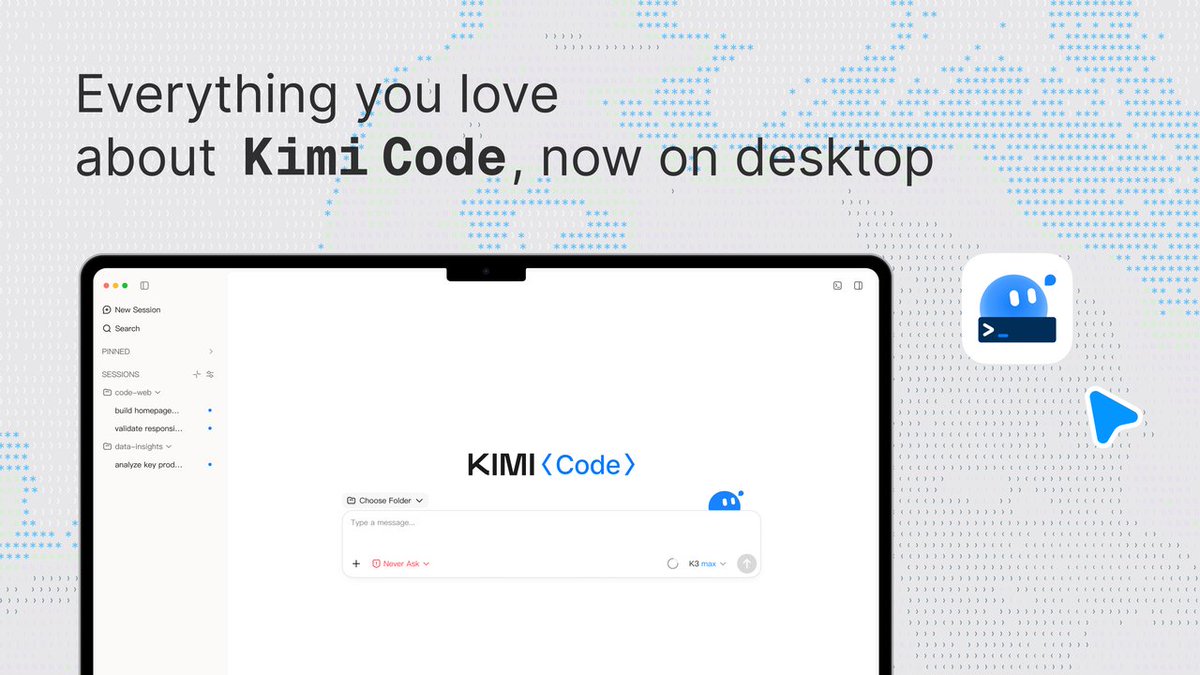
Meet Kimi Code Desktop
Drop it into any dev workflow and get faster, more reliable results — programming tasks done in record time. Manage multiple agents in one focused space, run tasks in parallel, and stay in sync with your agents even on long-horizon work.
Now available on MacOS & Windows.
I miss coding before AI.
I’d spend three hours chasing a stupid bug, fix it, and feel like a genius.
If something worked on the first try, I took the afternoon off to celebrate 😂
The dopamine highs aren’t as high anymore.