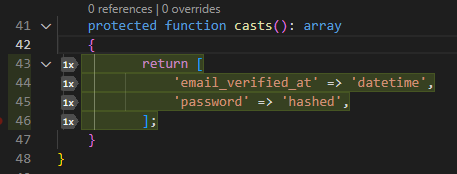
Did you know? 📊 PHP Tools for VS Code shows test code coverage right in the editor.
Click "Run Tests with Coverage" in Test Explorer (PHPUnit, ParaTest or Pest, with Xdebug) and see covered lines in the editor and Explorer.
https://t.co/40Iaw92ORK #PHP#PHPUnit
PHP Tools extension for @Code updated today!
Version 1.76 gets
🐘 PHP 8.6 PFA Support
🤖 MCP for your AI Agent
🥼 Type analysis improvements
🟥 Laravel&Blade Enhancements
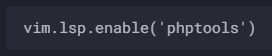
3. Enable PHP Tools Language Server
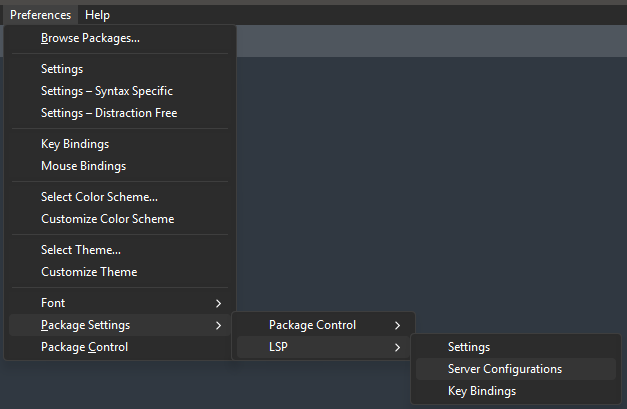
Go to Preferences / Package Settings / LSP / Server Configurations.
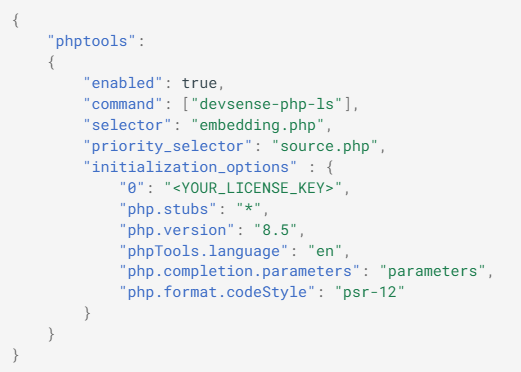
In the newly opened file LanguageServers.sublime-settings, add the following configuration:
Latest PHP IntelliSense features are also available to Visual Studio 2019 - including all diagnostics, formatting options, Laravel support, and improved code completion.
When completing members, the editor uses an extremely fast, fully local AI model to predict the most relevant methods, properties, or constants for the current context.
The most probable members are marked with a star icon (★) next to their name and moved to the top.
The PHP extension for @Code provides an integrated MCP server that helps AI agents provide faster, better, and more cost-effective responses.
The list of tools and skills will expand in future updates!
Improve WordPress development in Visual Studio. #PHP Tools for #VisualStudio v1.89 by @php4vs improves support for #WordPress hooks, making it easier to navigate code and maintain plugins and themes. https://t.co/RJPoYuYujL