Global Green Screen Challenge for classes around the world! Run by students in Toronto & their teacher @MrsGeekChic - Participate or nominate today! #PicForward
Guess what just launched? #PicForward Year 3! It's a Global Green Screen challenge by students for students. Come check it out and participate today! More info at https://t.co/BFTnGZiSms #everyonecancreate#greenscreen PS: Now available for Chromebooks AND iOS devices!! 👍🏼
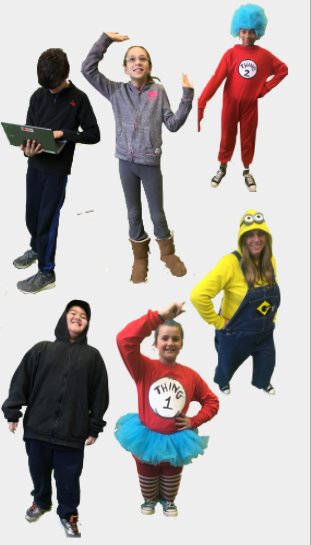
We are looking for creative students from across the world to edit our photos or even better send your own! All you have to do is copy our photos and paste them onto cool backgrounds from your city or country. #PicForward#everyonecancreate#greenscreen
Want an easy way to get creative with students? Try #greenscreen in iMovie on iPad + green tape! 💚 Check out my downloadable how-to guide here: https://t.co/n1ZcLOJntm Share your green tape creations using #greentapechallenge ✅
#everyonecancreate#appleEDUchat
Our Pic Forward student-run project is back and better than ever. Now instead of only having the grade 5 & 6s, we now welcome our grade 4s.
This year we will make everything up to date, with the website, and social media. Welcome to #PicForward 2019/2020. https://t.co/BFTnGZAte0
We are looking for creative students from across the world to edit our photos or even better send your own! All you have to do is copy our photos and paste them onto cool backgrounds from your city or country. #PicForward#everyonecancreate#greenscreen
Want to participate in a cool #greenscreen project but aren't sure how? With iPads you can easily take part in our Global Green Screen Challenge called #PicForward. Here's a how-to edit video to help get you started! See link in our bio for more info too. https://t.co/vJsbCFJ4EN
Guess what just launched? #PicForward Year 3! It's a Global Green Screen challenge by students for students. Come check it out and participate today! More info at https://t.co/BFTnGZiSms #everyonecancreate#greenscreen PS: Now available for Chromebooks AND iOS devices!! 👍🏼 #te…
A3. 2/2 Having my student-run Global Green Screen Challenge @PicForward be published in @todd_burleson’s Green Screen Maker Space Project Book! Also, in the same book having a sketchnote I drew published was pretty darn cool! #tdsbEd
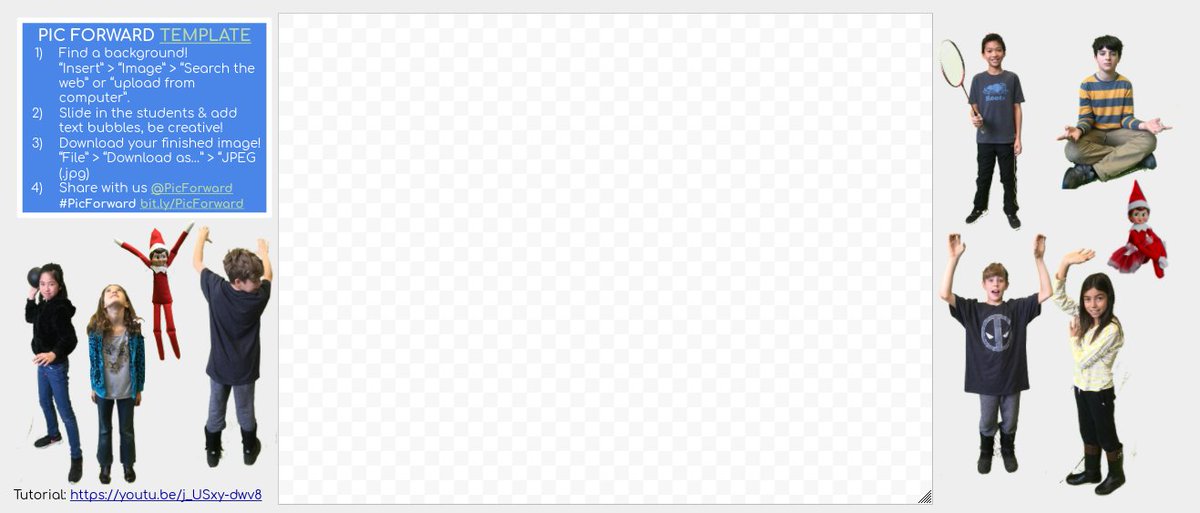
Participate in our Global #GreenScreen Challenge! We've got our new #PicForward template up and ready for you to try!
Use Chromebooks or desktops? Try our template: https://t.co/W6YOmDAush Use iOS devices? Head to https://t.co/2AKxo3m9YO #googleEI#gsuiteedu#globaled#edtech
Why not try our Global #GreenScreen Challenge? We've got our new #PicForward template up and ready for you to try!
Use Chromebooks or desktops? Try our template: https://t.co/EusQWG3Z99
Use iOS devices? Head to https://t.co/2AKxo3m9YO #googleEI#gsuiteedu#globaled#edtech
Why not try our Global #GreenScreen Challenge? We've got our new #PicForward template up and ready for you to try!
Use Chromebooks or desktops? Try our template: https://t.co/EusQWG3Z99
Use iOS devices? Head to https://t.co/2AKxo3m9YO #googleEI#gsuiteedu#globaled#edtech
RT @PicForward: What is Pic Forward you ask? It's a Global Green Screen Challenge for students & schools! Like a revamped Flat Stanley, put us in a background from where you're from. Check out this video for more info: #PicForward https://t.co/gx5avrUI38 #greenscreen
Participate in our Global #GreenScreen Challenge! We've got our new #PicForward template up and ready for you to try!
Use Chromebooks or desktops? Try our template: https://t.co/W6YOmDAush Use iOS devices? Head to https://t.co/2AKxo3m9YO #googleEI#gsuiteedu#globaled#edtech
The newest #PicForward template is available here: https://t.co/igdrFrjmX4 or if you have iOS devices grab our images from: https://t.co/2AKxo3m9YO and use @DoInkTweets to edit. Have fun! Check out this promo video for year 2: https://t.co/S5gYGLwBUG
MT @picforward: YEAR 2 IS HERE! Thank you to all of our previous #PicForward participants. Newest template is available https://t.co/pG2tLh1FuL or if you have iOS devices grab our images from: https://t.co/ID7cLJHTeu and use @DoInkTweets to edit. Have fun!