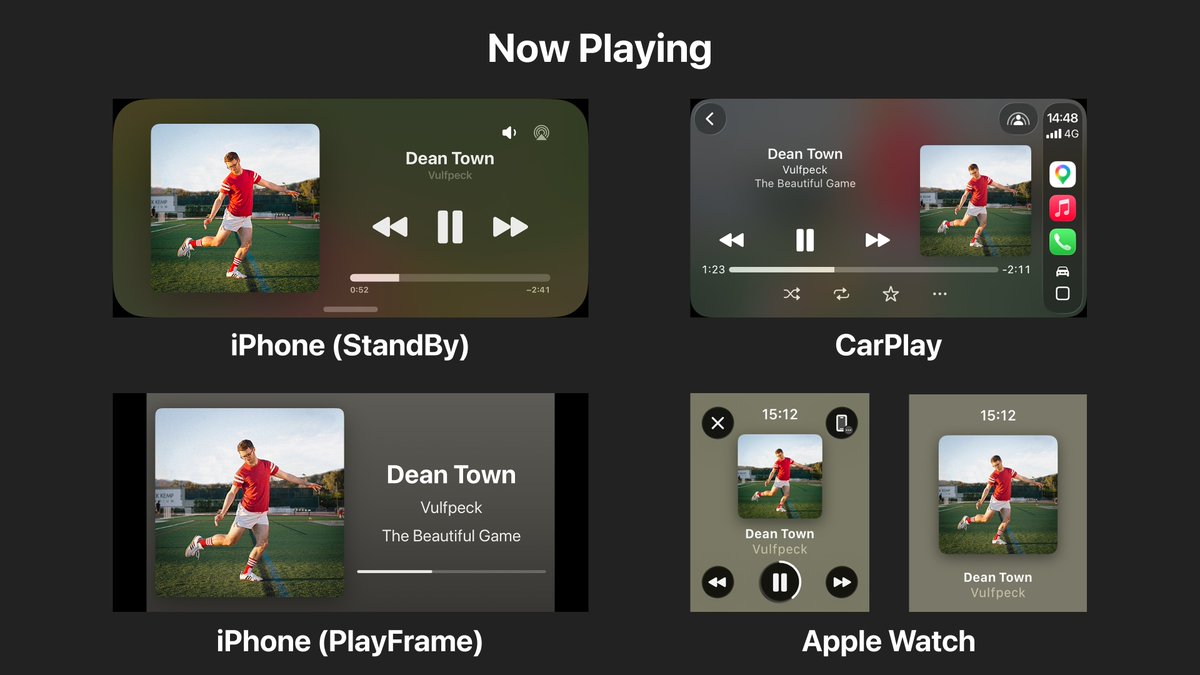
PlayFrame keeps getting better thanks to your feedback. Basic play/pause controls, volume control, and more have been added since launch. I'd love to hear what you'd like next. #sonos#kef
PlayFrame 1.0.4 is now available. After hearing from users who wanted simple playback controls, I added them while keeping the display clean and distraction-free. Play, pause, skip, and seek are now supported.
Most music apps are controllers. I wanted a dedicated Now Playing display for KEF and Sonos speakers.
I wrote about why I built PlayFrame and how it started as a small living room project. https://t.co/xzVLfLymUz
I wanted a Now Playing screen that felt calm. Most existing UIs prioritize controls. But when music is already playing through speakers, you usually just want to see what’s playing. That idea became PlayFrame.
Most music apps are designed for controlling playback. PlayFrame is designed for seeing what’s playing. A simple Now Playing display for KEF and Sonos speakers. No controls. Just the music.
Here’s a quick demo. Play music on your KEF/Sonos speaker, open PlayFrame on another iPhone/iPad, and it instantly shows the current track in real time. Designed to be readable from across the room.
PlayFrame is now available on the App Store! Turn your iPhone or iPad into a Now Playing display for KEF & Sonos speakers. Auto-detects speakers. No setup or sign-in required. #KEF#Sonos#NowPlaying https://t.co/XhfOXHckE0