BMXDDI1602: discrete INPUT module.
BMXDDO1602: discrete OUTPUT module.
One letter changes the function.
Send the full part number and a clear label photo with your RFQ.
#PLC#AutomationParts
The CPU runs the program. I/O connects it to signals and devices.
Our new article on https://t.co/OKoriKBD4x explains PLC modules, remote I/O and the wider system in plain language.
#PLC#IndustrialAutomation
DI receives ON/OFF signals.
DO sends ON/OFF commands.
AI receives variable measurements.
AO sends variable control signals.
Same channel count doesn’t guarantee the same specification.
Save Quick Reference #20.
#PLC#IOModules
“I need a PLC.” Which part?
CPU, power supply, I/O and communications each have a different role. The HMI and drives belong to the wider system.
This week: know your automation hardware.
#PLC#IndustrialAutomation
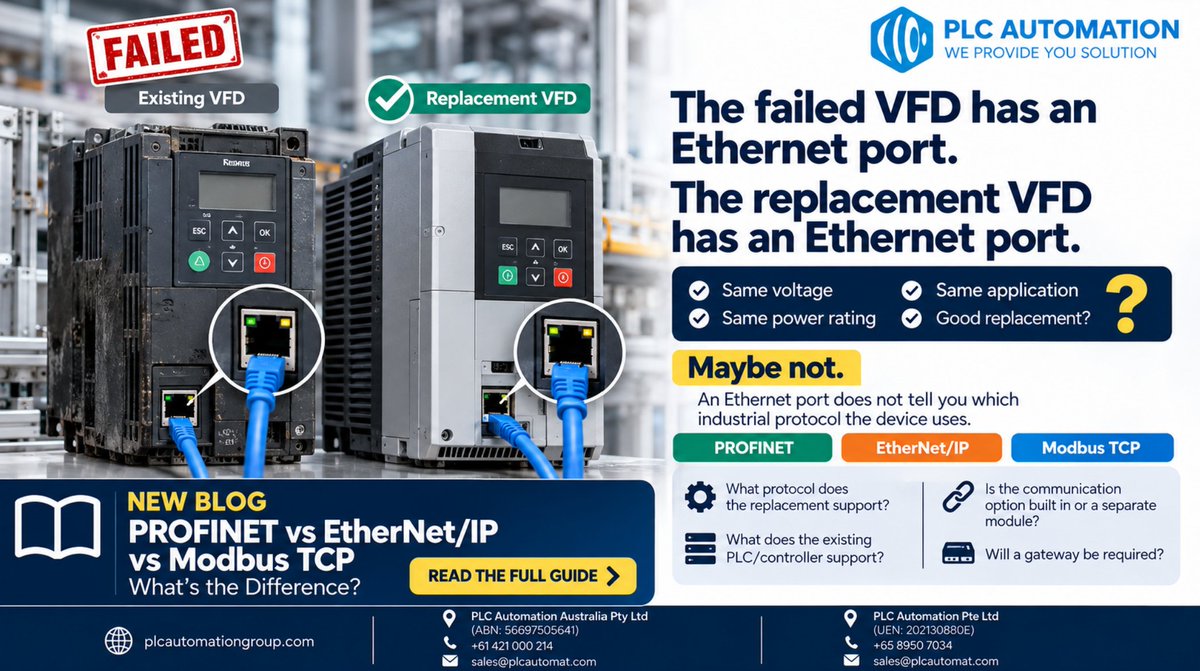
Failed VFD: Ethernet port.
Replacement VFD: Ethernet port.
Compatible? Not necessarily.
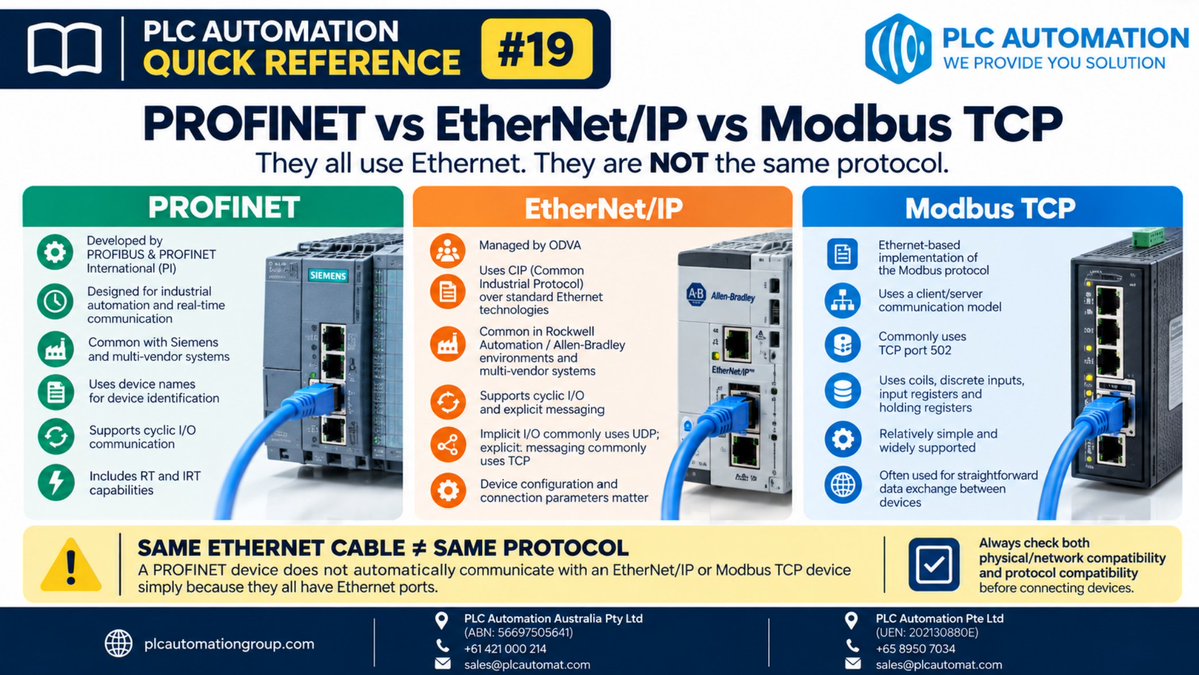
PROFINET ≠ EtherNet/IP ≠ Modbus TCP.
The connector may fit while the communication protocol doesn't.
An Ethernet port is not a compatibility specification.
🔧 Quick Reference #19
PROFINET ≠ EtherNet/IP ≠ Modbus TCP.
They can all use Ethernet, but that doesn't make them the same protocol, or guarantee two devices can communicate.
Before connecting/replacing equipment, check network AND protocol compatibility.
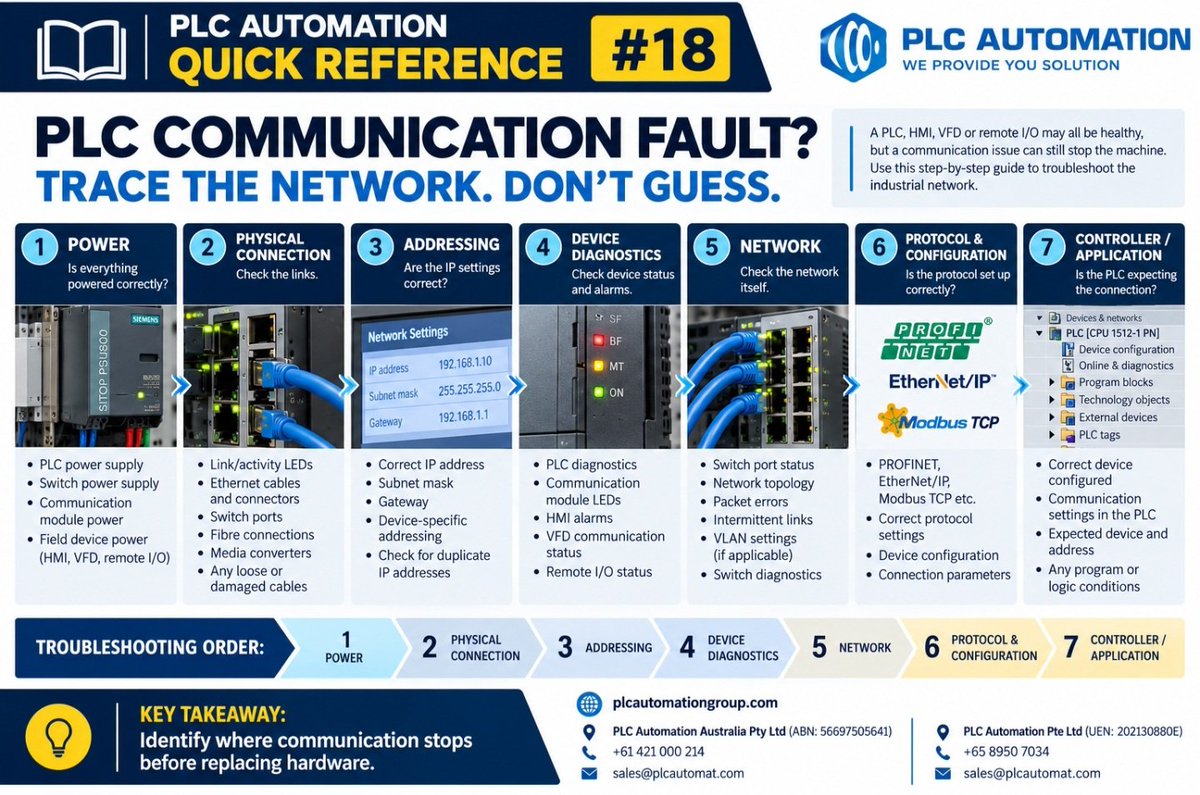
“I can ping the PLC, so the network must be fine.”
Not necessarily.
Ping proves basic IP reachability — not that PROFINET, EtherNet/IP, Modbus TCP or PLC-to-device communication is healthy.
Our troubleshooting guide ↓
https://t.co/rsMuc1lnnC
#IndustrialEthernet#PLC
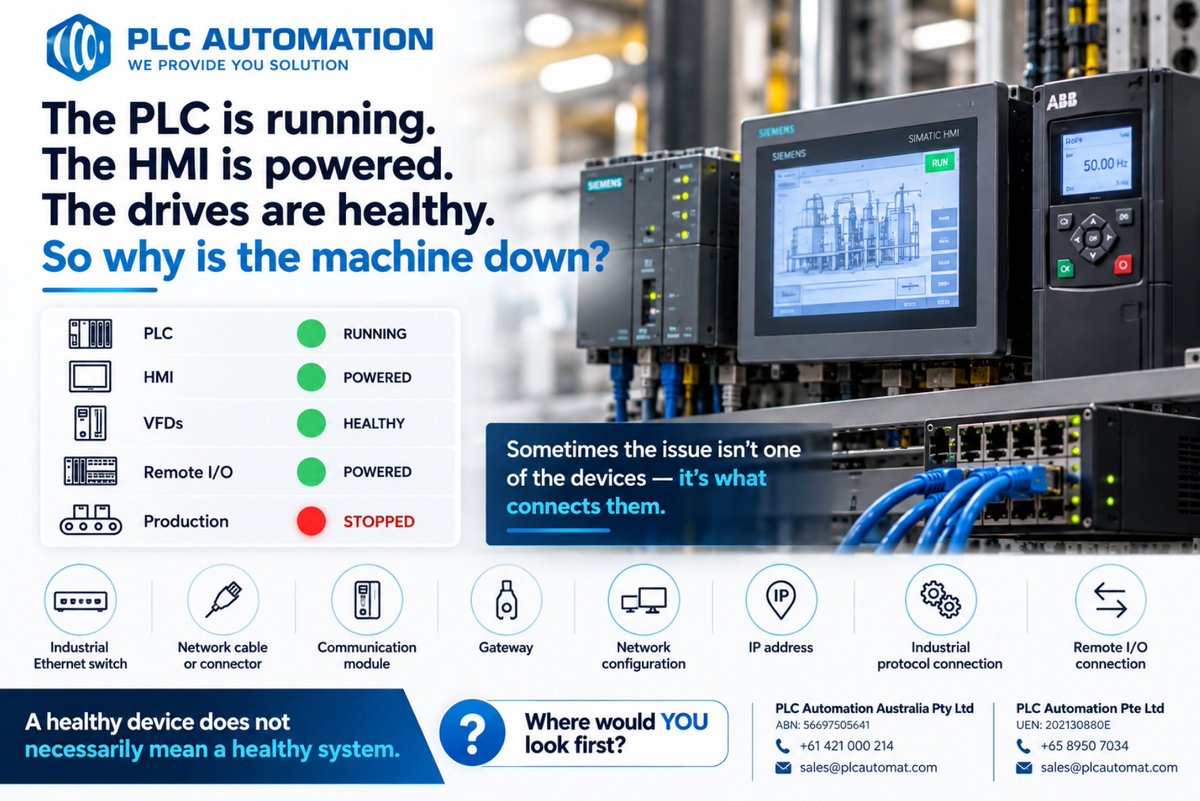
⚠️ PLC running. HMI powered. Drives healthy.
Machine stopped.
The problem may not be the device, it may be the network connecting them.
Switches, cables, IP conflicts, remote I/O or PROFINET/EtherNet/IP communication can all be the culprit.
Healthy devices ≠ healthy system.
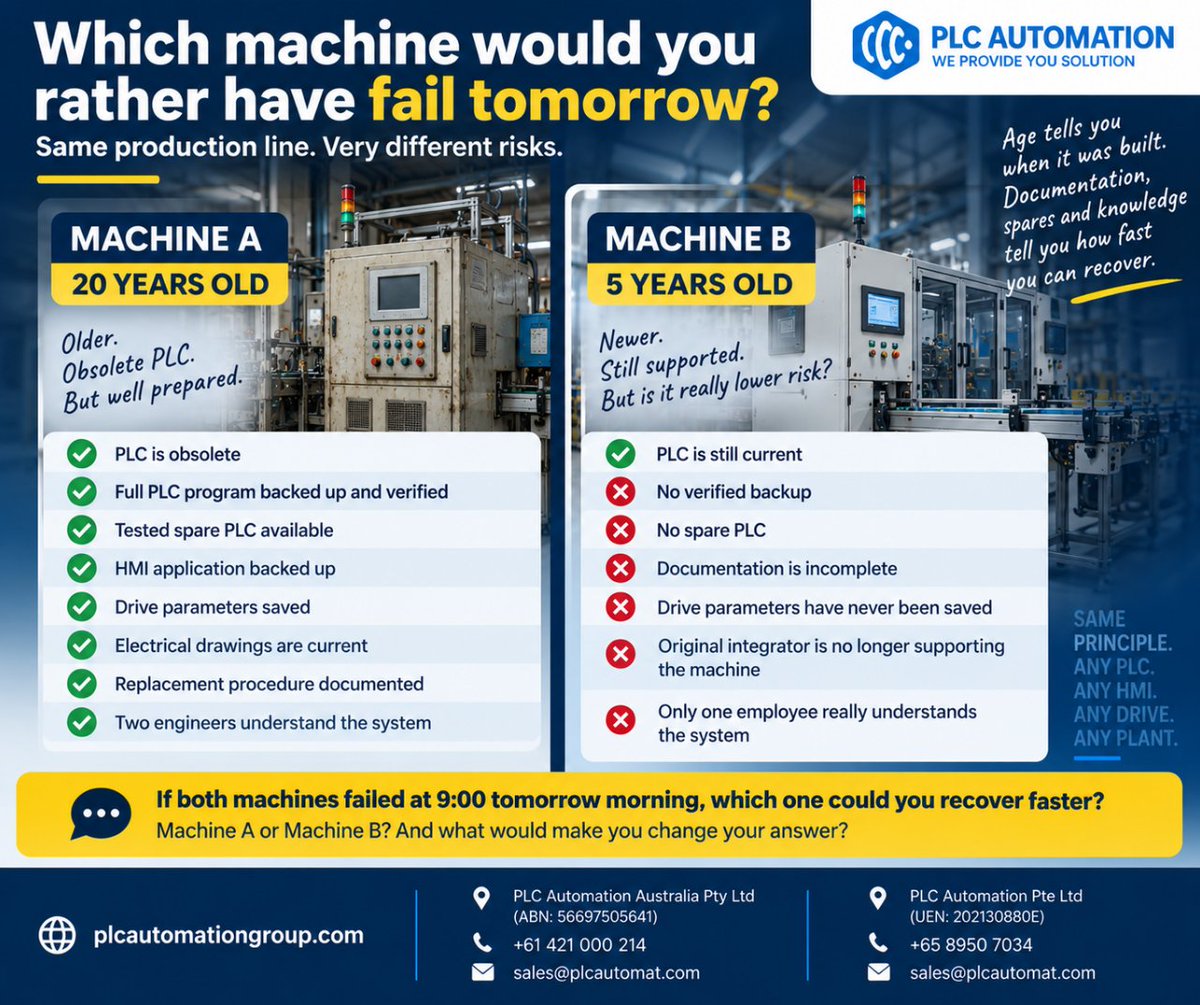
Which would you rather have fail tomorrow?
Machine A: 20 year old. Obsolete. Tested spare, verified backups, documentation + trained engineers.
Machine B: 5 year old. Current. No spare, no verified backup, poor documentation.
Which is the bigger risk?
Old ≠ bad.
New ≠ safe.
📘 PLC Automation Quick Reference #17
Should we stock this automation spare?
Don’t ask only: “How much does it cost?”
Ask:
→ What stops if it fails?
→ Is there redundancy?
→ How fast can we source it?
→ Is it obsolete/EOL?
→ Can we actually configure the replacement?
Save.
You have $10,000 to reduce your plant’s automation risk.
You can choose only TWO:
A) Spare PLC
B) Spare VFD/servo
C) Replace obsolete HMI
D) Verify all backups
E) Network/I/O spares
F) Cross-train an engineer
G) Criticality assessment
Which TWO — and why?
#IndustrialAutomation
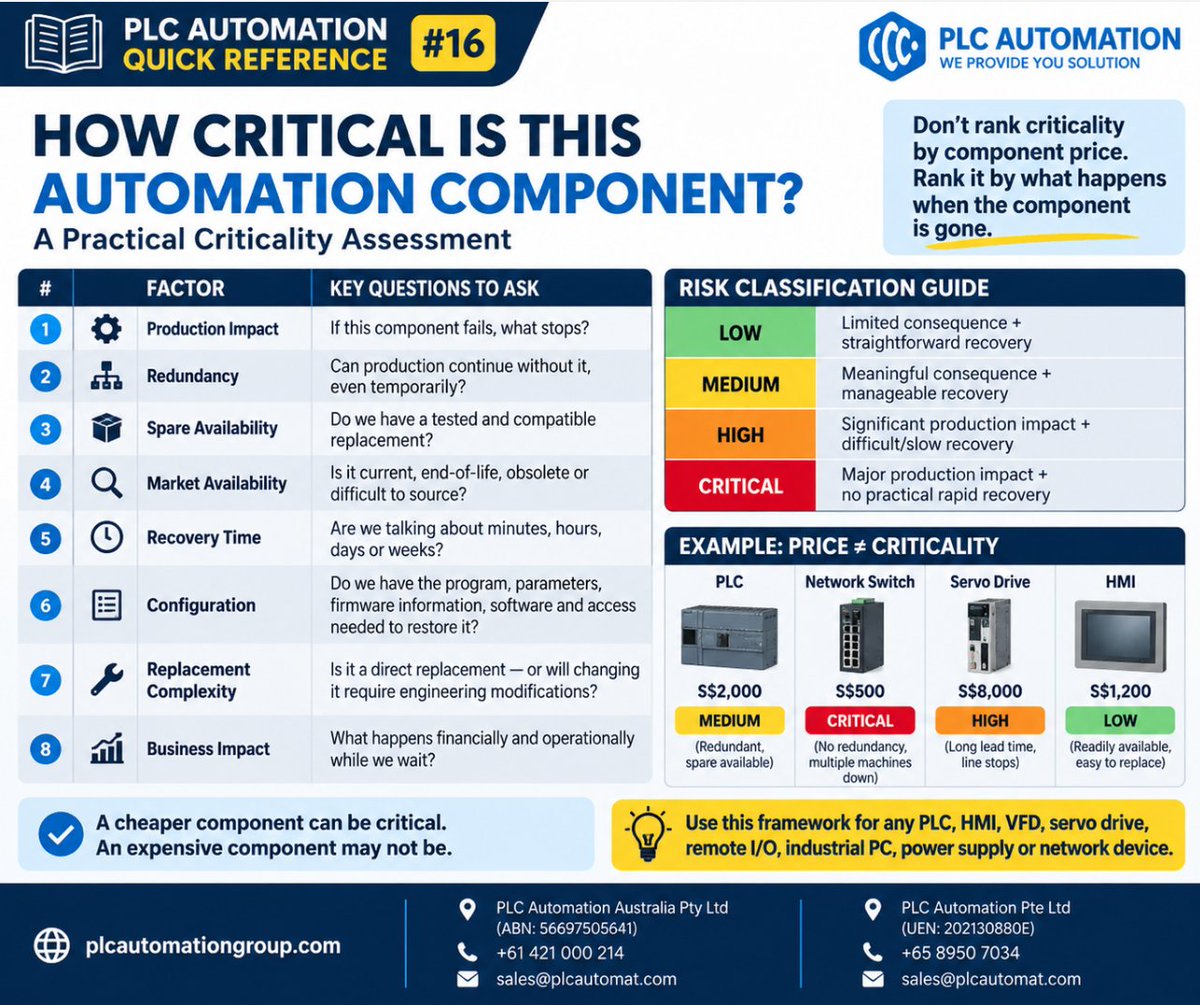
📘 PLC Automation Quick Reference #16
How critical is this automation component?
Don’t judge by price or age alone.
Assess:
✓ Production impact
✓ Redundancy
✓ Spares
✓ Availability
✓ Recovery time
✓ Configuration
✓ Replacement complexity
✓ Business impact
📌 Save this one
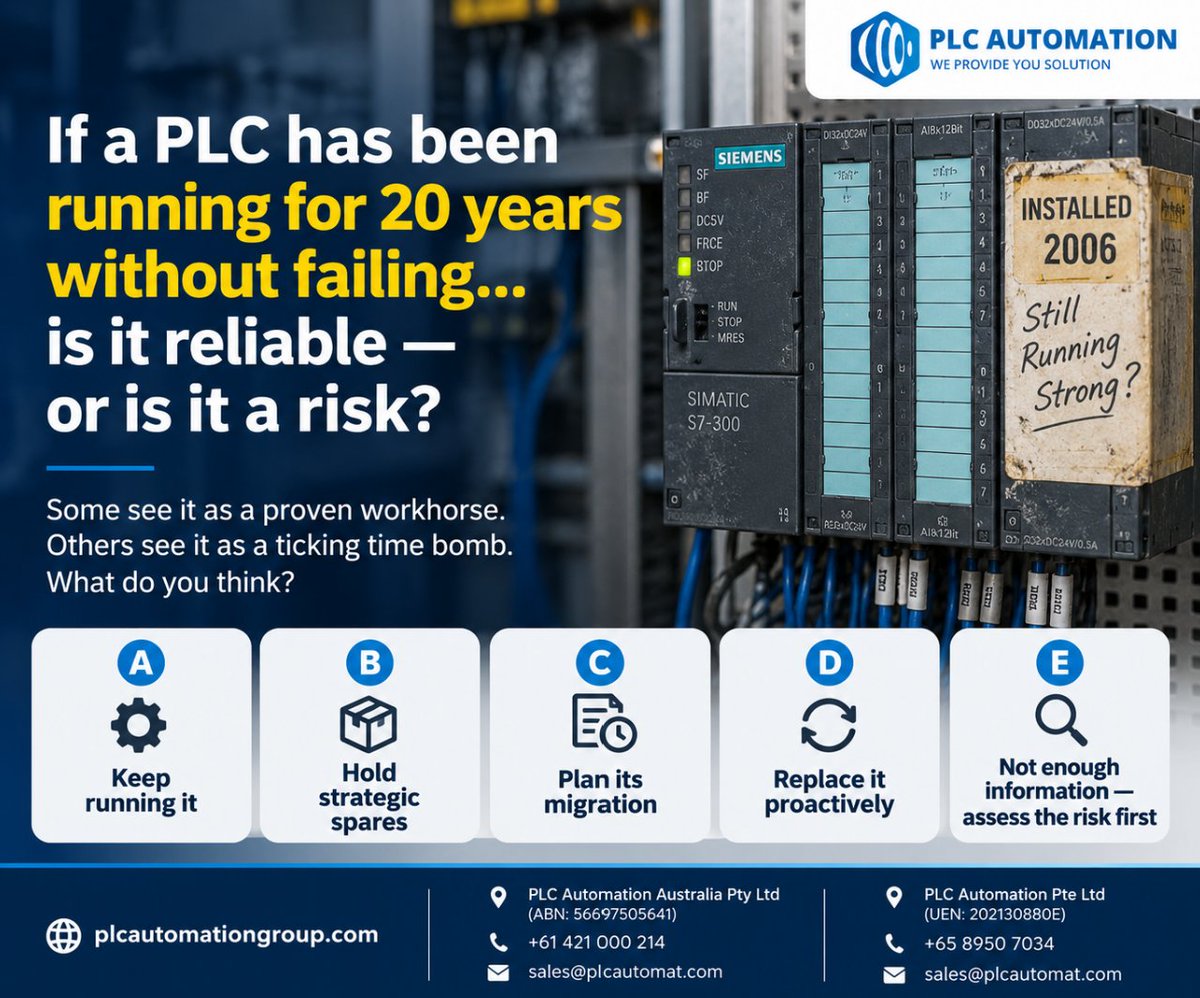
A PLC has been running for 20 years without failing.
Is that proof of reliability… or a risk hiding in plain sight?
A) Keep running it
B) Hold strategic spares
C) Plan migration
D) Replace proactively
E) Assess the risk first
Age alone doesn’t answer the question.
#PLC
“Maintenance told us about this six months ago.”
Then the PLC fails. No spare. Discontinued. Lead time unknown. Production stopped.
Preventive spending often looks unnecessary because nothing has failed yet.
Don’t replace everything that’s old.
Know what u cannot afford to lose
A $2,000 spare can look expensive.
Until the component fails & production is losing $20,000/hr.
The real cost of downtime can include production, labour, scrap, restart losses, overtime, freight & customer impact.
Don’t measure the spare alone. Measure the risk of not having it
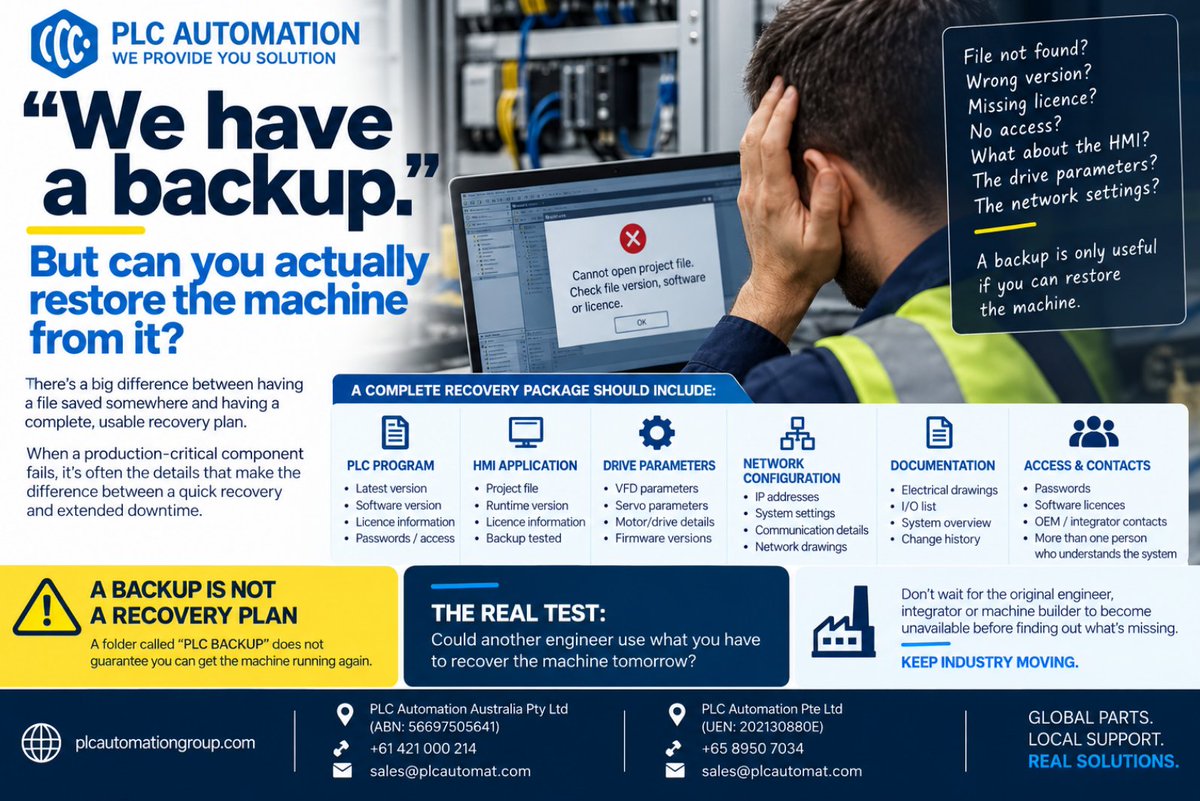
“We have a backup.”
But can you actually restore the machine?
Wrong version?
Missing licence?
No password?
No HMI file?
No drive parameters?
No network settings?
The real test:
Could another engineer recover the machine tomorrow using what you have?
A backup ≠ a recovery plan.
“Why spend money on it? The machine is still running.”
But if that PLC, HMI or drive fails tomorrow, can you recover?
Do you have the spare? The program? The software?
The parameters?
A machine can be running and still carry serious risk.
RUNNING ≠ RESILIENT
Encoder alarm disappears after a reset?
That doesn’t mean it’s fixed.
Intermittent faults can point to flexing cables, loose connectors, electrical noise, heat, vibration or moisture.
The key is finding what changes when the fault occurs.
🔗 https://t.co/yH3AkiMC9l