nice architectural plan bro 👏
some advice i can give regarding this:
when you pull from an external api, your first move should always be dumping the raw response into an object store like s3 or even a local json file
and why is that ?
tbh if you try to clean the data on the fly and your logic fails on record 9,999 out of 10,000, that means you have to ping their api server again, doing that on a paid api is going to cost you money because you're repeatedly hitting their server everytime an error comes up in your code.
so always decouple your extraction from your transformation. get the data safe on your storage first, then run your transformation.
extract -> load raw -> transform
I’ve mostly worked with static datasets in Excel and Power BI. Now I’m taking the next step, working with real-time data.
My next focus:
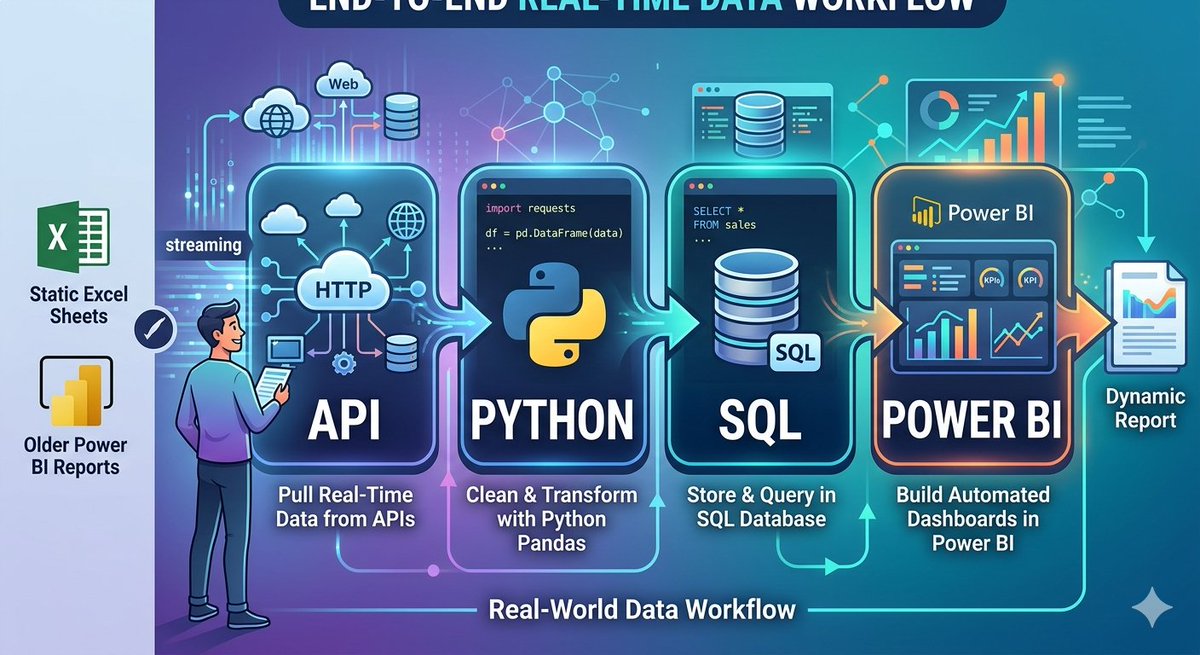
API → Python → SQL → Power BI
Instead of downloading datasets, I want to:
- Pull data directly from APIs
- Clean and transform it using Python
- Store and query it with SQL
- Build dashboards in Power BI
The goal is to move closer to how data is actually handled in real-world scenarios.
Still learning, but excited to build this end-to-end workflow.
If you’ve worked with APIs before, I’d appreciate any tips or resources. @chidirolex@_VictorUgwu@Smanmalik83@iam_daniiell@ObohX
#DataAnalytics #PowerBI #Python #SQL
You should never vibe code mission critical Data Engineering applications.
- Not the pipeline that feeds your regulatory submission.
- Not the transformation that calculates patient dosing.
- Not the reconciliation logic your finance team signs off on.
Use AI to build it. Absolutely.
But do not use AI to review it for you.
That's the human expert's job — and it's non-negotiable.
The code runs. The tests pass. The output looks plausible.
That's the danger.
Let AI accelerate the build.
But the review? That's where domain expertise earns its keep.
@Ubunta ran into this exact thing building a flight ticketing pipeline. used AI to write some dbt tests for NUC amounts based on standard industry logic. tests passed, but the company’s internal logic was different. silent failures are the worst 😭
i need you guys to promise me something
this thing’s hard to build. like really hard. and yes it’s gonna be completely free, idc.
i just need y’all to promise me you’re gonna use it and put your friends on and use it. not download and keep, actually use and post about it
thanks
Phase 3:🥳
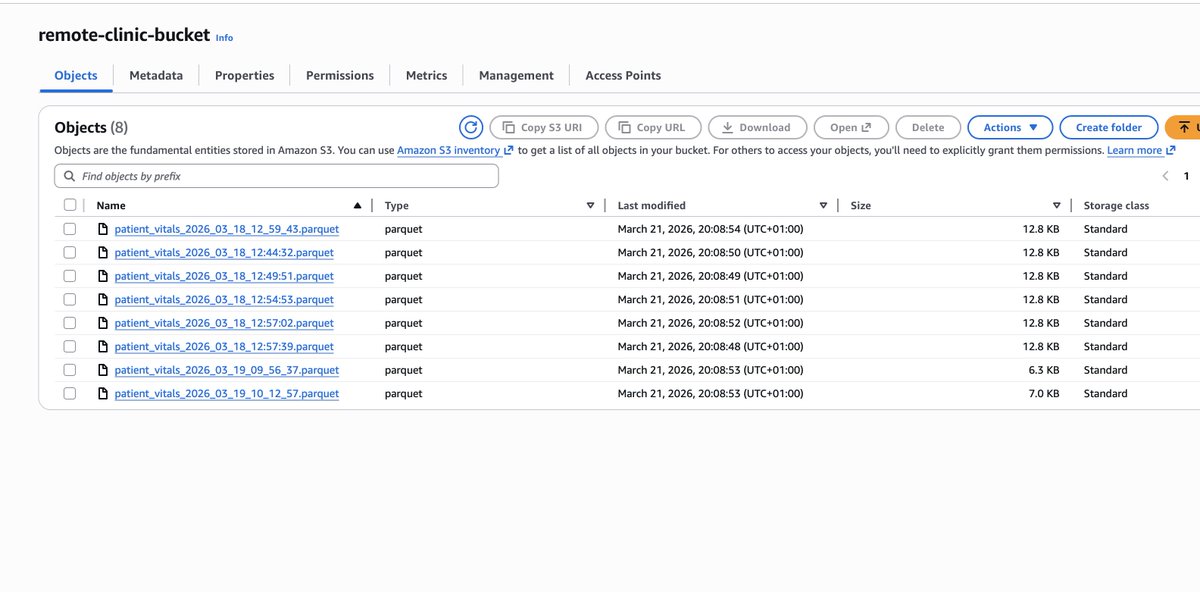
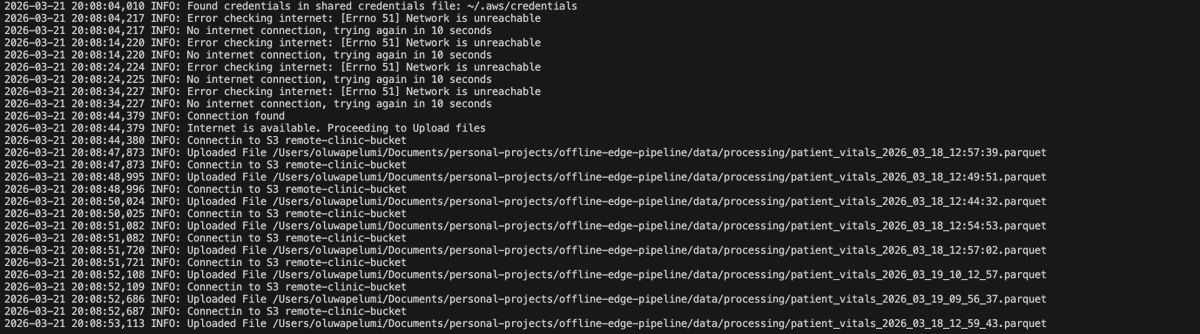
To ensure data is being uploaded to where it can be accessed from any location, once an internet connection comes up at the remote health clinic. What did i do?
> Provisioned an S3 bucket for the data uploads
> Created a python script that checks for internet connection every 10 seconds
> Once a connection is available, it pushes the parquet file from the outbox/ folder to the S3 bucket.
> Then moves the file from outbox/ to uploaded/ locally once its sure that the data is now available on the S3 bucket.
And there you have it, a simple, reliable offline-first data pipeline that works even with intermittent connectivity.
Will be documenting this project and pushing it to GitHub next. If you're interested in the workflow, you can access it there.
Phase 2:👀
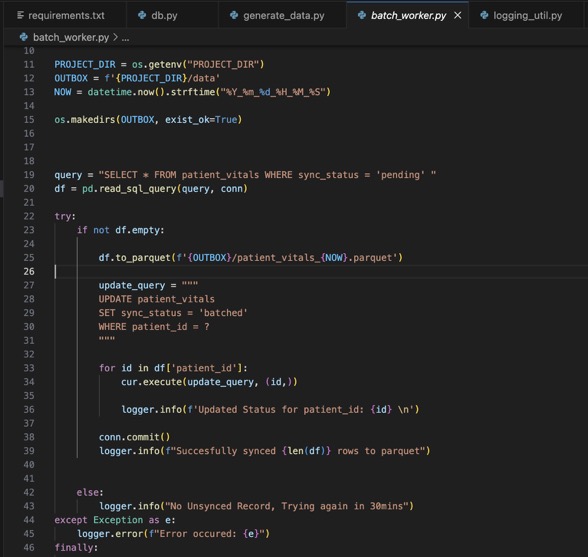
To prepare the data in the SQLite DB to be sent in a compressed format (parquet), what did I do?
1. Created a python script that :
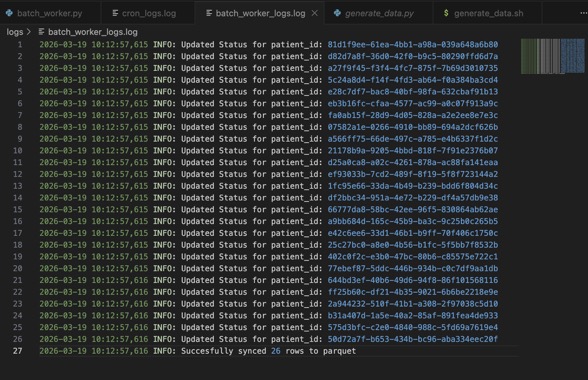
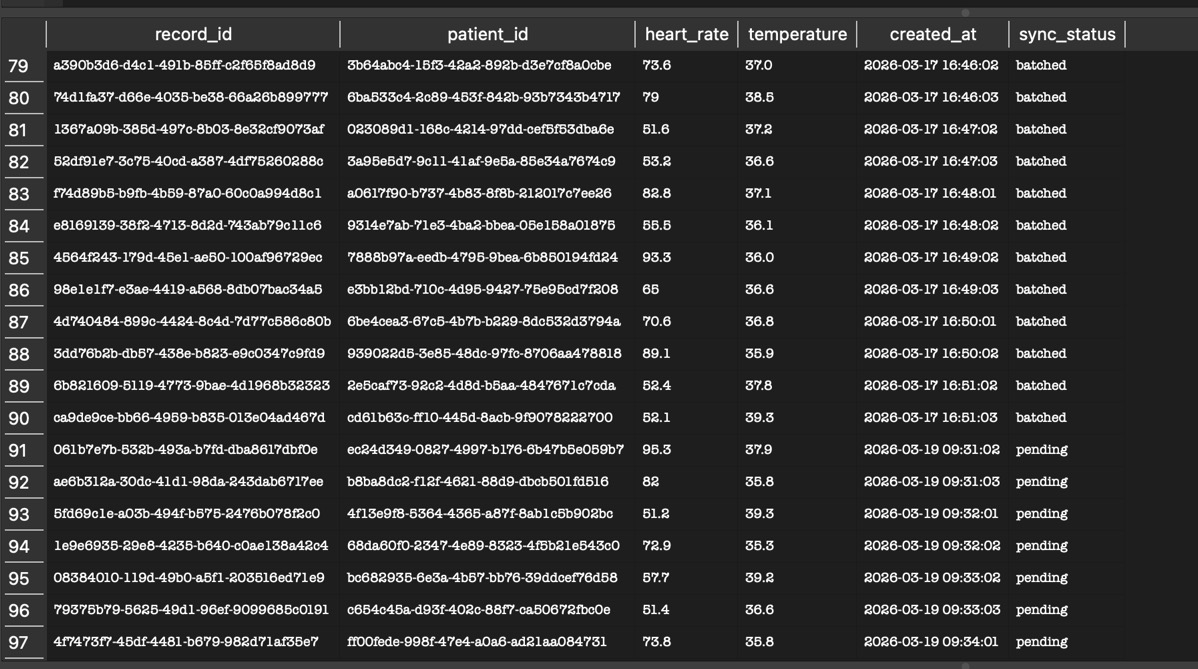
> Checks the table for unsynced records (records where the sync_status is in 'pending')
> Converts just those records into parquet using Pandas
> Then updates the converted records (using the record_id) sync_status to 'synced' in the DB.
Why did I do this?
So, when the script runs again, it only looks for records that haven't been synced yet.
Now I have lightweight data that can be sent over a minimal internet connection.
What's next?
> I'll be creating an uploader script that polls for an internet connection every 10 seconds. Once a connection is confirmed, it uploads the parquet file into an already provisioned S3 bucket.
#DataEngineering #ETL #Python #DataAnalytics
The Apache Airflow Registry is live: a searchable catalog of 98 providers and 1,600+ modules (operators, hooks, sensors, triggers, transfers).
Cmd+K instant search, connection builder, JSON API, auto-updates on new releases.
https://t.co/brXpfXkNAi
Phase 2:👀
To prepare the data in the SQLite DB to be sent in a compressed format (parquet), what did I do?
1. Created a python script that :
> Checks the table for unsynced records (records where the sync_status is in 'pending')
> Converts just those records into parquet using Pandas
> Then updates the converted records (using the record_id) sync_status to 'synced' in the DB.
Why did I do this?
So, when the script runs again, it only looks for records that haven't been synced yet.
Now I have lightweight data that can be sent over a minimal internet connection.
What's next?
> I'll be creating an uploader script that polls for an internet connection every 10 seconds. Once a connection is confirmed, it uploads the parquet file into an already provisioned S3 bucket.
#DataEngineering #ETL #Python #DataAnalytics
Proof of Concept:😶🌫️
So i started working on this as a project, what I've done:
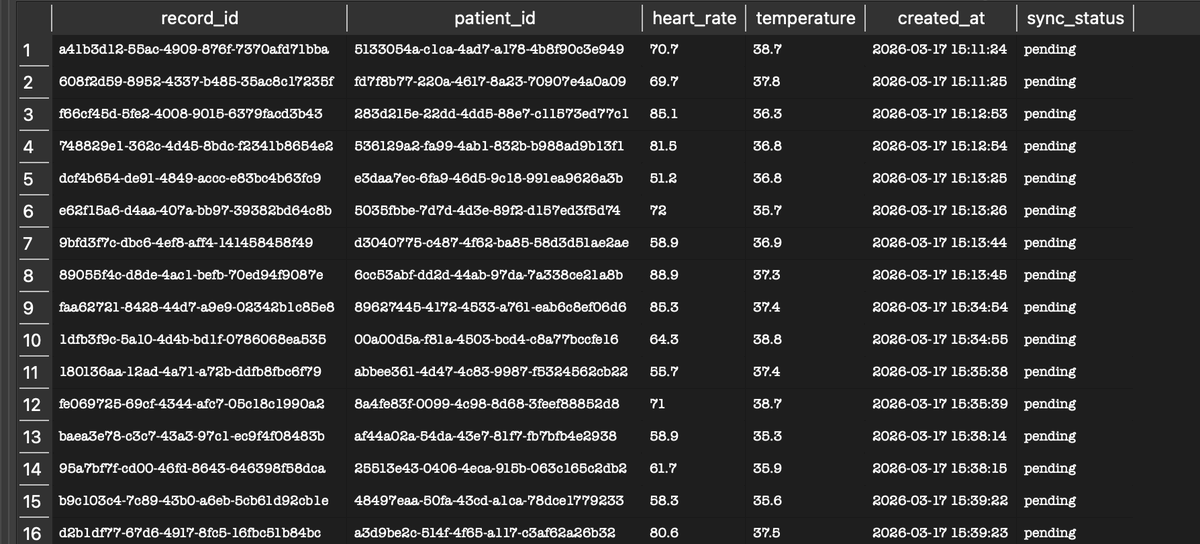
1. Initialized an SQLite Database and created a table called patient_vitals to store patients vitals.
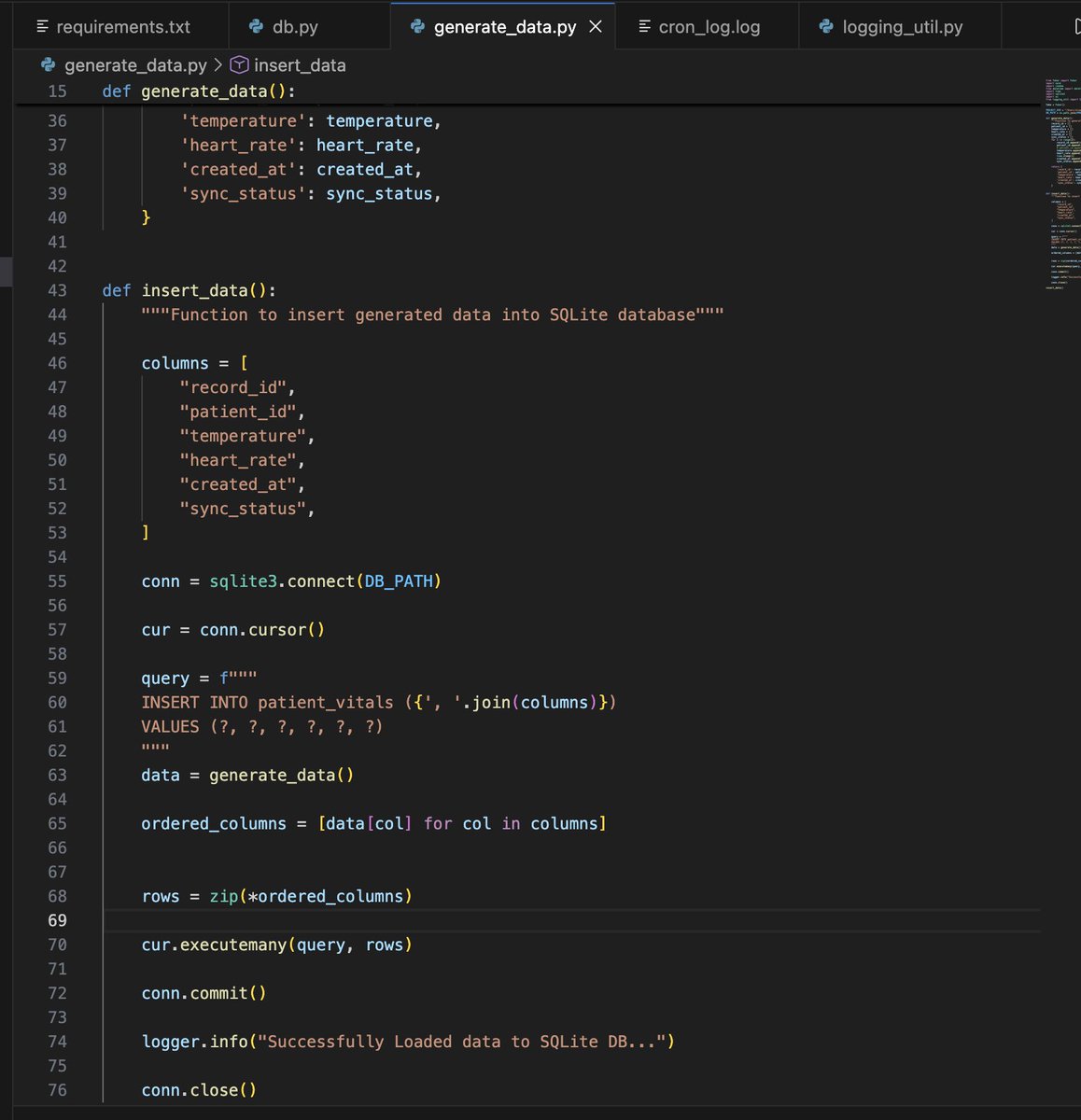
2. Built a Python script to generate and load data into the SQLite database
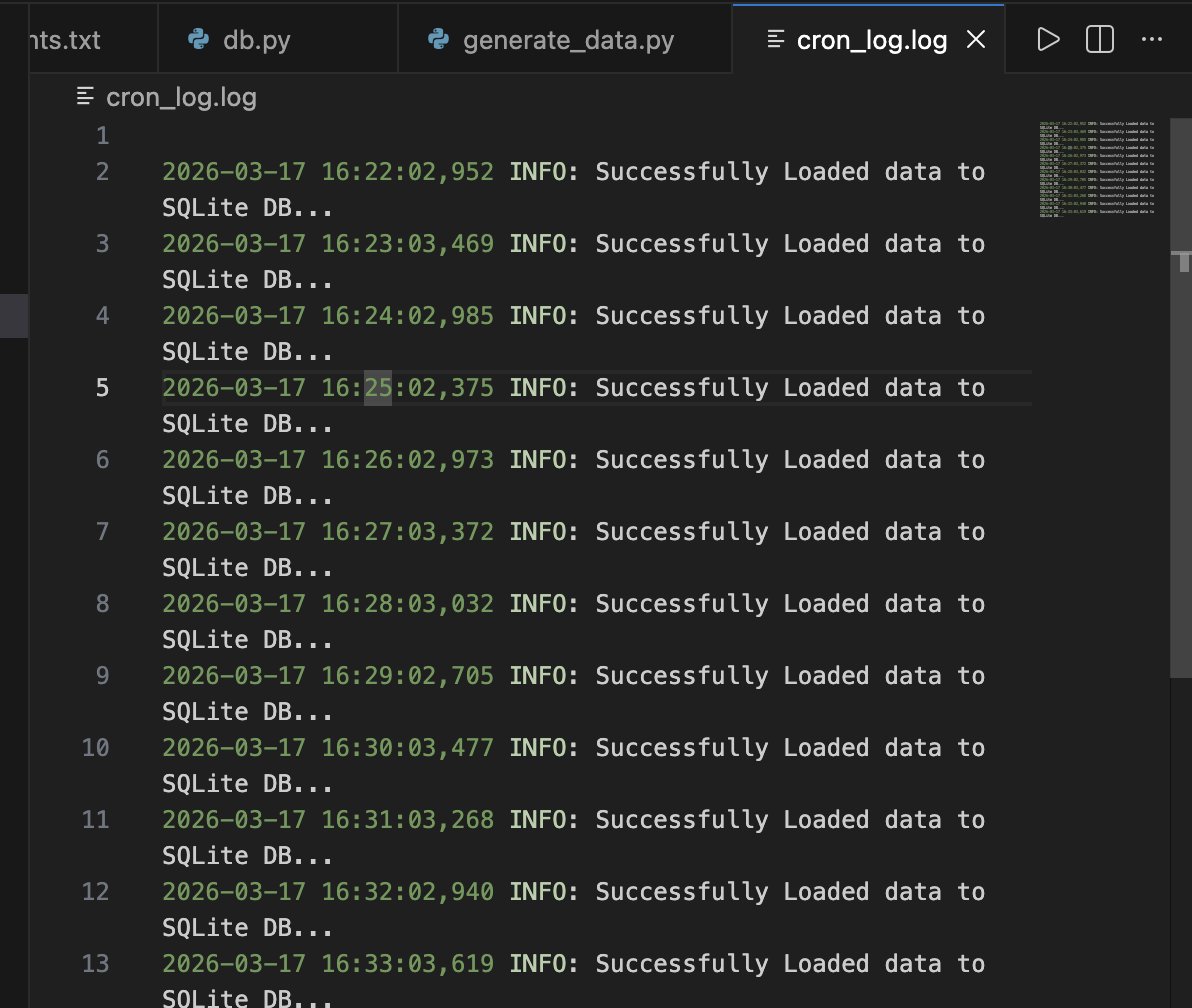
3. Automated the data generation and loading using cronjob, which currently runs every minute (would eventually change it to 10 mins) to simulate actual data entry in an health facility.
What next?
To prepare the data into highly compressed payloads (parquet) so it's ready the millisecond internet is available in the health facility.
I'll definitely use an offline first approach, and here's how I'd do it:
1. Store the data locally in a light weight DB like Sqlite.
2. Run a cron job to regularly batch and compress that data into Parquet.
3. Another script that polls for internet connection, so once an Internet connection comes up, it uploads the parquet into remote storage like an S3 Bucket
4. From there, S3 event notifications can trigger the ingestion pipeline to deduplicate and model the data.
Phase 2:👀
To prepare the data in the SQLite DB to be sent in a compressed format (parquet), what did I do?
1. Created a python script that :
> Checks the table for unsynced records (records where the sync_status is in 'pending')
> Converts just those records into parquet using Pandas
> Then updates the converted records (using the record_id) sync_status to 'synced' in the DB.
Why did I do this?
So, when the script runs again, it only looks for records that haven't been synced yet.
Now I have lightweight data that can be sent over a minimal internet connection.
What's next?
> I'll be creating an uploader script that polls for an internet connection every 10 seconds. Once a connection is confirmed, it uploads the parquet file into an already provisioned S3 bucket.
#DataEngineering #ETL #Python #DataAnalytics
Proof of Concept:😶🌫️
So i started working on this as a project, what I've done:
1. Initialized an SQLite Database and created a table called patient_vitals to store patients vitals.
2. Built a Python script to generate and load data into the SQLite database
3. Automated the data generation and loading using cronjob, which currently runs every minute (would eventually change it to 10 mins) to simulate actual data entry in an health facility.
What next?
To prepare the data into highly compressed payloads (parquet) so it's ready the millisecond internet is available in the health facility.