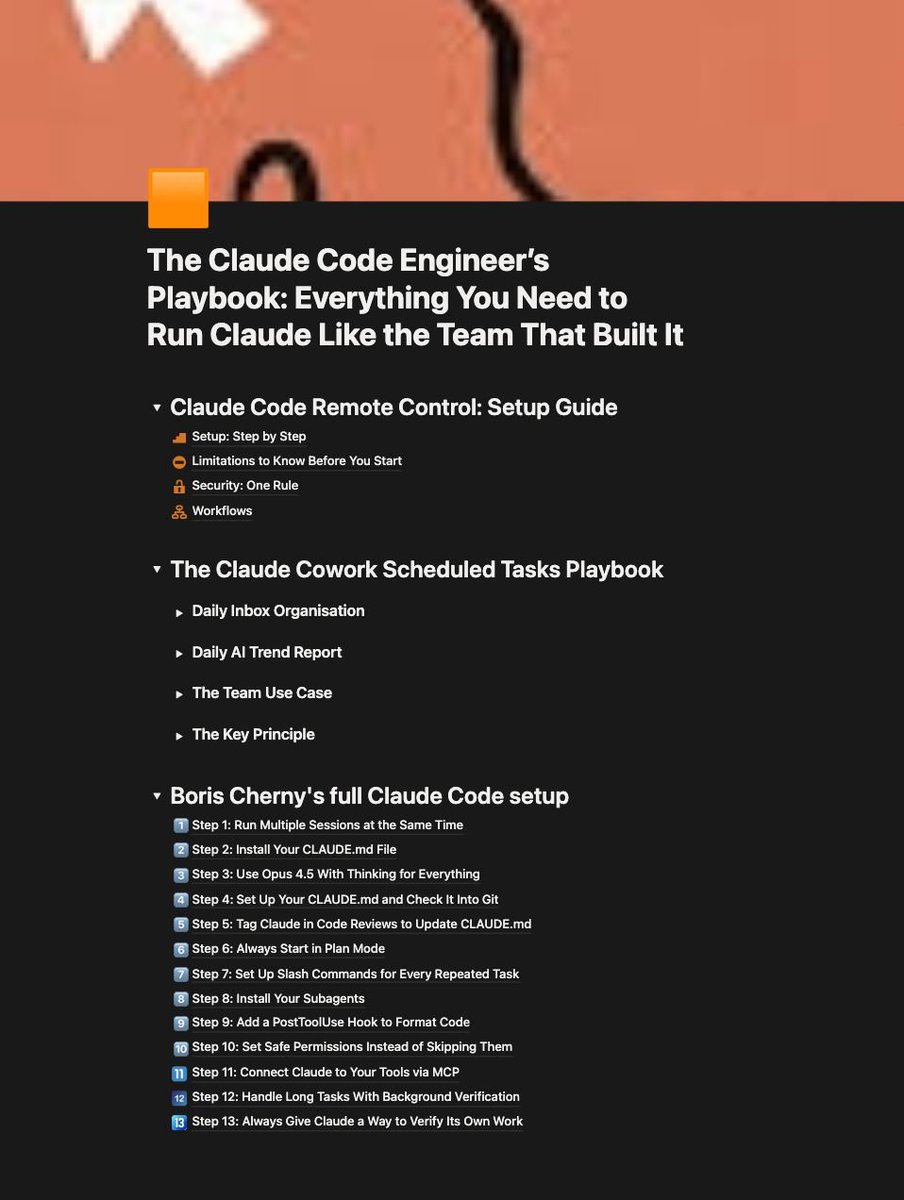
Most people use Claude Code like a chatbot and get chatbot results.
So I documented the most complete setup you can install today.
Inside:
→ How to continue your local Claude Code session from your phone without losing context or stopping work
→ The CLAUDE. md file that writes its own rules after every correction so the same mistake never happens twice
→ Scheduled task setup so Claude processes files, pulls trend reports, and consolidates team outputs every morning at 7am without you triggering anything
→ How to actually run 10 to 15 Claude sessions at the same time across terminal and browser
→ Subagent setup so Claude simplifies, reviews, and verifies its own work without you managing it
→ Plan Mode workflow so Claude builds a full plan before touching a single file (with exact activation steps and what to say)
→ Safe permissions setup so Claude never needs unrestricted access to your machine
→ MCP connections for Slack, BigQuery, and Sentry so Claude uses your tools directly
→ PostToolUse hooks so code formatting never causes errors in review
→ Ready to use files including CLAUDE. md, subagents, slash commands, scheduled task instructions, and hooks
→ Common mistakes that slow Claude Code down and the exact fixes Boris Cherny uses
If you build with AI daily, ship code, or manage a team using Claude Code, this is the only setup guide you will need.
Comment "CLAUDE" and I will send it straight to your DMs.