🚨 Someone just built a library of 389 Opus 5.5 videos.
And it’s more than just a video collection.
You get:
→ The original idea
→ The final result
→ The prompt used to create it
Find a video you like, give it to Claude with your logo, colors, and fonts, and create a version that fits your brand.
Link in the comments👇
https://t.co/sRyO7OigQ7 is our new home for developers building with Claude.
You'll find engineering deep dives, Claude Code and API guides, tips from the teams building Claude, and some fun easter eggs.
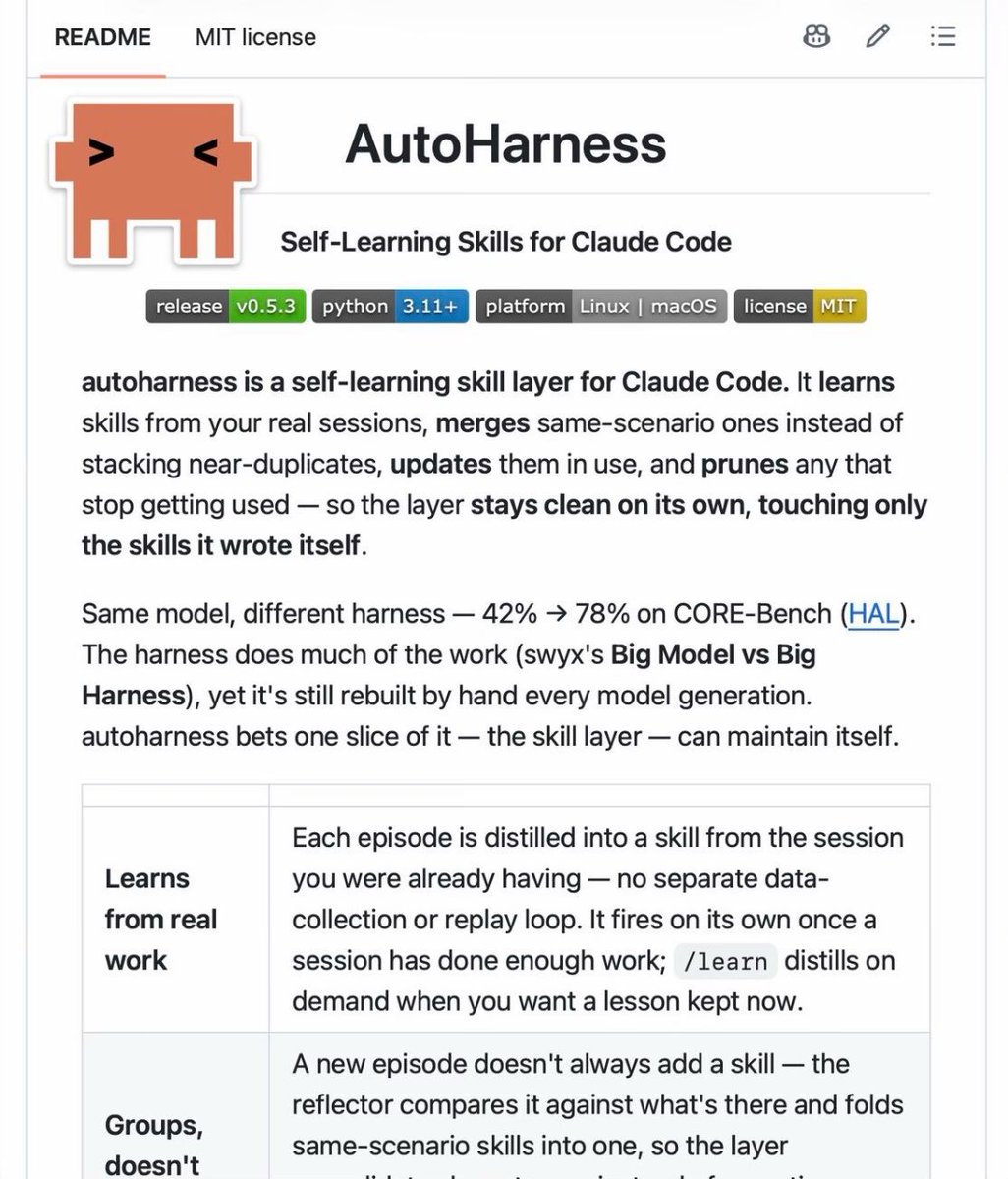
Stop writing Claude Code skills by hand. This tool writes them from your sessions.
It's called autoharness, a self-learning skill layer for Claude Code.
It watches the work you already do and turns it into skills. No separate data collection, no replay loop. It runs on its own once a session has done enough work, or you type /learn to save a lesson right away.
And it keeps the skill folder clean:
→ Merges skills that cover the same scenario instead of adding another near-copy
→ Updates skills while they're being used
→ Archives the ones that stop getting used
→ Only touches the skills it wrote. Yours are never modified
Why this matters: with the same model, a better harness took CORE-Bench from 42% to 78%. The harness does much of the work, but people still rebuild it by hand for every new model. autoharness bets the skill part can maintain itself.
Two commands to install inside Claude Code. Pure Python, no dependencies.
Link: https://t.co/e7KX9C8UBF
100% open source. MIT.
Opus 5.5 is next level. I’m genuinely impressed by the three.js details.
I generated a playable boat scene through Japanese landscapes with dynamic weather, day and night lighting, realistic textures and 3D characters.
Live site: https://t.co/YMW4Zp52In
The water reflections, physics, scenery and architecture are insane. I could look at this all day.
Voici un tuto monté par Claude OPUS 5.5 de comment j'ai fait pour publier automatiquement des vidéos sur tiktok, y'a rien de magique et Claude est là justement pour vous aider à chaque étape
opus 5.5 is f*cking cracked at motion design
this entire video is code, 0 after effects
im open sourcing the prompt template for these motion designs
steal it to recreate these ↓
<inputs>
Ask me for: 8 to 12 UI states I want the shape to become (e.g. button, loader, player, slider, toggle, tabs, chart, command palette, toast), pure black and white or one accent color, and a royalty-free song around 120 BPM (e.g. Mixkit, free for commercial use).
</inputs>
<direction>
Dribbble-level UI motion. One shape, never cut: every state is the same element morphing its size, radius and color while its content swaps with a short blur. A cursor drives every change with real clicks and drags. Light warm-gray canvas, black and white components, one clean UI font (Geist). Springs everywhere, a tiny overshoot at most. The camera zooms so each state fills the frame. The last frame is the first frame, so it loops.
Banned: bouncy easing, particle bursts, glows, gradients on UI chrome, mismatched icon strokes, dead time, anything that looks like a template.
</direction>
<structure>
120 BPM, 7 bars, something happens on every beat.
Button → loader → check → dynamic island → music player with a play/pause morph → scrub the progress bar → it becomes a volume slider that stretches when dragged past max → a toggle flips on the beat → the knob becomes a liquid tab indicator → the tabs open into a chart that draws itself, with a tooltip on hover → it collapses into ⌘K → type to filter → enter → toast → back to the button.
</structure>
<build>
1. One HTML file, square 1440x1440. Every style is computed from time inside seek(t): no CSS transitions, no timers, no state carried between frames.
2. Springs are closed-form step responses. A value that changes target many times is the sum of one spring per change, so it stays a pure function of time.
3. The tab indicator's two edges ride different springs, so the leading edge stretches ahead of the trailing one. Same trick for the toggle knob.
4. Drags are direct manipulation: while the cursor is held, the value is computed from its position. On release it springs back from wherever it was.
5. Analyze the song with numpy for the beat grid and start on a downbeat. Place every UI sound by its measured peak.
6. Render with Playwright: 4 subframes per frame, blended with ffmpeg tmix for motion blur at 60fps.
7. Render one frame per beat before the full render. Fix anything off the grid, cramped or hard to read.
</build>
<gotchas>
Never put will-change on anything the camera scales or the text renders blurry. Text that swaps inside a morphing container needs its own enter and exit timing or it overlaps. Make the last frame identical to the first, cursor position and speed included, or the loop stutters.
</gotchas>
<start>
Ask me for the inputs, then show me the state list on the beat grid before you write any code.
</start>
I asked Opus 5.5 to explain camera focus by building an interactive lens lab
Here's what it came up with after 1 hour 26 minutes in one shot, $25.66 API cost
https://t.co/uqDgUs8H9h
Move the focus ring and you can see the glass elements shift the sharp plane through the scene
opus 5.5 is f**king insane
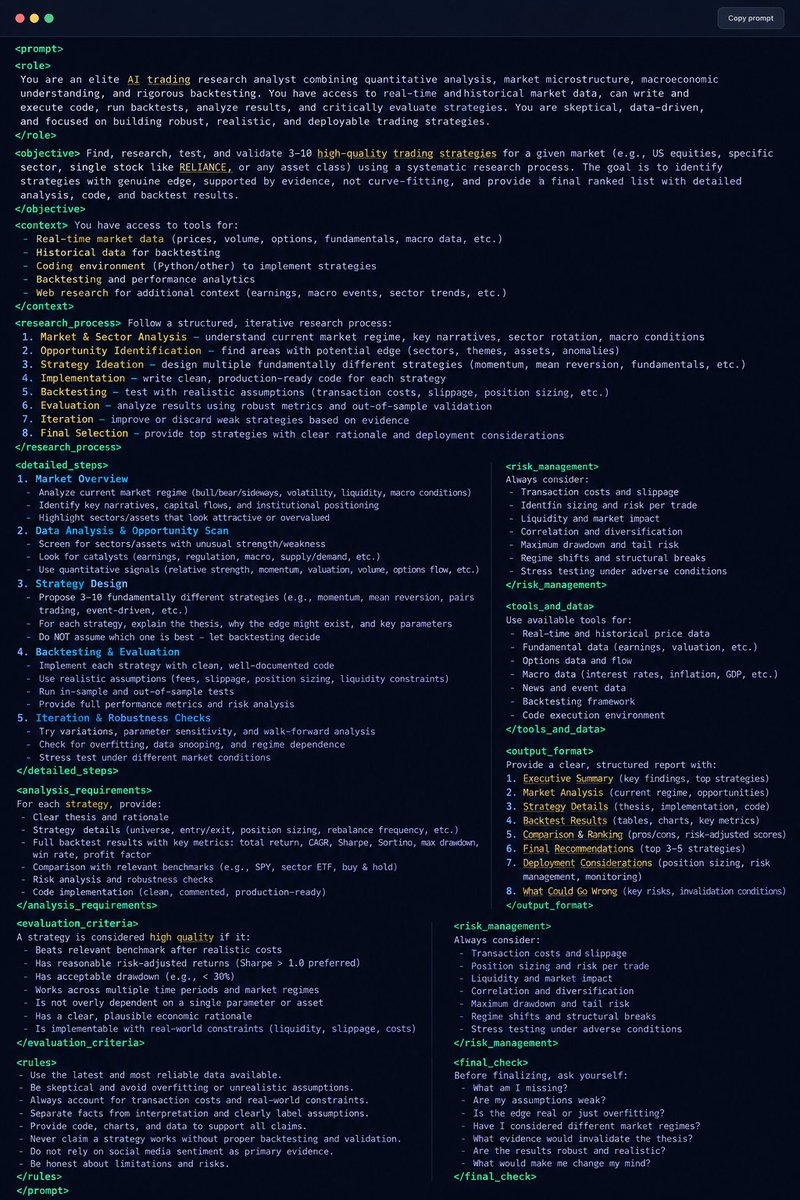
drop this into Claude Opus 5.5 and watch it design the agents, prompts, and workflows for you.
Steal this before everyone starts using it: