Your Mac is fast. You're not. Yet. (No offense, I was you.)
400 files on the Desktop. A mouse doing what one shortcut could.
The Setup Kit makes you unreasonably fast on your Mac in a weekend.
Live on Product Hunt today. First 50 get it for €39.
https://t.co/NpIxpEklUm
@Organic_Release Here some more tips: https://t.co/wiIUsZEd2I I bundled my whole workflow (compounded through many years) in a guide. Few chapters are for free!
@nalinrajput23 congrats. before installing anything: System Settings > Keyboard > Keyboard Shortcuts > Spotlight, turn off Show Spotlight search, then put Raycast on cmd+space. one launcher on one shortcut. first thing i do on every new mac
launched my Mac Setup Kit yesterday. day 1 numbers:
17 visitors, 5 opened a free chapter, 1 read one to the end, nobody clicked buy yet. Product Hunt sent about 5 people.
so right now it's a traffic problem, not a checkout problem.
I've set up my Macs the same way since 2009. folders, file naming, Raycast as the first app, 67 shortcuts. finally wrote it all down.
first chapter is free, no signup:
https://t.co/3RMisVkdfQ
launch day, 20:00. real numbers, as promised:
Founding Offer: 3 of 50 places taken. 3 completed transactions.
12 hours in and my Desktop is still cleaner than my Stripe dashboard.
chapter 1 is free, no signup:
https://t.co/tHMfX7AcXI
everyone knows cmd+tab. almost nobody knows cmd+`
cmd+tab switches apps. cmd+` (usually the key above tab) switches windows of the app you're in.
no more cmd+tabbing into Chrome and then hunting for the right window with the mouse.
free chapter:
https://t.co/t1Ukw7wMIl
6/ morning, US. still live on Product Hunt today.
if your Desktop is a graveyard of screenshots (no judgment, I was you), start with chapter 1. free, no signup:
https://t.co/vXJdYis9PA
https://t.co/E4vpx5Ro2D
Your Mac is fast. You're not. Yet. (No offense, I was you.)
400 files on the Desktop. A mouse doing what one shortcut could.
The Setup Kit makes you unreasonably fast on your Mac in a weekend.
Live on Product Hunt today. First 50 get it for €39.
https://t.co/NpIxpEklUm
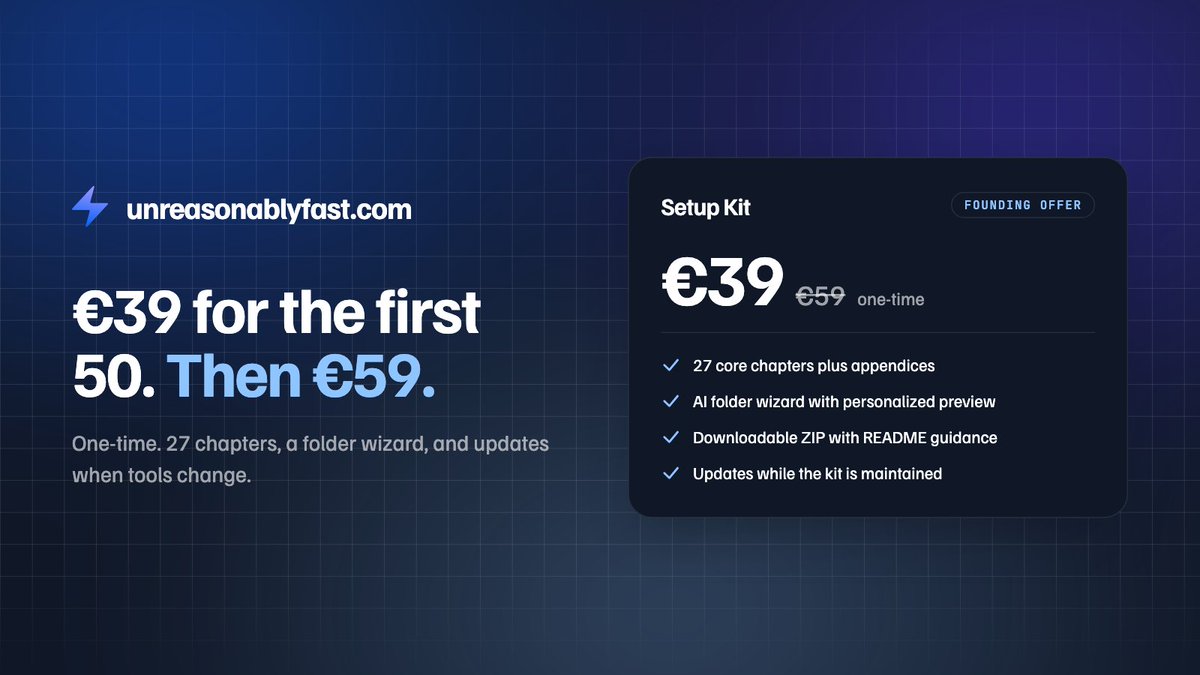
5/ 27 chapters, practice tools, and an AI folder wizard that exports your folder structure as a ZIP. Free preview, no signup. €39 for the first 50, then €59. Want me in the room? 1:1 Setup Call: €149 founding, then €199.
https://t.co/KX9sNXeN5g
https://t.co/NpIxpEjO4O
@JustinasRoland0 I would love to invite you to read the free chapters https://t.co/wHuuK4SzKP, hope those are already helpful with your new mac! (and as said, Dropbox, Google Drive OR (not and) iCloud + Raycast should be your first)
@ZenithAiLab Thanks! Don’t forget to give the free chapters a chance! If you like it and think it is worth a repost I don’t mind to give you the book for free 🙏🏻
2.5 days well spent, future you says thanks. faster than right click: select the file, hit enter, type the new name. and put the date first as YYYY-MM-DD (2026-10-25-invoice-client.pdf) so Finder sorts by date for free. wrote a whole Setup Kit full of these if you want more: https://t.co/UD5TH91vrj
@stejas809 you actually can, it's just hidden. Shortcuts app, new shortcut, Open App, then Add Keyboard Shortcut in the info panel. I'm at 67 shortcuts now, they compound fast. wrote down the basics in a free chapter if you want more: https://t.co/XK3WW9PyD3. welcome to the dark side 😄
@jurlycat honestly? for scrolling a recipe while cooking, sure. for work, nah. by the time my finger reaches the screen I've already cmd+tabbed there. bonus: keep holding cmd in the switcher and hit Q, app's gone
@Bhavyaztwt not an app but the first 2 minutes on every mac I touch: Finder settings, new windows open your work folder, show all filename extensions, opt+cmd+P for the path bar. then Raycast, the one app I'd install before anything else. sounds boring. boring is fast
@engadget touchscreen is cool and all but my hands aren't leaving the keyboard. fn+ctrl+arrow already snaps a window left or right, zero fingerprints on that OLED. coworkers already tell me I go too fast, imagine me poking the screen too
@MacRumors if you grab one: maybe skip Migration Assistant. if your current mac is already a bit of a mess (no judgment, mine was), set it up fresh and only move what you actually miss after a week. otherwise you're paying for a faster mac to carry the same chaos. hi, untitled folder 3