I never thought I would write this publicly.
But my family has NO ELECTRICITY for 3 years in 43° Hyderabad heat.
We have a HIGH COURT ORDER.
Accused use fuel cans and knives to block justice.
I am their only son. Writing from USA. This is my last hope. 🙏
@revanth_anumula@TelanganaCMO@SajjanarVC_IPS@TelanganaDGP
🧵1/16
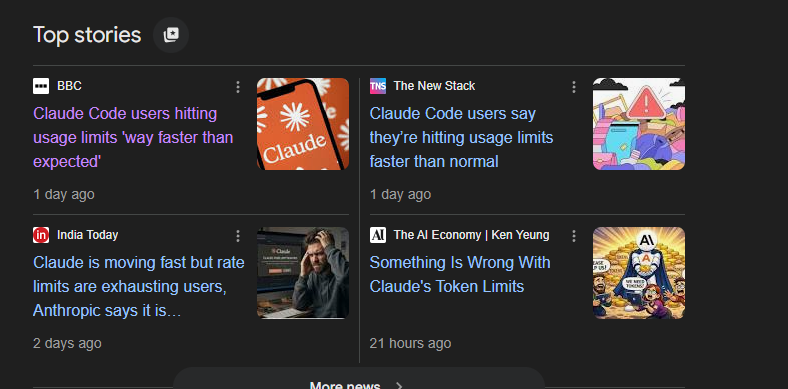
I don't know whether @claudeai is able to find and fix this or not, but just after using only 2 prompts, Claude says to wait another 5 hours because your limit has been reached. Before you all say 'clear your .md files' and all that, I already did everything, but it keeps happening.
Is this a bug or what? #claude #bugs
It was 11 PM.
Submission deadline in 9 hours.
I had spent 3 days on that drawing. Every dimension is placed carefully. Every GD&T symbol added. Title block filled. Views aligned perfectly.
I hit submit.
The next morning it got rejected.
"Missing surface finish callout on the side view. Wrong projection angle. Tolerance stack-up inconsistent with datum reference."
Three things. Three tiny things I missed after 3 days of work.
I had to redo it. Miss the deadline. Lose marks.
And the worst part?
I had no way of knowing before I submitted.
That day I made a decision.
I was going to build something that catches these mistakes before you hit send.
Not a checklist. Not a manual. An actual AI that reads your drawing the way a senior engineer does checks every view, every callout, and every symbol and tells you exactly what's wrong.
3 months later - Draft AI Standards Checker feature is live.
Here's what it does:
Download the extension.
You upload a STEP file.
In under 60 seconds it:
→ Opens your 3D model automatically
→ Exports Front, Top, Side and Isometric views
→ Annotates exact X, Y and Z dimensions on every view
→ Checks everything against ASME Y14.5, ISO GPS and BS 8888
→ Hands you a downloadable PDF with every
🔴 Critical Violation
🟡 Warning
🔵 Recommendation
📊 Category score across 8 areas
✅ Overall Pass / Fail verdict
The same drawing that took me 3 days and still got rejected?
Draft AI would have caught all 3 mistakes in 47 seconds.
One thing you need to know:
To use the Standards Checker with STEP files, you need to download the Draft AI SolidWorks Extension from the website.
It's a one-time install. Takes 2 minutes. And once it's done - every STEP file you upload gets the full treatment automatically.
👉 Download it at https://t.co/6qW1U6F58R
No subscription. No credit card. Just install and go.
I'm just a mechanical engineering student who got frustrated enough to build the tool that didn't exist.
If you're an engineering student, a design engineer, or anyone who has ever had a drawing come back with "minor corrections" that felt anything but minor —
This is for you.
Try it free → https://t.co/6qW1U6F58R
💬 Drop a 🔴 in the comments if you've ever had a drawing rejected for something you could have caught yourself.
The minor issues will be fixed soon :)
Thanks for cooperating.
What if SolidWorks could tell you exactly what's missing in your sketch automatically?
Imagine this: you're working on a sketch, and instead of hunting through every line trying to figure out why it's under defined a notification pops up and tells you exactly what constraint or dimension is missing, and where.
No more clicking each entity one by one.
No more failed extrudes because you missed one relation.
Just a clean, instant answer.
Would that change how you work?
Drop a comment, curious to hear from mechanical engineers and CAD designers. Is under defined sketches actually a pain point for you, or do you have a better workflow already? 👇
#SolidWorks #MechanicalEngineering #CAD #Design #Engineering
We've been building something at Draft AI that engineers have needed for a long time.
Today, I want to show you a small piece of it.
Upload a 3D CAD file. Get back a professional 2D engineering drawing - front view, top view, side view, isometric on a proper drawing sheet with a title block, dimensions, and border.
No manual setup. No SolidWorks drawing wizard. Just your part and a drawing ready to share.
This is just one feature of what we're building. We're not launching yet, but we're getting close, and I wanted the engineering community to be the first to see it.
If you work in mechanical design, product engineering, or manufacturing — follow along. What's coming next will matter to your workflow.
Launching soon. 🔩
The Draft AI Team
#DraftAI #CAD #MechanicalEngineering #ProductDesign #Manufacturing #EngineeringTools #SolidWorks #ComingSoon
@ollieforsyth https://t.co/NLCw0sMdWX
AI for engineering drawings.
Instead of spending hours reviewing designs manually,
DraftAI analyzes them in seconds.
Dimensions, GD&T, manufacturability, cost and more.
@ollieforsyth https://t.co/NLCw0sMdWX
AI for engineering drawings.
Instead of spending hours reviewing designs manually,
DraftAI analyzes them in seconds.
Dimensions, GD&T, manufacturability, cost and more.
Hey @vercel & @rauchg
I’m building https://t.co/6qW1U6F58R an AI platform that reviews mechanical engineering drawings and automatically detects missing dimensions, GD&T issues, and manufacturability risks.
I’d love to explore whether there’s an opportunity for Vercel to back or collaborate on this project. Building everything as a solo developer has been challenging but exciting.
Would also love to hear your feedback or advice ;)
@kacieahmed https://t.co/NLCw0sMdWX
AI for engineering drawings.
Instead of spending hours reviewing designs manually,
DraftAI analyzes them in seconds.
Dimensions, GD&T, manufacturability, cost and more.
Every mechanical engineer knows this pain.
You send a drawing to manufacturing…
…and it comes back:
❌ Missing tolerance
❌ Wrong GD&T symbol
❌ Not compliant with ASME
So I built Draft AI Standards Checker.
It scans drawings against ASME Y14.5, ISO GPS & BS 8888 and gives a scored compliance report in seconds.
Checkout Now At → https://t.co/6qW1U6F58R
Any feedback is appreciated!
#MechanicalEngineering #EngineeringTools #CAD
I was tired of jumping between 5 different tools just to review a single engineering drawing.
Check dimensions here.
Verify GD&T there.
Manually compare standards somewhere else.
So I spent 2-3 months and built Draft AI from my basement.
One place. Upload your drawing. Get everything:
→ Dimensions & GD&T
→ Standards compliance (ASME / ISO / BS 8888)
→ Tolerances & cost estimates
→ Full BOM in seconds
Free to use. Just launched.
https://t.co/6qW1U6F58R 🔗
#BuildInPublic #AI #Engineering