@kamaieditor Se o estilo de edição é novo pra você isso é totalmente normal, qualquer editor sente isso no começo
Se quer resolver "rápido", tenta fazer o que esse amigo aqui fez mas em alguns minutos e em menor escala:
https://t.co/W8xZmenb3p
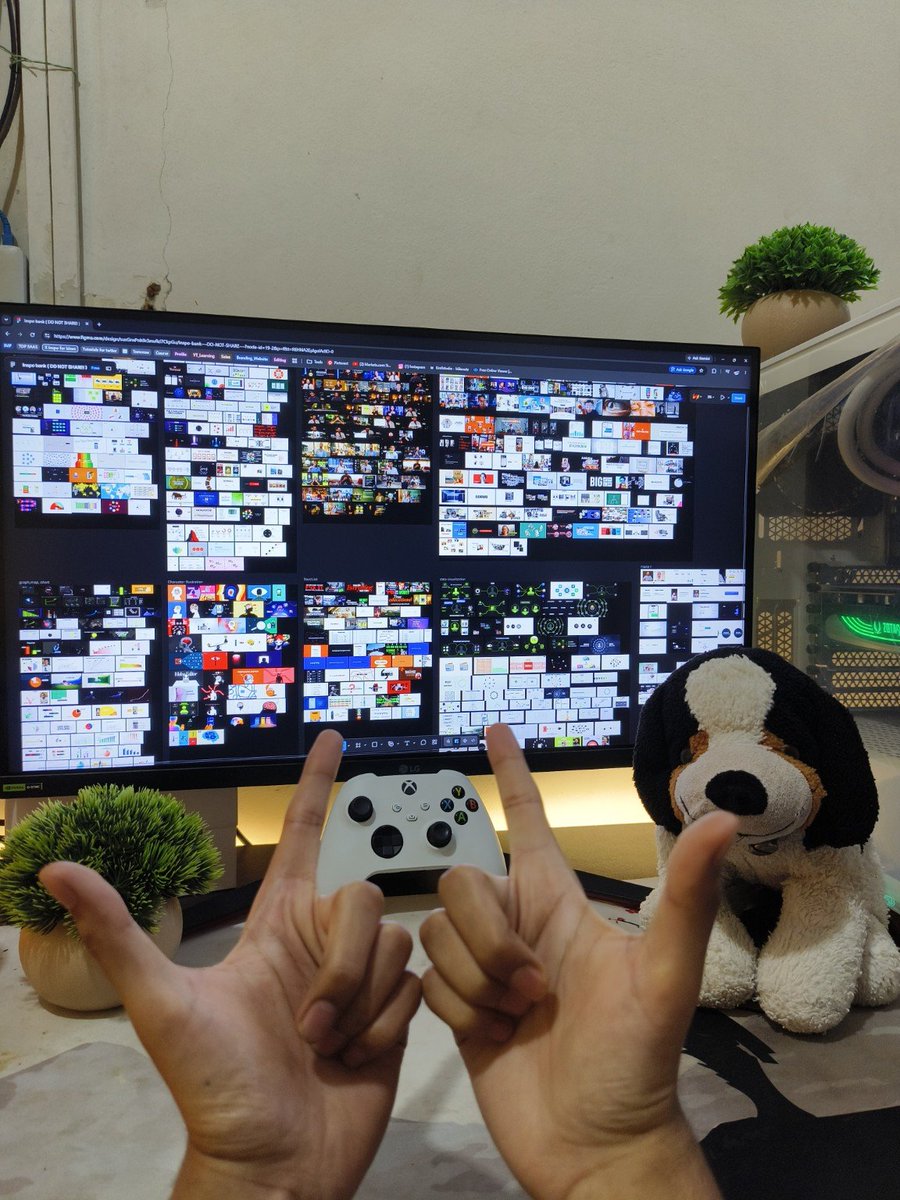
I built a massive inspiration bank for Video Editing.
Whenever I'm stuck on a visual, I don't have to start searching from scratch.
I just open it, find the section I need, and look through ideas I've already saved.
Here's how you can build one yourself:
1. Make a list of creators you take inspiration from.
Find creators who consistently post the kind of work you want to learn from.
Save their profiles in one place and check them every week for Visual Ideas.
This makes collecting inspiration a habit instead of something you only do when you're stuck.
2. Organize everything into specific sections.
This is where the bank becomes genuinely useful.
I'd organise references into sections like:
• Character animation
• Lower thirds
• Lists and text animations
• Full-screen visuals
• B-roll layouts
• Graphs and maps
• Full-screen animations
So if I'm working on a section that needs a graph animation, I can go straight to that section instead of searching through everything.
3. Make your references easy to scan.
Don't make every reference huge.
The whole point of the bank is being able to see a lot of ideas at once and quickly spot something useful.
Keep the thumbnails relatively small and organized so you can scan an entire section in a few seconds.
If you have to open every reference individually, the bank becomes way less useful.
4. Use Auto Layout in Figma.
This is one of the most useful parts of the setup.
Put your references inside Auto Layout frames, set consistent spacing, and use wrapping where it makes sense.
When you add or remove references, the layout can adjust automatically instead of you having to manually rearrange everything.
It makes maintaining a huge bank much less annoying.
5. Save the source, not just the screenshot.
Whenever possible, keep the original video link or creator's name alongside the reference.
That way, if you want to study how something was made, you can go back to the original instead of trying to figure it out from a screenshot.
6. Don't just collect. Study what makes it work.
When you save something, ask yourself:
What caught my attention?
Was it the composition, typography, hierarchy, or the way the idea was explained?
You don't want a folder full of things you like.
You want a library of ideas you understand and can apply to your own work.
The goal isn't to copy someone else's work.
It's to build a better eye, have more ideas to draw from, and spend less time staring at a blank timeline.
Build it once. Keep adding to it.
And the next time you're stuck, you'll have somewhere to start.