Apple-first productivity and remote-control apps for Mac, Windows, iPhone, and iPad. We remove friction so your devices feel effortless, connected, and fast.
Your go-to apps. A shorter list.
Mark Mac apps as favorites, then tap the star to see just those apps on your iPhone. Less scrolling. More of what you use.
Remote, Mouse and Keyboard
https://t.co/Ek8rJhhGtg
Mac helper required. Some actions require Premium.
★★★★★
“Whether you’re controlling your Mac, Windows computer, or even other iPads, this app truly has it all.”
— JettSV, App Store · Nov 18, 2024
Remote, Mouse and Keyboard
https://t.co/Ek8rJhhGtg
Quiet. Right when you need it.
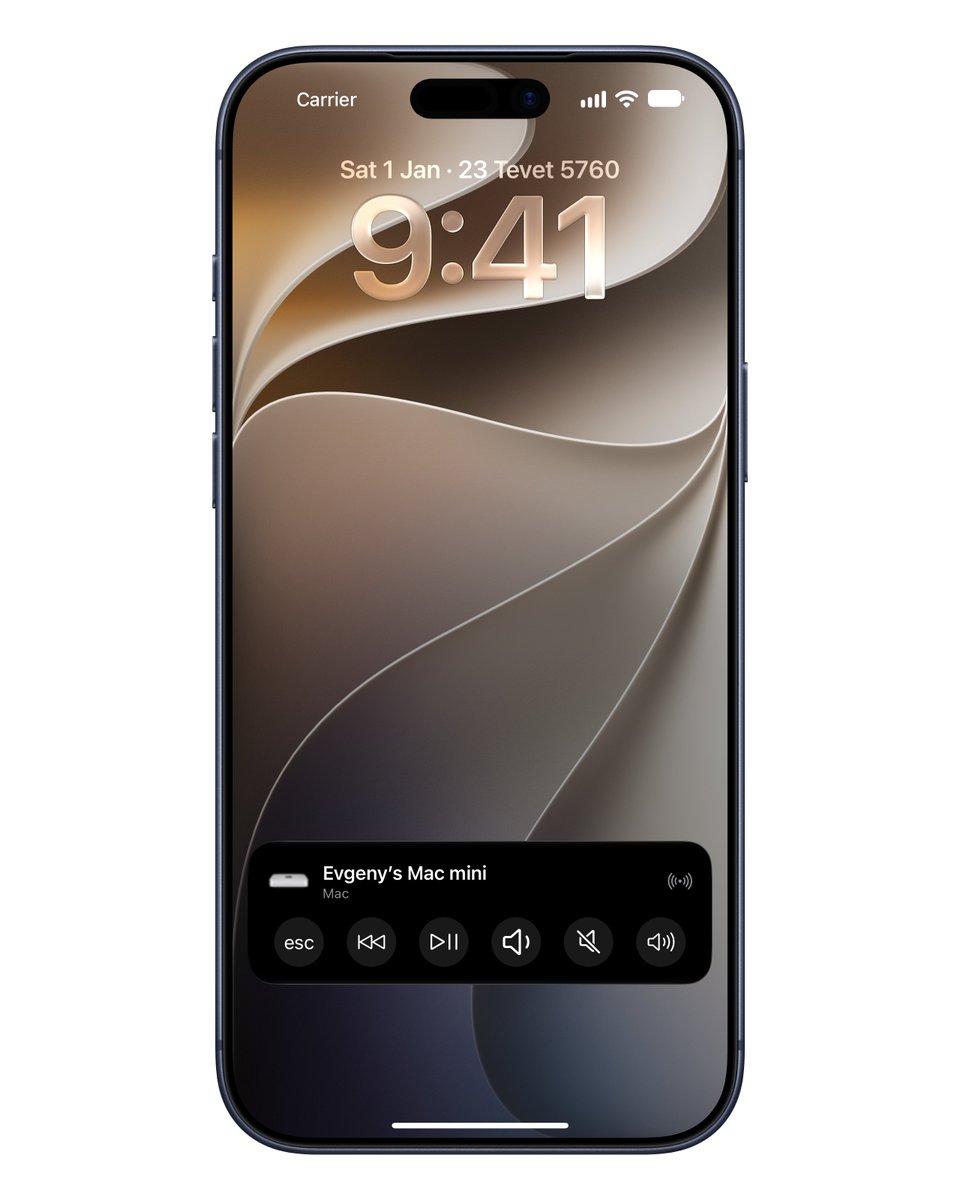
Mute your Mac from the Live Activity on your iPhone Lock Screen. A little less sound. A little more focus.
Remote, Mouse and Keyboard
https://t.co/Ek8rJhieiO
Premium and Mac helper required.
★★★★★
“…it has been a solid remote control of music apps on my computer that’s across the room the whole time.”
— mimimamomo, App Store · Jun 13, 2025
Remote, Mouse and Keyboard
https://t.co/Ek8rJhhGtg
Know it at a glance.
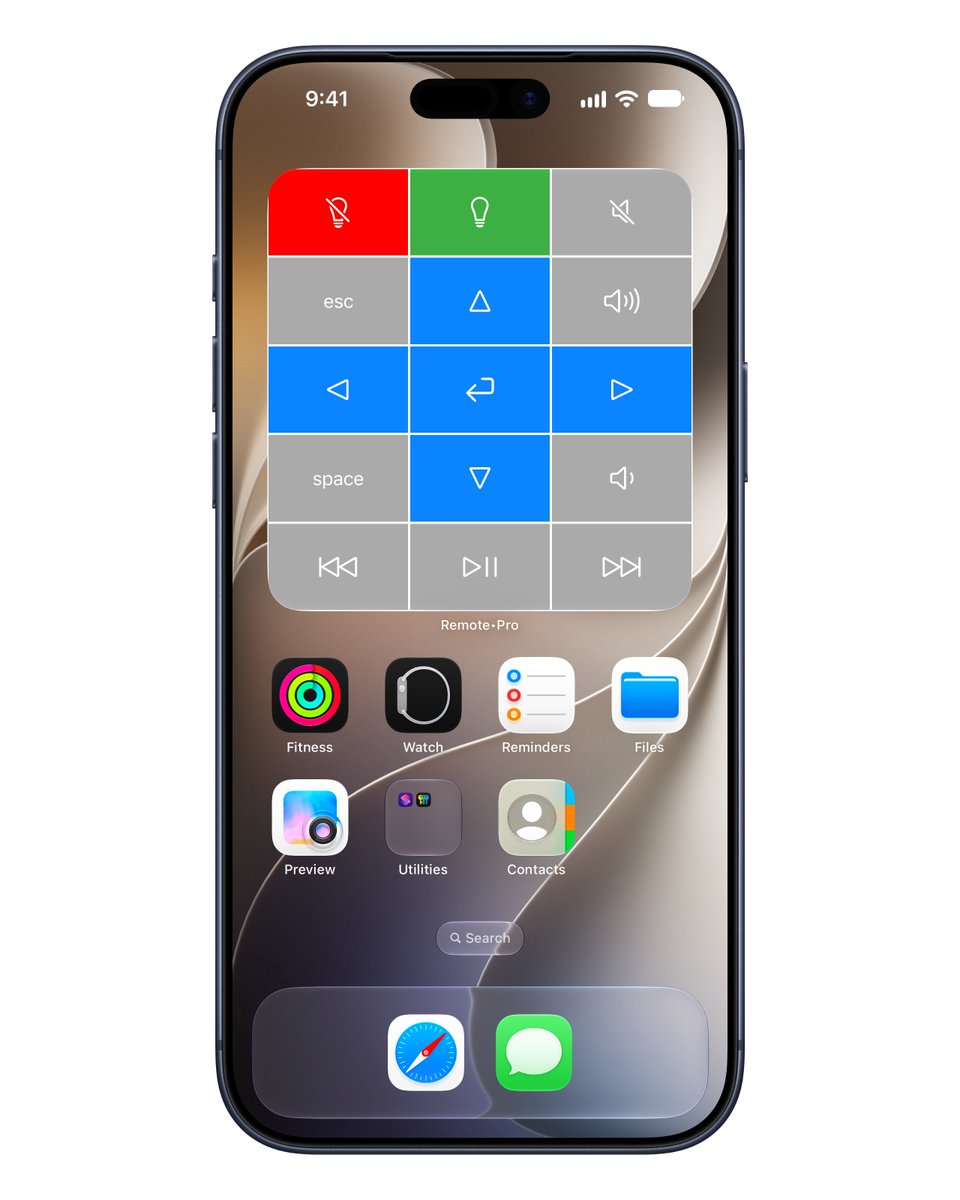
Give keypad buttons their own icons. Make your favorite controls easier to spot, with symbols that make sense to you.
Remote, Mouse and Keyboard
https://t.co/Ek8rJhhGtg
Premium and Mac helper required.
★★★★★
“this app is pretty intuitive and easy to setup. And you will be able to use your IPad via your iPhone as a remote.”
— Bryon138, App Store · Jun 14, 2025
Remote, Mouse and Keyboard
https://t.co/Ek8rJhieiO
Pick your next watch.
Browse Apple TV with direction buttons and OK, right on your iPhone. Find your next choice without searching for the remote.
Remote, Mouse and Keyboard
https://t.co/Ek8rJhhGtg
Some controls require Premium.
★★★★★
“I use this app often to control a computer from afar for TV use. It’s always worked great.”
— Garrett Goolsby, App Store · Nov 6, 2026
Remote, Mouse and Keyboard
https://t.co/Ek8rJhieiO
★★★★★
“My laptop keyboard went out while I was traveling, so I tried this app. It was easy to set up and use…”
— BigDaveWave, App Store · Jun 25, 2025
Remote, Mouse and Keyboard
https://t.co/Ek8rJhieiO
More options. Less reaching.
Open your Mac’s right-click menus from your iPhone. Familiar mouse controls, right where you’re sitting.
Remote, Mouse and Keyboard
https://t.co/Ek8rJhieiO
Mac helper required.
★★★★★
“I must put my Mac at the back of a large hall. But I am speaking from the front… works well”
— cwieb7, App Store · Jun 27, 2025
Remote, Mouse and Keyboard
https://t.co/Ek8rJhieiO
A pause. Within reach.
Reach your Mac’s play/pause control from your iPhone Lock Screen. Live Activities keep a quick break just a tap away.
Remote, Mouse and Keyboard
https://t.co/Ek8rJhieiO
Some controls require Premium. Mac helper required.
★★★★☆
“Navigating and executing each is a breeze and all from a single point of contact.”
— FS-55, App Store · Jul 5, 2025
Remote, Mouse and Keyboard
https://t.co/Ek8rJhieiO
Wind down. On your time.
Schedule your Mac’s screen saver from your iPhone. One less thing to remember when the day is done.
Remote, Mouse and Keyboard
https://t.co/Ek8rJhieiO
Requires Premium and Mac helper.
★★★★★
“pause/play videos without running to my keyboard and mouse each time… this app does just that and so much more.”
— Cjgdyhfdghgryy, App Store · Jul 7, 2025
Remote, Mouse and Keyboard
https://t.co/Ek8rJhieiO
A little quiet. Right on cue.
Reach Apple TV’s mute control from your iPhone. Make room for a quick conversation without searching for the remote.
Remote, Mouse and Keyboard
https://t.co/Ek8rJhhGtg
Some controls require Premium.
★★★★★
“So convenient! We moved to a new place and only have a laptop as a tv and this came in sooo handy!”
— CarinOfficialmusic, App Store · Jul 13, 2025
Remote, Mouse and Keyboard
https://t.co/Ek8rJhieiO
Less scrolling. More finding.
Find a Mac app by name, right from your iPhone. Search Apps narrows the list so your next choice is easy to spot.
Remote, Mouse and Keyboard
https://t.co/Ek8rJhieiO
Mac helper required.
★★★★★
“This app is truly amazing. … Super easy setup with fast connection over wifi or Bluetooth.”
— Londonez, App Store · Jul 15, 2025
Remote, Mouse and Keyboard
https://t.co/Ek8rJhieiO
Give your controls more room.
Choose a large Home Screen widget. Keep your Mac keypad in view, with more space for every button.
Remote, Mouse and Keyboard
https://t.co/Ek8rJhhGtg
Some controls require Premium. Mac helper required.