This is how we automated lead validation and onboarding for a business 👇
Lead fills up a form with their info → AI validates info
If Qualified → Add Lead to CRM & send booking email
Otherwise → Add them to a separate DB
Now the issue we initially faced was that AI was falsely tagging some leads (around 4%) as not qualified.
So we added manual verification.
For leads that AI tagged as "not qualified," we can manually review and change their status to "qualified." When we do this, the same automated flow is triggered - we add them to the CRM and send the booking email.
We used @llama_index workflows for this orchestration.
There are several patterns emerging for multi-agent orchestration.
Here are 3 of the most common patterns and how to implement them using @llama_index 🧵 👇
How to deploy an LLM privately on a cloud provider ??
Working with a business to build a RAG solution on private documents, and strict requirement is we can't use LLM-as-service APIs for privacy.
What's the easiest way to deploy an open-source LLM and run inference on it?
Workflows vs agents 🤜 🤛
Tasks are "kind of" deterministic, repeatable, with finite steps, execution path is determinted at compile time -> Workflow/Automation
Tasks are complex, execution path completely different based on different input and is determined at runtime -> Autonomous Agents
Orchestrator Pattern
- Has a main agent (orchestrator) and many sub-agents
- Sub-agents act as tools for the main agent
- Steering logic is in one place - at the orchestrator
- Hence, it's easier for us to control the overall flow
- In "Linear Swarm Pattern", the flow is controlled by the agents themselves using "handoff"
- Sub-agents always return to the orchestrator after completing their task
There are several patterns emerging for multi-agent orchestration.
Here are 3 of the most common patterns and how to implement them using @llama_index 🧵 👇
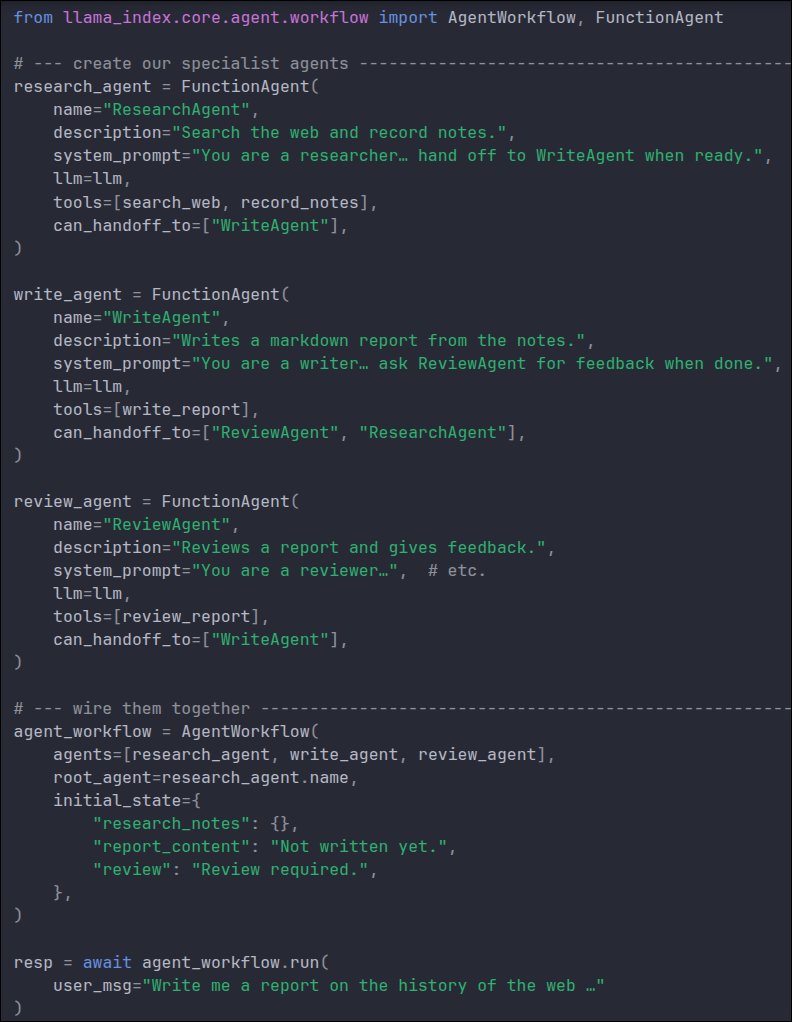
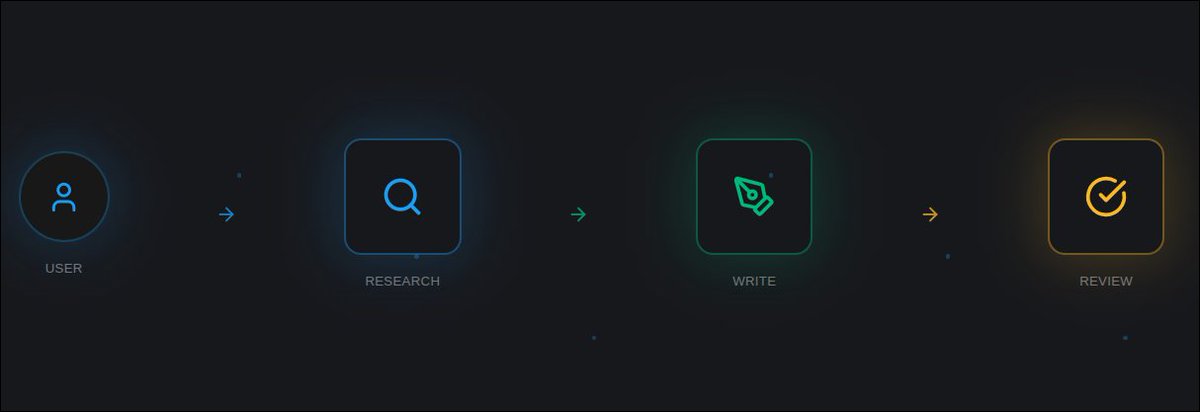
Linear Swarm Pattern - using AgentWorkflow
- Easiest to implement
- Minimal code
- Start with a root agent
- Pass the task as input
- Agents hand off control to other agents automatically
🚀 A fun little project I made - Blend - https://t.co/MTfFr3q18h
Was playing around with WebAssembly & WebGPU, and built this app that creates cool overlay effects between subject and background ✨
Features:
- ✨ Create stunning overlay effects
- 📝 Add text, images and more
- 🎯 One-click background removal
- 🎨 Add objects either between or above the image
- ⚙️ Adjust properties like font, color, opacity, and more
- 💾 Save progress and import later to continue editing
- ⬇️ Download final image
Since it uses WebGPU/WASM, it runs the AI model locally in your browser 🧠
Hence it's completely free to use and private - nothing leaves your browser! 🔒
Give it a try 👇
Human-in-the-loop in @llama_index workflows for Websockets ⚡
Last tutorial was about human-in-the-loop in workflows for REST APIs 🖥️
In this one, we'll try to do the same for Websockets👇