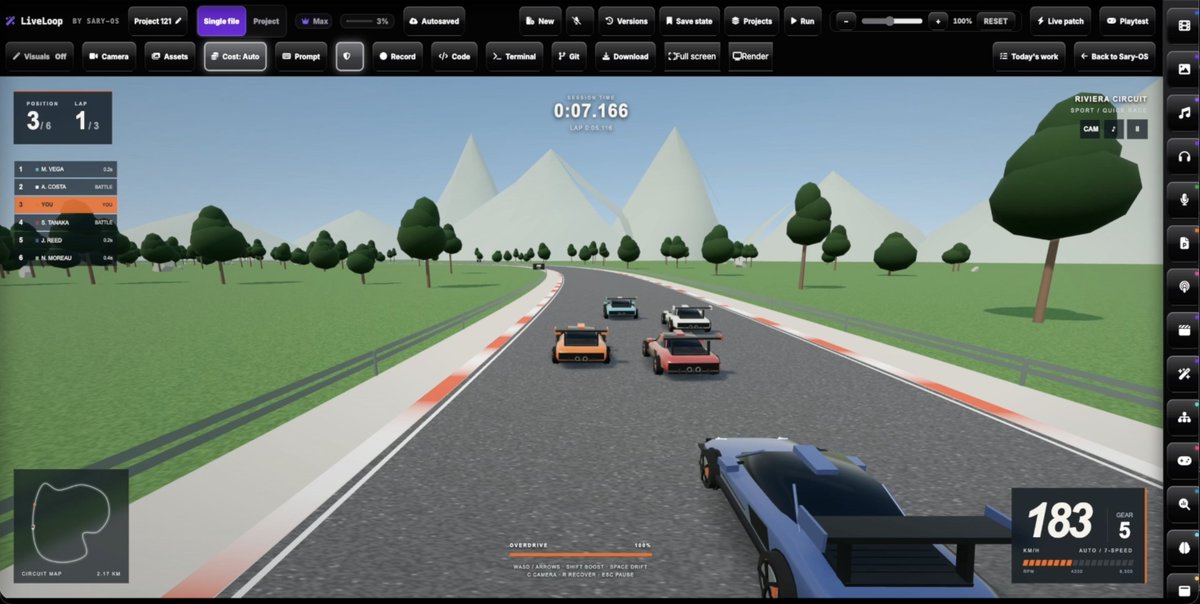
I built an AI tool called Liveloop - a live generative canvas that continuously updates your environment in real time.
▫ No restarts.
▫ No refreshes.
▫ No resetting your view.
It can run continuously for 24+ hours while keeping your canvas state intact.
▫️What the model sees each turn▫️
Alongside your message, the LLM gets a JSON context from the preview: the page title, visible text, rendered elements, the runtime error if any, console output, a performance block, a debug-state block the project can expose, and a summary diff of the source since the last turn. Vision-capable models also get a screenshot of the canvas, refreshed right before the handoff so it isn’t reasoning from title-screen telemetry after you’ve started playing. The context also tells the LLM what controls it has, which is the only reason it knows LivePatch exists.
▫️LivePatch▫️
The model returns one fenced block labelled asksary-live-patch containing JavaScript. The client executes that block (and only that block) inside the sandboxed preview after you approve the live-control session. It affects the current preview only; it doesn’t touch project source, so you can try a change and throw it away. The model is told not to claim the patch worked; the sandbox reports the real result back into the chat.
▫️PlayTest and Camera▫️
PlayTest lets the model send synthetic input into the preview: key down/up/tap with a duration, clicks, and pointer move/down/up at coordinates. The LLM can drive the PlayTest. Camera lets it teleport or aim an exposed debug/Three.js camera so it can inspect what it built from another angle.
There is also a split screen feature that lets you load up two different states with camera linked. the LLM can see the FPS and PlayTest both live previews
▫️The sandbox▫️
The preview is a srcdoc iframe with an opaque origin and a strict CSP: default-src 'none', no frames, no forms, no navigation, connect-src limited to data: and blob. The two exceptions are Google Fonts and wasm-unsafe-eval, which is there so Draco and Meshopt decoders can compile for compressed GLB files. eval stays blocked.
▫️Project mode and 3D assets▫️
Project mode is a real multi-file project with its own engine (it shares nothing with the other tools on the site). It can open a local folder via the File System Access API, round-trips through zip, and there are no caps on file count or file size sent to the model.
▫️The 3D runtime is a pinned▫️
Three.js build (0.185.1) bundled with GLTFLoader, DRACOLoader and KTX2Loader, injected into the sandbox as a trusted script rather than fetched.
▫️Return to any state▫️
Persistence is content-addressed. Every state and every asset is hashed; only objects the account doesn’t already hold are uploaded, and a revision that reuses an object just names its hash. Nothing is copied forward and nothing is deleted, so unlimited history costs only the changed bytes. You can return to any state from any day or month, instantly. All organized in folders with a file manager
▫️Offline▫️
Work is journalled to IndexedDB before the network is touched, on every change, and the journal is read back to verify it. Network sends are batched at 600 ms, but the journal is written immediately, so that interval is batching, not a window where work can be lost.
▫️Builds that outlive the tab▫️
A turn used to abort when the stream dropped. Now the server keeps running, records every event it would have sent under an idempotency key in Firestore, and stores the result when it finishes (30-minute server limit).
That’s what makes the phone flow work. Sary-OS Lite (the Android app) can start a build, you lock the phone, and when the desktop opens the workspace, it picks the finished build up and brings it in and vice versa too. Can start a prompt on Desktop, close machine down and let it run via the cloud.
▫️Connectivity - included for 30 days with every account▫️
▫ Sary-OS Terminal Bridge
▫ Sary-OS MCP Connector so you can use your Claude/Codex plan
▫ Plug your own API key - Any OpenAI compatible key works
▫ GITHUB Connectivity
Plus enough credits to make over 100 generations for absolutely free just by creating a free account
The platform also has other tools that you may find useful such as:
🌏 Native UI interface in over 25 languages with text to mp3 translation too
🤖 Multi-model Chatbot (OpenAI, Grok, Gemini, Claude)
💻 Full Project IDE coder + Split Screen Live Canvas
🎙 Multilingual Realtime Voice Agent
🎬 Free Production Studio with 4k Render output
🏞 AI Assisted Image Editing with Layers and Tools
🎮 3D Game Engine
🎼 Song Creator with Player
🖥 Web/Mobile App Creator
🎞 Image & Video Generation
🗣️ Voice Overs and Podcast creator
📱 Social Media Auto Post Scheduler
📈 Word/Excel/Powerpoint Alternative - Free for everyone
+ more
▫ ▫ https://t.co/oEK3d1gGP3 ▫ ▫
#GamingCommunity #gaming_news #OpenAI #gpt6 #Claude #ClaudeAI #threejs #livepatch #saryos #GenerativeAI #live #byok #bahrain #LLM #AI #solodev #developer #coding #3DModel #animation #Students #university #office #AIart
@dustADD Every patch is saved as a full state so its always ready to be promoted into project source. Every patch you add is always reversible and you can go back to any state you have in any order
I built an AI tool called Liveloop - a live generative canvas that continuously updates your environment in real time.
▫ No restarts.
▫ No refreshes.
▫ No resetting your view.
It can run continuously for 24+ hours while keeping your canvas state intact.
▫️What the model sees each turn▫️
Alongside your message, the LLM gets a JSON context from the preview: the page title, visible text, rendered elements, the runtime error if any, console output, a performance block, a debug-state block the project can expose, and a summary diff of the source since the last turn. Vision-capable models also get a screenshot of the canvas, refreshed right before the handoff so it isn’t reasoning from title-screen telemetry after you’ve started playing. The context also tells the LLM what controls it has, which is the only reason it knows LivePatch exists.
▫️LivePatch▫️
The model returns one fenced block labelled asksary-live-patch containing JavaScript. The client executes that block (and only that block) inside the sandboxed preview after you approve the live-control session. It affects the current preview only; it doesn’t touch project source, so you can try a change and throw it away. The model is told not to claim the patch worked; the sandbox reports the real result back into the chat.
▫️PlayTest and Camera▫️
PlayTest lets the model send synthetic input into the preview: key down/up/tap with a duration, clicks, and pointer move/down/up at coordinates. The LLM can drive the PlayTest. Camera lets it teleport or aim an exposed debug/Three.js camera so it can inspect what it built from another angle.
There is also a split screen feature that lets you load up two different states with camera linked. the LLM can see the FPS and PlayTest both live previews
▫️The sandbox▫️
The preview is a srcdoc iframe with an opaque origin and a strict CSP: default-src 'none', no frames, no forms, no navigation, connect-src limited to data: and blob. The two exceptions are Google Fonts and wasm-unsafe-eval, which is there so Draco and Meshopt decoders can compile for compressed GLB files. eval stays blocked.
▫️Project mode and 3D assets▫️
Project mode is a real multi-file project with its own engine (it shares nothing with the other tools on the site). It can open a local folder via the File System Access API, round-trips through zip, and there are no caps on file count or file size sent to the model.
▫️The 3D runtime is a pinned▫️
Three.js build (0.185.1) bundled with GLTFLoader, DRACOLoader and KTX2Loader, injected into the sandbox as a trusted script rather than fetched.
▫️Return to any state▫️
Persistence is content-addressed. Every state and every asset is hashed; only objects the account doesn’t already hold are uploaded, and a revision that reuses an object just names its hash. Nothing is copied forward and nothing is deleted, so unlimited history costs only the changed bytes. You can return to any state from any day or month, instantly. All organized in folders with a file manager
▫️Offline▫️
Work is journalled to IndexedDB before the network is touched, on every change, and the journal is read back to verify it. Network sends are batched at 600 ms, but the journal is written immediately, so that interval is batching, not a window where work can be lost.
▫️Builds that outlive the tab▫️
A turn used to abort when the stream dropped. Now the server keeps running, records every event it would have sent under an idempotency key in Firestore, and stores the result when it finishes (30-minute server limit).
That’s what makes the phone flow work. Sary-OS Lite (the Android app) can start a build, you lock the phone, and when the desktop opens the workspace, it picks the finished build up and brings it in and vice versa too. Can start a prompt on Desktop, close machine down and let it run via the cloud.
▫️Connectivity - included for 30 days with every account▫️
▫ Sary-OS Terminal Bridge
▫ Sary-OS MCP Connector so you can use your Claude/Codex plan
▫ Plug your own API key - Any OpenAI compatible key works
▫ GITHUB Connectivity
Plus enough credits to make over 100 generations for absolutely free just by creating a free account
The platform also has other tools that you may find useful such as:
🌏 Native UI interface in over 25 languages with text to mp3 translation too
🤖 Multi-model Chatbot (OpenAI, Grok, Gemini, Claude)
💻 Full Project IDE coder + Split Screen Live Canvas
🎙 Multilingual Realtime Voice Agent
🎬 Free Production Studio with 4k Render output
🏞 AI Assisted Image Editing with Layers and Tools
🎮 3D Game Engine
🎼 Song Creator with Player
🖥 Web/Mobile App Creator
🎞 Image & Video Generation
🗣️ Voice Overs and Podcast creator
📱 Social Media Auto Post Scheduler
📈 Word/Excel/Powerpoint Alternative - Free for everyone
+ more
▫ ▫ https://t.co/oEK3d1gGP3 ▫ ▫
#GamingCommunity #gaming_news #OpenAI #gpt6 #Claude #ClaudeAI #threejs #livepatch #saryos #GenerativeAI #live #byok #bahrain #LLM #AI #solodev #developer #coding #3DModel #animation #Students #university #office #AIart
@animiotics You can yes, can load up two versions side by side and if they have the camera controls added can use linked camera's too.
Also you can ask the LLM to Playtest either game too
I would like to share something i've been working on. Its called Liveloop and its part of my platform, Sary-OS.
Liveloop is a unified canvas capable of creating multiple different environments including 2D to 3D Transformations, 3D Games, Presentations, Software, Website, Apps and even Adverts.
It allows you to add assets such as videos, images, 3D models and even mp3 files and you can have them incorporated into whatever your building.
Here's the part i wanted to share with you all. The runtime can be updated live. You just send a request and the update will occur without restarting the game play, or resetting your 3D model and it happens without even refreshing the page.
You can even use voice to control it with the 2 way realtime interruptible voice agent.
Along side this i've added MCP connector for Codex, API connectivity for OpenAI + OpenAI compatible format keys, Terminal Connectivity and GITHUB connectivity.
Every patch/addition you make it saved into folders automatically on the server and each addition is saved in full. This means you can click on any addition whether its a day old or a month old and it will be complete. You can even download this individually or the complete project as a zip file and every file works completely offline individually with no dependency on my system.
You can even start a prompt and send it through and turn off your machine and it will continue to build that environment in the cloud. When you log back in, on any device you'll find it saved under projects waiting for you.
If anyone would like to give it a try i'm offering the first 170 builds or so completely free just for creating an account.
You get GPT-6 Luna & Claude Haiku 5.5 with full 128k Token output and on Low you will get 170 creations for free (Which is good enough to make landing pages, simple games like Snake, Tetris, 3D Animated Logos etc, on Medium you'll get around 50 and on highest output level you'll get around 10.
What do you think to this? Anyone find it a useful function to have and what could i do to improve it?
https://t.co/oEK3d1gGP3
@OpenAI@threejs@theresanaiforit@claudeai@GoogleDeepMind@Microsoft@Apple #AIart #gaming #development #livepatch #3Danimation #3dmodeling #animation #characterdesign #AI #Artificial
Appreciate it, liveloop is the main tool on my site which is why people land on it. I've changed it up a bit now so it should land on what to create page with options to select other tools but this is only on a dekstop, on a phone you will land on the lite version and that doesn't have the editor as it doesn't fit
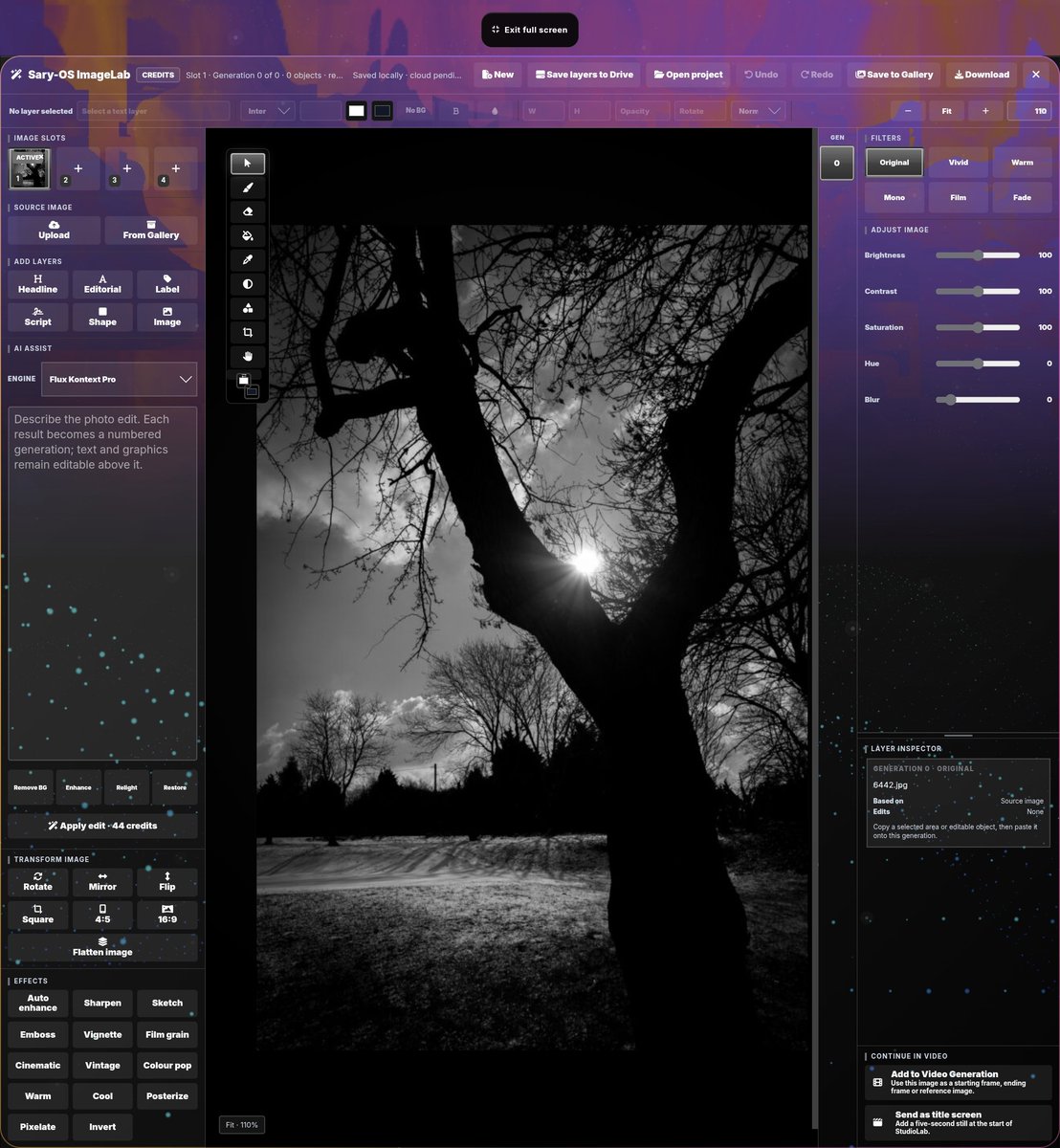
I built a free browser studio: video editor (an hour of free 4K exports a month), photo editor, Word/Excel/PowerPoint-style docs, free Al chat, and a 30-day Al app-builder trial that uses a generative canvas that applies edits without refreshing
Hey all, solo dev here. I hope it's ok to post here. I've been building Sary-OS, and here's everything you can use for free.
💬 Free AI chat: 25 messages a day
Chat with GPT-6 Luna or Gemini Flash Lite for free, 25 messages a day, reset daily. They don't use your credits, so your free credits stay free for everything else.
⚡ LiveLoop: 30-day free trial of the AI app and game builder
Describe what you want and it builds it live, runs it, and fixes what breaks without redrawing the scene. Every new account gets 30 days with:
1,000 LiveLoop credits, one time; they don't expire.
GPT-6 Luna and Claude Haiku 5.5 at any effort level, up to its deepest "Hyperdrive" mode.
A real terminal and GitHub: commit, push, pull, branches and pull requests.
Connect your AI (MCP): plug Claude, Cursor or Codex straight into your LiveLoop projects.
Bring your own API keys (OpenAI, Anthropic, Gemini, xAI or any OpenAI-compatible key) free for 7 days.
Work on your own key costs 0 credits.
10 minutes of the voice agent.
ASIDE FROM THE FREE TRIAL, THESE ARE 100% FREE PERMANENTLY:
🎬 StudioLab: a video timeline editor
Multi-track timeline (video, overlay, text, voice, music, SFX), in 16:9 or vertical 9:16.
Scrubbing, snapping with guide lines, split, ripple delete, slip and slide, trims, and moving clips with the arrow keys.
Transitions, colour grading, crop, green screen, captions, title screens, and a free media library. You can even upload your own media, there is no watermark and no need to pay to export.
Every free account gets 60 minutes of video export a month, even in 4K with portrait/landscape format and a counter shows what's left.
🖼️ ImageLab: a layered photo editor
Brush, eraser, paint bucket, eyedropper, gradients, shapes, crop.
Layers with blend modes.
Brightness, contrast and hue, plus effects: sharpen, sketch, vignette, grain, cinematic, vintage and more.
Send a video frame from StudioLab, edit it, and drop it straight back into the timeline.
No AI needed; AI edits are optional. If you decide to use AI then their are some great models that allow you to edit just by prompts and happens live too. You can go back to any layer/memory and try a different direction at anytime.
📝 DocLab: free, no account needed
Write: headers, footers, page numbers, table of contents, comments, track changes, footnotes, templates; .docx in and out.
Grid: a real spreadsheet with \~150 functions (XLOOKUP, UNIQUE, FILTER), freeze panes, filters, conditional formatting and charts; handles 5,000+ row Excel files.
Deck: slides with .pptx in and out and full-screen presenting.
Scribe: dictation and recordings with timestamps, speaker labels and .srt subtitle export.
On desktop Chrome: free on-device summarise, translate and rewrite, using Chrome's built-in AI. Nothing is sent to a server.
Every free account also gets 1 GB of storage and 100 welcome credits for the AI image, video, music and voice tools.
Works best on desktop; there's a lighter version for phones. I ship fixes daily, so honest feedback is very welcome. 🙏
LINK: https://t.co/oEK3d1gGP3
@OpenAI@claudeai #student #university #free #edit #media #video
@anah_sahh Can you call yourself a painter of you hold a paint brush... Answers it really. Everyone can access Claude. Not everyone can build with Claude so yes I believe you can be called a founder even if you built with Claude as long as you understand your product and how it works
Liveloop - One Canvas - Endless Possibilities
° Full 2D/3D animations
° Interior/Exterior Design. Add furniture, landscaping, roads, animated traffic etc
° Convert drawings to 3D Models with elevation, measurements etc kept accurately Build concept models/Designs and interactive demos
° Build web applications, software applications, has screenshot to working platform capabilities too. So if you give it a screen shot of say Photoshop it will have a working version in less than 10 minutes (I don't condone copying, just using it as an example)
° Full 2D/3D Games
° Asset manager so you can use your own files, 3d models materials etc
° Create Presentations and Adverts 2 way interruptible realtime voice control in over 25 languages
° Auto handover and new thread architecture when context memory is nearly so you can go through days on the same project without repeating yourself Cloud state memory so if you send a request through and close your machine down it will continue on the cloud and it will be ready for you later next time you login Everything created is downloadable for absolutely free. No watermark and works offline too with no dependency to my site.
Models included: GPT-6 Luna, GPT Terra, 6.1 Sol and Astra Claude Haiku 5.5, Sonnet 5.5, Fable 5.1 Gemini Flash Lite and Gemini 3.1 Pro Grok Build 2.0 Grok 4.7 MCP for all the above + Plug your own API key for above and compatible OpenAl keys
* Website builder
* Full file manager
* 2 way interuptible realtime voice agent that can control that entire site, full out prompts and discuss
* Over 25 languages supported including full UI, prompt input, RTL and voice agent
* Social media automation scheduler
All models share same memory layer so you can switch between any model without repeating yourself. Has cloud persistent memory so your work follows you on any device
Has a android app that lets you use Liveloop, Chat, Image, Video Gen too (iOS awaiting approval
Also biggest thing is this:
Completely free to try.
You don't need to pay for most of the stuff as it's free.
If you sign up wtih a free account..No card needed you get around $10 worth of credit etc to try everything including MCP/BYOK/API Keys
Just launched it last week
https://t.co/oEK3d1gGP3
I used to be a user of loveable but then decided to have a go at making my own after not being able to do what I wanted. This is what I ended up with. Has a live generative canvas that you can update with no redraw, timeline so you can go back to any state instantly and multi model use from OpenAI, Grok, Gemini and Claude plus added support for your own API keys, terminal built in + GIT connectivity and also an MCP connector so you can add your own Claude/Grok/Codex plan too
https://t.co/WCb7ME1XI4
You should try Liveloop. Something I've been working on that lets you use your Claude/Codex plan via MCP or API key. Has access to all the top models and far better than Loveable as it allows you to update your runtime live with each patch that in turn create a full downloadable state checkpoint along the way so you can go back to any point in history instantly.
https://t.co/oEK3d1gGP3
LiveLoop lets your AI keep coding in the cloud, even when your computer is completely shut down. 🚀
Queue multiple runtime updates, walk away, and let it work autonomously.
Switch devices or open the mobile app, and your completed work syncs automatically.
Every change is saved as a full file on your timeline, ready to open individually.
Your computer can be off. Your workflow doesn’t have to stop.
Try LiveLoop and let your AI keep building while you’re away. 🔥
With free credits to use GPT-6 Luna and Claude Haiku 5.5 + MCP connectivity, terminal connectivity and GITHUB too.
Want to use your own AI model instead? Sary-OS let's your bring your own keys too.
Watch the environment you've created update the runtime live or let it finish within the cloud when you have places to be and see your finished creation later on.
Drawings, Presentations, 2D to 3D models, sketches to Animations, 2D/3D Game Engine, Web/Mobile App builder, Photos to TikTok Promo Adverts and more all on one unified Canvas where the only limitation is your imagination.
Attach photos, videos, 3D models and more and watch your creation come to life with no redraw.
Change your mind about something you've added? Then open up the timeline and go back to that version exactly how you've left it, up to 5400 changes per a project... Instantly too.
That's Liveloop 🔥
#AI #Coding #CloudComputing #DeveloperTools #Automation #RemoteWork #Productivity #SoftwareDevelopment #AIAssistant #TechInnovation
Hyperdrive is basically max tokens, so aim for 128k tokens. What I've done though is tell it to aim for 100k tokens rather than 128k to give it that over spill. This guarantees pretty much that every reply is completed and in full. Plus being a guide only not a hard cap it means that if the model need to go to 128k it can do too.
Also with some models, hyperdrive is also reasoning rather than just a aim for output. Astra as an example uses xhigh reasoning in hyperdrive.
I’m a solo developer and I built LiveLoop using Claude Code. It’s a persistent canvas for building games and interactive scenes with Claude, where edits land in the running game rather than regenerating it.
The problem
Every model tweak used to come back as a complete file. A complete file reloads the iframe, and a Three.js world restarts at spawn on every change. Useless for iterating on gameplay. The fix was giving the model two things: a way to see the running scene, and a way to change it without a rewrite.
What the model sees each turn
Alongside your message, the model gets a JSON context from the preview: the page title, visible text, rendered elements, the runtime error if any, console output, a performance block, a debug-state block the project can expose, and a summary diff of the source since the last turn. Vision-capable models also get a screenshot of the canvas, refreshed right before the handoff so it isn’t reasoning from title-screen telemetry after you’ve started playing. The context also tells the model what controls it has, which is the only reason it knows LivePatch exists.
LivePatch
The model returns one fenced block labelled asksary-live-patch containing JavaScript. The client executes that block (and only that block) inside the sandboxed preview after you approve the live-control session. It affects the current preview only; it doesn’t touch project source, so you can try a change and throw it away. The model is told not to claim the patch worked; the sandbox reports the real result back into the chat. This is how Claude played chess against me: each move was a patch to the running board.
PlayTest and Camera
PlayTest lets the model send synthetic input into the preview: key down/up/tap with a duration, clicks, and pointer move/down/up at coordinates. Synthetic events are untrusted in the browser, so they can’t unlock audio or pointer lock; you click Play once, then Claude can drive. Camera lets it teleport or aim an exposed debug/Three.js camera so it can inspect what it built from another angle.
The sandbox
The preview is a srcdoc iframe with an opaque origin and a strict CSP: default-src 'none', no frames, no forms, no navigation, connect-src limited to data: and blob:. A game can’t fetch, beacon or exfiltrate anything. The two exceptions are Google Fonts and wasm-unsafe-eval, which is there so Draco and Meshopt decoders can compile for compressed GLB files. eval stays blocked.
Project mode and GLB assets
Project mode is a real multi-file project with its own engine (it shares nothing with the other tools on the site). It can open a local folder via the File System Access API, round-trips through zip, and there are no caps on file count or file size sent to the model. Files that look like secrets (.env, keys, .pem, service-account JSON, anything matching a key pattern) never leave the browser.
Assets are the interesting bit. A model can’t type a megabyte of pixels into an HTML file, and a srcdoc page has no server behind it, so GLTFLoader.load('models/car.glb') used to 404. My first fix inlined everything as data: URLs. That inflated a project with 408 MB of models to ~545 million characters, past the longest string Chrome can hold, and the stage went black.
Now the page carries only the list of asset paths. A small shim inside the iframe intercepts fetch, XMLHttpRequest and image/media src. When code asks for a path, the shim posts a message to the host page, the host transfers the raw ArrayBuffer (a memory copy, no base64), and the loader gets a blob: URL of its own. Only what the code actually requests moves, at its real size. A .gltf’s sibling .bin and textures resolve the same way.
The 3D runtime is a pinned @threejs build (0.185.1) bundled with GLTFLoader, DRACOLoader and KTX2Loader, injected into the sandbox as a trusted script rather than fetched.
Return to any state
Persistence is content-addressed. Every state and every asset is hashed; only objects the account doesn’t already hold are uploaded, and a revision that reuses an object just names its hash. Nothing is copied forward and nothing is deleted, so unlimited history costs only the changed bytes. There are no ceilings on revision count or retention, every state is reachable, and you can jump between them in any order. (This is the “billion states” conversation from my earlier post. Claude had capped history at 20; I’d hit ~400 in one session.)
Offline
Work is journalled to IndexedDB before the network is touched, on every change, and the journal is read back to verify it. Network sends are batched at 600 ms, but the journal is written immediately, so that interval is batching, not a window where work can be lost. If you’re offline, edits sit in the journal; when the browser fires online, they sync. “Saved” means the server was read back and agrees with what was sent; a commit returning 200 isn’t treated as proof. I learned that one the hard way: a save path once returned 200 while deleting every asset in the workspace.
Builds that outlive the tab
A turn used to abort when the stream dropped. Now the server keeps running, records every event it would have sent under an idempotency key in Firestore, and stores the result when it finishes (30-minute server limit). Any page that comes back for that workspace lists the finished turns, claims one (first device to claim it owns it), replays the events through its normal path, and applies and saves the result.
That’s what makes the phone flow work. Sary-OS Lite (the Android app) can start a build, you lock the phone, and when the desktop opens the workspace, it picks the finished build up and brings it in. Stop is explicit: the client posts a cancel and the running turn polls for it.
Local bridge (optional)
For projects that need a real toolchain there’s a single-file Node bridge (npx u/asksary/liveloop-bridge connect) that binds to loopback only, pairs with a one-time code, and is scoped to one folder. LiveLoop can read and write files there, run npm test or a dev server, and every multi-file edit is one change set with one undo. There is also a GIT connectivity and also a plug in your key option too that you can try if you rather use your own API and want to try the other models such as Sonnet 5.5, Opus 5.5 and Fable 5.1
Free to try
Sign up is free at https://t.co/oEK3d1heEB
Free accounts include some GPT-Luna 6 and Claude Haiku credits, an MCP connection so you can link @grok@OpenAI & @claudeai to LiveLoop, and 7 days of bring-your-own-key access to the larger models. Single-file mode is free; Project mode (multi-file, the asset serving above, the bridge) is part of LiveLoop Pro.
No you don't need to, if you was in an open world environment exploring the area and you asked for a new building in front of you and that patch applied if you went back to that state say a week later it would load up that moment just before you asked for that building. Not at the start of that open world game
@jacksunny18 It restores the running game state too, so if you was exploring a scene and applied a patch after that and decided to go back. You'll go back to that position of the previous scene
I built LiveLoop using Claude Code. It’s one persistent canvas where you can build web apps, 3D games, animations and interactive experiences with Claude. You can change them while they’re running (lighting, positions, designs, game logic) without the whole thing being redrawn or restarted.
https://t.co/i2fGeoykVk
I added a slider in, low, medium, high, hyperdrive which were targets for responses/builds. This was just a guide not a set limit as no answer or build can be truncated if it needed that output but by setting guidelines and targets the models seem to performing much better. This also allowed me to lower costs as someone could pick GPT on low for a quick draft output rather than paying for a 128k token response. If they wanted a more detailed response they can just put the slider up to choose that opion. The game engine has two modes, standard (64k tokens) or high (128k tokens) and that was because at them levels it delivered 49 full 3d games out of 50. when i lowered the token limit to anytning less than i found most games as an example were half finished or did not finish
The actual live patch i got working within a few days of wanting that concept implemented with the help of claude code. But to get it working to a public ready state took months as i had issues with models truncating responses, timing out issues, switching models mid session and losing context, file handling and much more. Also as i had a iOS and playstore version i found issues with iOS needing the realtime agent implementing differently to how it was on my macbook. Back then i also had a version i developed for Apple Vision Pro which let you build things in a spatial space which again needed a custom swift module developing.
But im a self taught coder. Only started earlier this year so a lot of it was new to me. I launched my first ever project ij February and prior that never used github, didn't know what vs code was or anything. I had to learn xcode, android studio and even learning about Homebrew this year which was quite the history lesson.
The platform in that video though. I built in one day. Thats using everything i taught myself and putting it all together. But i had the concept up and running in a new environment with multi file support, history states and the auto rolling contextual memory layer implement in one day as well as building the entire platform from scratch.
I literally spend my life with Claude now as this was my last months development consumption and on Codex its half that too for same month. I have no life 😅
Mine is actually $15 a month so this applies to me.
Its the first live generative canvas that can do games, software, animations and even adverts using any model with MCP and bring your own key support too that patches every change live and without restarting it.
Also added a full video production studio, music composer, image/video, 2 way realtime voice chat with full control over the platform. Full IDE coder, split screen live coder, 3d game engine , 26 languages with native UI + RTL supported including the voice agent, cloud infrastructure so you can start a prompt on your phone, turn it off and pick it back up on your laptop. A live in-painting photoshop styled multi model image editor with layers etc using AI
A social media automated post scheduler, a full word, excel, powerpoint and scribe alternative and much more... Not saying its impossible for someone to replicate but it would cost more than the $15 a month to develop it. Easier to just sign up especially as half the things i mentioned is completely free to use with no subscription.
https://t.co/i2fGeoySKS