🎉 Exciting news, ScreenPals!
📣 Announcing our new Level 2 Creating Tutorials certification.
Learn how to use ScreenPal Stories to capture, create, and share professional development videos that pop.
🔗: https://t.co/0UZa5RH34h
Instructional design roles continue to evolve far beyond course development.
Today, many are expected to manage video production, visual design, stakeholder reviews, content updates, and delivery.
The role hasn't just evolved.
It's become increasingly operational.
At the same time, expectations around content quality continue to rise while team sizes often stay the same.
That tension is reshaping how learning content gets created and maintained.
Learning teams are being asked to create content that looks increasingly polished and production-ready.
But in many organizations, the people creating that content are still relatively small teams balancing strategy, development, reviews, updates, and delivery all at once.
That expectation gap feels like a growing part of the L&D conversation right now.
The standard for learning content keeps rising, but the time and resources behind it do not always rise with it.
Creating training content is one thing.
Managing the reviews, edits, recordings, visual assets, and stakeholder feedback around it is usually the part that slows teams down.
Tomorrow, instructional designer Dani Watkins will walk through the process she uses with ScreenPal + Canva to create polished training content from planning through final delivery.
If your team is balancing increasing content expectations with limited time and resources, this session will offer a practical look at how one instructional designer approaches that process day to day.
📅 May 28
🔗 Register here: https://t.co/EQ0EpsdMN2
One thing that stood out at ATD last week: learning teams are spending just as much time maintaining content as they are creating it.
Not just building courses, but updating videos, revising slides, managing feedback, and keeping training current without rebuilding everything every time something changes.
That’s a big part of why so many people stopped by to see Slides to Video at our booth. A lot of the conversations we had were less about producing more content and more about making ongoing updates and maintenance more realistic for lean teams.
It feels like the operational side of learning content is becoming a much bigger focus across L&D.
What part of content updates takes your team the longest today?
A lot of training content becomes outdated faster than teams can realistically maintain it.
Not because the information changes dramatically.
Because even small updates often require reopening projects, re-recording sections, re-exporting files, and manually updating content across systems.
That maintenance burden adds up quickly, especially for smaller learning teams.
Wrapping up ATD this year, one thing that stood out in so many conversations at our booth was how much the learning content conversation has shifted from simply creating content to maintaining it over time.
Keeping training current, managing revisions efficiently, and repurposing existing materials without rebuilding everything came up again and again throughout the event.
It was really interesting hearing how different teams are approaching those challenges in practice and where so many workflows are continuing to evolve.
We had a great time connecting with so many thoughtful people across the L&D community this week! 💙
ATD begins this weekend, and conversations across instructional design and L&D continue to evolve alongside growing demand for scalable, engaging learning content.
As video becomes a larger part of modern learning workflows, topics like workflow efficiency, AI-assisted production, and sustainable content development are becoming increasingly important across the industry.
We're looking forward to connecting with the L&D community at ATD this year.
#ATD26 #InstructionalDesign #LearningAndDevelopment
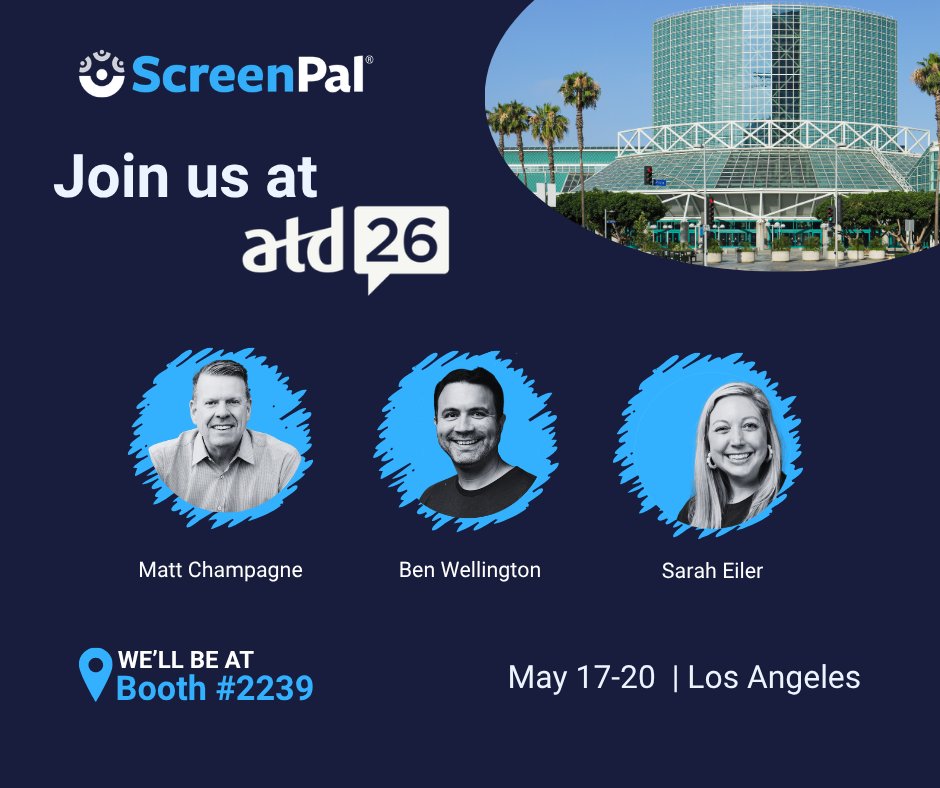
We're excited to be heading to ATD 2026 this weekend in Los Angeles.
As conversations around instructional design, scalable learning content, and AI-assisted workflows continue to evolve, we’re looking forward to connecting with learning and L&D professionals across the industry.
If you’ll be attending ATD, stop by Booth #2239 to see Slides to Video in action, explore video workflows for learning teams, connect with the ScreenPal team, and enter our World Cup LEGO trophy giveaway.
Learn more here: https://t.co/blYeeKluRR
#ATD26 #InstructionalDesign #LearningAndDevelopment
Instructional design roles continue to evolve far beyond course development.
Today’s learning teams are often expected to manage visual design, video creation, editing, and content delivery all within increasingly compressed timelines.
As video becomes more embedded in workplace learning, the role itself is becoming increasingly cross-functional.
That shift is changing how learning content gets planned, created, and maintained at scale.
It feels like the expectations around instructional design have changed significantly over the last few years. What shifts are you seeing most across your teams?
Video creation expectations across L&D continue to increase.
For instructional designers, the challenge is often not the content itself. It’s the workflow surrounding it: disconnected tools, production bottlenecks, revision cycles, and increasing pressure to create polished learning experiences faster.
On May 28, Dani Watkins joins ScreenPal for a live session showing how Canva + ScreenPal supports more streamlined learning content workflows from planning and visual design through final delivery.
Attendees will see practical approaches for:
• simplifying video production workflows
• repurposing existing learning materials
• reducing production friction
🔗 Register here: https://t.co/ADPt0veBVE
Heading into ATD next week, one operational challenge continues to surface across L&D:
Video creation expectations are increasing faster than most team workflows can support.
Instructional designers are being asked to create more polished, engaging learning content while balancing development, reviews, editing, and delivery often across fragmented tools and lean teams.
The issue is no longer whether video matters.
It’s whether the workflow behind it is sustainable.
A lot of teams try video, see that it works, and then… don’t really keep going with it.
Not because it wasn’t useful.
Usually it’s just that the process felt like more work than expected. Recording, editing, updating… it adds up quickly.
So it ends up being something you do once, not something that becomes part of how you work.
That’s the part that’s been more interesting to think about.
What’s made video easier or harder to keep going for your team?
One thing that doesn’t get talked about enough with video is that the first version isn’t the hard part. Most teams can create something that works.
What slows things down is everything that comes after. Updating it, reusing it, creating the next version. That’s usually where the process starts to feel heavier than expected.
So even when the content is effective, it doesn’t get repeated consistently. And without that consistency, it never really becomes part of how the team works.
That’s exactly the gap we were thinking about with last week’s Slides to Video launch.
If it’s easier to take something that already exists and turn it into video, it’s much more realistic to keep doing it.
If video still feels like a one-time effort, it’s worth revisiting how you’re creating it.
Because that’s usually the signal.
Not that it doesn’t work.
But that the process isn’t built to repeat.
Last week’s session with Lindy Hockenbary gets into this in a practical way.
How to make video something you can actually keep doing, not just something you try once.
The full session is available on demand if you want to dive deeper: https://t.co/pABd5WmWqU
Most slides don’t get reused.
A training gets delivered, a presentation gets shared, and then it’s done. The content itself isn’t bad. It just doesn’t get used again.
That’s been the more interesting problem to think about.
Not how to create more content, but how to actually get more out of what already exists.
That’s part of what we were focused on with this week’s update.
If you can turn a presentation into a video, it doesn’t have to be a one-time thing anymore. It becomes something people can go back to, share, and actually use.
We just launched a new way to turn slides into video using ScreenPal AI.
You can take an existing deck and turn it into a video. No re-recording, no scripting, no editing from scratch.
It’s a simpler way to make training content, walkthroughs, or presentations more usable without starting from scratch every time.
This has been one of the biggest gaps we’ve seen with video. It’s useful, but too time-consuming to create consistently.
That’s what AI Slides to Video is built for.
We’re going live tomorrow.
If video is part of your learning strategy in 2026, the question is whether it’s driving results.
If you’re responsible for engagement or outcomes, this session will give you a more practical approach.
Alongside former classroom teacher and author Lindy Hockenbary, we’ll cover:
• What makes learners actually want to watch
• How to create more effective video using ScreenPal’s AI-powered editor
April 21 at 1 PM ET | 10 AM PT
Last chance to register: https://t.co/EApDnMKivz
When engagement drops, most teams respond the same way.
They create more.
More videos. More modules. More content.
But nothing really changes.
Because the issue isn’t volume.
It’s that content is hard to update and hard to reuse.
So every time something changes, teams start over.
New video. New version. More time.
The teams that actually improve engagement don’t just create more.
They make their content easier to adapt and reuse.
That’s what makes video sustainable.
Here’s the issue with most training content:
It gets built, but it doesn’t get used.
Teams spend time recording, editing, and trying to get it “right.”
And then engagement is low.
People drop off early.
It doesn’t get reused.
Not because the content isn’t good.
It just doesn’t fit into how people actually learn or work day to day.
That’s the gap.
Not quality.
Usability.
If your training videos aren’t driving engagement, they’re not delivering value.
And that usually means time is going into content that isn’t actually landing.
With insights from former classroom teacher and author Lindy Hockenbary, we’ll focus on what actually works:
• Why educator-created video drives connection and engagement
• What learners actually respond to
• How to create more effective video using ScreenPal’s AI-powered editor to simplify the process
April 21 at 1 PM ET | 10 AM PT
Register: https://t.co/sGwfSkHvD1