Get Sesterce on:
- Android: https://t.co/KkQJcQ0Fke
- iOS: https://t.co/a4MnzIZBXx
- Web: https://t.co/clS7SanPve
All the information on our website: https://t.co/yf6RmgqlIg
New in Sesterce 2.14! You can now change the color 🎨 or add a photo 📷 to your group!
We've also added an option to display expenses compactly, so you'll be able to display twice as many transactions on your screen!
Details here https://t.co/V7n1LjDNzZ #finances#budget#app
We've recently improved Sesterce’s import from #Splitwise ! Make sure your app is up to date before importing you Splitwise CSV https://t.co/LGkciEMoIN
🆕 We've just introduced our new operation creation flow!
We’ve heard your feedback and minimized the number of clicks.
Let us know what you think in the thread!
Although it's simple to do, this article will explain how to do it if you need it https://t.co/87MsqiG8Fm.
Moreover, all the information you need is available in the help center https://t.co/VXVVKawr7v.
(2/2)
@ImogenWK@guardian 👋
Nice article on the app that make easier to share expenses.
Be free to check ours, Sesterce. We focus on managing complex splitting use cases. With Sesterce, it’s incredibly simple for someone to pay only some of it.
Happy to talk about it! 😎
Your most valuable resource is time ⌛.
We're working on minimizing the steps required to create a new operation to help you save it 🎯.
Follow this account and you'll be notified of the release date 🗓️
1/ Create a new group, and define your own categories
2/ Set your recurring income (salary, pension...).
3/ Add your expense and assign it a category.
(2/3)
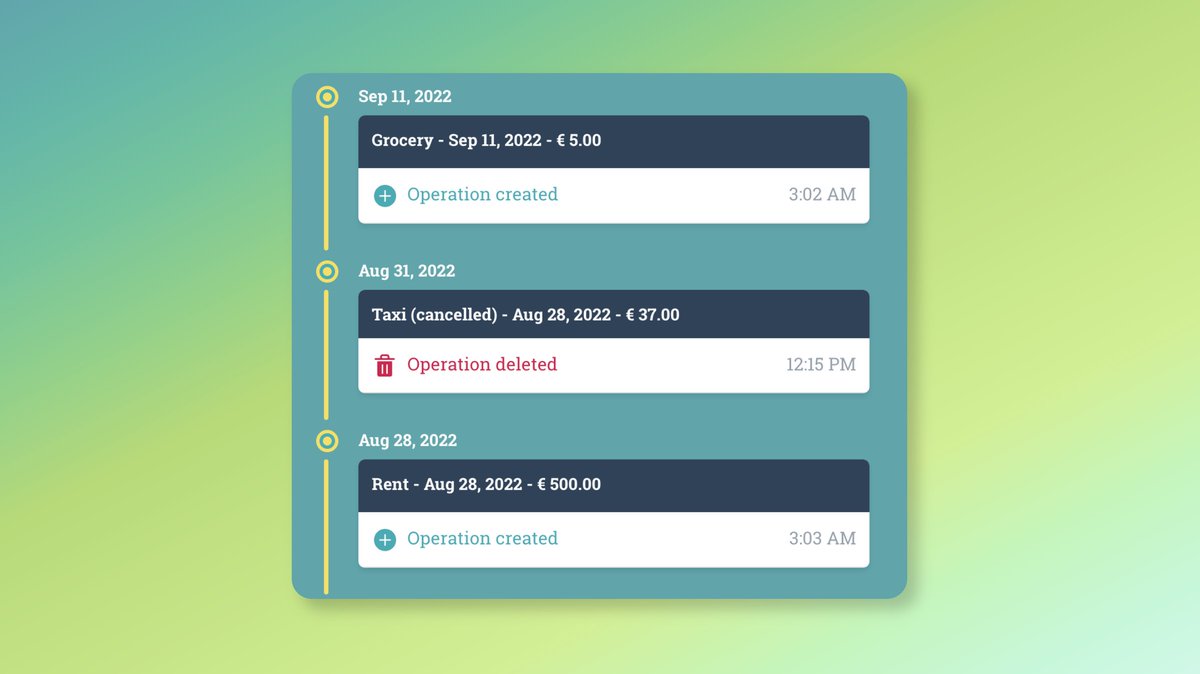
In order to help you even more ❤️, we're also working on a previous VS current value feature. You'll be able to quickly grasp an operation's history.
(3/3)
🚀 Did you want to keep track of each change made to a group?
We recently introduced the history of modifications made to your group!
See below for the next steps 👇
(1/3)