🚀 $STR is Now Available to Claim for All Crate Holders! 🎉
Crate holders, the wait is over! You can now begin claiming your $STR tokens. Here’s how to get started:
1. Visit the Claim Page:
👉 https://t.co/AZXc4JQTRf
2. Connect Your Wallet
Make sure you connect the wallet that holds your crates.
3. Burn Your Crates
Select the crates you wish to redeem, and burn them to begin the claim process. This is an onchain transaction and will require a minimal amount of gas.
4. Claim Your $STR
Once your crates are burned, a claim will be added to your claims list. Click “Claim” to finalize the process. This is also an onchain transaction, but Setter will cover the gas for the user.
5. Transaction Confirmation
Your claim will move to “Queued” status, and when it’s complete, you’ll receive a transaction hash along with a link to check it on Basescan.
That’s it! Start claiming your $STR and be part of the next phase of the Setter ecosystem.
Setter update:
Due to minimal mainnet activity, the Setter protocol will be winding down on Dec 31st, 2024. Community members have until Nov 30th to burn their crates and claim their $STR. While the web platform will be shut down at the end of the year, the smart contracts for the Setter Pass and $STR token will live on permissionlessly on Base Mainnet.
Thank you 🙏
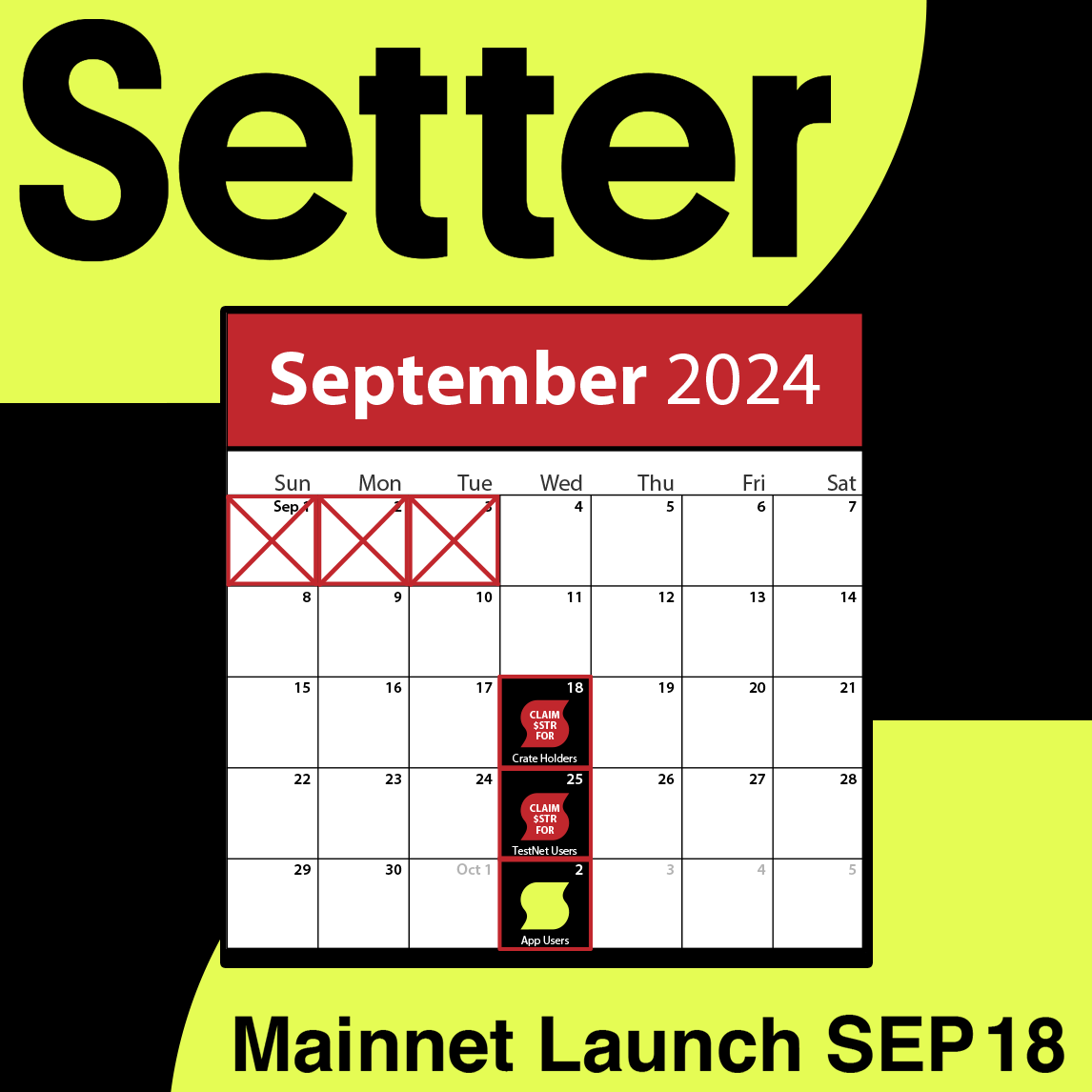
📱 App Users, if you linked a wallet to your account, you can start claiming your $STR rewards from WED OCT 2nd, 12 PM EST - SAT NOV 30th, 12 PM EST. Here’s what you can claim:
•Top 10: 150,000 $STR
•Top 25: 100,000 $STR
•Top 50: 80,000 $STR
•Top 100: 40,000 $STR
•All Other Users: 20,000 $STR
⚠️ Eligibility Note: Paid partnerships and users found cheating with spoofed signups or bot accounts are ineligible.
🔥 Don’t Want to Wait?
You can claim as early as SEP 18th when you mint a Gen 2 blind box crate at https://t.co/BNktcj8xbo for 0.03 ETH on Base until Nov 29th or while supplies last. Secure your $STR before it’s too late!
🚀 The Time Has Come, Testnet Users! 🎉
You can now claim your $STR! The claim window is open from 25 SEP at NOON EST to 29 NOV at NOON EST. Follow the steps below to claim your $STR, and thank you for all your help during our Testnet phase.
1.Visit the Claim Page:
👉 https://t.co/AZXc4JRrGN
2.Connect Your Wallet:
Make sure you connect the wallet that you used during Testnet.
3.Claim Your $STR:
All claims have been added to your claims list based on your rank and tier during Testnet. Click “Claim” to finalize the process. This is an onchain transaction, but Setter will cover the gas for you.
4.Transaction Confirmation:
Your claim will move to “Queued” status, and when it’s complete, you’ll receive a transaction hash along with a link to check it on Basescan.
That’s it! Start claiming your $STR and be part of the next phase of the Setter ecosystem. 🚀
🚀 Crate Holders: Remember, you have exclusive claim access this week until WED SEP 25th! After that, Testnet users will gain access. Crate redemption will continue until NOV 29th to claim your $STR. Don’t miss your window! 🌟
Your tokens are on the base network:
https://t.co/vIo1Jj1xrg
if you need to add $STR to your metamask follow these instructions:
1. Open your MetaMask wallet.
2. Scroll down and click “Import Tokens.”
3. Select “Custom Token.”
4. Enter the following token details:
• Token Contract Address: 0xffe95063094c18225C454E7f90E9342b9b1cAbAd
• Token Symbol: STR
• Decimals: 18
5. Click “Add Custom Token,” and the $STR token will appear in your MetaMask wallet.
Adding $STR to MetaMaskTo add the $STR token to your MetaMask wallet, follow these steps:
1. Open your MetaMask wallet.
2. Scroll down and click “Import Tokens.”
3. Select “Custom Token.”
4. Enter the following token details:
• Token Contract Address: 0xffe95063094c18225C454E7f90E9342b9b1cAbAd
• Token Symbol: STR
• Decimals: 18
5. Click “Add Custom Token,” and the $STR token will appear in your MetaMask wallet.
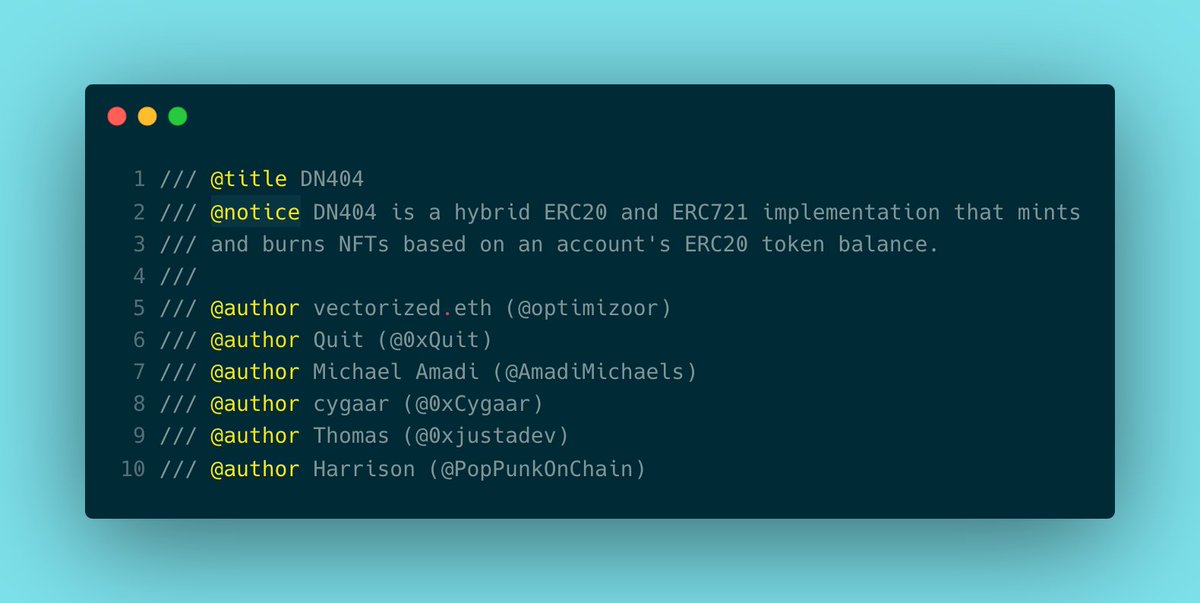
Excited to launch the "Divisible NFT" standard (DN404) which aims to be a hybrid ERC20/721 token.
ERC404 took the crypto world by storm over the past few days, but it doesn't follow existing standards, is inefficient, and breaks at certain edge cases.
Here's how DN404 works 🧵:
🚀 Crate Holders, get ready! You can start redeeming your crates for $STR on WED SEP 18th, 12 PM EST. Here’s what you can claim:
• Uncommon: 20,000 $STR
• Rare: 40,000 $STR
• Epic: 80,000 $STR
• Legendary: 100,000 $STR
• Mythical: 150,000 $STR
🎉 HODL Bonus: If you’re eligible, you can also redeem your accrued bonus points for additional $STR during the claim phase!
🔥 Missed Out?
Don’t worry! You can still join the Setter ecosystem. Mint a Gen 2 blind box crate at https://t.co/BNktcj8xbo for 0.03 ETH on Base until Nov 29th, or while supplies last. Don’t miss your chance!
Testnet Users and App Users stay tuned for more info!
Good news, Polygon Crate Holders! 🎉
The issue has been fixed, and you can now return to burning your crates and redeeming your $STR. Head over to the claims page and continue the process smoothly.
Thank you for your patience, and happy claiming!
👉 https://t.co/AZXc4JRrGN
Adding $STR to MetaMaskTo add the $STR token to your MetaMask wallet, follow these steps:
1. Open your MetaMask wallet.
2. Scroll down and click “Import Tokens.”
3. Select “Custom Token.”
4. Enter the following token details:
• Token Contract Address: 0xffe95063094c18225C454E7f90E9342b9b1cAbAd
• Token Symbol: STR
• Decimals: 18
5. Click “Add Custom Token,” and the $STR token will appear in your MetaMask wallet.
Adding $STR to MetaMaskTo add the $STR token to your MetaMask wallet, follow these steps:
1. Open your MetaMask wallet.
2. Scroll down and click “Import Tokens.”
3. Select “Custom Token.”
4. Enter the following token details:
• Token Contract Address: 0xffe95063094c18225C454E7f90E9342b9b1cAbAd
• Token Symbol: STR
• Decimals: 18
5. Click “Add Custom Token,” and the $STR token will appear in your MetaMask wallet.
Adding $STR to MetaMaskTo add the $STR token to your MetaMask wallet, follow these steps:
1. Open your MetaMask wallet.
2. Scroll down and click “Import Tokens.”
3. Select “Custom Token.”
4. Enter the following token details:
• Token Contract Address: 0xffe95063094c18225C454E7f90E9342b9b1cAbAd
• Token Symbol: STR
• Decimals: 18
5. Click “Add Custom Token,” and the $STR token will appear in your MetaMask wallet.
Adding $STR to MetaMaskTo add the $STR token to your MetaMask wallet, follow these steps:
1. Open your MetaMask wallet.
2. Scroll down and click “Import Tokens.”
3. Select “Custom Token.”
4. Enter the following token details:
• Token Contract Address: 0xffe95063094c18225C454E7f90E9342b9b1cAbAd
• Token Symbol: STR
• Decimals: 18
5. Click “Add Custom Token,” and the $STR token will appear in your MetaMask wallet.
Adding $STR to MetaMaskTo add the $STR token to your MetaMask wallet, follow these steps:
1. Open your MetaMask wallet.
2. Scroll down and click “Import Tokens.”
3. Select “Custom Token.”
4. Enter the following token details:
• Token Contract Address: 0xffe95063094c18225C454E7f90E9342b9b1cAbAd
• Token Symbol: STR
• Decimals: 18
5. Click “Add Custom Token,” and the $STR token will appear in your MetaMask wallet.
🚀 $STR is Now Available to Claim for All Crate Holders! 🎉
Crate holders, the wait is over! You can now begin claiming your $STR tokens. Here’s how to get started:
1. Visit the Claim Page:
👉 https://t.co/AZXc4JQTRf
2. Connect Your Wallet
Make sure you connect the wallet that holds your crates.
3. Burn Your Crates
Select the crates you wish to redeem, and burn them to begin the claim process. This is an onchain transaction and will require a minimal amount of gas.
4. Claim Your $STR
Once your crates are burned, a claim will be added to your claims list. Click “Claim” to finalize the process. This is also an onchain transaction, but Setter will cover the gas for the user.
5. Transaction Confirmation
Your claim will move to “Queued” status, and when it’s complete, you’ll receive a transaction hash along with a link to check it on Basescan.
That’s it! Start claiming your $STR and be part of the next phase of the Setter ecosystem.
We’re currently experiencing unusually suspicious amounts of traffic (ddos attack), but rest assured:
• All burns are onchain and will be processed in due time.
• Every user will receive their tokens based on their burns.
Thank you for your patience!