We are ending support for HaritoraConfigurator (Android), and the app will be delisted from the Google Play Store starting Thursday, May 21. Please transition to our new app, Shiftall VR Manager.
Note: Windows and iOS versions will remain active for the time being, but we recommend all users migrate to Shiftall VR Manager as future support for older versions is not guaranteed.
Shiftall VR Manager new version is out! 🎉
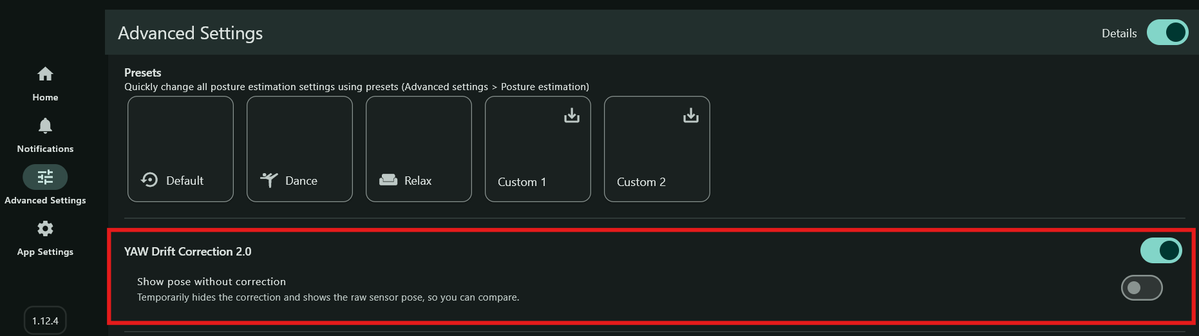
Featuring "YAW Drift Correction 2.0" Even in drift-prone Mode:2, it stays precise for hours on end with almost zero drift!
Supports HaritoraX Wireless & older models. Now in Beta! ⏬️
Check the image for how to switch to the Beta Branch. Testing for HaritoraX Wireless & wired models is still ongoing. If you try it early, let us know what you think via replies or Discord.
Discord: https://t.co/iMRSleo08e
Coming within a few days: The BIGGEST update ever for our HaritoraX software, "VR Manager".
This new feature virtually eliminates drift even in Mode:2. Stay tuned—this is a game-changer!
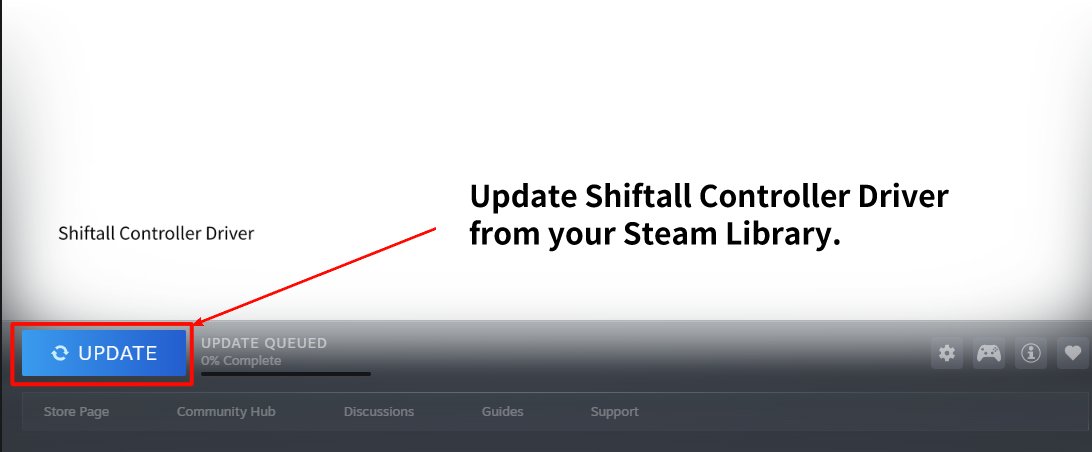
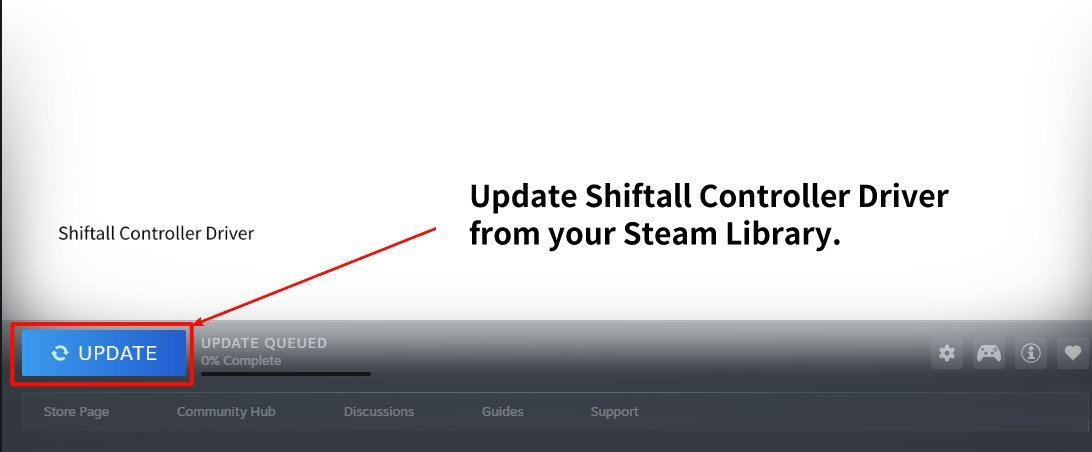
We've updated the software for Shiftall’s "GripVR" and "FlipVR" controllers! This update fixes OpenXR compatibility issues, including tracking and positioning bugs. Confirmed working with Pavlov, BONELAB, and more. Please update "Shiftall Controller Driver" on Steam to apply.
How to attach AddCon+ to Quest Pro controllers:
Just like Quest 3/3S, hook it near the grip button first, then slide it on while twisting.
Tip: hold the cover so it doesn’t spin, and twist little by little.
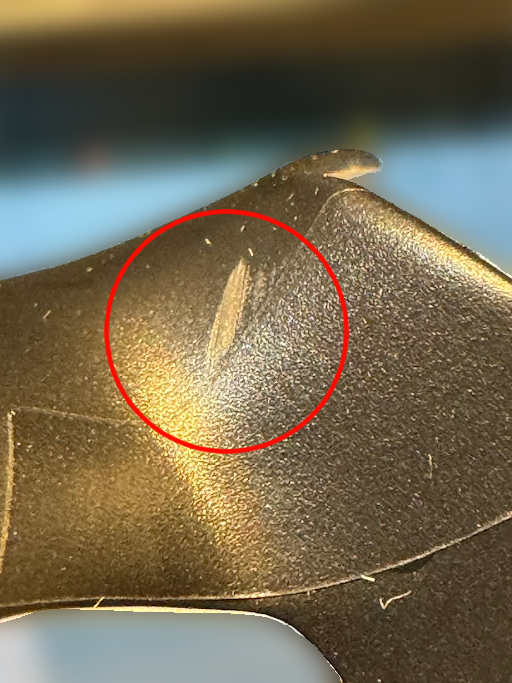
Don’t force it in—pushing too hard may damage it.
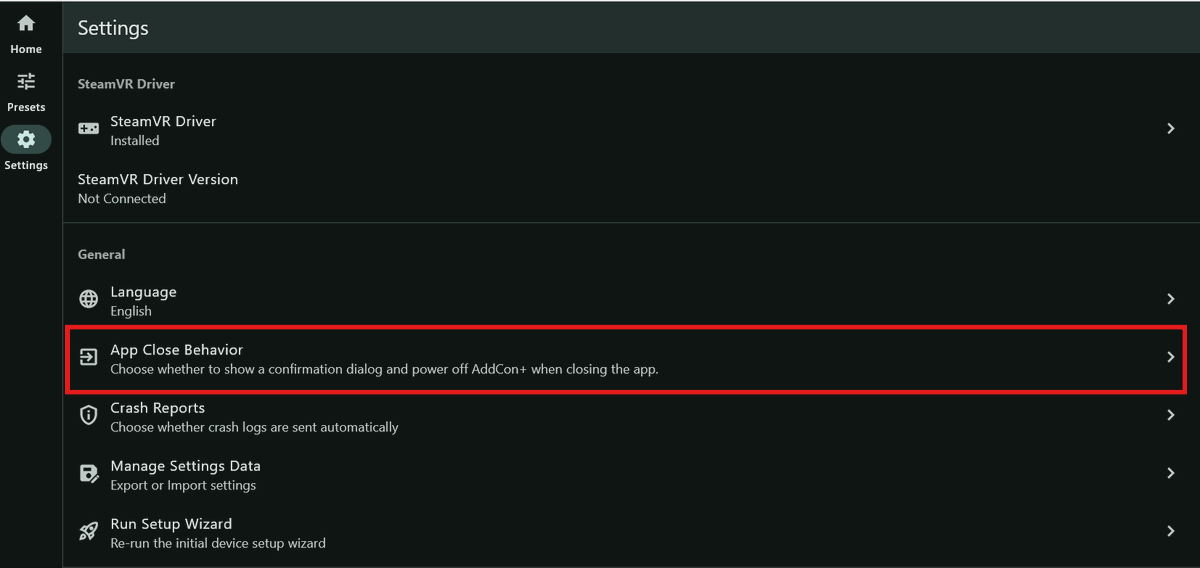
AddConManager 1.4.3 is now available.
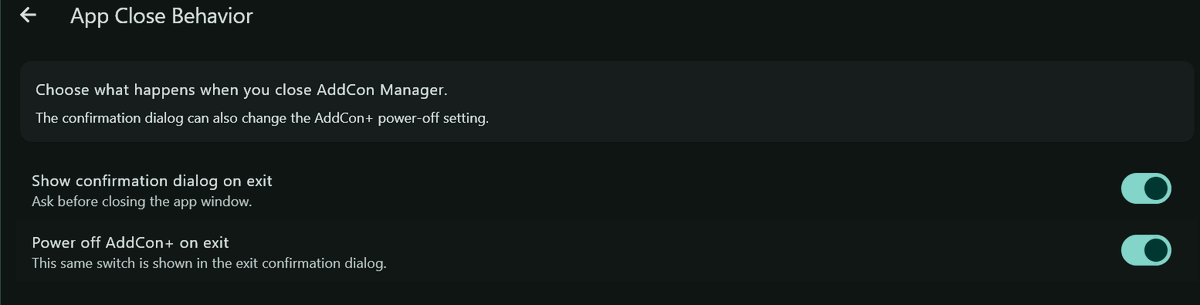
You can now turn off the power of a connected AddCon+ when exiting the app.
Configure it in Settings > App Close Behavior.
https://t.co/dSQsDiwN4u
Shiftall is heading to FWA 2026! 🐺✨
Come visit us at the Developers Den (Galleria Level) for:
- MeganeX 8K Mark II — touch & try demo
- HaritoraX 2 Pro + AddCon+ live demo
📍 Hilton Atlanta Downtown
🗓 May 7–10, 2026
See you there! 🎮
#FWA2026
AddCon+ adds extra buttons, wheels, and finger tracking to Quest 3 / 3S / Pro.
👇 As shown in the video, you can also replace the Quest 3 controller battery without removing AddCon+.
We’ve released a firmware update for GripVR, a “standard” SteamVR controller.
A bug was found where joystick touch could stay active, so we rolled back only the touch feature to the previous version.
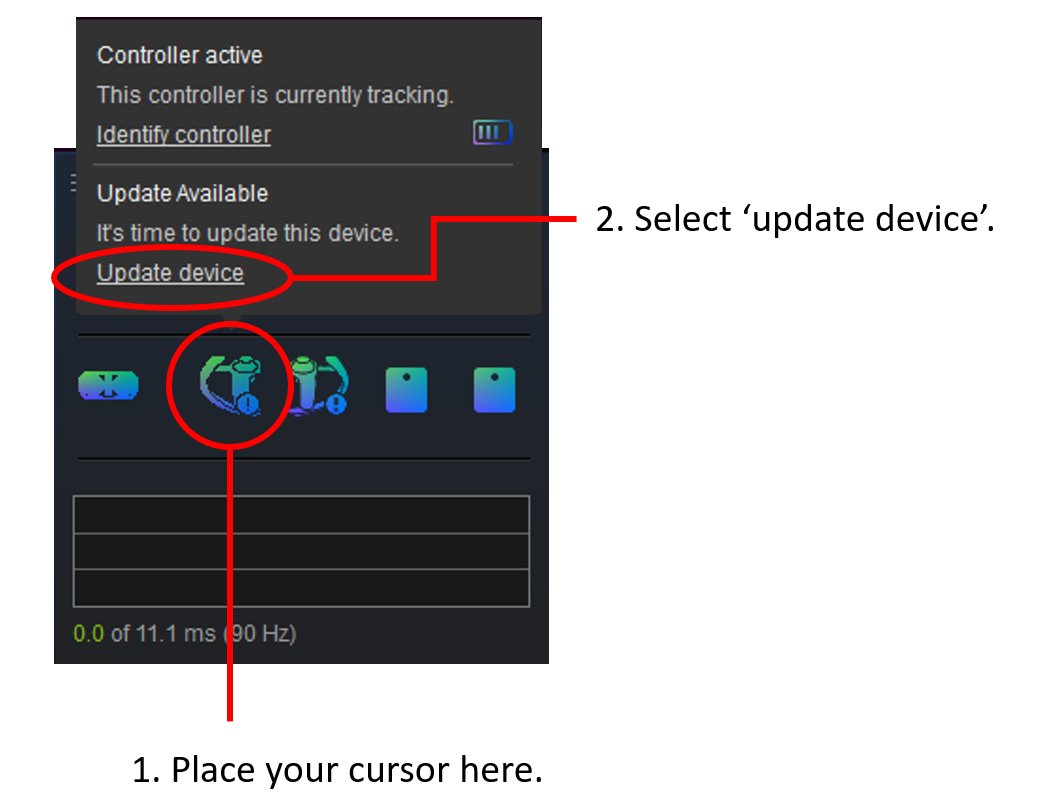
If it doesn’t update automatically, update it manually using the steps below.
New firmware for GripVR, a standard controller for SteamVR tracking, is out! This update improves stick precision near the center, reduces accidental touch detection, and fixes jitter when moving triggers or grips slowly. See the image for instructions and give it a try!
We’ve released the 3D enclosure data (STEP/STL) for the ultra-light 179g “MeganeX 8K Mark II” HMD with 4K per eye.
Feel free to use it to make and sell related accessories (e.g., original face gaskets)!
↓ Download ↓
https://t.co/Xh1H8QBydC
We’ve updated the AddCon+ site and uploaded a new video! AddCon+ adds finger tracking + 14 extra buttons to Meta Quest 3/3S/Pro. Assign OSC or keys to trigger avatar gimmicks and VRChat camera controls (zoom/shutter) with no menu actions.
👇 New video
https://t.co/7FMU7L7cJ4
🎥Shiftall VR Manager Feature Spotlight
Mode1: uses a geomagnetic sensor to help reduce drift over long sessions.
If your room’s magnetic environment isn’t ideal or your posture stays the same, Mode2 may work better—choose based on your situation.
https://t.co/4N9YEXsBdi
The “AddCon+” addon controller for Quest 3 isn’t just for finger tracking.
You can assign OSC commands or keyboard shortcuts to its buttons to control avatar gimmicks hands-free.
VRChat camera functions like zoom and shutter can also be triggered without gestures.
🎥 You can also update HaritoraX 2 sensor firmware using the mobile version of Shiftall VR Manager.
Even if you're using a GX dongle and your PC doesn't have Bluetooth, you can update the firmware this way.