@NoGoJulz Dark mode is a nice idea! OpenEar uses ionic, which supports dark mode. So it should be pretty easy to implement. I suggest either having a go with the code yourself, asking a friend who knows how to code for help, or donate to openear with your suggestion.
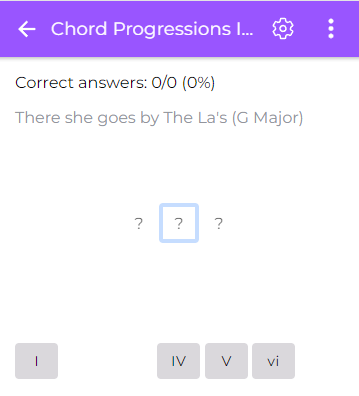
Practicing ear training with a computerized piano is nice... but to test your abilities in practice you must listen to real songs! Try the "Chord Progressions in Real Songs" exercise if you haven't already.
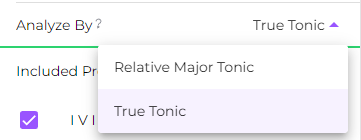
New in version 1.4, the "Analyze by" option enables to convert Common Chord Progression from their respective mode to Major.
So instead of i bVII bVI V you can answer vi V IV III
I find it much easier to conceptualize in some situation to see similarities between different modes.
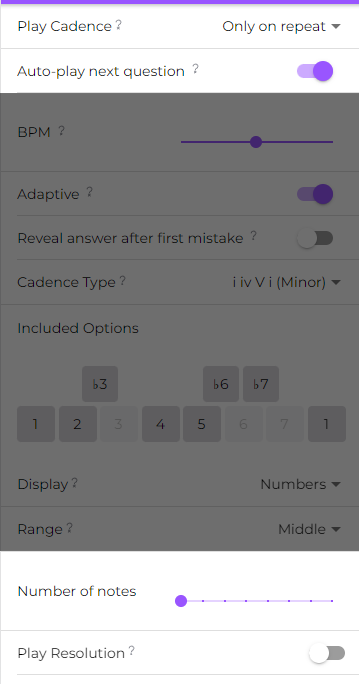
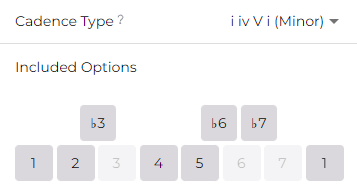
When practicing a minor scale, make sure the set both the Cadence Type to minor, and the included scale degrees to the minor scale degrees (as shown in the picture)
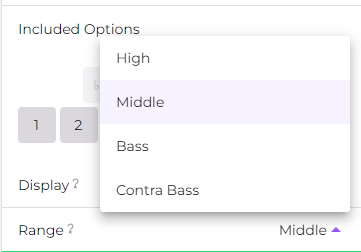
New in the latest version, you can selected a range for the melody you practice. We find that our perception of pitch is slightly different in different ranges, so it's useful to practice other options.
By default, the scale degree exercise will play a "resolution" (descending or ascending scale to the tonic) after each answer you get right. If you are feeling brave, you can turn it off
Use *adaptive mode*! Available for every exercise, adaptive mode will repeat the questions that you got wrong multiple times until you get them right! This is one of the most efficient ways to lean, especially when it has to do with ear training
Version 1.4.3 is out for both iOS and Android and there's a bunch of cool additions! 🥳
Progressions in real songs, numeric view for scale degrees, more chord degrees option, bass melodic dictation and more! Follow for more updates.