All-in-one email platform for SaaS. We'll help you to simplify the whole email game so you can focus on your business not emails.
🇪🇺 Made in EU. Estd. 2018
We’ve just released SMTP relay with native markdown support!
Perfect for legacy systems, WordPress plugins, or any app that supports SMTP.
Sidemail automatically turns your plain text into a clean, branded HTML email with your logo and design.
Docs – https://t.co/8k68SmcPxO
https://t.co/tNznISOtet now supports email inbound! ✉️
Receive emails on your verified domains with:
• 1 MX record only
• Automatic spam filtering
• Instant webhook notifications
• Clean 2-minute setup
Full docs: https://t.co/3SjmkGXlq2
Try it and tell us what you think!
🚀 Email template editor got a major upgrade!
What’s new:
• Custom layouts
• Box element for easy columns & sections
• Advanced styling + mobile/dark mode
• Style presets
Cleaner, faster, more professional emails with the flexibility you asked for.
https://t.co/pKtS1HMUq6
We've added passkeys to https://t.co/tNznISOtet 🔑
You can now log in using Face ID, Touch ID, fingerprint, PIN or physical security key (like YubiKey).
It’s quicker, safer, and takes 30 seconds to set up.
Give it a try and tell us what you think!
https://t.co/43oW9C76oF
Sidemail API now has new parameters for setting CC (carbon copy recipients) and BCC (blind carbon copy recipients). 📫
You can read more in the docs: https://t.co/Ash5TY7u1U
You can now send a test of your email template directly from the Template editor ✉️
To do so, open your template > click the Options button in the top right corner > Send test email.
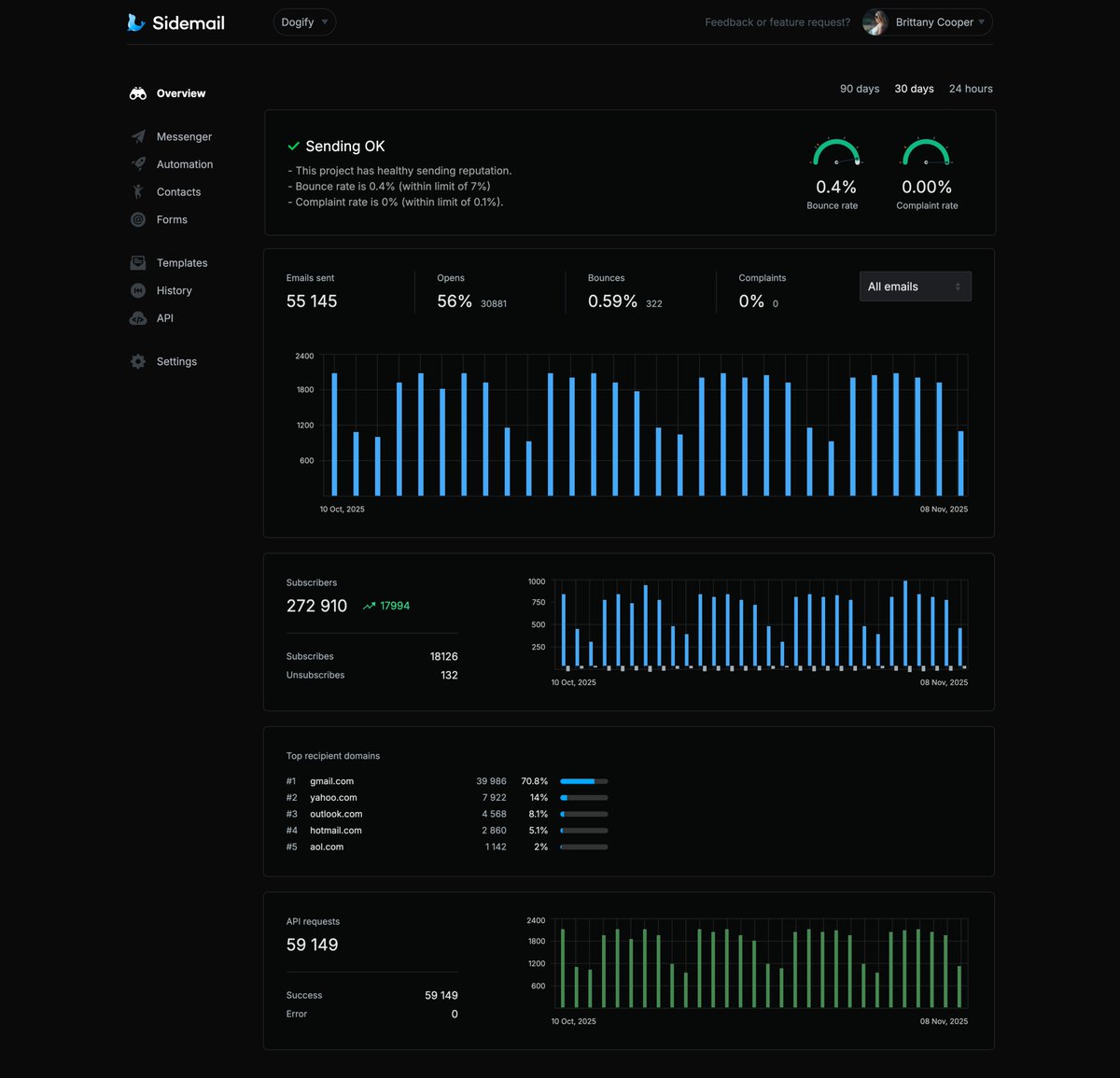
Project Overview got a refresh 📈
See your sending reputation at a glance, check the new API requests chart, and hover the email chart for deeper sending insights.
All of this helps you see the essentials quickly and clearly.
Configuring email sending is now even easier. Sidemail now has dedicated libraries for PHP, Python, and Ruby. Together with our Node.js SDK, they make setup even simpler.
Also, we put together quickstarts for all popular languages – check them out:
https://t.co/eGA9s0sxrx
Each sending domain now has a dedicated page that’s nicely organized and includes all the information you need, including Mail-From & SPF, DKIM, and DMARC setup.
Hello everyone! We hope you’re having a great start to the new year!
We’ve got lots of updates in Sidemail – one of them is a new Sending domain page ✉️
Email lists get outdated faster than people think – addresses change, inboxes get abandoned, typos happen.
Email validation helps you confirm an address can receive mail and avoid hard bounces that hurt deliverability.
Full guide (+ free validator)
👉 https://t.co/Fj3YGhjyEA
The AI agent handles the steps for you – it retrieves data, calls the right email API methods, and asks for confirmation before final actions. Keeping you in control.
It all runs on Sidemail’s proven email infrastructure.
Check out more at https://t.co/TS2PHMxuWQ
That means you can say things like:
- Write a product update from our changelog and schedule a delivery to our paying customers for tomorrow at 2 PM.
- Add these users who signed up today to the Early adopters group.
- Create a new sending domain for https://t.co/l52RhYs60I.
🌓 New: Dark mode
Developers ask. We listen and deliver. Sidemail Dashboard now has a sleek dark mode.
It’s another step toward making developers’ work easy and enjoyable: clear contrast, less eye strain, and a UI that feels at home beside your editor.
There is a new public Domains API. It lets you list, add, and remove domains, as well as view their verification and DNS setup status. Read more in docs – https://t.co/lVGOjLru3s
You can now manage Sidemail Messenger not just from your Dashboard, but also via API. It lets you easily send newsletters, campaigns, and product updates to your users – fully automated, personalized, and managed via API. Read more in docs – https://t.co/S8Fb2QWT6u
Sidemail Dashboard got a major update!
You can now see every API request with all its details, request body, and response body – making development even easier.
To check out API logs, navigate to your projects API section > scroll down to API Logs.
https://t.co/wRGQLWInTa