SFM progress (v2.2.0): New feature: copy/pasting files and folders with other apps via system clipboard
Changes:
- Support copy/pasting images from web to drive via system clipboard.
- Support copy/pasting files and folders to and from other apps via system clipboard (if they support it). Apps like "File Explorer".
@Coeus___ Thanks for the info mate. This feature modifies registry, so that's probably why. I might have to move the feature into an extension or something
SFM progress (v2.2.0): added ability to resize info panel
Changes:
- Info panel width can now be resized
- Info panel preview area width and height can now be resized
- Added option "Dynamic info panel size" that automatically adapts info panel size to the window size
SFM progress: New feature (list view): column resizing and reordering
Changes:
- Columns can now be resized manually
- Columns can now be reordered
- New option in column editor: Fill available width (auto resizes columns as window size and column count changes)
- New button in column editor: Set minimum widths (quickly sets all columns to smallest width)
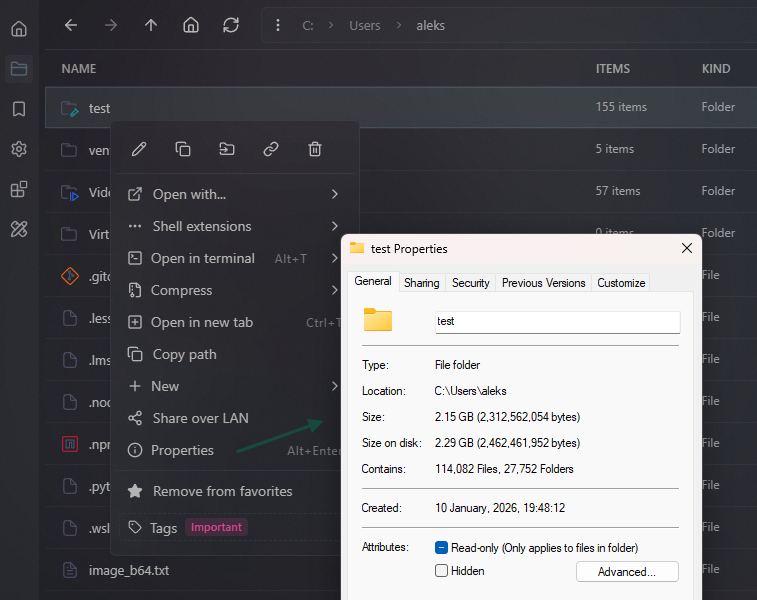
SFM progress: New feature (Windows only): native "Properties" window
Changes:
- Added "Properties" option to context menu
- Added ability to open "Properties" window for selected items with `Alt+Enter`
- Added ability to open "Properties" window for specific item with `Alt+DoubleClick`
- Added new shortcut `Alt+Enter` for opening "Properties" window
SFM progress: New feature: link handling
Changes:
- Added ability to create Shortcuts / Symbolic / Hard / Junction links
- Added new link related columns to the list view
- Added new link related data properties to the info panel
- Show link target path in the entry row
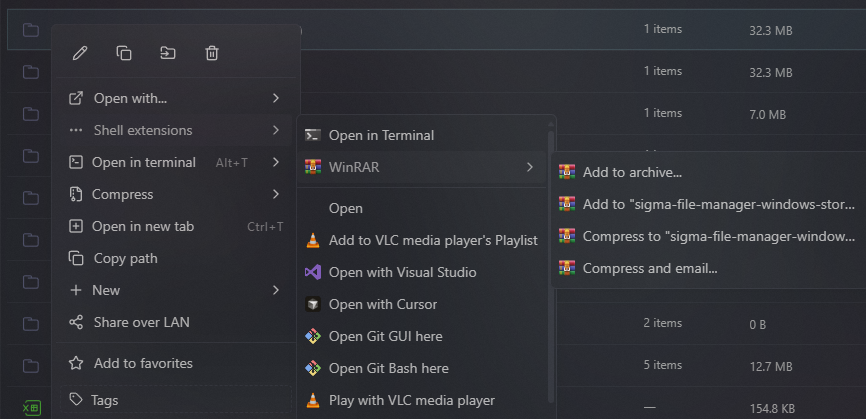
SFM progress: Display modern context menu options, registered by modern apps
Changes:
- Now modern apps that register their options in Windows, should also appear in the "Context menu > Shell Extensions"
@buildinpublic Working on making Windows suck less, in particular the File Explorer and file search, by creating Sigma File Manager
https://t.co/bXnQyMDS3X
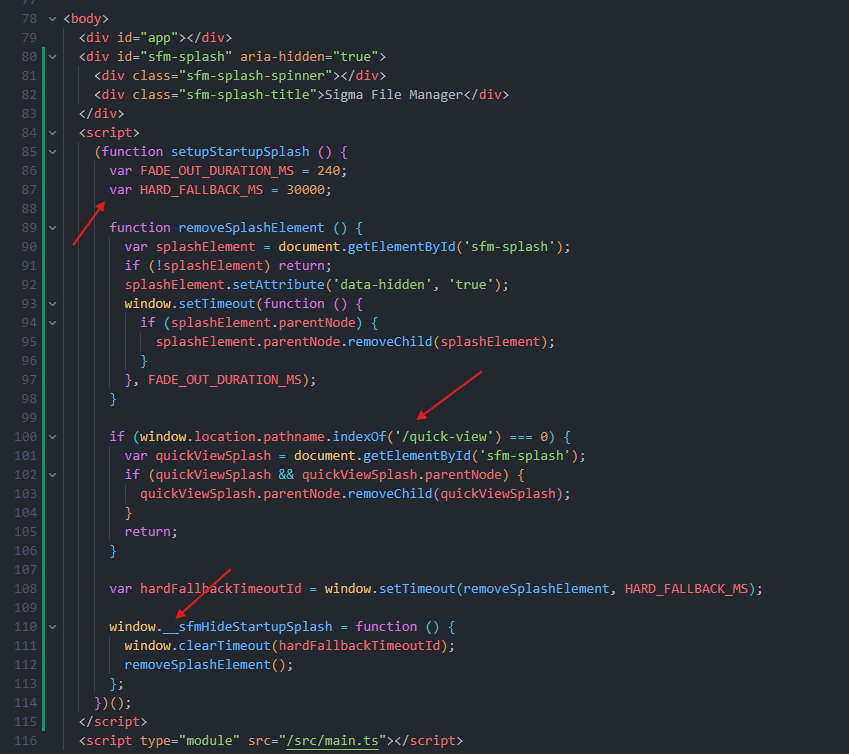
Oh wow, the Opus 4.7 high is actually degraded, I cannot believe how bad the code it wrote just now:
1. It used "var"
2. It removed splash screen element from other windows instead of adding the splash screen just for one window in the first place
3. It used some weird window prototype pollution instead of remove by class from within Vue, once it mounted
I thought it was all just whining about Anthropic models, but it looks like you were right @theo
They not only region block their models now, they actually messed up their models
Traditionally it was really difficult to make open-source software trusted, @Microsoft still treats open-source apps on their own platform "Github" as untrusted malware and tries to delete it once you try to install it on Windows 11
Just applied for an open code sign certificate at https://t.co/ZqiUytZYc4 for Sigma File Manager
Let's see what happens
Hey @WindowsCentral when MS going to do something actually useful for the community?😄
Early update preview for supporters:
Sigma File Manager 2.0.0-beta.3
This is a major update, it brings a very large amount of new features and fixes
Summary: Extensions system with marketplace, LAN file sharing, quick access menu, zip archives, WSL drives, tag editing, enhanced quick view and search, visual effects improvements, and many UX and stability improvements.
See the full detailed changelog in the app
Right now available on Patreon ($1+ contributors):
https://t.co/IIWqvnKLc9
Will be published to Github next week for everyone
I guess you have to be more careful in what companies you invest @theo
It seems @cursor_ai exposes user IP to API providers.
It started showing "This model provider is not supported in your region" notifications.
I’m seeing this notification just for Anthropic models (Opus, and such) for now.
I have privacy mode enabled. I expected the Cursor to respect that setting and be a trusted layer between the user and the API provider. Otherwise, I don’t see why am I exactly paying $200 subscription + up to ~$200 on demand per month, if I cannot use the Opus model via Cursor + my IP gets exposed or even checked for?
So, Tomorrow Cursor will disallow me access to all models and take my $400 to just check my IP and tell me I cannot use anything? Have Cursor became the Whatsapp of the messaging world, where privacy means nothing and gets exposed to anyone on demand?