For developers juggling coding agents across projects -- keep each one alive, switch instantly. Open source, free forever. Use Claude + our SDK to extend it.
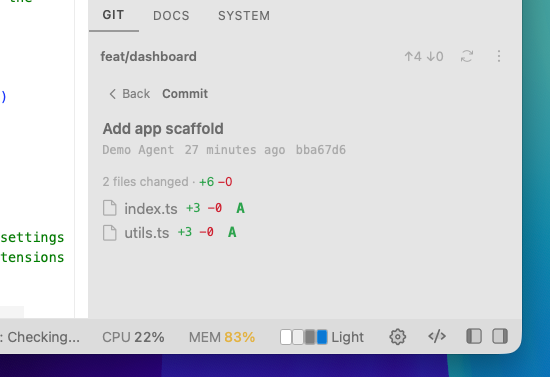
Silo 0.36.0: laptop mode + a View Commits drill-down in the git panel (browse history, including unpushed local commits, without leaving it).
https://t.co/rIKgeuEHQu
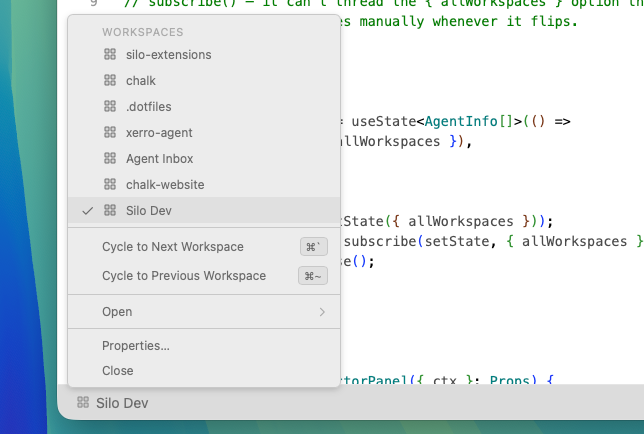
The Workspace panel offers plenty of information about what you're working on, but sometimes it can be a distraction. The Workspace status bar button is a good replacement. Also use cmd+` to cycle workspaces.
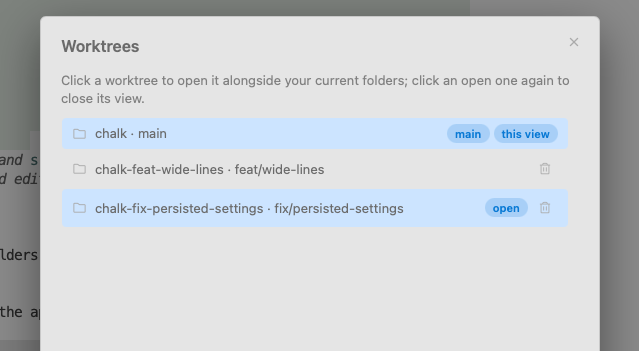
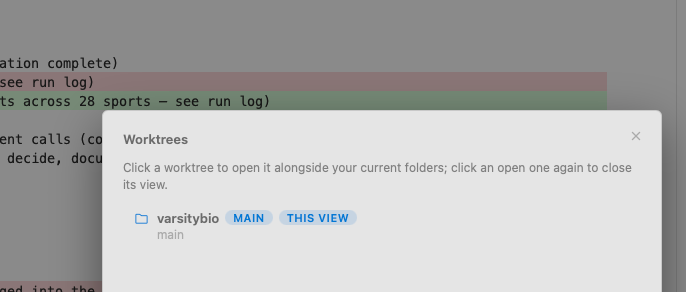
Silo isn't built around worktrees the way some agent tools are. it's built around workspaces, and worktrees are one tool inside that, not the whole model. use them when a task actually needs one, ignore them otherwise.
Added laptop mode to Silo. On my widescreen setup I run side panels open with columns of terminals/editors — great. On a laptop screen that same layout eats half the display. Now it auto-detects and hides the panels, sliding them out on hover from the edge instead. Usable again.
Working on a fix for terminals not surviving a full reboot in Silo. They already recover fine across app restarts, just not a cold OS reboot yet - closing that gap now. Should land soon.
Added a settings page to allow keyboard shortcuts to be defined without having to edit a json file. Screenshot also shows off a new "high contrast" theme
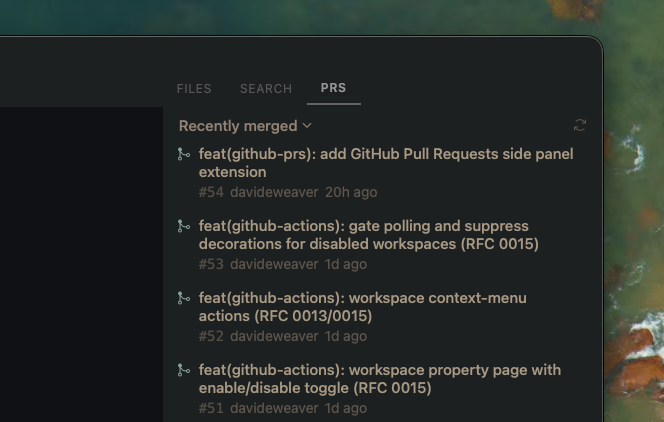
new silo extension: github pull requests. all your workspace repos' prs in a side panel with review state and ci checks. built it this morning, install it in one click.
https://t.co/ghaXwj2mUq
the registry we shipped last week is already paying off. built a github prs extension, tagged a release, live on the registry two minutes later.
https://t.co/ghaXwj2mUq
shipped a first version of worktree support: create/open/remove from the git panel, each worktree opens with its own file explorer and git view.
still figuring out the best way to surface this across the app. if you live in worktrees daily, curious what you'd want here.
Added process observability to Silo's SDK, every terminal session now exposes its foreground leader, CPU/mem stats, and full descendant trees to extensions
Upgraded system-monitor to consume it. Per-session instrumentation, rollup aggregates, workspace badges when things get hot
Extension install used to mean a folder path or a tarball url. today we shipped a real registry: browse in-app, one click install, update badges when a new version ships
5 extensions live to start. build one and it can be next.
https://t.co/h0KMhi9Xtk
Silo dev builds have an automation bridge: an RPC that lets a coding agent create workspaces, drive terminals, inspect editor state, and screenshot the real running app.
So Claude doesn't just write a feature and hope. It launches Silo, clicks around, and verifies its own work.
silo's docs are now on context7. so if you use claude or cursor to build an extension for it, the agent pulls real sdk docs instead of guessing at the api. small thing but it's already helping
Pressure testing the silo extension SDK... had claude create me a system monitor extension that can be docked to the side. Probably not super useful, but i will use it to surface metrics for processes spawned from the workspace.
The SDK lets extensions register custom views for file types. So a markdown file can get a "Preview" button right in the editor tab - click it and the extension renders the file however it wants.
Shipping a markdown WYSIWYG editor to the silo-extensions repo next.
What's interesting is that this is entirely a 3rd-party extension, not built into Silo at all. It hooks into the workspace panel and terminal tabs through the extension SDK, with no changes to the core app.
Two new Silo updates:
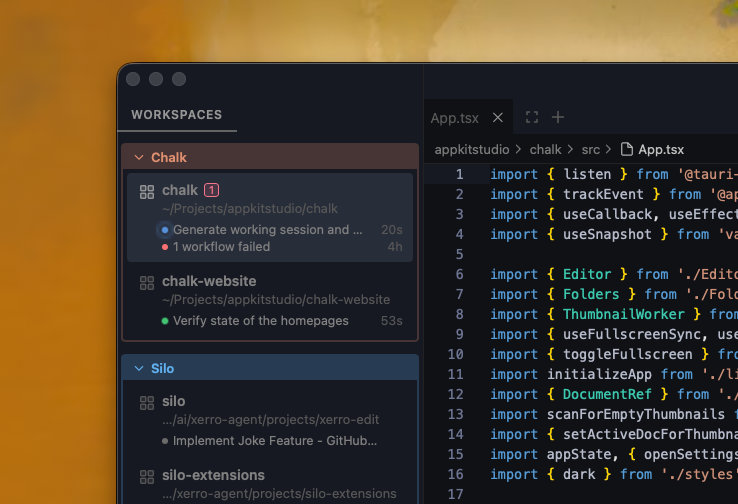
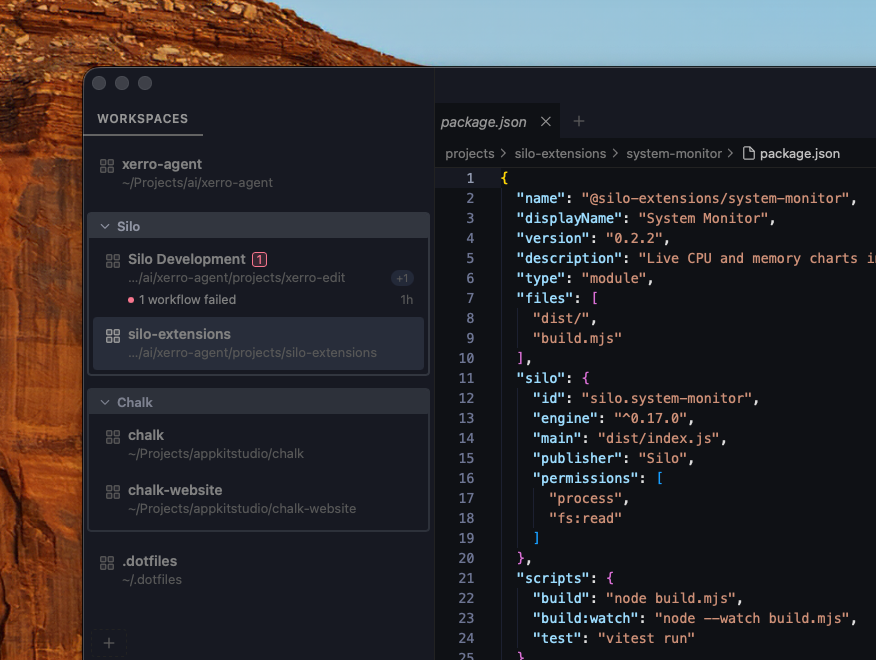
Workspace Groups — named, color-coded groups with drag-and-drop reordering.
GitHub Actions — live CI status in the status bar, badges per workspace, one-click re-runs.