At 14, I wasn't just a student, I was a shopkeeper. Managing a family phone shop taught me my first and most important lesson: Business is about people.
Since then, my career has been an incredible evolution:
The physical: Running a car wash and a pizza shop.
The service: Leading a team as a restaurant chief.
The digital: Mastering affiliate marketing, trading, and voice-over.
The creative: Working today as a motion graphics designer in digital marketing.
I’ve seen business from every angle. Now, I’m breaking down each of these experiences to share the raw value and lessons learned. This is just the beginning.
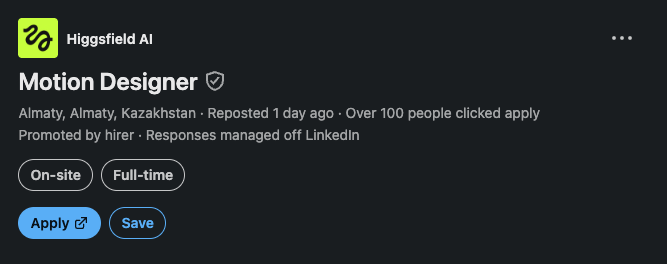
Higgsfield is hiring motion designer ?!
I mentioned this before: AI platforms keep pushing hype videos... they’re saying: “Turn one prompt into a complete launch video.”
But here’s the thing...
a lot of these launch videos are still crafted by motion designers in After Effects.
I’m not against AI. I literally use Higgsfield myself to generate footage and speed up my workflow.
What I’m against is deceptive marketing that makes it look like one prompt magically replaces the entire creative process.
AI is a tool.
The craft is still the craft.
I made a 60-second 3D motion graphics film without keyframing a single layer by hand.
Claude Opus 5.5 did the heavy lifting:
🎬 Wrote the story, built the storyboard, and generated the 3D assets in Canva
⚙️ Wrote an ExtendScript that assembles the whole film in After Effects: 6 scenes, 3D cameras, lights, kinetic typography, and transitions
🎧 Composed a synced sound design track from scratch
One script. One click. The project built itself.
But here's the part nobody talks about 👇
The first render wasn't good.
The titles fell back to the wrong font. Two scenes were blurred from start to finish. The cards ignored the 3D camera. One transition made elements vanish and reappear the wrong way.
The AI didn't catch any of that on its own. I did. By watching the render.
So we iterated: v1 → v2 → v3 → v4.
Each time I said what felt wrong, Claude analyzed the render frame by frame, found the cause, and rebuilt the script.
That's the real shift.
The technical barrier is almost gone. Knowing expressions, ExtendScript or the right 3D renderer is no longer what separates a good motion designer from a great one.
What's left is what was always the hardest part:
→ Knowing what story is worth telling
→ Feeling when a transition is off by half a second
→ Seeing that a scene is "too static" before anyone can explain why
→ Having taste
After 7+ years in motion design, I'm not worried about AI replacing us.
I'm excited that it finally lets us spend our time on the part that was always ours: the ideas.
The tools got faster. The eye still has to be human.
What would you create if execution was no longer the bottleneck?
#AfterEffects #Claude #MotionGraphics
To round out this series—from 3D tech promos to 2D vector animation—here is how AI is impacting real estate and architectural visualization.
This blueprint-to-building concept for Higgs Park by the @HiggsfieldAI team shows a seamless transition from 2D architectural line work to cinematic 3D renders with dynamic lighting and camera moves.
In traditional After Effects and 3D pipelines, camera tracking, volumetric sunset lighting, and blueprint compositing meant heavy render queues. Bringing traditional motion design principles into AI workflows makes communicating scale, dimension, and luxury virtually instant.
Following up on my last post about AI tackling 3D visuals—it turns out AI isn't just for photorealism. It’s breaking into classic 2D flat vector motion graphics, too.
The team at @HiggsfieldAI pulled off this crisp 2D promo for HiggsFit. In After Effects, this meant endless puppet pins, shape layer rigging, and manual keyframing. Seeing AI maintain character consistency in 2D proves how versatile these workflows are becoming.
#MotionDesign #2DMotion #AIVideo #Higgsfield #GenerativeAI
Transitioning from traditional 2D keyframing in After Effects to the frontier of AI video generation has completely shifted my perspective on what's possible in our industry.
Take this stunning promo for Tepsira, created by the team at @HiggsfieldAI. It showcases the exact studio-grade precision and modern aesthetics I am now analyzing and integrating into my own AI video workflows. The technology is moving fast, and the capabilities are incredible.
#MotionDesign #AIVideo #Higgsfield #GenerativeAI #VideoEditing
@_sun_yi I've learned storytelling in 2018 but i didn't get the chance to express it, i use it in my work as motion designer but i always feel limited. I hope i get the chance to access your community maybe it will work out for me
Number Three: Here comes the marketing role. You need to find out which platforms your audience uses, and you need to make sure you target and retarget effectively.
That's all for now. If anyone needs more explanation, I will do it with pleasure; just let me know in the comments
Being a digital marketer alone is not enough in the era of AI. What I learned is that you have to be able to manage the whole campaign from A to Z. For example, you need at least 3 skills to be able to create engaging videos, and that's number one: video editing...
Just dropped: xAI's image generator just became a serious creative tool.
Grok's Imagine Image 2.0 is now live - and it's not just another pretty picture generator.
Here's what's actually useful:
▪️ Magic wand edits only what you point at - nothing else
▪️ Smart resize fills any ratio automatically
▪️ Multi-ref editing from up to 5 images at once
▪️ Background removal with transparent export, ready to use
▪️ Pre-built templates for headshots, product shots, icons, merch & more
It ranks #2 globally in both text-to-image AND image editing.
Check it out 👇
https://t.co/1hWz7HjpQh
#Grok #xAI #AITools #ImageGeneration
Learn 99% of ChatGPT Work in 61 minutes:
GPT Work is like Codex in the cloud.
It works on phone, web, and desktop.
And I've been using it to run my business.
These are the 14 knowledge work capabilities.
00:00 Intro
03:18 #1 Presentations
09:16 #2 Plugins
17:36 #3 Blocks
23:34 #4 Websites & Apps & Hosting
30:09 #6 Branching Chats
31:51 #7 Desktop App (Cloud vs Local)
37:01 #8 Voice Mode
41:36 #9 Remote Voice Mode
45:52 #10 In-App Browser
48:50 #11 Skills
51:45 #12 Scheduled Automations
54:37 #13 Spreadsheets
56:58 #14 Multi-Agent Workspace
59:19 Final Review