I added a compact reply format to my AI instructions: answer first, brief assessment, one next action.
Keep evidence and uncertainty visible. Would that make your next decision clearer, or hide context you need?
I kept looking at TPS. Our DeepSeek Low/High test reminded me to look at completion too.
Both passed the checks. Low cost less overall, but timings were mixed and provider waits mattered.
Keep TPS separate from the full time to a checked result.
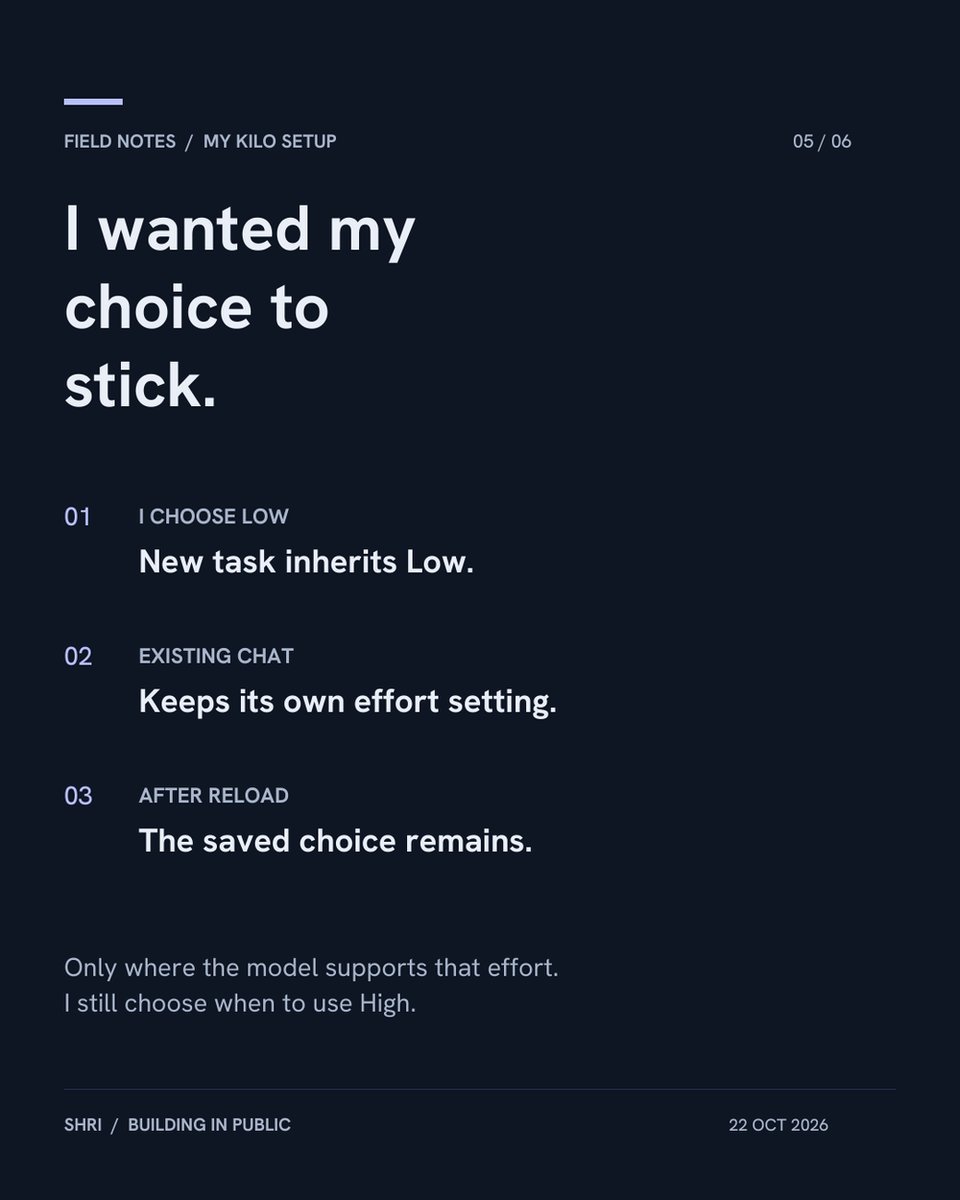
If I choose Low, I do not want to choose it again in every new chat.
New tasks now inherit my selected effort where the model supports it. Existing chats keep their own setting, and the choice survives a reload.
A small fix that removes a repeated decision.
The next prompt should notice unfinished work.
In a test, the reply sounded finished, but a browser check had failed. The suggestion asked to fix that error.
That is more useful to me than another 'continue'. It still drafts a message; I choose whether to send it.
I thought the model was slow. Then I checked the button.
Clicking while an automatic suggestion loaded could restart the request. We fixed and tested that overlap in Kilo chat and Agent Manager.
Sometimes the extra wait comes from the interface.
I tried Low instead of Max for Sonnet 5.5 next-message suggestions.
On 2 matched prompts, average wait went from 3.14 s to 1.73 s. A separate 10-case Low check passed.
A small result for one short job. It does not show how Low performs on a full coding task.
Low vs High on DeepSeek via Lithos:
Across 3 small tasks, both passed all 29 checks, with no code-repair retries. Low cost ~19% less (estimated).
Timings were mixed. A reason to try Low on routine work, not a universal rule.
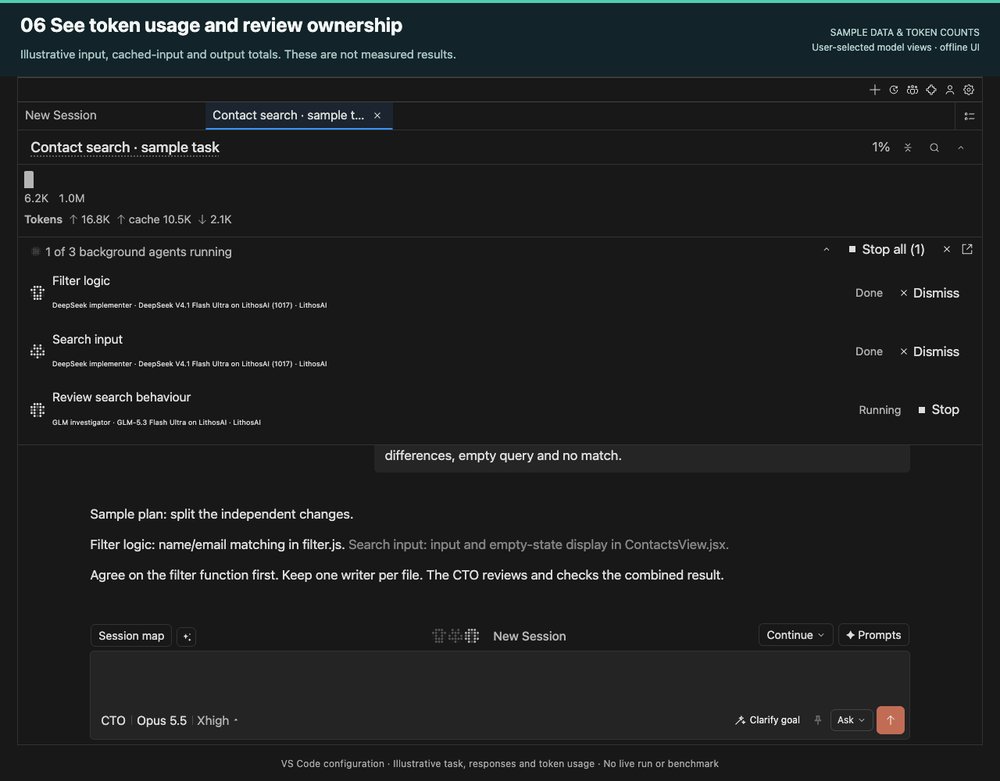
I want to see the usage behind the work, too.
The token header shows input, cached input and output. The worker strip shows each agent's role and model.
These numbers are illustrative. The screenshot shows where to look, not a speed or cost claim.
If you want to inspect my VS Code + Kilo setup, the configuration, patches and setup notes are here:
GitHub: shrikrishna-skg / vs-code-configuration
Start with one part you need. Check the supported versions and use your own provider credentials.
Now picture hotel checkout.
Bags packed, bill settled. A small digital device at reception asks, “How was your stay?” You can share your experience, check the review and choose whether to post it.
Would you stop, or save it for after the journey home?
You’ve finished dinner and paid the bill.
A small digital device at the counter asks, “How was your visit?” You can share your experience, check the review and choose whether to post it.
Would you stop—or are you already mentally out the door?
“Lovely food, slow service.”
A useful reply should address both parts.
Review Reply for Restaurants helps with an editable draft. Your team checks the facts and chooses what to post.
What makes a restaurant reply feel personal to you?
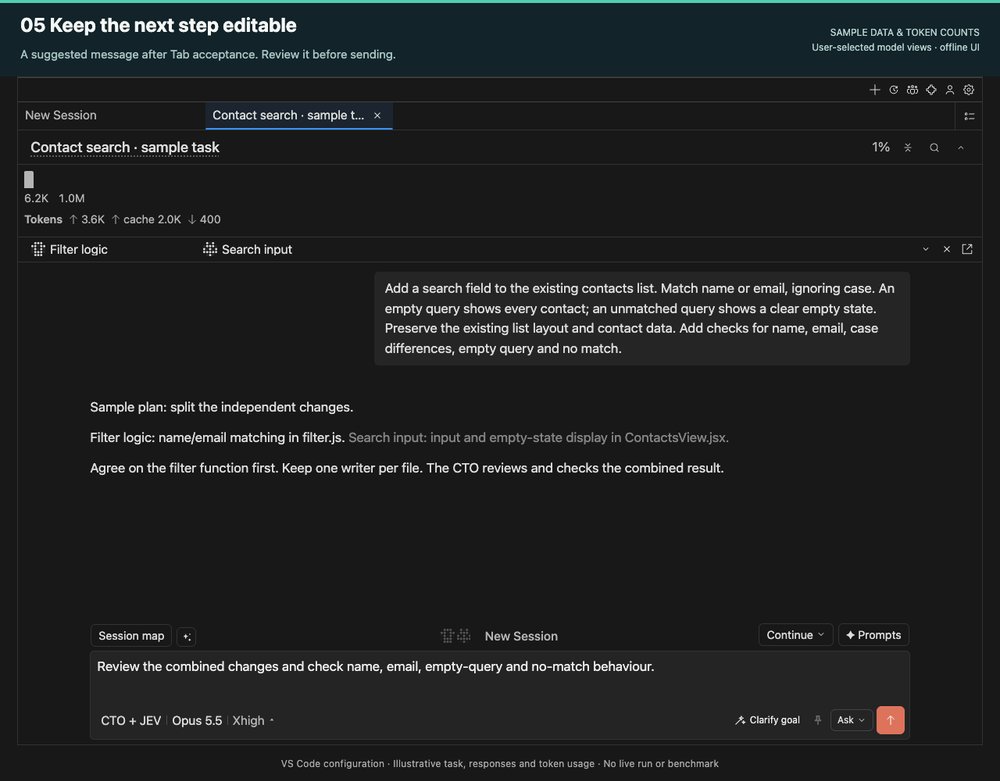
What should I ask next?
My VS Code setup can suggest the next message from recent chat context. Tab brings it into the composer, where I can change it.
This sample asks for a review of the combined work. It helps frame the next request; it does not send it for me.
Hotel reviews often mention several parts of a stay.
Review Reply for Hotels helps draft an editable response. The team still checks the facts, chooses its tone and decides what to post.
Which takes longer: starting a reply or making it sound like your property?
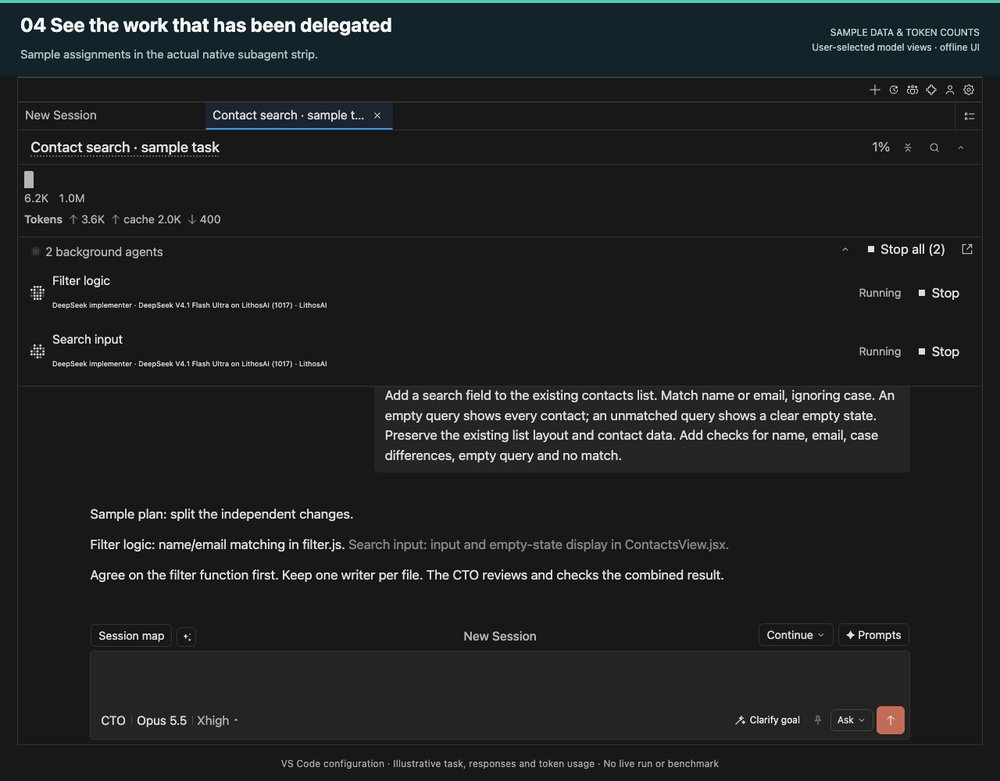
Multiple agents need separate jobs.
This sample splits a search feature into filter logic and input UI, with one owner per file.
The strip shows who is working on what. The lead still reviews how the pieces fit together. More agents alone do not prove a speedup.
I sometimes skip Walmart ads because tapping them takes me to an app download.
I might be on my other phone, or just want to see the product.
App installed? Open it there. Otherwise, show the web page.