Just got back from a week-long business trip, and it ended up being much more than attending a conference.
I visited exhibitions, met suppliers and channel partners, joined small private gatherings, and toured several companies. In hindsight, it felt more like a startup study tour than a business trip.
My biggest takeaway: founders can't stay inside their own bubble.
You might think you're already working on cutting-edge things—AI, APIs, global products—but when you see how fast-moving companies actually operate, many of those things are just table stakes. The best teams are already using AI systematically across engineering, operations, marketing, creative production, product portfolios, and team collaboration.
Another lesson: the most valuable insights rarely come from the main stage.
Conferences show trends. Small private conversations reveal reality.
The best discussions were about real mistakes, growth strategies, pricing, team structures, incentives, traffic acquisition, and how people are actually using AI to increase leverage. One hour face-to-face often beats reading a hundred online articles.
I also came back with a stronger belief that founders need to be more outcome-driven, lower their ego, and spend less time on internal friction.
In the AI era, customers don't buy tools. They buy results.
One founder shared an interesting point about AI pricing: traditional SaaS benefits from lower marginal costs as it scales, but AI products carry ongoing inference and generation costs. The pricing logic is fundamentally different.
What matters most is the result you help customers achieve.
A few things I'm even more committed to now:
• Build an AI-first team across engineering, operations, testing, design, and marketing.
• Keep raising talent density.
• Treat distribution as a system, not luck.
• Stay hands-on with AI, products, and customer feedback.
One final thought:
Many opportunities and insights don't come from sitting in an office.
They come from getting out, meeting people, asking questions, and seeing how others actually execute.
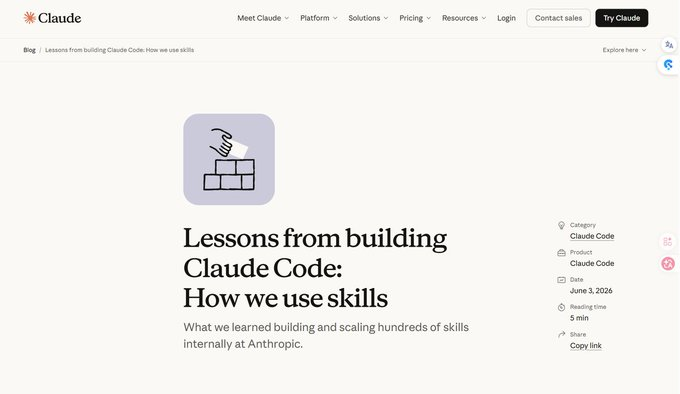
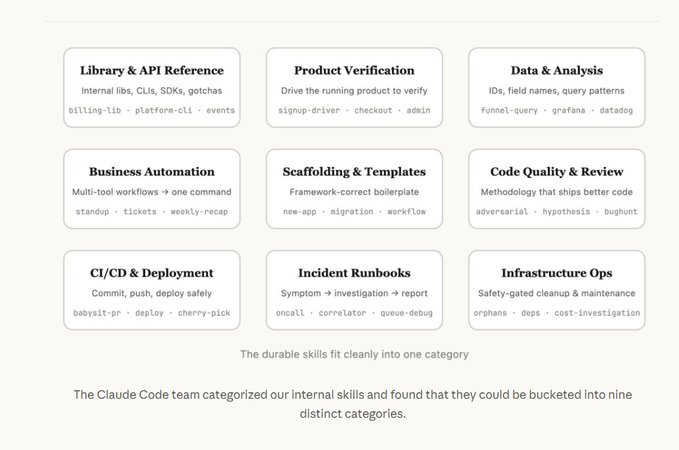
One of the best takeaways from Anthropic's "Lessons from Building Claude Code: How We Use Skills":
Good Skills aren't longer. They're clearer.
A Skill isn't just a prompt. It's a reusable work package that can include docs, scripts, templates, configs, checklists, and team-specific knowledge.
The most valuable Skills don't repeat what the model already knows. They capture what only your team knows:
Internal workflows
Deployment gotchas
Validation steps
System quirks
Hard-earned lessons
Another key point: keep Skills small and focused.
A Skill for API usage. A Skill for incident response. A Skill for code review. A Skill for deployment validation.
Especially validation Skills. They don't just tell AI what to do—they teach it how to verify the result is actually correct.
The future of AI agents isn't just better models.
It's better tools, memory, context organization, and workflow design around those models.
AI memory may be more important than bigger context windows.
The problem was never that AI couldn't remember everything.
The problem was that users had to repeat themselves every time.
Who you are.
What you're building.
How you like to work.
What constraints matter.
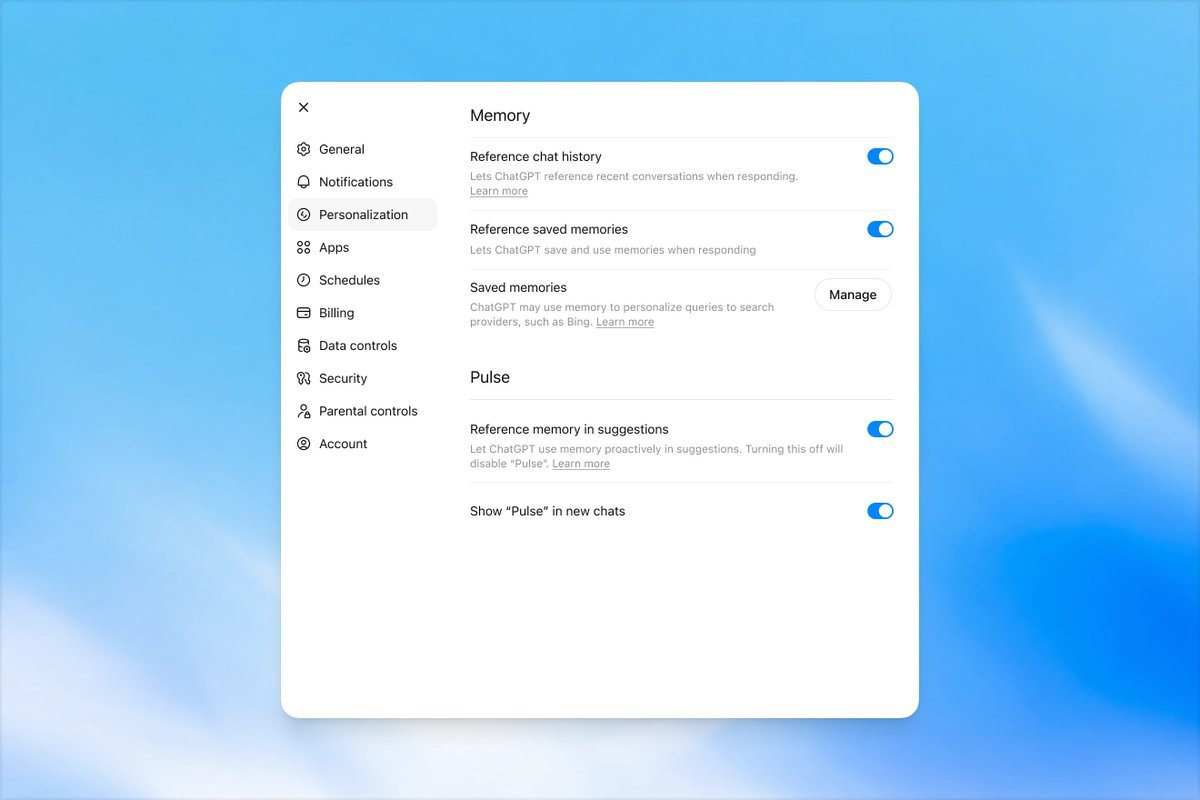
Good memory isn't storing every conversation.
It's extracting the signals worth keeping and using them to make future interactions more personal and useful.
Like humans during sleep, AI should consolidate what's important, forget what's not, and build long-term understanding over time.
The key: users must stay in control.
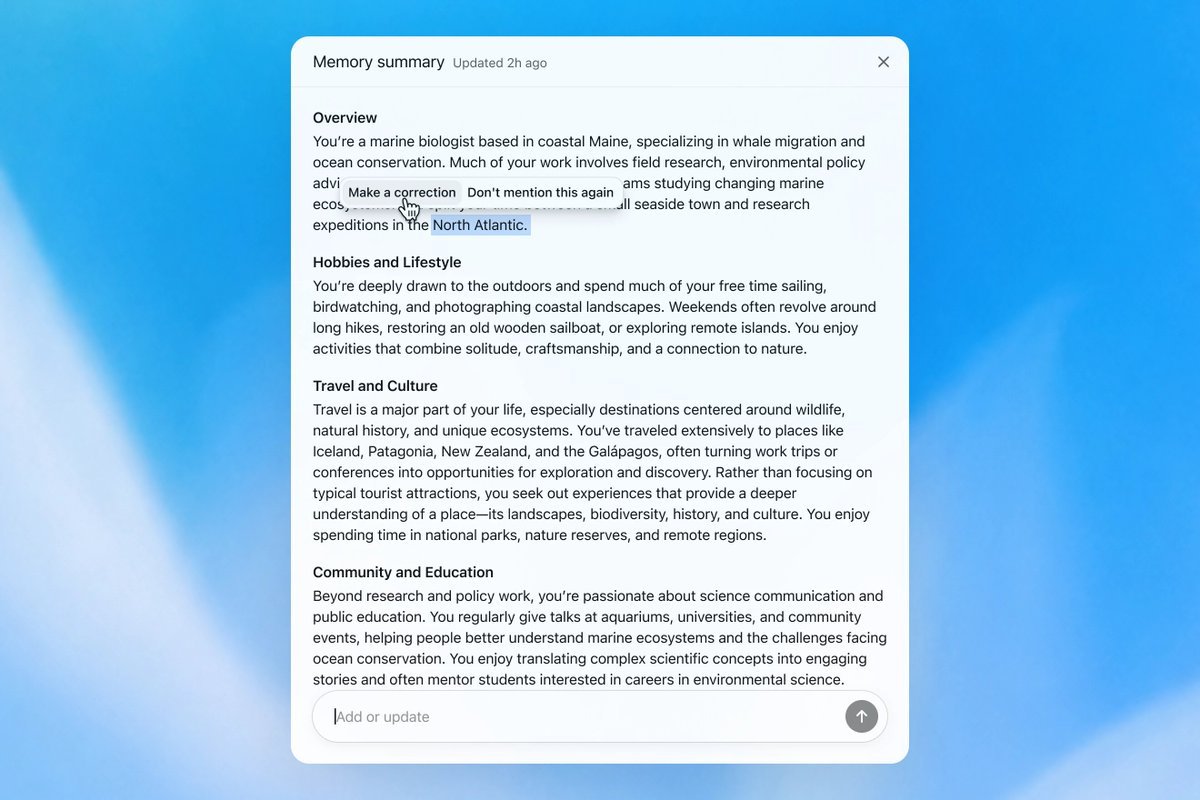
Memory should be transparent, editable, and deletable—not a black box that records everything.
ChatGPT is getting better at remembering what matters: your preferences, constraints, and the context that helps you pick things up where you left off. And with memory summaries, you can review and steer what it remembers.
Rolling to all users over the next few weeks, starting today with Plus and Pro users in the US.
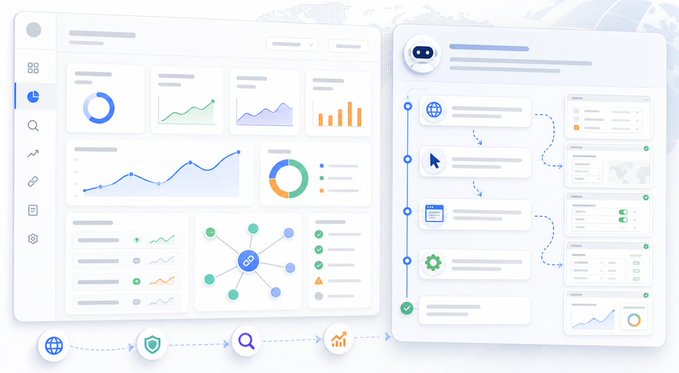
Recently connected Ahrefs to a product website targeting international markets.
No complicated SEO theory this time. The goal was simply to get the fundamentals in place:
• Check for technical SEO issues
• Track which keywords are starting to rank
• See which pages drive organic traffic for competitors
• Understand where backlinks are coming from
The setup was straightforward:
Project scope, Web Analytics, weekly Site Audits, a small keyword list, and a few competitor sites.
I kept the keyword set intentionally small:
Brand terms, category terms, model/API keywords, and alternative-solution keywords. Just enough to establish a baseline before expanding.
The work itself isn't hard, but it's tedious—clicking through settings, selecting options, taking screenshots, and documenting everything.
This time I handed the entire setup to Codex using Computer Use and let it run the workflow, including organizing screenshots along the way.
My takeaway:
Ahrefs is worth connecting, but it doesn't need to be treated like magic.
It's simply a place to view your website, keywords, competitors, and backlinks in one dashboard.
Let AI agents handle repetitive setup work.
Save your own time for analysis, decisions, and strategy.
Codex Sites feels like a glimpse of where software is going.
Idea → Generate → Deploy → Share
No tickets. No handoffs. No waiting.
Most small businesses don't need another SaaS.
They need someone who can turn:
• spreadsheets into dashboards
• status updates into tools
• data into something people can actually use
Coding will still matter.
But the real leverage may be turning vague ideas into working products, fast.
Building apps has never been easier.
With Sites, Codex can turn your work, ideas, and plans into an interactive website or app your team can explore, use, and share with a URL.
Rolling out to Business and Enterprise plans, before expanding more broadly.
Long-form writing works better with a little more space.
Now you can edit longer pieces in full-screen and save them to your Library to come back to later.
Before opening a PR, let Claude Code review its own work.
Three built-in commands worth running:
• /simplify — cleans up recent changes, removes duplicate logic, improves readability, and fixes inefficient code patterns.
• /code-review --fix — runs an automated code review and fixes common code quality issues before a human reviewer sees them.
• /batch — great for large refactors. It can split work across multiple agents, process tasks in parallel, then automatically review and test the results.
The biggest benefit?
AI shouldn't just help write code. It should help clean up the code before it reaches human review.
My workflow:
Build feature → Run tests → /simplify or /code-review --fix → Review diff → Open PR
Saves time for both you and your reviewers.
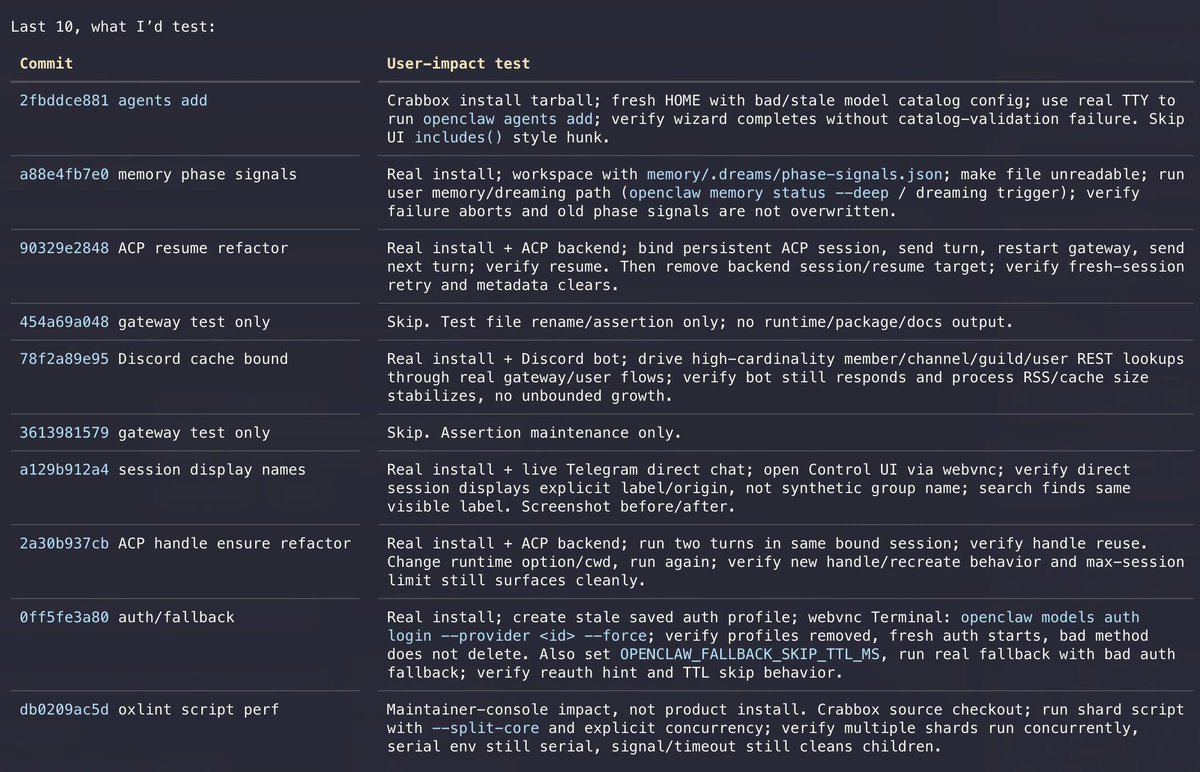
One of the most practical ways to use Codex: turn it into a QA assistant.
Not to replace QA with one click, but to build a workflow:
PR / commit diff → identify user impact → generate a QA checklist → use Browser or Computer Use to test key flows → output repro steps, expected result, actual result, and severity.
Add rules to AGENTS.md:
• Skip with justification if only docs, comments, or tests changed
• Always test login, permissions, payments, data persistence, settings, onboarding, and mobile layouts
• Don't just verify the code — evaluate whether real users will get stuck
You don't need full automation on day one.
Start by having Codex answer one question for every PR:
"Where will users notice this change, and what is the most likely regression path?"
That's already much closer to real QA than simply running tests.
Been teaching codex to be my QA assistant. For every commit it creates a user-test scenario and uses webVNC (crabbox), computer/browser use (peekaboo/mcporter) to test OpenClaw like a user/QA person would.
This runs in the background and opens PRs with fixes.
One of the most practical Codex use cases I've seen:
Ask it to audit your Mac's storage before touching anything.
Prompt:
"Perform a complete read-only analysis of my MacBook and identify opportunities to optimize storage space. Only provide recommendations. Do not delete any files."
The key phrase is: read-only.
Have AI first identify:
• Huge log files
• Duplicate downloads
• Cache directories
• Unused build artifacts
• Apps with unusually large data footprints
Don't jump straight to auto-cleanup.
When AI has access to your computer, the safest workflow is always:
Analyze → Confirm → Execute
Most coding tutorials are boring.
What if learning JavaScript felt like playing a cyberpunk hacking game?
That's exactly what Bitburner does.
You write real JavaScript scripts to:
• Scan servers
• Crack ports
• Hack targets
• Automate income
• Trade stocks
• Upgrade your character
Every script has an immediate impact on the game.
Better code = faster progress.
It's open source, free to play, and one of the most fun ways I've seen to learn programming.
Play in your browser or on Steam:
https://t.co/ijQfMz6TC2
#JavaScript #Coding #Programming #LearnToCode #BuildInPublic
• Dynamic workflows + effort control — Claude can now allocate more sub-agents for complex tasks like large-scale code migrations, while users can tune how much "effort" it spends on a task.
Not a flashy breakthrough release, but a meaningful step forward in coding, reasoning, agent workflows, and reliability.
The trend is clear: AI models are becoming less like chatbots and more like execution engines.
Anthropic just shipped Claude Opus 4.8.
A few notable updates:
• No price increase — still $5/M input tokens and $25/M output tokens.
• Fast Mode got much cheaper — around 2.5× faster and roughly 3× cheaper than the previous Fast Mode.
OpenAI just quietly shipped something pretty important: Secure MCP Tunnel.
This lets ChatGPT and Codex securely access MCP servers running inside a company’s private network — without exposing internal systems to the public internet.
Honestly, people doing AI automation services should pay attention to this.
Because the hardest part of enterprise AI automation is usually not the prompt.
It’s the moment the client asks:
“Is this secure?”
“Do we need to expose our internal systems?”
“Will our data leak?”
“Is IT going to block this?”
Secure MCP Tunnel is designed for exactly that.
The architecture is simple:
• MCP servers stay inside the company network
• A local tunnel client initiates an outbound HTTPS connection to OpenAI
• No inbound ports need to be opened
• ChatGPT / Codex can securely call internal tools through the tunnel
Which means AI can finally connect to the systems businesses actually care about:
Customer data → auto organization
Orders → analysis
Inventory → queries
Internal docs → AI Q&A
Sales records → automated reports
Code repos → debugging with Codex
Of course, security still matters:
Start with read-only access
Whitelist interfaces
Separate permissions properly
Enable logging
Don’t let AI write directly to production databases on day one
This doesn’t magically solve all security problems.
But it removes one of the biggest blockers to real enterprise AI adoption: securely connecting AI to internal tools.
You probably don’t need to build the next SaaS.
Helping companies securely connect their internal systems to AI might already be a very profitable business.
Anthropic and OpenAI may have finally found true product-market fit for AI.
Not the API layer.
Not chatbot subscriptions.
But AI coding agents that actually do work.
Claude Code, Codex, and similar tools are starting to look less like “assistants” and more like junior engineers that can:
understand codebases
run tools
debug issues
review PRs
execute multi-step tasks for hours
And companies are apparently willing to pay real money for it.
The interesting shift: API revenue may become less important over time, while workflow-level AI products become the real business.
We’re moving from “AI that answers questions”
to “AI employees with a terminal.”
@pmitu No.
What kills small creators is aggregators with 4 million followers downloading-and-reuploading 600 videos per day—and flooding Timeline with slop that went viral 7 years ago.
But we will kill them.
You don’t need to handcraft your Claude Code setup anymore.
Anthropic open-sourced an official plugin repo called claude-plugins-official.
One plugin, claude-code-setup, scans your project and recommends:
MCPs
Skills
Hooks
Subagents
Slash Commands
Basically: AI now helps you configure your AI coding workflow.
Claude Code is starting to feel less like a chatbot and more like a modular AI dev workstation.
We’ve shipped a security-guidance plugin for Claude Code that helps identify and fix vulnerabilities as you’re writing code.
Available for all Claude Code users. Install from the plugin marketplace (/plugins).
One surprisingly effective trick for AI coding:
Create a mistakes.md file inside your project.
Every time the AI breaks something — mobile layout overflow, API errors, bad refactors, weird bugs — make it log:
what went wrong
why it happened
how it was fixed
Then before every new task, have the AI read that file first.
That works way better than yelling “why did you break this again?”
LLMs don’t have long-term memory.
But you can build project memory for them with files.
Hyper3D just pushed the ceiling of AI 3D generation again.
Their new Rodin Gen-2.5 claims to generate million-poly 3D models in as fast as 4 seconds, and even supports 10-million-poly generation.
But the real jump is not just speed.
The details are getting much closer to production-ready assets: pores, skin micro-details, fabric texture, stitching, native 3D textures, 360° consistency, and PBR material support.
It also adds Adaptive Thinking Effort, which feels a bit like “reasoning effort” for LLMs: simple assets get generated fast, while complex ones receive more generation budget.
I tried it with a flat 2D line-art image, and the thick outline parts were still not handled perfectly. But when the input image already has some 3D depth, the results look much more solid and realistic.
AI 3D is moving from “it can generate something” to “it can actually be used, edited, and plugged into real workflows.”
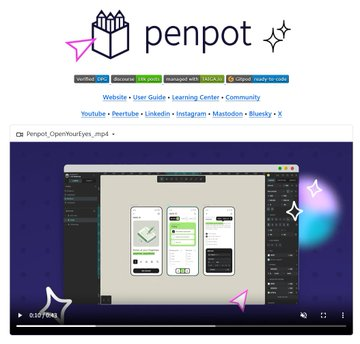
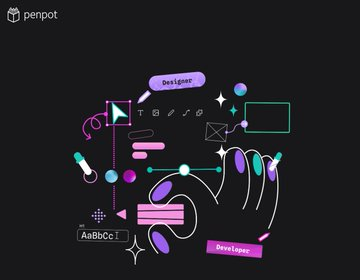
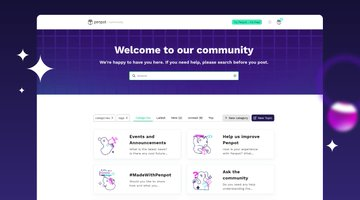
If you're into product design, UI, or prototyping, check out Penpot.
It’s basically an open-source alternative to Figma — a fully open-source online design tool built by the Spanish company Kaleidos.
What makes it interesting is that it’s not just a “draw some UI” app for designers. Penpot is designed more around collaboration between design and engineering.
It supports self-hosting, team collaboration, design systems, reusable components, and design tokens out of the box.
For teams that care about data ownership, workflow control, or simply don’t want to be locked into a commercial platform forever, this is definitely worth a look.
A lot of people build Agents by endlessly tweaking prompts.
Adding more MUSTs, MANDATORYs, DO NOT SKIPs — hoping the model magically becomes reliable.
But recently I realized: most of the time, the problem isn’t the prompt. It’s the architecture.
I was building a QA Agent to analyze 200 files in sequence. At first I let the LLM control the workflow itself.
It worked for a while… then started falling apart:
skipped validation
mixed results between files
forgot steps
inconsistent outputs
So I changed one thing:
I stopped letting the LLM manage the process.
Instead, I wrote the control flow in Python:
process one file at a time
validate outputs against a schema
retry on failure
only continue when checks pass
Result: 200 files, zero misses.
That’s when it clicked:
LLMs are great at thinking.
They are not great at orchestration.
Understanding, reasoning, generating text → give that to the model.
State management, execution order, retries, validation, exception handling → give that to code.
A lot of unstable Agents are really architecture problems disguised as prompt problems.
Feels like Agent development is shifting from Prompt Engineering → System Engineering.
Reliable Agents need deterministic control flow.
LLM thinks.
Code governs.