One animation trick made this select menu feel 10x better.
The button doesnโt open a menu.
It becomes the menu.
That single idea drove the entire interaction:
โข The checkmark stays pinned in place
โข The selected option scrolls to meet it
โข Animation duration scales with distance traveled
The result feels less like opening a dropdown and more like unfolding something that was already there.
Pricing card animation for Odett
We also just introduced Plus, a new entry-level tier that gives you the full Odett experience at a lower monthly price.
Built for lighter use, with the same powerful dictation, cleanup, and Hey Odett commands.
Why use Odett?
Take a look at our demo video showing the power of our voice-to-text app for MacOS โค๏ธ
Ps: Isn't @skillico 's voice just amazing?
https://t.co/UgGb1WzGGE
Odett just leveled up and I'm over the moon โค๏ธ ๐
My productivity is just skyrocketing. Here's a quick overview.
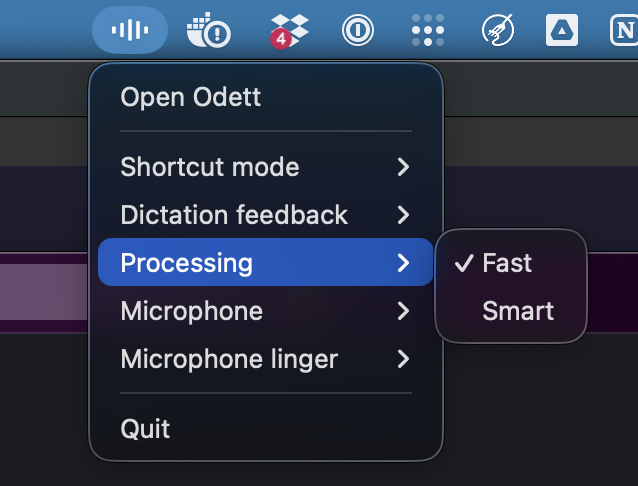
# ๐ Fast Mode / ๐ง Smart Mode
Switch between insanely fast dictation and well-polished dictation in two clicks.
# ๐๐ป Sound Mode / ๐ค Text mode
Switch between getting your dictation into the clipboard or straight into the input field. (Sound mode is perfect for multitasking.)
# โ๏ธ Tray bar toggle
Switch between all your most used settings straight in the tray bar, save time, #productivityGains.
I can't wait to start to make the demo videos for you guys so that you can see the action.
Make sure to check it out if you're on Mac OS. You can download it for free and then it's a pretty generous demo if you would like to try it out.
Check my profile for link :D
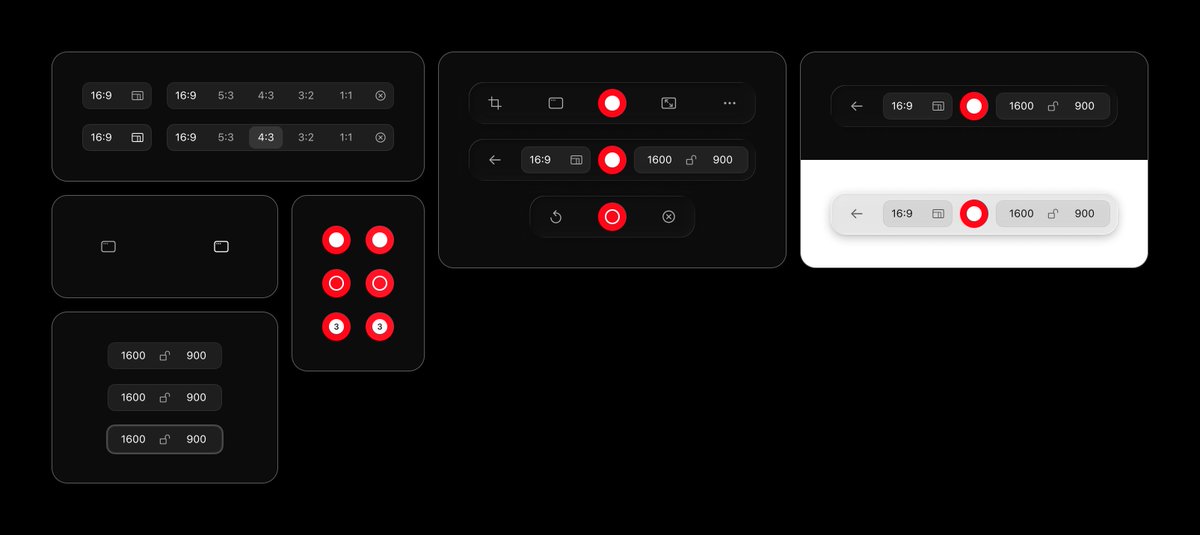
Recently reworked the shortcut recorder for Odett.
The goal was to make recording a shortcut feel smoother and more reliable, while clearly showing which modifier keys are available.
Designed in @figma. Built with @OpenAI Codex inside @cursor_ai.
Thank you so much! If you set up the project properly with variables and that it is honestly pretty accurate, some quirks that can be a bit annoying is Figma borders doesn't push layout whilst code does so I have had to do some manual work there to get it 1 to 1, and icons can be a a bit tedious sometimes even if you have them in a file for it to use where it just copies from Figma instead of using the one existing in the project folder. I chose Codex mainly due to getting the most for my money at least at the time I started my subscription not sure if this is true anymore, running out quite quickly on my daily usage now.
One of my favorite ways to use Odett is in @vercel's @v0. I dictate a rough idea, use a voice command to expand it, and turn it into a structured plan.
The video is trimmed. Odett thought for about a minute, and v0 worked for about 4 minutes.
Creating the bottom sheet for the Odett website was trickier than it might look.
Getting this kind of interaction to feel natural on the web, across different devices and browsers, takes a lot of small decisions.
Two details that made a big difference:
First, the backdrop uses the same color as the page background, instead of something like black at 25% opacity.
On iPhone, a darker transparent backdrop can create a hard edge where it meets the status bar. Matching the page background makes the sheet feel more like it belongs to the surface it opens from.
Second, I added a small footer treatment that only appears in Safari on mobile and tablet.
Because Safari has floating bottom navigation, the sheet can otherwise feel like it appears from nowhere. The footer gives it a more natural anchor point, so the motion feels closer to something that could happen in the physical world.
Small details, but they make the whole interaction feel more intentional.
Designed in @figma, built with @OpenAI's Codex inside @cursor_ai.
Getting the variables into the file was mostly manual.
I first added the primitive tokens, then the semantic tokens. Since my variables currently live in the Figma variables panel instead of on the canvas, I took screenshots of the tables and used Codex to input the values properly.
If the values already existed in a section, I could have used the Figma MCP directly. But since Figma variables are available regardless of mode, I didnโt see much value in duplicating them onto the page just for MCP access.
So it was a bit of one-time manual work.
But once the variables are in, theyโre properly documented and reusable. And when the Figma MCP copies a section that uses them, it understands the variable connections and keeps the correct colors linked.
๐งต After many long days and late nights, the day has come! Official release day for Odett ๐ฅณ
Reply with your thoughts and feedback!
We built Odett because the existing voice-to-text applications just didn't cut it. We wanted the strongest models and the most accurate text output.
Read the full thread to get to know Odett a bit better.