Want to save yourself hours of time and manual effort preparing your data in #Excel or #PowerBI? Start to master #DataCleaning 🧼 and transformation so you can automate your #BusinessIntelligence with our FREE #PowerQuery Fundamentals course! Register at https://t.co/6cUiXFMRI6
Have you ever wanted to add your favourite icons to the QAT (Quick Access Toolbar) in the #PowerQuery editor in #Excel or #PowerBI? Wonder no more! In this video, @kpuls will show you how he added the "Detect Data Types" button to the Power Query QAT. 🛠
https://t.co/ssRw5xnQSi
We recently had a corporate client apply for the BC Employer Training Grant through @WorkBC, to help cover the cost of some team training. 💵 It's available to organizations of all sizes and you could get up to $300,000! Check out the program details at https://t.co/cdhukrjCA9
Learn how to load CSV files from the web into #Excel using #PowerQuery. 🌐 In this new video, @kpuls shows 2 ways:
🟩Using the specific From Text/CSV connector, or
🟩Using the more general From Web connector.
Plus, you can then refresh with a single click!
https://t.co/ctLy66SHnd
Yesterday we shared a video on how to compare values based on the prior row's data. This #PowerQuery recipe card outlines the steps that @kpuls demonstrated. 👩🍳Get the full Power Query Recipe collection at https://t.co/EQYEQyeXPk
#Excel#PowerBI#DataAnalytics#DataPreparation
#PowerQuery doesn't have a great concept of row context, making it very difficult to compare values across rows. 🔢 In this Monkey Shorts, @kpuls demos a super-cool black magic technique that allows you to do exactly that. 😈
https://t.co/G61Gan5adq
#Excel#PowerBI#DataAnalytics
My Favorite Graphs: Driving Safety, In Fits and Starts
New podcast episode where I talk about one of my favorites, this one from @hfairfield in 2012
https://t.co/MMoYlFCMSs
A student replaced Not A Number values using #PowerQuery but the query still showed errors. @kpuls' fix? Replace NaN as text AFTER promoting headers but BEFORE setting data types. If it's already been converted, change the column to text, replace the values, then convert it back.
Yesterday was Thanksgiving for our team in Canada, and we've woken up from our turkey coma enough to send out the latest newsletter. 🦃
Sign up at https://t.co/53Vtnb8oSm for info on what's new in #Excel and #PowerBI, courses, events, specials, a free #PowerQuery eBook, and more!
🕒Time intelligence is the name for patterns that can be used to solve time comparison problems, such as current VS previous month's sales. 📈 If you do time-based comparisons using #DAX, #Excel#PowerPivot, and/or #PowerBI, this article is for you: https://t.co/RNlzsHxwBE
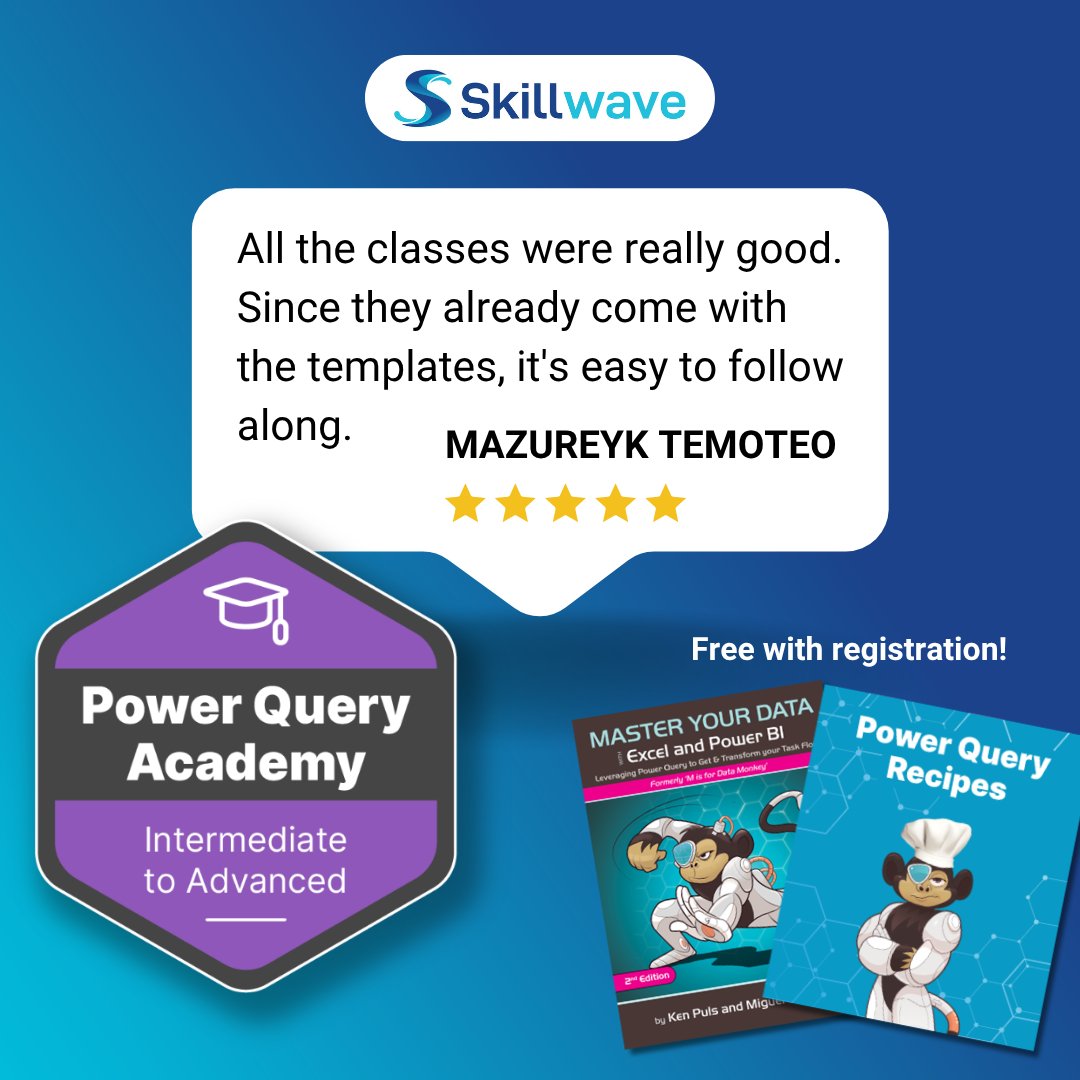
With an average rating of 4.88 ⭐ / 5, students LOVE Power Query Academy!
Want to focus on the #DataAnalysis you were actually hired for? Stop repetitive #DataCleansing and #DataPreparation, and start gaining more data insights. 📊🔍
Enroll today at https://t.co/QVSEWd9v4L
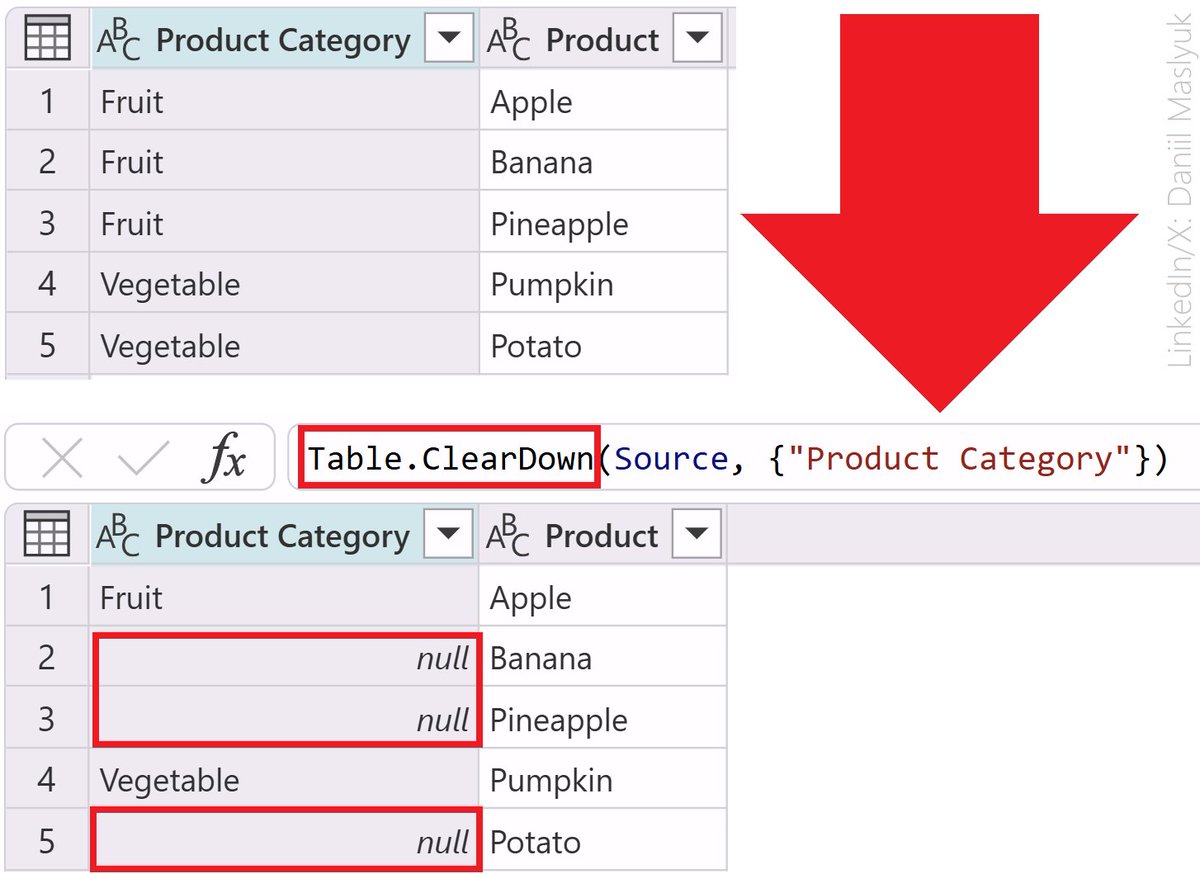
#PowerQuery's fill down ⬇️ /fill up ⬆️ feature is amazing, but what if you need to "un-fill" a selection for some reason? There may be an un-fill command coming to #PowerBI, but it's going to be some time before we see it in #Excel. Here's @kpuls' method: https://t.co/BIxbHZ8SUQ
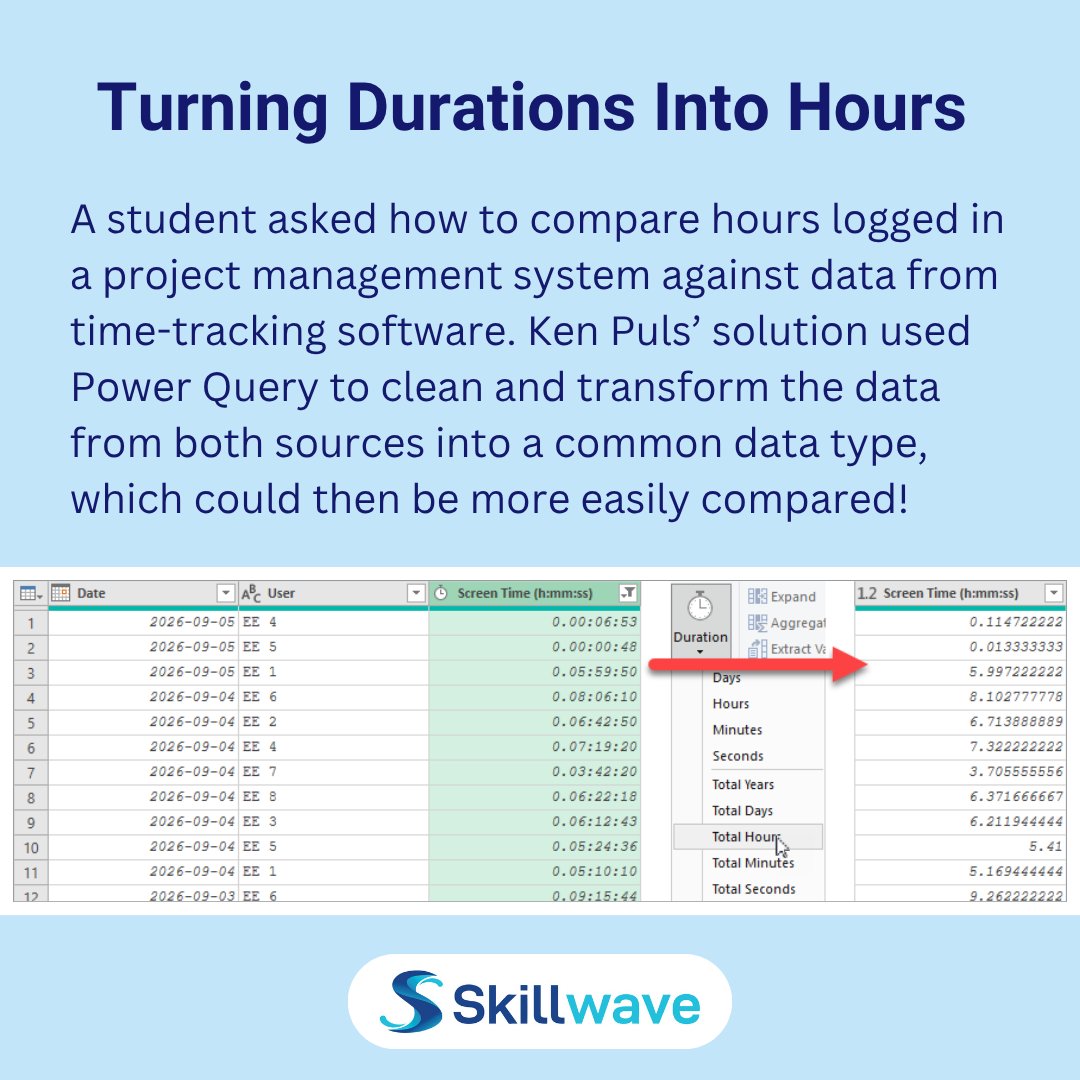
A student's time tracker stored durations, which turned into tiny, meaningless decimals next to the project hours. Using #PowerQuery's Transform > Duration > Total Hours converted 5h 59m 50s into 5.997 hr, making the two systems directly comparable. No more dividing by 24 and 60!
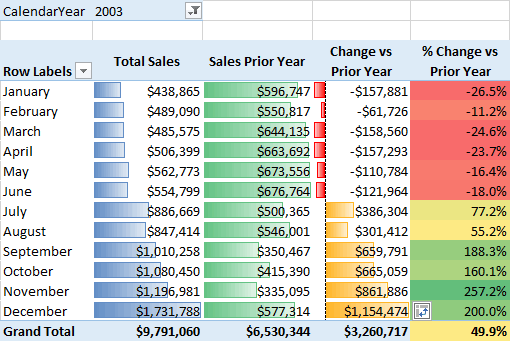
Here, @kpuls explains the types of blanks that can show up in #PivotTables built from the #DataModel.🙃 If you work with #Excel PivotTables, #PowerPivot, #DAX, or #PowerQuery, this will help you understand where blanks come from and how to deal with them: https://t.co/8lZdo7jlaE
Learn the right way to build a solid and scalable #DataModel in #Excel and #PowerBI. 💪 This course pairs #PowerQuery and the #DataModel together using each for what they were designed to do.
➡️Transform your #BusinessIntelligence, enroll today at https://t.co/Xms3SXKnM0
Following up on the Monkey Shorts episode shared yesterday, here's our #PowerQuery Recipe card that outlines the steps to number your data by grouped rows. 👩🍳 You can get the full collection (over 95 handy recipes!) at https://t.co/EQYEQyeXPk
#Excel#PowerBI#DataTransformation
AKA "number rows by partition" this is a useful recipe to have in your #PowerQuery arsenal. The goal is to provide each item in a group with a row number, restarting the numbering at row 1 when we move to the next group. 🔢 @kpuls shows it's very easy: https://t.co/hT2Pk39AYQ
How do you track a weekly forecast, preserve history, and turn it into a meaningful waterfall view—without doing everything manually? 😫 If you work with forecasts, budgets, or projections that change over time, you need @kpuls' pattern in your toolkit: https://t.co/SNFBd3bq2e