$668M raised, with contracted ARR growing more than 9x since the end of 2025.
What stands out to me is the focus on making reliable GPU + inference capacity more accessible to builders. As AI adoption grows, dependable infrastructure will matter just as much as the models themselves.
Excited to see what @gmi_cloud and @alex_yehya build next.
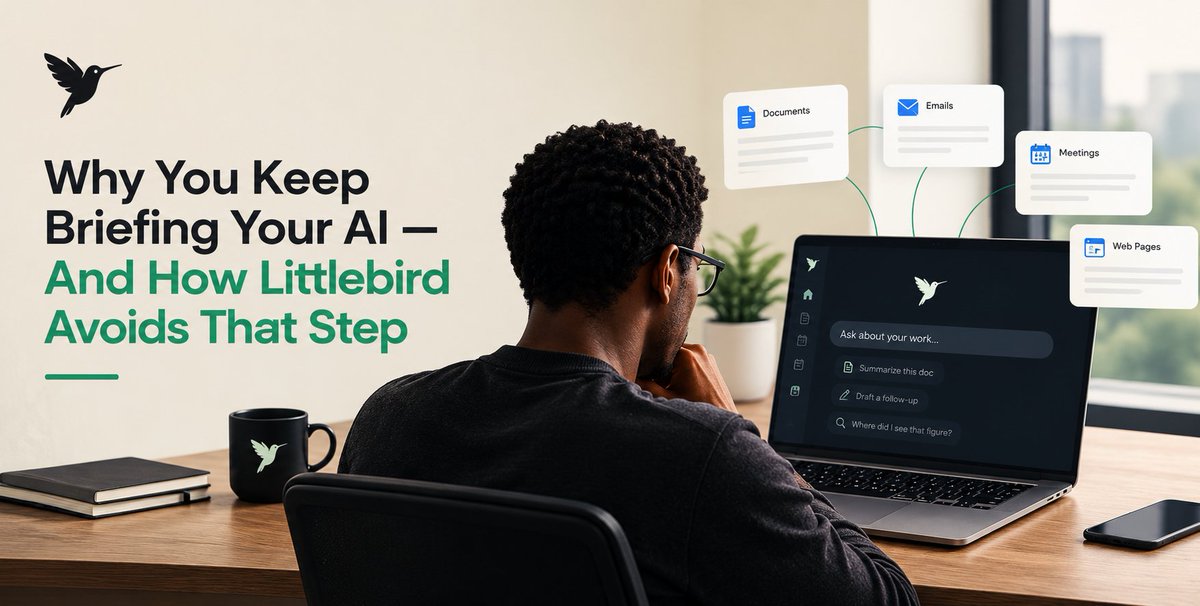
Why You Keep Briefing Your AI, And How Littlebird Avoids That Step
Most people do not struggle with AI because the answers are weak. They struggle because every new chat starts empty.
You already know the project. You already read the document. You already sat through the call. Then you open an assistant and type the same background again: what the work is, who is involved, what was decided, and what you need next. That extra step is easy to ignore until you notice how often you do it.
@LittlebirdAI is built around that problem. It is a desktop assistant that builds a running record of work you have already seen, so you can ask a question without first teaching the tool your day.
The hidden cost of an empty chat
A normal assistant is powerful and still context-blind. It can write well. It can summarize well. It cannot know that the paragraph you need is in the deck you had open an hour ago, or that the number you are doubting came from Tuesday’s pricing call.
So you compensate. You paste emails. You copy meeting notes. You rewrite the brief. You correct the draft because the model did not know the constraint you already discussed. None of that is “using AI.” That is rebuilding memory by hand.
Over a week, that work adds up. It breaks focus. It makes simple questions feel expensive. People often blame themselves for poor prompts when the real issue is missing context.
What Littlebird actually does
Littlebird runs on your computer while you work. It can learn from the active window on your screen. During meetings, it can take notes without putting a bot in the call. If you choose to connect tools such as email, calendar, or project apps, it can use those sources as well.
The point is not that it watches everything forever. The point is that it keeps nearby the work you already looked at, so you do not have to hunt for it or re-explain it.
You can then ask things like:
- What did we decide about the timeline?
- Draft a follow-up from that client call.
- Where did I see that figure?
- Turn this discussion into a one-page brief.
The quality of the answer depends on what Littlebird has actually seen or been allowed to use. That is the honest limit, and it is also the useful part. The assistant is grounded in your work instead of a blank box.
One idea to keep straight
Littlebird is not trying to be a smarter general chatbot. Plenty of those exist.
It is trying to remove the briefing step. You work as usual. Later, you ask about that work. The assistant starts closer to the facts you already handled.
That difference matters most for people who move between documents, meetings, and messages all day. The bottleneck is rarely “can AI write a paragraph?” The bottleneck is “does it know which paragraph this is for?”
What you still control
Educational use of a tool like this should include the boundaries.
Littlebird does not need every app connected on day one. Screen context alone can be enough to test the idea. You can pause collection, exclude apps, and delete data. The company states that it does not sell your data and does not train models on it.
Treat that as part of the product, not a footnote. A memory tool is only useful if you can decide what enters the memory.
How to test the idea yourself
Keep the first test small.
1. Install the desktop app and let it run during normal work.
2. Do not build a perfect prompt library.
3. Later the same day, ask about something you actually saw: a document, a site, a meeting, or a thread.
4. Compare that answer with the same question in a tool that has no record of your day.
If the second tool needs a long setup and Littlebird does not, you have seen the product thesis clearly.
What this first lesson is not covering
This post is only about the briefing problem. It is not a full tour of themes, file exports, overlays, team plans, or pricing. Those are separate topics. They only make sense after this one is clear: Littlebird is useful when it already knows the work you just did.
If that idea is true for your workflow, the rest of the product is detail. If that idea is not true for you, no extra feature will fix it.
The short version
You should not have to narrate your own work to a tool that is supposed to help you do it.
Littlebird’s first job is to remember what you already saw, so the next question can be the real question.
I don't understand why people always choose to portray women in such a degrading way. Don't they ever come across examples of women doing good and inspiring work?🤔
AI avatars are about to get a lot more interesting
@VivixLabs_HQ just launched A1, a model that lets AI characters move freely, interact with objects and respond to you in real time.
Interrupt them mid-sentence, change their instructions or ask them to do something completely different. They adapt on the fly.
We're getting closer to characters that feel alive, not just generated.