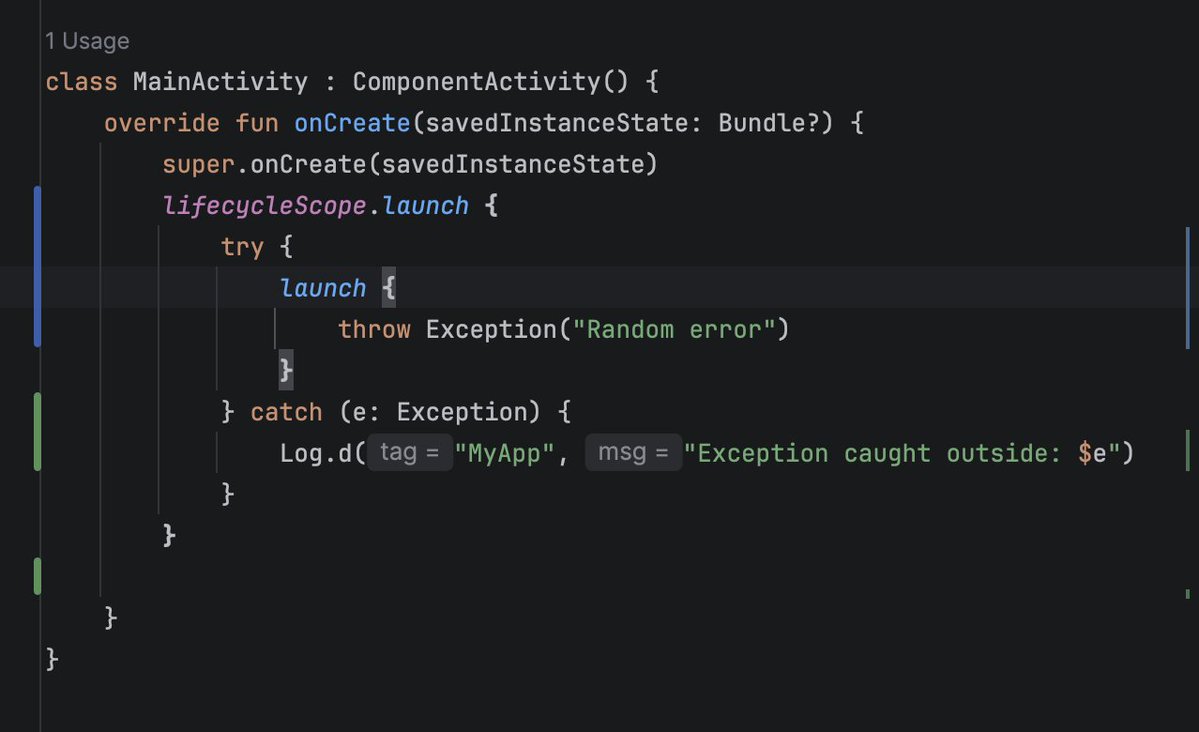
This happens because `launch` is non-blocking and asynchronous. Calling launch will create a new coroutine and immediately returns execution to the next line. By the time, the code inside the launch block actually executes, the out try-catch has already finished executing.
@marcinmoskala Coroutines are simple until you start thinking about cancellation and exception handling. isActive, ensureActive(), yield(), NonCancellable... these alone are enough to complicate things. Throw in join() or await(), and you realize how hard writing a solid suspending function is.
TIL: In Kotlin, Char.lowercase() returns a String, not a Char. Every time you perform: `s[p1].lowercase() != s[p2].lowercase()`, two new string objects are created. Instead, use `Char.lowercaseChar()` which returns a a primitive Char directly without allocating memory.
@googledevs cacheId is a compile time literal which is stored into the string-pool, while requestId is evaluated at runtime. buildString ends up creating a brand new string bypassing the string-pool.
⚡️ Dispatchers.Main.immediate (The VIP Lane): This dispatcher checks if you are already on the main thread. If you are, it executes the coroutine synchronously and immediately, bypassing the message queue entirely. If you aren't on the main thread, it queues up like Main
🎯 The REAL Payoff: Build Speed
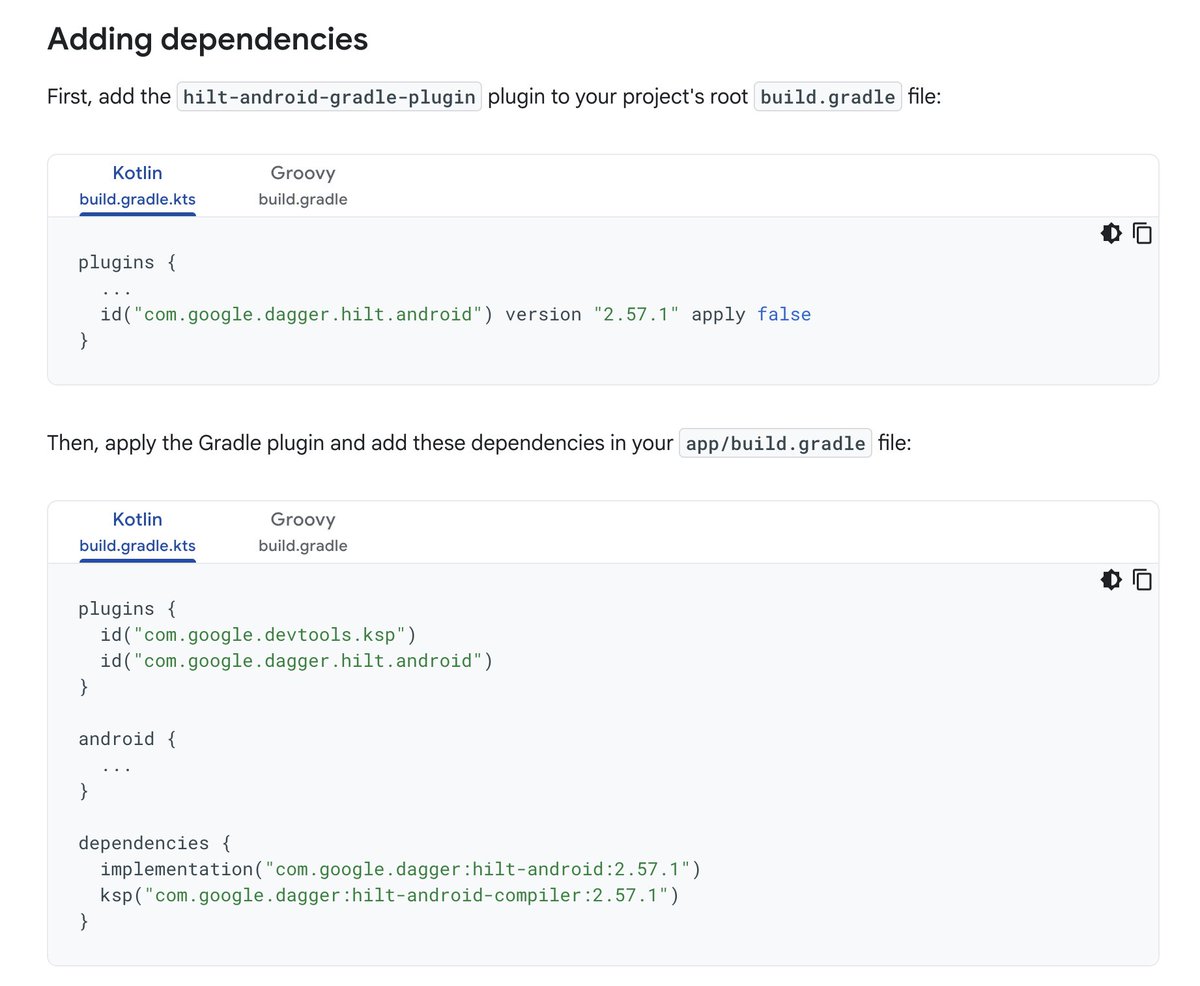
In a multi-module, Gradle wouldn't have to independently resolve the plugin on each module. By downloading it ONCE at the root with apply false, all modules share the setup, saving build time! ✅ #Kotlin#Gradle
I was adding Hilt to a new project and started wondering about something that always confused me. Why am I adding the same plugin in both project and app level, and what's the deal with apply false?
If you've ever wondered the same thing, here is the breakdown 🧵👇 #AndroidDev
🚀 The App Level
Later, in your app/build.gradle, you add the plugin again - this time WITHOUT apply false and without the version number.
Gradle sees this and says: "I am in a real app module now! I will activate the plugin using the version saved in the root."
I was wondering why viewModelScope and lifecycleScope use a SupervisorJob under the hood, and honestly, I thought it might break structured concurrency.
Turns out, it doesn't at all! 🤯
But here is the magic: when the user leaves the screen and the ViewModel clears, that SupervisorJob still ruthlessly shuts down every single active child. You get UI task independence without sacrificing the "zero leaks" guarantee.