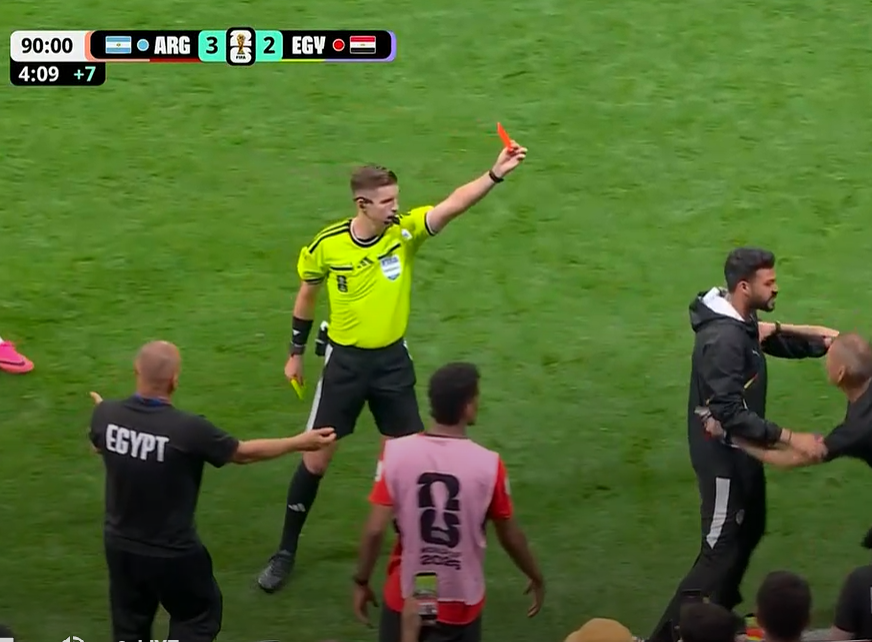
Disallowing Egypt’s goal was utter nonsense. How far back can VAR go now shall we rewind to the 2018 World Cup and look for a foul? 😂
Let’s be honest, if that was Argentina at the other end, VAR would suddenly develop selective amnesia.
Egypt were world class tonight. They went toe-to-toe with the world champions and showed the world they belong at this level. FIFA can erase a goal they can’t erase that performance. 🇪🇬🔥
The gap between demo and deployment is architecture. 🏗️
Here’s the stack that turns a chatbot into an agent:
🧠 Reasoning Engine plans multi step workflows
✋ Function Calling triggers real APIs
📚 Grounding anchors to enterprise data
Which layer are you building next?
Refine your shot without starting over.
Object Removal gives you the control to remove specific details while keeping the clip you love intact. It’s great for when you have a strong generation that just needs a slight adjustment.
Let’s see this in action! #FindYourFlow
Turn your images into high-quality ingredients in Flow. 🍌
Edit your images with Nano Banana to isolate your subject on a neutral background. This makes a focused, clean ingredient that’s ready to be refined, saved, and dropped seamlessly into the scenes you create. #FindYourFlow
Here’s how we do it:
i use one tool that gets me 5x better results from veo 3.1 and hailuo 2.3...
if you're not effectively prompting camera motion, you're using these models at 50% capacity
casual direction like "zoom in" or "circle around" doesn't work, video models need actual cinematography language:
- [truck left, pan right, tracking shot]
- [push in, pedestal up]
- [dolly back, tilt down]
so i built a claude skill that translates for you
you describe what you want -> it converts to proper film terminology -> AI executes it way better
this was initially made for my team, but i'm sharing it with you guys...
reply "angles" + RT and i'll send it over (must be following so i can dm)
Add a skeleton, spider, black cat or whatever haunts your imagination straight into your video with object insertion in Flow. Just click on the pencil icon on your video, type out your vision, and watch the story unfold.
Yesterday, we announced Veo 3.1 to give you more creative control over your generations. And to give you *even* more control, here's a tip for those times when you want to use more than three ingredients: combine multiple images into a collage and upload as one ingredient. #FindYourFlow
You asked for more space to explore — we delivered!
Mixboard boards are now 4x larger for even bigger ideas and better brainstorming. Start creating today: https://t.co/qig8OQx11T
You can create split-screen videos by simply prompting to show two sides of your story at once. See our sample prompt below and give split-screen storytelling a try. #FindYourFlow
“Seamless vertical split-screen motion video:
Left video: A hand holds up the handset of an old rotary phone to his ear. No dialogue. Close up of the face.
Right video: The view from the other end of the line, showing the rotary phone vibrating as it rings on a desk, the person looks nervous. She does not answer the phone and lets it ring. Film noir lighting and aesthetic.”