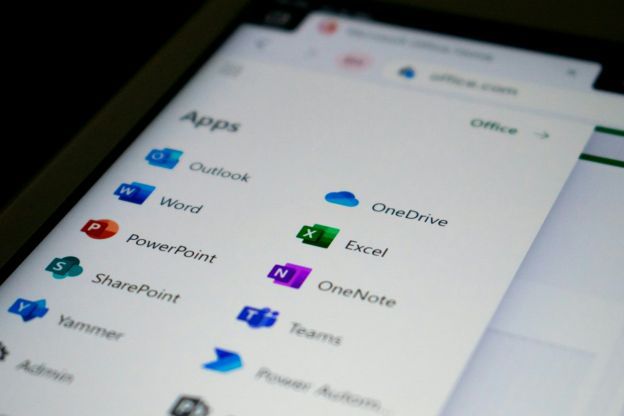
Please visit https://t.co/vB7RzGVfK2 to discover a new to save your files on Microsoft Office. This is the click that will save you from frustration and ensure your work is always available when you need it. A true lifebelt for you!
Spreadsheets crash at the worst times. SOS Click for Excel backs up your work to local drives, Dropbox, Google Drive, and more — automatically, while you work. https://t.co/rV1swdFdix #ExcelBackup#DataSafety
Lost a Word document you spent hours on? SOS Click for Word automatically backs up every draft to multiple locations — no manual saves, no OneDrive required. https://t.co/PvbNby6QcX #WordBackup#ProductivityTool
Office 365 AutoSave only protects files stored in OneDrive. Save locally? You’re on your own. Here’s how to add real multi-location backup in two minutes: https://t.co/33J957Kh5f #OfficeBackup#DataProtection
Your Office file can crash without warning — and so can your deadline. Get automatic multi-location backup for Word, Excel, and PowerPoint without OneDrive. https://t.co/rCcu0F6y82 #FileBackup#MicrosoftOffice
Install, configure, and work. SOS Click runs in the background to ensure your Word, Excel, and PowerPoint files are mirrored to safe locations in real-time. #Productivity#MicrosoftOffice
https://t.co/33J957Kh5f
Have questions about securing your Word or Excel files? Our team is ready to help you find the best backup support for your specific workflow. Reach out today! #BusinessTools#DataSafety
https://t.co/bM71ARmUvo
Protect your work with a tool built by IT pros who know the risks of data loss. SOS Click automates your Office backups so you never have to worry about a crash again. #OfficeBackup#TechTips
https://t.co/rCcu0F6y82
Discover how automatic backup transforms file protection for Word, Excel, and PowerPoint. This guide explains why proactive backup strategies are essential for preventing data loss and maintaining productivity in any professional environment. Read on. https://t.co/PBHKK68izP
Visit the SOS Click Store to access our Microsoft Office Backup Add-In and begin protecting your files today. Reliable backup support ensures your hard work is always safeguarded against unexpected technical problems. https://t.co/Bj4prpBumM
Explore the SOS Click blog for expert insights on Office file protection, backup strategies, and practical steps to prevent data loss. Learn how to secure your work and maintain productivity without interruption. https://t.co/exAUR5TvDu
Present with confidence using the SOS Click Add-In for PowerPoint. Automatic backup protection keeps your slides secure, preventing the loss of hours of preparation due to unexpected shutdowns or technical issues. https://t.co/6K8L7c7dCL
Safeguard critical spreadsheets with the SOS Click Add-In for Excel. Whether managing financial data or large datasets, automatic backups ensure your formulas, reports, and analysis remain protected at all times. https://t.co/rV1swdFdix
The SOS Click Add-In for Word automatically backs up your documents while you write. Protect contracts, reports, and drafts from accidental overwrites, crashes, or corruption with seamless SOS backup support built into Microsoft Word. https://t.co/PvbNby6QcX
The SOS Click All In One Store provides convenient access to our Microsoft Office Backup Add-In and related tools. Secure your files, streamline protection, and manage your digital safety from one trusted location. https://t.co/HzdNpB9imB
Access helpful resources, setup guides, support documentation, and updates all in one place. The SOS Click Useful Links page ensures you have everything needed to maximize the protection and performance of your Office backup solution. https://t.co/J3hkb5SVgy
Getting started with SOS Click is simple. Install the Microsoft Office Backup Add-In, configure your backup preferences, and let automatic protection handle the rest. Your Word, Excel, and PowerPoint files are secured in the background while you work. https://t.co/33J957Kh5f
Have questions about protecting your Microsoft Office files? Contact SOS Click to learn how our backup add-in can safeguard your documents, spreadsheets, and presentations with reliable SOS backup support built directly into your workflow. https://t.co/bM71ARmUvo
SOS Click was created by a seasoned IT professional who has witnessed the consequences of unexpected data loss firsthand. Our Microsoft Office Backup Add-In empowers users to protect their work automatically, ensuring important files remain secure even during technical failures.
Overwritten spreadsheets or missing slides? SOS Click restores previous versions instantly to keep your workflow uninterrupted. https://t.co/Bj4prpBumM