Register by this Friday to learn the techniques for presenting your data in a persuasive way! Join me at #sternonline this summer and secure your spot today: https://t.co/pOVHERkkJc
Register by THIS Friday to build core skills for data analysis and learn the basics of programming for data communication! Join me at #sternonline this summer by securing your spot today: https://t.co/FSl52hgXR6 #datavis#rstats#coding#tableausoftware
Join me this summer at #sternonline to learn the basics of programming for data communication, and build core skills for data importing, formatting, and analysis! Take a look at the course offerings and register today: https://t.co/o2gymAKGdk #rstats#datavis#Analytics
Interested in skilling up this fall in #rstats and #datavis? There's still space available in my BUNDLE: Coding + Visual Analytics and Coding in R for Data certificate courses with @NYUStern starting Tuesday. Sign up at:
https://t.co/VZRMHB5e0k
The registration deadline for my BUNDLE: Coding + Visual Analytics and Coding in #R for Data certificate #onlinelearning courses with @NYUStern is this Friday. Register here: https://t.co/VZRMHB5e0k
Eager to learn some solid tech skills this summer in coding and visualization? It's your last chance to register for two of my NYU Stern #online#analytics courses on R coding and data visualization. For more information (and to register): https://t.co/VZRMHB5e0k
I'm excited to announce that my NYU Stern online analytics courses will be offered at a discounted rate this summer in #datavis and #R For more information (and to register) click here: https://t.co/VZRMHANCBK
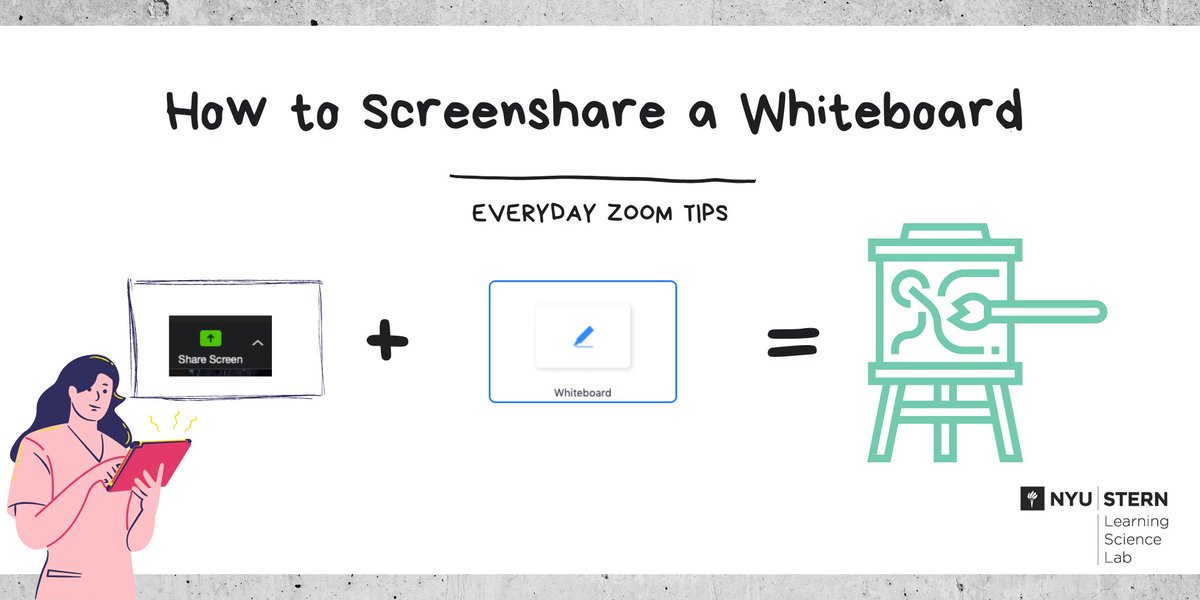
How to Screenshare a Whiteboard in Zoom
1. Click "Share Screen"
2. Choose "Whiteboard"
3. You can draw on the screen as a whiteboard. Add lines, highlights, text and more!
#nyustern#zoomtips
Interested in running student presentations remotely?
1. Enable screen sharing via the Security icon
2. Verbally invite the students to present, assign an MC to monitor the chat
3. Consider having students rate presentations in a Google Form after class
Take a break! Consider building a break (or two) into longer online sessions to give you and your students a chance to stretch, get a cup of coffee, or just look at something other than your screen for a few minutes. #onlinelearning#teachingonline
3 ideas for ... managing big classes on Zoom
1. Share a visual lesson plan
2. Put the chat box to work for questions (ask a student or TF to monitor it)
3. And switch things up regularly
#onlinelearning#teachingonline
Mute! If you hear background noise and you're not sure where it's coming from try muting all participants. Click "Manage Participants" and then click "Mute All" #remoteteaching#zoomtips
Everyday Zoom Tip: You can communicate with your students publicly or privately by sending text, images, or links in the chat box. The host also has the authority to open or limit private chat between students through the "..." button.
Once again, Sternies taking #OpsinNYC, our core operations course, head out to @BrooklynBrewery to observe their operations on site. We did an amazing plant tour to study the brewing & bottling processes. #Operations@NYUStern. #BusinessSchool
Want to up your data communication skills? Show insights through charts and graphs using data as evidence. Lead with #datavisualization. Join me this March online! Sign up for my online Visualizing Data course @NYUSTERN https://t.co/MmycNQiyGV #analytics@tableau