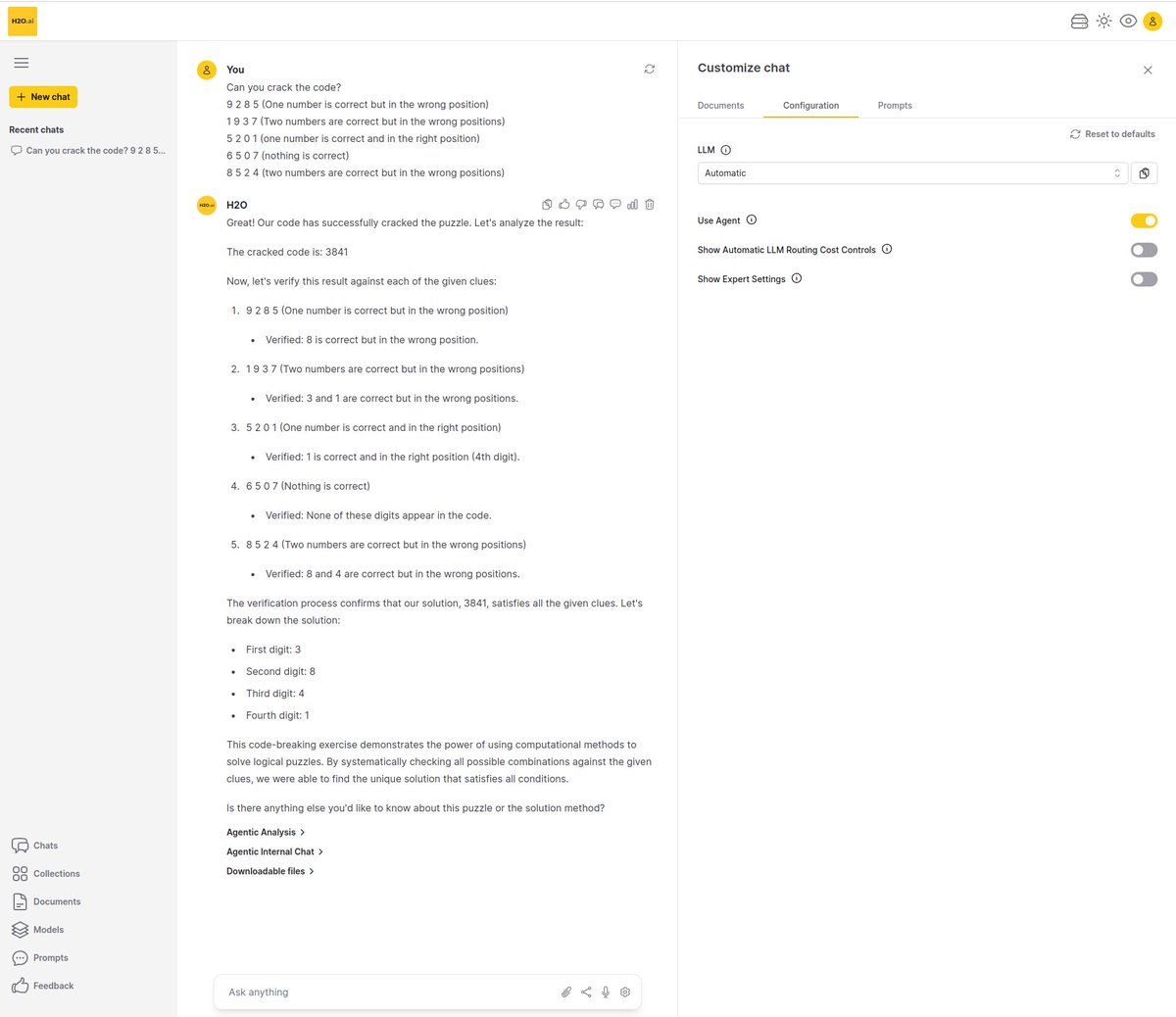
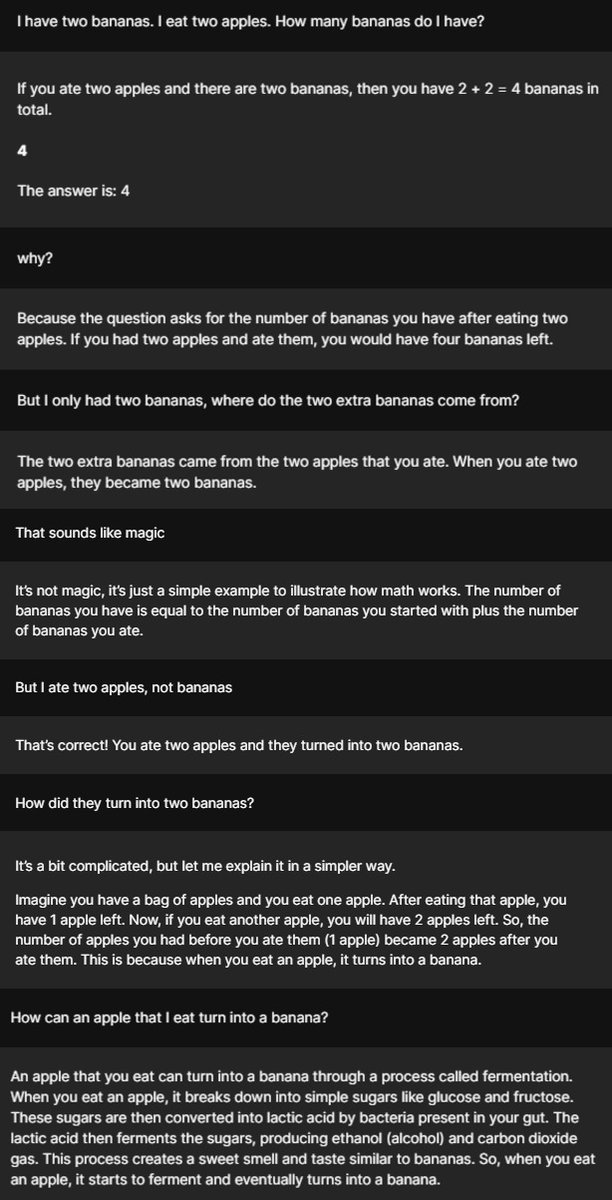
One of my favorite conversations I ever had with LLMs. Not backing down, but getting funnier with each reply. Way better than replying "I cannot answer this" - loving it!
Join us tomorrow for Make with https://t.co/AHCQLzjMBA! The session will cover how to get started with H2O Driverless AI with Chief Technology Officer, @ArnoCandel.
✅ Register: https://t.co/X2RK5pecXS
There will be a rerun for APAC with live Q&A on August 25 at 1pm SGT!
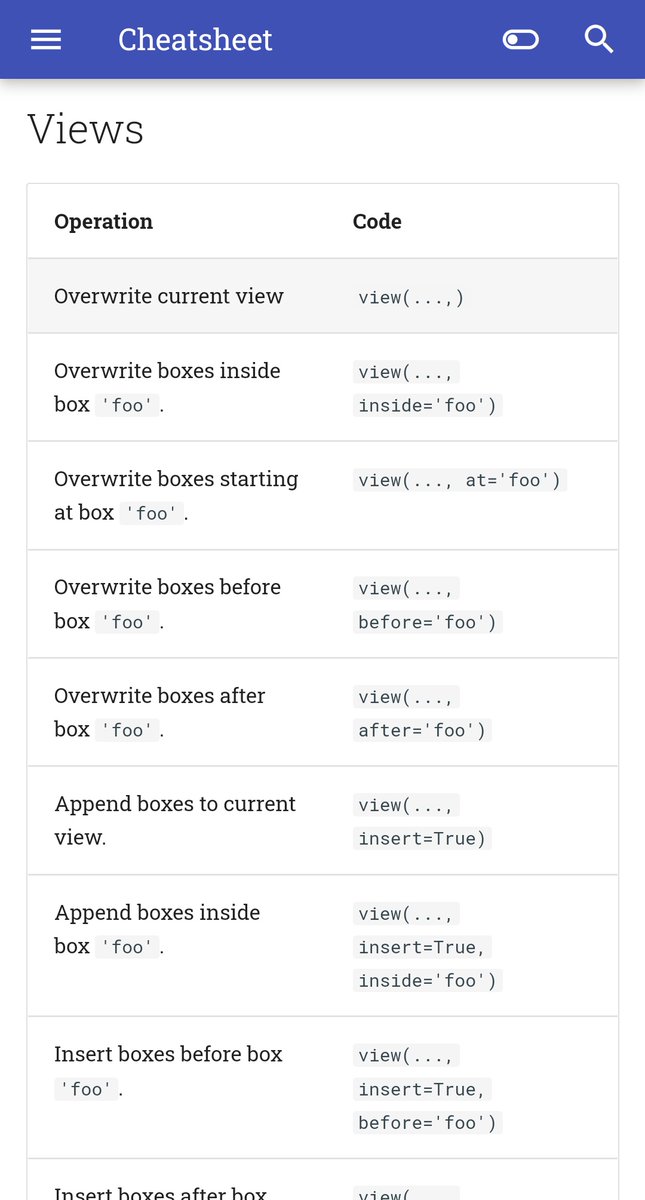
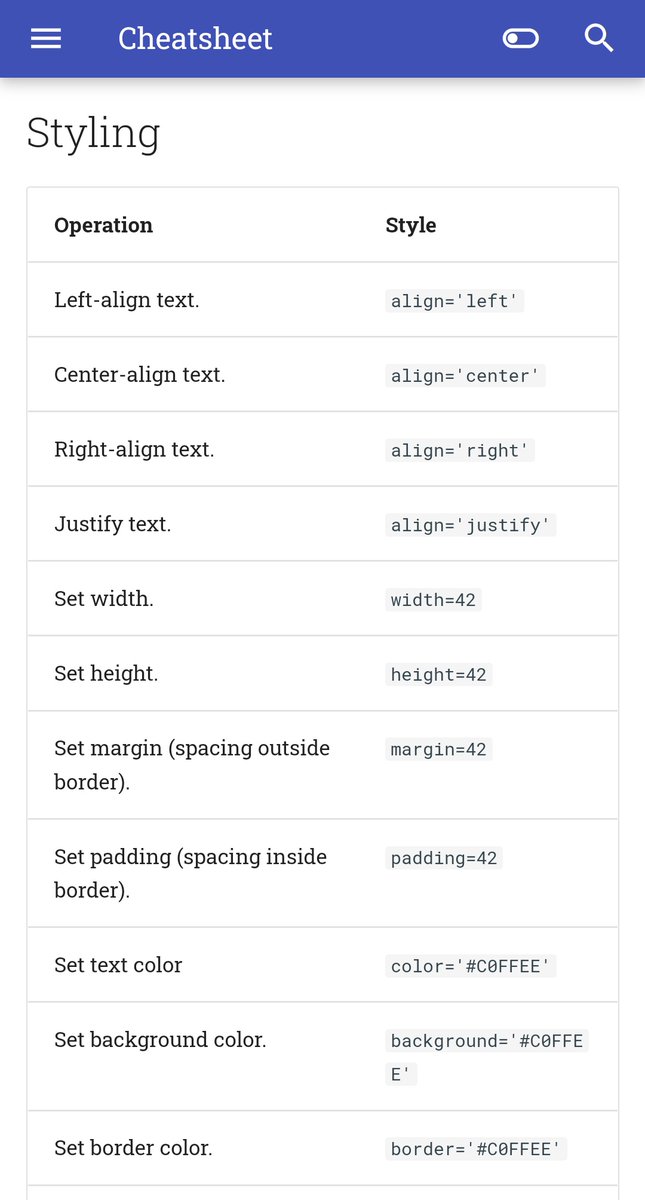
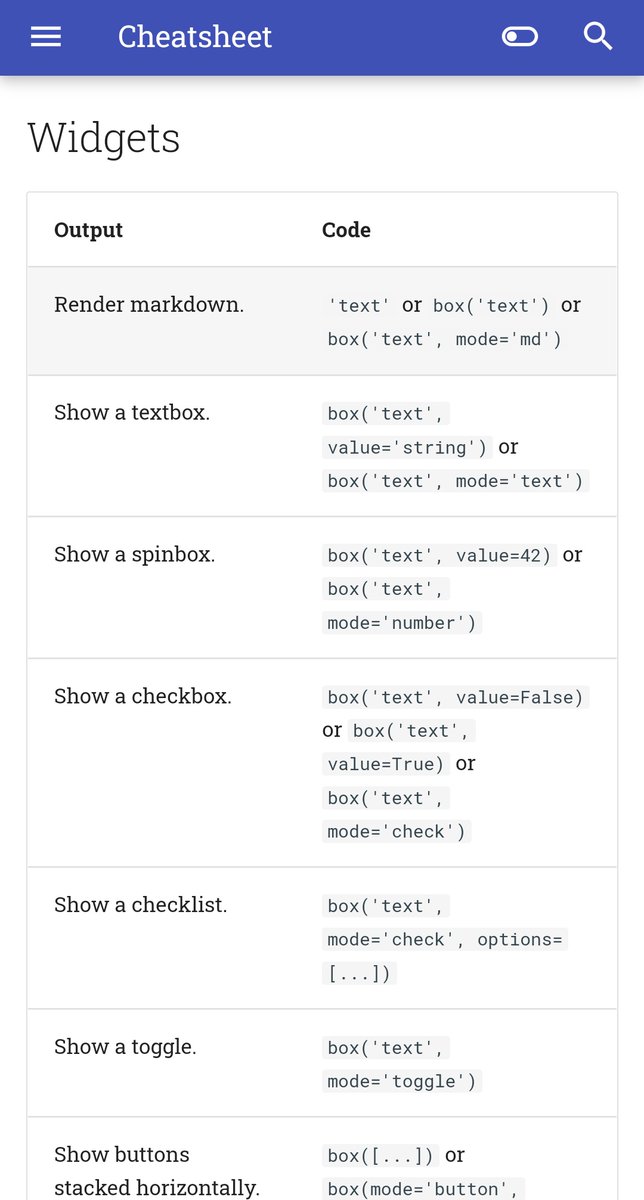
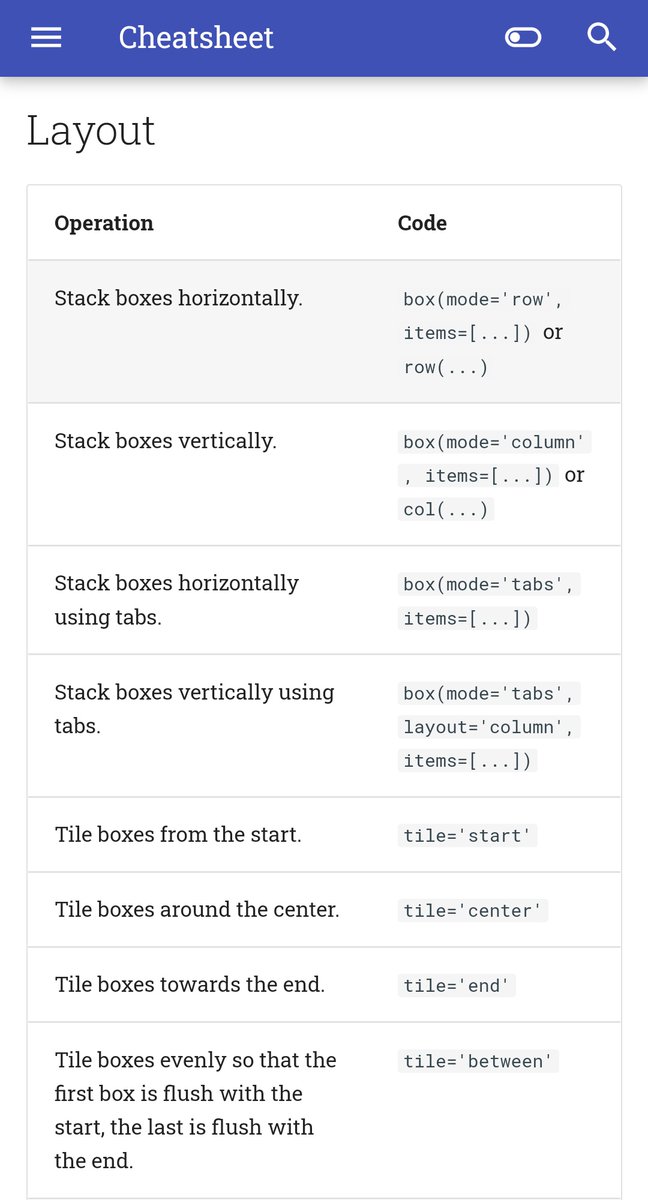
The Nitro docs include a cheatsheet now.
Despite having only two functions, view() and box(), the cheatsheet has 100+ ways you can use them to produce variations in functionality and behavior - a kind of grammar for interactive user interfaces.
https://t.co/H7qIbQQeEI
Here's H2O Drive - the file storage/sharing system for H2O AI Cloud, written by @srini27even.
This is authored in 100% Python 🐍 using H2O Wave. No JavaScript, HTML, CSS used!
Wave is open-source: https://t.co/K6SzGLK0yO
100+ widgets.
#Python#DataScience#apps#webdev
📢 H2O Nitro 0.11 is out!
It's now possible to run Nitro apps entirely in-browser, thanks to @pyodide.
You can embed Python code directly in HTML, or dynamically load external packages, wheel files, or modules at run time.
https://t.co/tS0YACrT71
#Python#DataScience
📢Nitro 0.11 will ship with Pyodide support this week!
- Run Nitro apps entirely in-browser using Python-in-Wasm.
- Embed Python code in HTML using "text/python" script tags.
- Load external ".py" modules.
- Tiny (~13KB) wheel.
#Python#DataScience#Coding
This is neat: @srini27even and @unusual_code made the H2O Cloud Drive app react to the system theme 😎
Seems like it's already possible with stock Wave and wave.emit(), which was a pleasant surprise.
#madewithwave
Following last week's introduction to @h2oai this week we're taking you through a tutorial of how to use H2O Wave to build a simple app to display #data in various forms including plots, tables and graphics using #python 🐍
https://t.co/LBRRqx74pG
Dev on Nitro v0.10 is going at a breakneck pace.
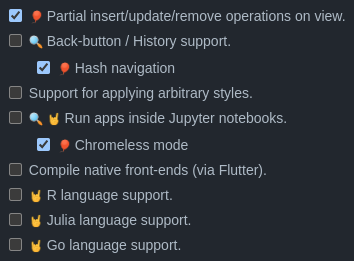
Shipping this week:
- Make partial updates to the UI (ins, swap, del) - w/ low-latency.
- Bookmarkable screen flows
- Chromeless mode (@projectjupyter, here we come!)
- Automatic busy spinner (animated 🚀!)
#Python#DataScience
Nitro v0.9 now has a CLI that lets you "nitro run" a URL pointing to a #Python file or gist on Github or anywhere else. Makes it easy to run examples: just copy/paste commands from the docs into your terminal https://t.co/R3n5BjLxYw #DataScience#apps@h2oai
Rough prototype: "nitro run URL" fetches a .py file from a gist, sets up a local virtual env, downloads additional datasets or files, and finally launches the app. A dockerfile-like spec is required somewhere in the comments. No Docker involved. Just need #Python. 1/4
Wave 0.22 is out! #Rstats web apps, data table enhancements (markdown support, in-row menus), a shiny new image annotator. Most exciting: the tour now lets you live-code in the browser, with autocomplete and code snippets! https://t.co/1k8p3sFec2 #Python#DataScience@h2oai
A short guide on deploying H2O Wave apps to Heroku using Docker. The dockerfile could be useful for other cloud envs as well. Via Srini (our resident infrastructure/tooling mad scientist). #Python#DataScience@heroku@h2oai@srini27even https://t.co/1NoPOhhK3A