We wanted to come on here to clear the air and confirm that the rumors are true...
Cinematic Video Overviews are officially rolled out to 100% of Pro users in English!
Please respect our privacy during this time by flooding our replies with your favorite creations.
Another NotebookLM papercut: ✅
Sharing notebooks with multiple people at once just got a whole lot easier. No more adding emails one by one—just copy and paste your list, tap send, and prepare for the world to witness your masterpiece.
Mo sources mo problems? Not anymore:
Rolling out now, NotebookLM can auto-label & categorize sources (when you have 5+), so you can spend less time scrolling and more time thinking/learning/philosophizing, etc.
Rename, reorganize, & personalize (emojis!) to your ❤️'s content.
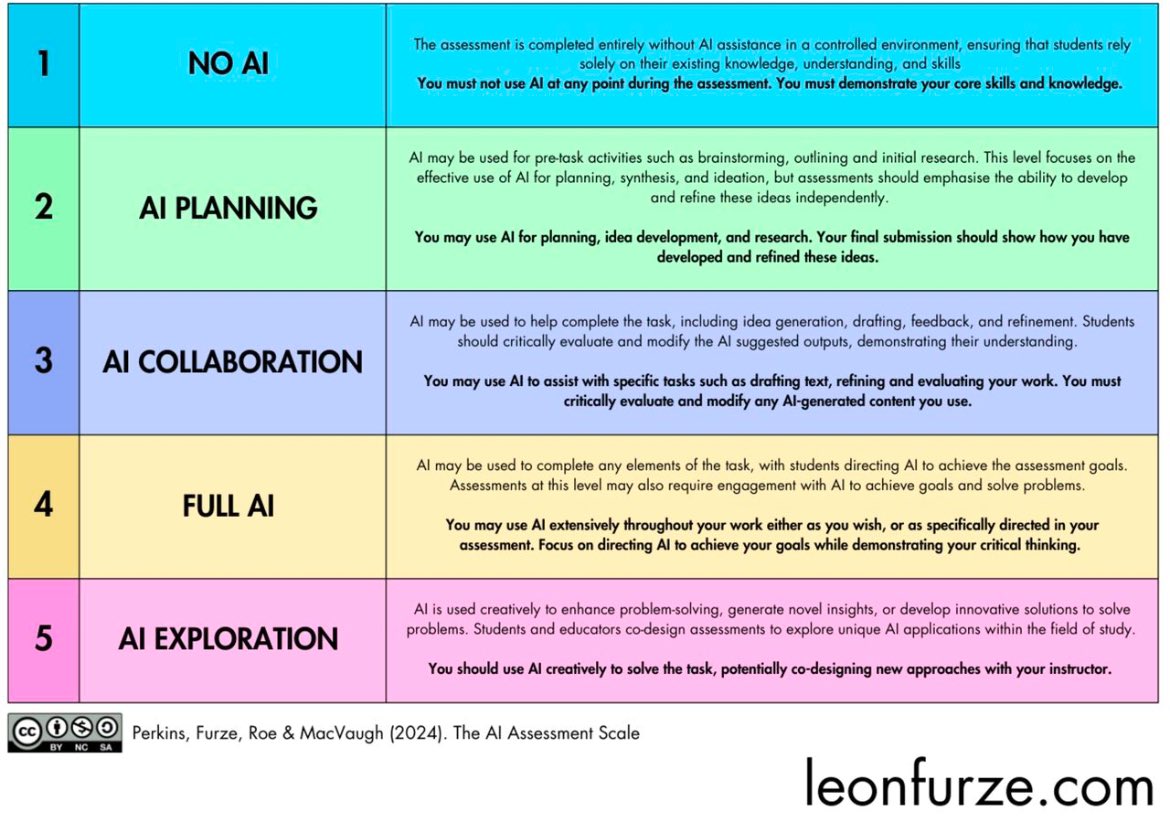
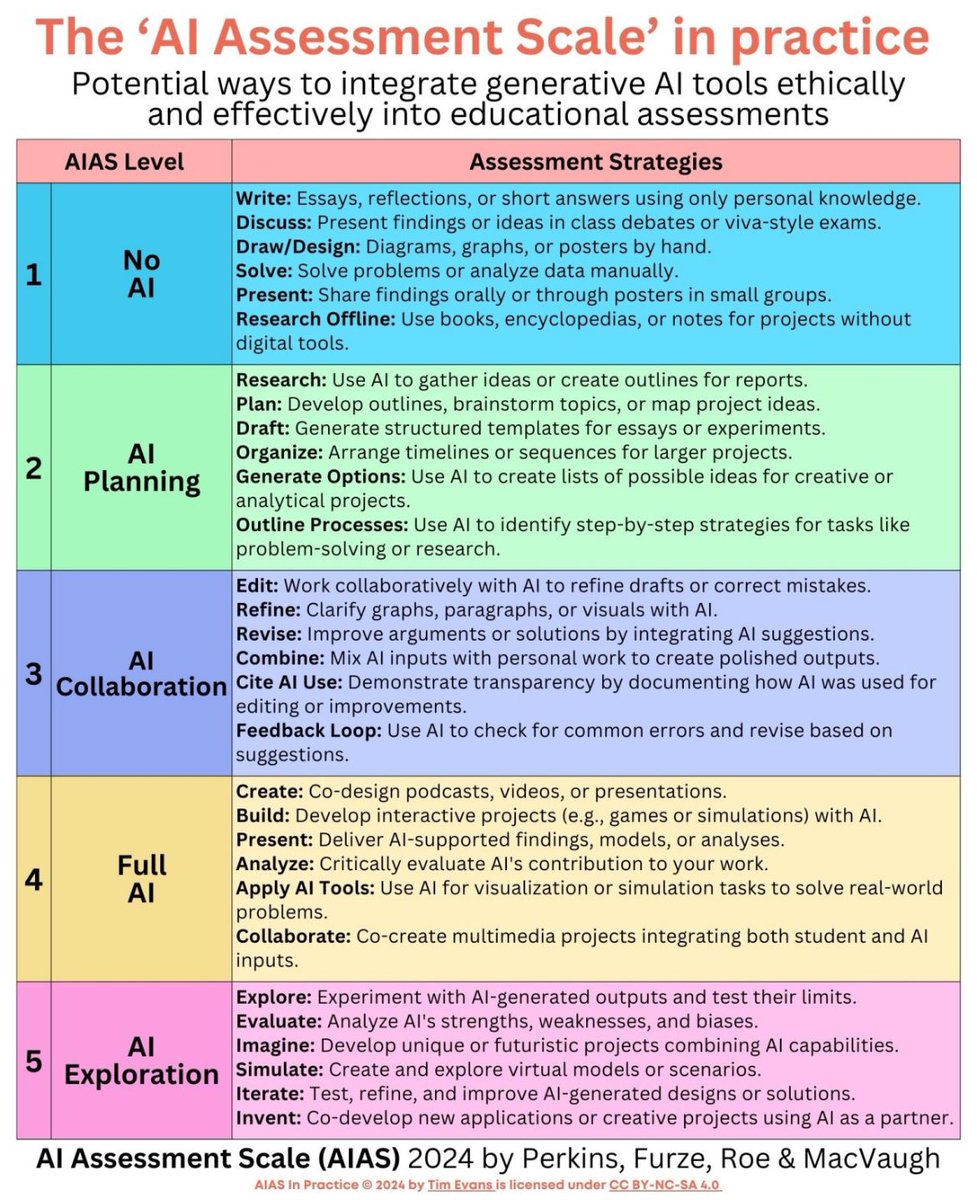
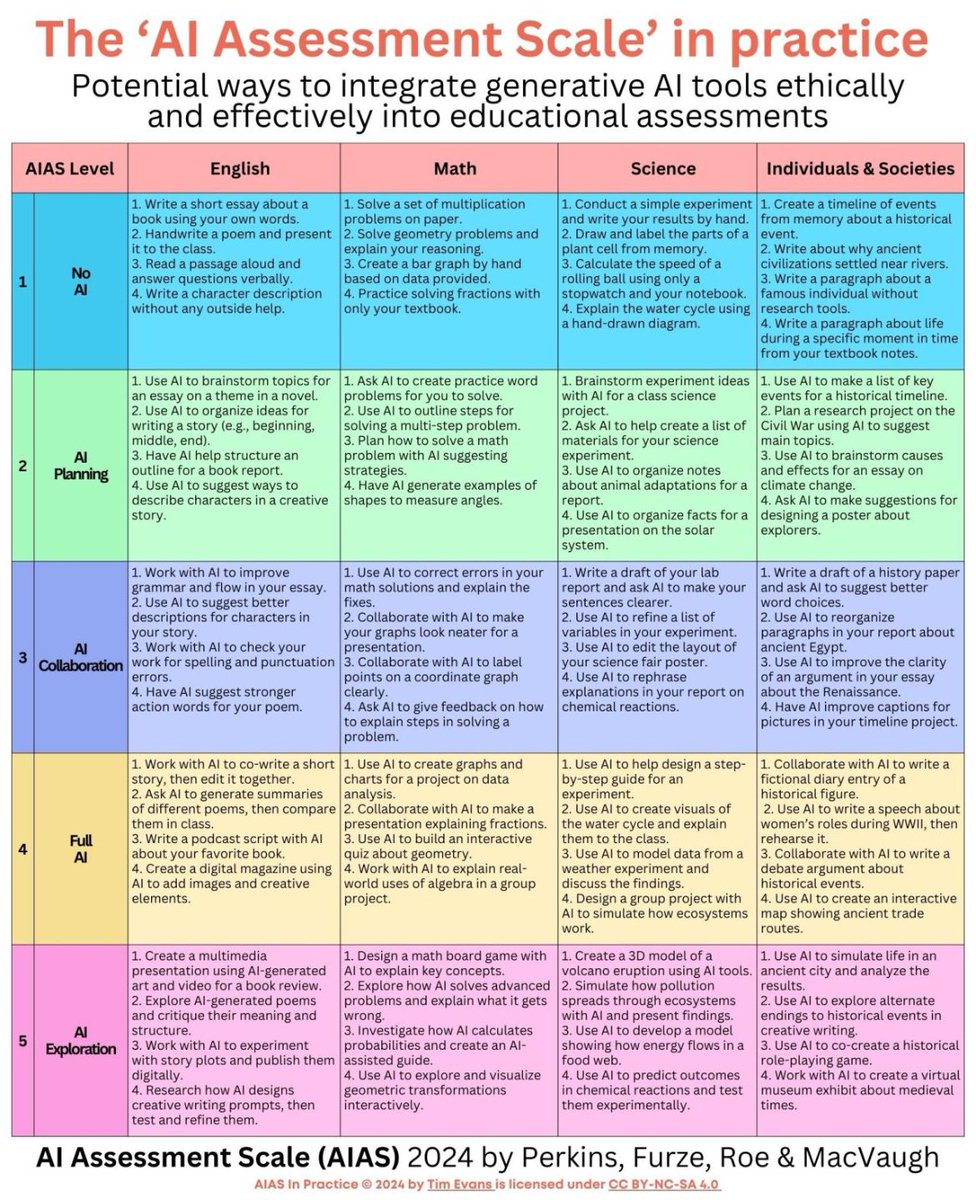
I’ve explored the latest update to the pioneering AI Assessment Scale, attempting to apply it to our practical contexts.
Educators have options. We can use or refuse AI - but the choice must be informed, context-specific, and grounded in community’s needs.
#AIEdu#EdTech
The two most common questions I get asked about AI are “which AI should I use” and “how do I start using AI?”
I wrote a short guide attempting to answer both questions. https://t.co/Ck890RsRUz
🚀 After a 2-year wait, MakeCode Arcade has released a major update! Enjoy features like Version History, Themes, expanded language support, and improved keyboard input. Dive into the details here: https://t.co/amYQbaj0og
Love Canva? Curious about AI? We’re bringing these two together in a special Canva AI Series! Level up your design and lesson planning with PD sessions to, then jump into interactive, co-taught lessons where your students can create, explore, and innovate. https://t.co/V24uJVf3UH
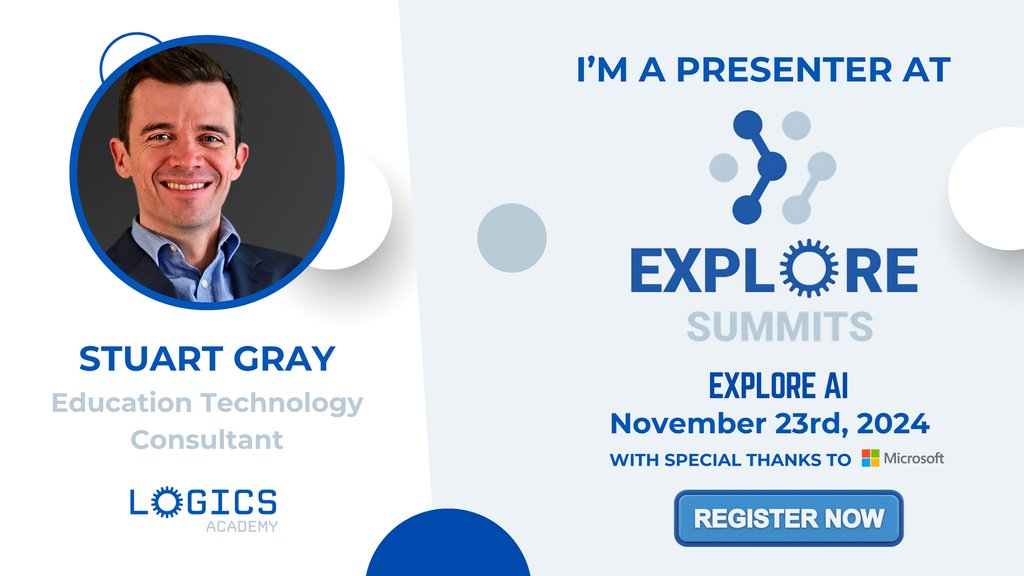
🚀 Embrace an AI-Integrated Future in Education 🚀
Join Stuart Gray at Explore AI to uncover how AI transforms teaching, learning, and administration.
Explore all sessions: https://t.co/lPJqXibjDT
#ExploreAI#LogicsPD
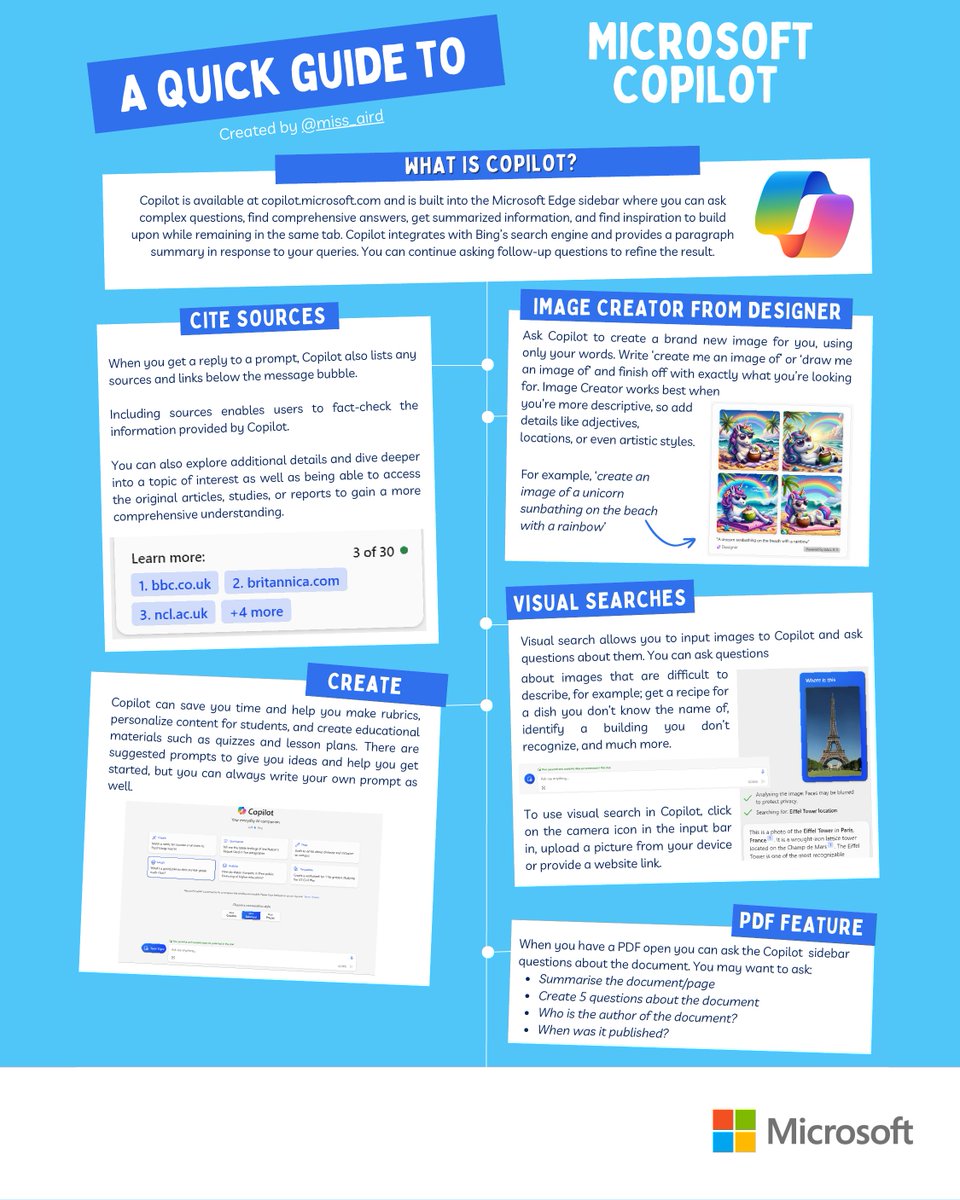
This Quick Guide, from fellow educator @miss_aird, introduces powerful tools from #MicrosoftEDU—like: Immersive Reader, Dictate, and Picture Dictionary—for supporting students during International #DyslexiaAwarenessMonth.
A new and easier way to launching Learning Accelerators in #MicrosoftTeams. Includes Reading Progress, Speaker Progress and Search Progress.
Rolling out now, details in the blog: https://t.co/sfVAwxPGAR
#edchat#MIEExpert
NEW! We've just launched Visual Studio Code for Education! A FREE new way to teach computing skills 🧑💻 We also have new PD courses available and VS Code for EDU even has Immersive Reader built-in to make it more inclusive!
Blog: https://t.co/n9lIQWz8d8
#edtech#STEM#MIEExpert
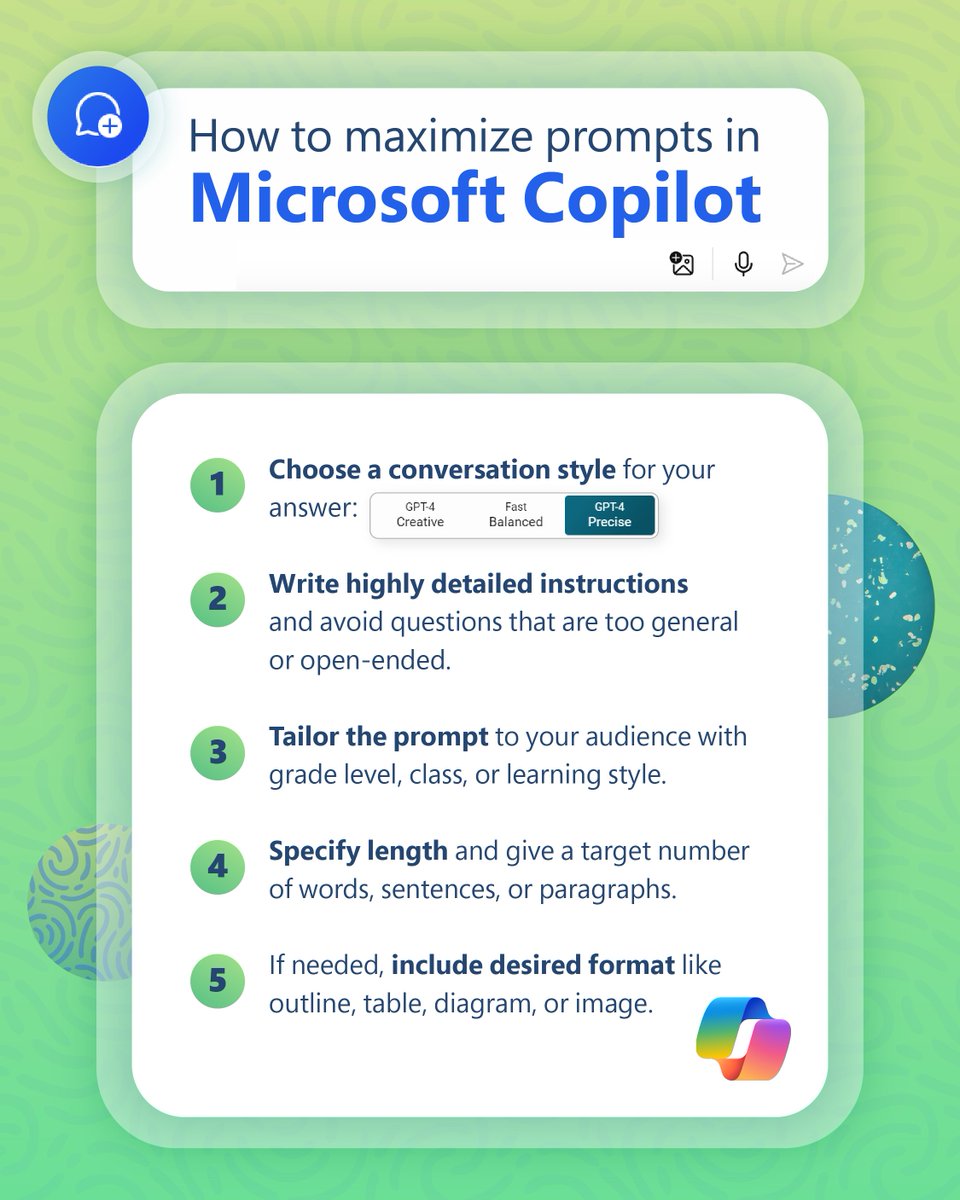
Successful results in Microsoft Copilot begin with a well-crafted prompt. 🖊️
Up your prompt-writing game with these five strategies to get more specific, personalized outputs.
#MicrosoftEDU#AI
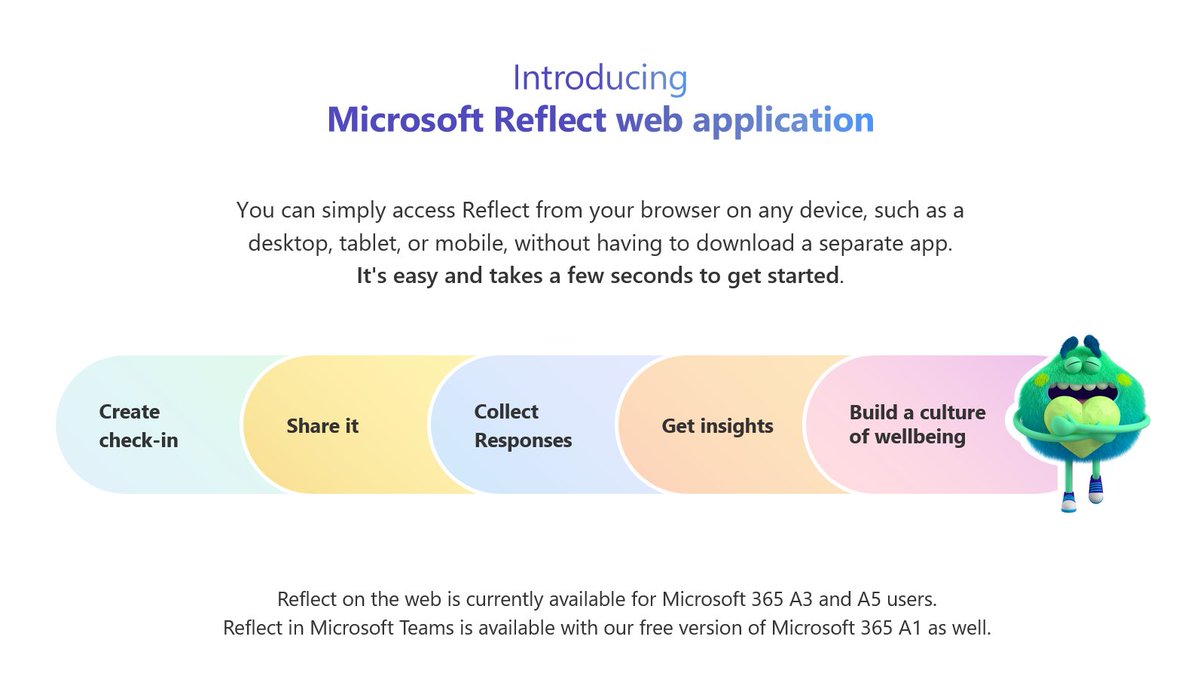
NEW! Now you can use Reflect in the web (outside of Teams) Capture Reflect checkins with your class no matter what platform you use. Simple as a QR code to share!
Educators need an A3 or A5 license, and then sign in to https://t.co/NshaXiTS5i
#edtech#MIEExpert#MicrosoftEDU