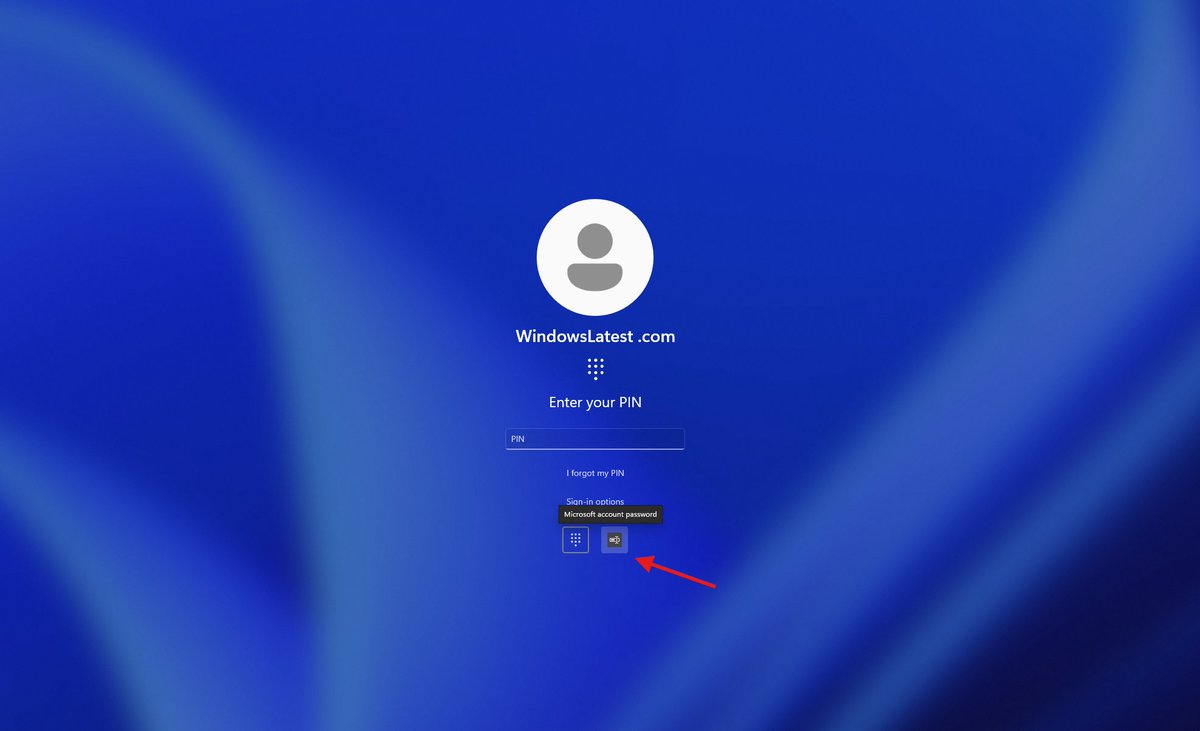
Microsoft confirms a Windows 11 bug is accidentally making the 'password icon' invisible on the lockscreen login page.
If you have multiple sign-in options (like PIN, fingerprint, face, password), the password icon in “Sign-in options” might disappear.
However, the password method itself is not removed.... only the icon is invisible.
If you move your mouse over the empty space where the icon should be and click, the password box still opens, and you can sign in normally.
Microsoft says it's working on a fix.... but for now, you just need to move your cursor here and there until you click the invisible password button.
@wp_acf This has happened several times before, and in line with the guidelines you agreed to by being in the directory: https://t.co/90ni1jB7E2
Best of luck with your version. We're looking forward to making ours amazing for our users, using the best GPL code available.