Android + iOS apps, built solo. Kotlin · Compose · KMP.
Military Dictionary — 5K installs, $0 ads
Mathrid · Mathify · Pomodoro Timer
I post the real parts.
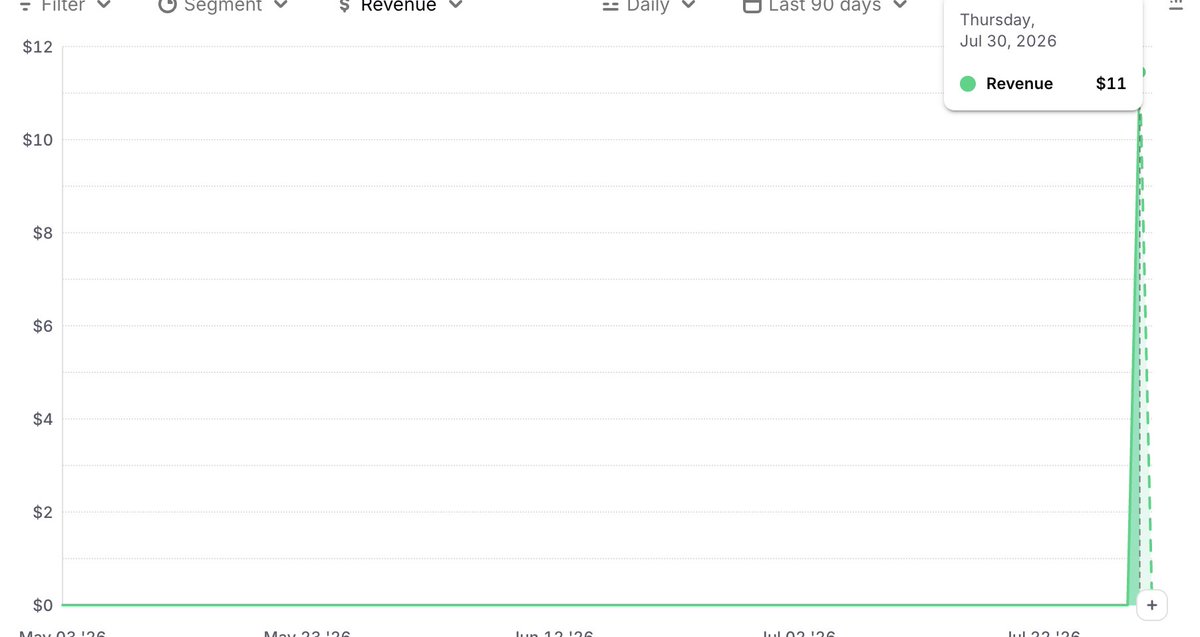
I released Mathrid last week — a number crossword puzzle game, 500 levels, all handmade.
Someone in Germany bought the premium version today.
Whoever you are: Vielen Dank. You made a solo developer's week.
iOS: https://t.co/CmmCX1vjCu
Android: https://t.co/TDjoTH4Y1g
One person. One purchase. And I've read the notification about nine times and checked Google play console multiple times 😀.
Hey Builders: How Are You Getting Users?
Indie app devs, honest question:
How are you getting users right now? SEO, content, cold outreach, communities, ads, or luck?
Is it making real money yet?
P.S. Please don’t send me your AI app that promises to grow my installs.
@Distriova I've worked on both ASO and created a landing page, but my average daily downloads are still no more than 10. So I'm trying to find a better strategy to acquire more users.
@ClaudioSonnet Same here, appreciate the honesty. What I keep wondering is where all those “$10k/month” devs are actually finding their users. Nobody ever shares that part.
New: Lofi style timer.
Lofi style timer added to Pomodoro Focus Timer into CMP app.
Same simple focus sessions, with a calmer look for long work and study blocks.
Most of this update came from user requests, and I’ll keep building around that feedback.
https://t.co/G2Gm8rIWo2
https://t.co/Y5FQvJxTbC
If you try it, which timer style do you prefer: minimal or Lofi?
#BuildInPublic #KotlinMultiplatform #iOSDev #ProductivityApps #IndieDev
Honest question, no judgement.
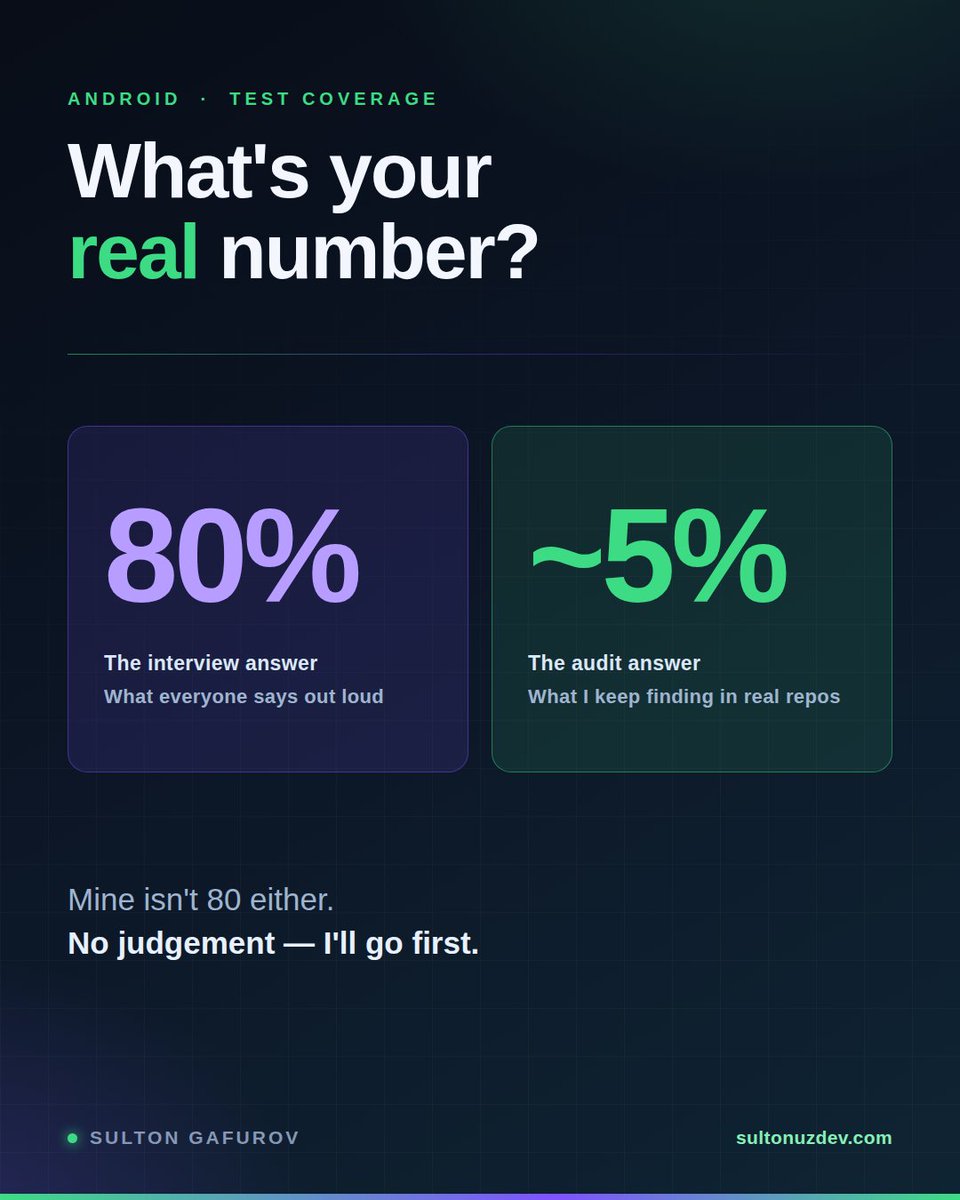
What percentage of your Android codebase is actually covered by tests?
The number everyone says in interviews: 80%.
The number I keep finding when I audit real projects: closer to 5%.
Mine isn't 80 either. I'll go first: I only write tests when the flow is deep — when checking one thing by hand means tapping through five screens to get there. At that point a test is faster than I am. Everything else, I ship and watch the crash reports.
Not the textbook answer. But it's the real one.
How many people will say a real number?
#AndroidDev #Kotlin #QA #MobileDevelopment
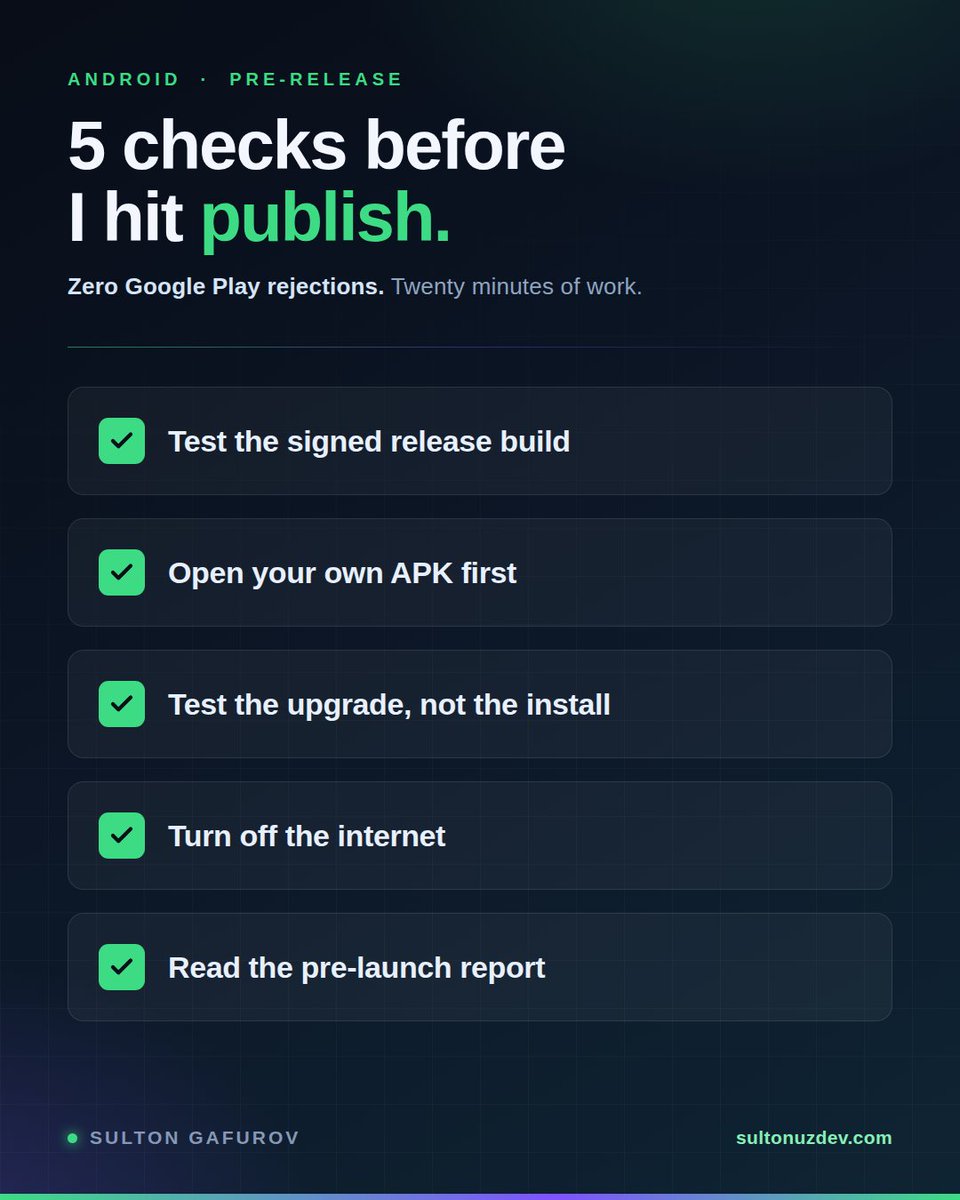
Zero Google Play rejections across everything I've shipped.
Not because my code is clean. Because I refuse to hit publish before checking five things.
1. Test the signed release build, not the debug build.
R8 and ProGuard only run on release. Every reflection-based crash — Gson models, Room entities, anything serialized — appears the moment minification turns on and never before. If your last test was a debug build, you haven't tested what your users get.
2. Open your own APK before Google does.
APK Analyzer, five minutes. Look for hardcoded keys in strings.xml or BuildConfig, activities and receivers you exported without meaning to, a missing network security config. I've found secrets sitting in release builds during audits more often than I'd like to say publicly.
3. Test the upgrade, not the install.
Install the previous version from Play, then update on top of it. Fresh installs always pass. What breaks is the Room migration or the changed SharedPreferences key, and it breaks for exactly the users you already have.
4. Turn off the internet.
Airplane mode, then slow network. Most production crash reports I've read trace back to a network call nobody tested failing in a state nobody handled.
5. Read the pre-launch report.
Play Console runs your app on real physical devices before rollout, for free, and reports crashes, accessibility problems and security warnings. Most developers never open that tab. It has caught things for me that six manual test passes missed.
None of this is advanced. It's about twenty minutes total.
But the difference between a developer who ships and one who ships reliably is almost never talent. It's having a list and not skipping it when you're in a hurry.
What's on your pre-release checklist that isn't on mine?
#Android #AndroidDev #Kotlin #QA #MobileDevelopment
Where is your Android app published right now?
If the answer is "Google Play," so is mine.
And I'm starting to think that's a mistake I've been making for two years.
Here's what made me look properly:
Xiaomi's GetApps — 200M+ monthly active users across 59 regions. Strongest in India, Indonesia, Russia and the CIS. That is literally my region. Free to publish.
Huawei AppGallery — 350,000+ apps, and it is the only store on every Huawei device. Those phones have no Google Play at all.
Samsung Galaxy Store — preinstalled on every Galaxy device on earth.
Palm Store — preinstalled on Tecno, Infinix and itel, the phones that dominate large parts of Africa and South Asia.
OPPO, vivo and HONOR each run their own store. Each preinstalled. Each with a free developer console.
Same APK. Same Kotlin code. Different store listing.
That's the entire "port."
Two things I didn't expect when I dug in:
Amazon shut down its Appstore for Android on August 20, 2025. A distribution channel can simply end. If it's your only one, so are you.
And on September 30, those same stores start enforcing Google's new developer verification in Brazil, Indonesia, Singapore and Thailand. Which tells you something — they're not fringe channels anymore. They're being treated as part of the official distribution system.
I've been Play-only out of habit, not strategy. That changes this month.
So, honest question:
Has anyone here actually shipped to Galaxy Store, GetApps or AppGallery?
Did you get real installs, or is it dead traffic?
I want the truth, not the marketing page.
#Android #AndroidDev #Kotlin #MobileDevelopment #IndieDev
From September 30 your app will not install on a user's phone.
Unless Google knows who you are.
Not just Play Store. Sideloaded APKs too.
Brazil, Indonesia, Singapore, Thailand first.
2027: everywhere.
Honest question for anyone who ships —
security win, or Android quietly becoming iOS?
The single biggest ASO mistake is killing your app's growth. Here's how.
You wrote 4,000 characters Apple will never read.
Your App Store description does not affect search ranking. Not one word of it. It only affects conversion — people read it after they've already found you.
Google Play indexes its long description in full. Every keyword counts.
Same app. Same copy. One store reads it, the other throws it away.
Here is what Apple actually indexes:
— App name (30 characters)
— Subtitle (30 characters)
— Keyword field (100 characters)
— In-app purchase display names (30 characters each)
— In-app event titles
— Screenshot caption text, read via OCR since June 2025
Your in-app purchase names are searchable. If yours are called "Premium" and "Remove Ads," you are wasting indexed real estate. Name them descriptively.
The words inside your screenshot images are indexed too. Your screenshots are keyword space, not just pictures.
And on iOS, no word should repeat across the name, subtitle and keyword field. Each character is distinct indexing territory. Repeat a word and you spend it twice for nothing.
If you publish to both stores, write twice.
They are not the same machine.
#ASO #IndieDev #AndroidDev #iOSDev
My best app has 5,000 installs.I have never promoted it once.
My worst app has 10 installs. I promoted that one everywhere — X, LinkedIn, Product Hunt.
Turns out people search "military dictionary."
Nobody searches "number crossword puzzle with hand-crafted levels."
I built the second one because it was fun to build.
That's a fine reason. It's just not a distribution strategy.
If you're picking your next side project: check whether anyone is searching for it before you write a line of code.
#buildinpublic #indiedev