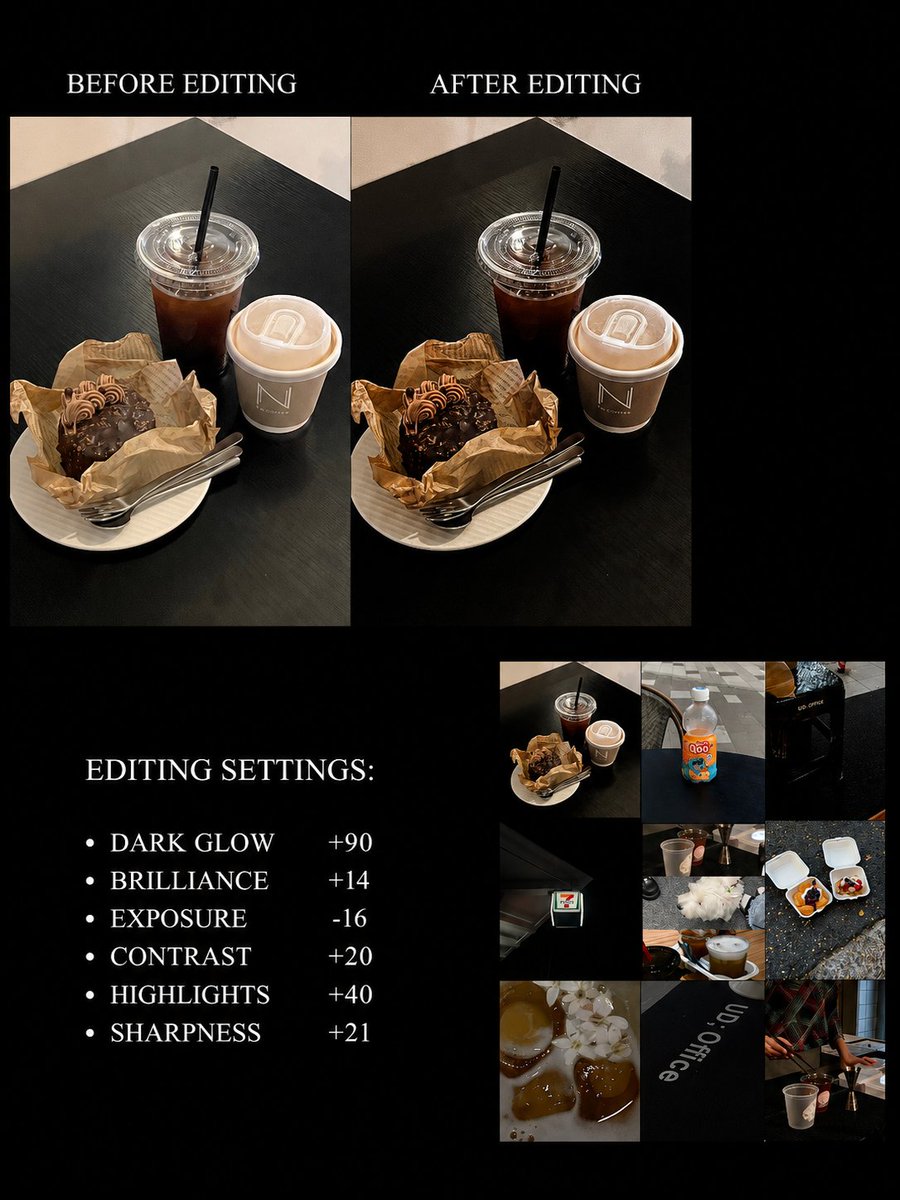
▪️iPhone camera settings:
•Exposure +5
•Brilliance -35
•Highlights -20
•Shadows -15
•Contrast +5
•Warmth -10
•Sharpness +15
Just a heads up, you'll probably need to tweak these based on your lighting!
How to achieve a clean, bright, and appetizing color palette! This color grading is so sophisticated!
▪️ Exposure -50
▪️ Brilliance -15
▪️ Highlights +15
▪️ Contrast +10
▪️ Brightness -15
▪️ Blacks +10
▪️ Sharpness +10
▪️ Definition +30
Adjust parameters slightly based on different lighting conditions
📷 Device: iPhone
▪️ Quick Tip: Lower the exposure when shooting, choose a darker background, and zoom in (usually 1.5-3x). For a sophisticated look, the background shouldn't be too cluttered (keep it as simple as possible).
▫️ My go-to settings for that Korean-style gray-toned Insta look
iPhone color grading:
•Exposure -15
•Contrast +10
•Highlights -10
•Saturation -25 (this is the magic number!)
•Sharpening +50
💭 Remember to tweak these a bit depending on your lighting~
Edit on the original camera only!
•Exposure: -20
•Highlights: -50
•Shadows: -30
•Contrast: +20
•Black Point: +30
•Saturation: -29
•Sharpness: +24
•Warmth: -10
Settings may vary fine tune them based on your image and lighting.
iPhone original camera color adjustment parameters:
•Exposure -20
•Vividness -12
•Shadows -5
•Contrast +8
•Brightness -5
•Black point +3
•Sharpness +35
•Clarity +45
• Clean the lens thoroughly to avoid blurriness
• Zoom the lens 1.5-3 times to avoid surrounding clutter and highlight the subject
• When shooting, lower the exposure (key to dark tone texture!)
✅dazz: GR F
•Vibrance -10
•Highlights +40
•Shadows -10
•Natural Saturation -5
•Color Temperature -10
•Tone +5
•Sharpness +15
•Clarity +5
•Vignette +10
✅Parameters are for reference only, adjust according to your own situation~
Finally cracked the code on this dark
aesthetic filter! Get this filter color grading down and your photos will have such a classy vibe!
•Exposure -35
•Brilliance -20
•Contrast +5
•Brightness -10
•Saturation -10
•Vibrance +5
•Tint - 10
•Sharpness +15
•Clarity +30
You might need to tweak these a bit depending on your lighting
📱Device: iPhone
📸Editing: iPhone's built-in editor
Quick tips: When shooting, dial down that exposure, pick a darker background, zoom in a bit (usually 1.5-3x works great), and keep your background simple for that classy look
iPhone can totally give off those Fuji vibes...!! Ahhh 👋🏻 This contrast color tone is seriously so good!!
📱 Editing: iPhone
✨ Filter: Contrast Color +85
◽️ Adjustments:
▪️ Exposure -6
▪️ Vibrance -12
▪️ Highlights 15
▪️ Contrast 10
▪️ Brightness 12
▪️ Natural Saturation 10
▪️ Sharpness 20
(Feel free to tweak these settings based on your pics)