swm ("swim") cloud lets you turn on your GPU stack like you turn on your computer. 35+ pre-loaded ComfyUI & vLLM workspaces. MCP for Cursor & Claude Code.
Turn on your GPU stack like you turn on your computer. ⚡
Meet swm cloud - compare live GPU prices across 10 clouds, boot into a persistent /workspace in one click, and run 35+ pre-loaded open-source AI workspaces (weights, venvs & workflows ready).
https://t.co/sc34mjhUXE
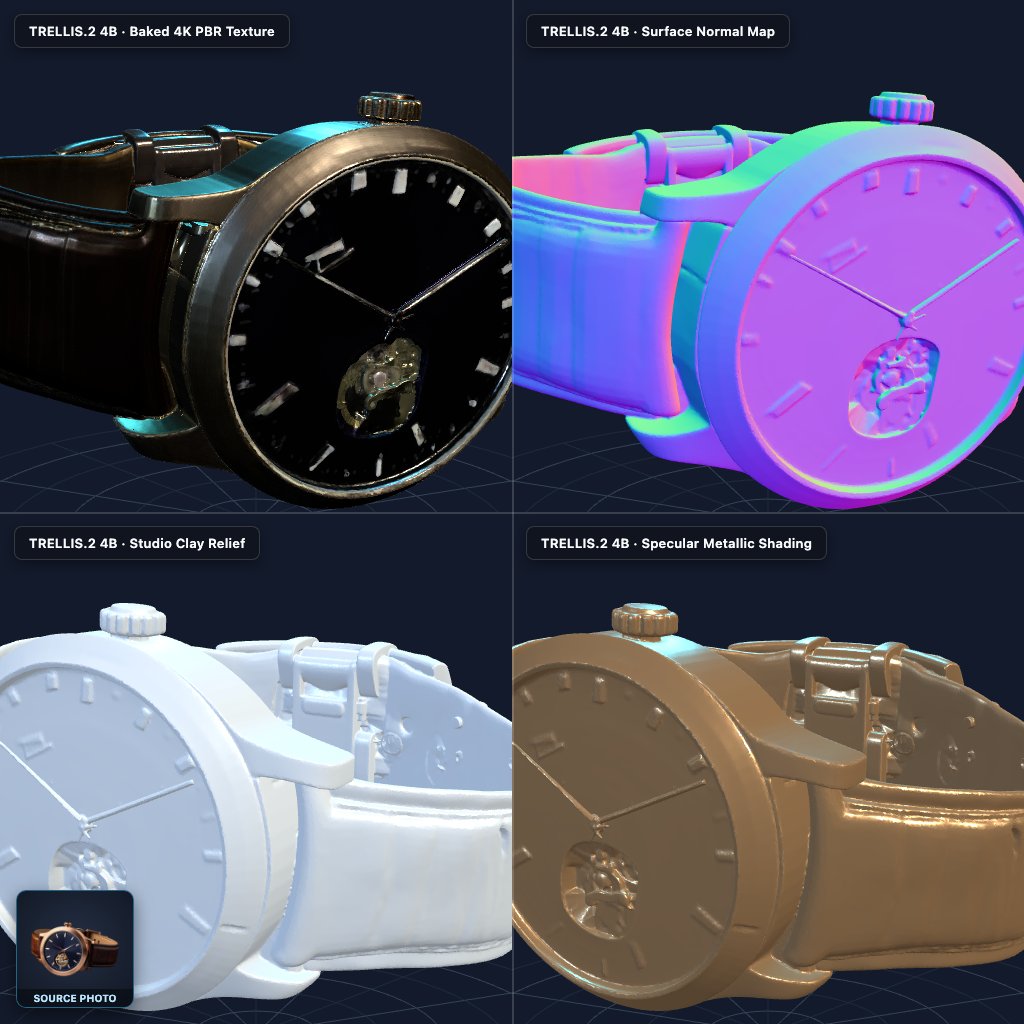
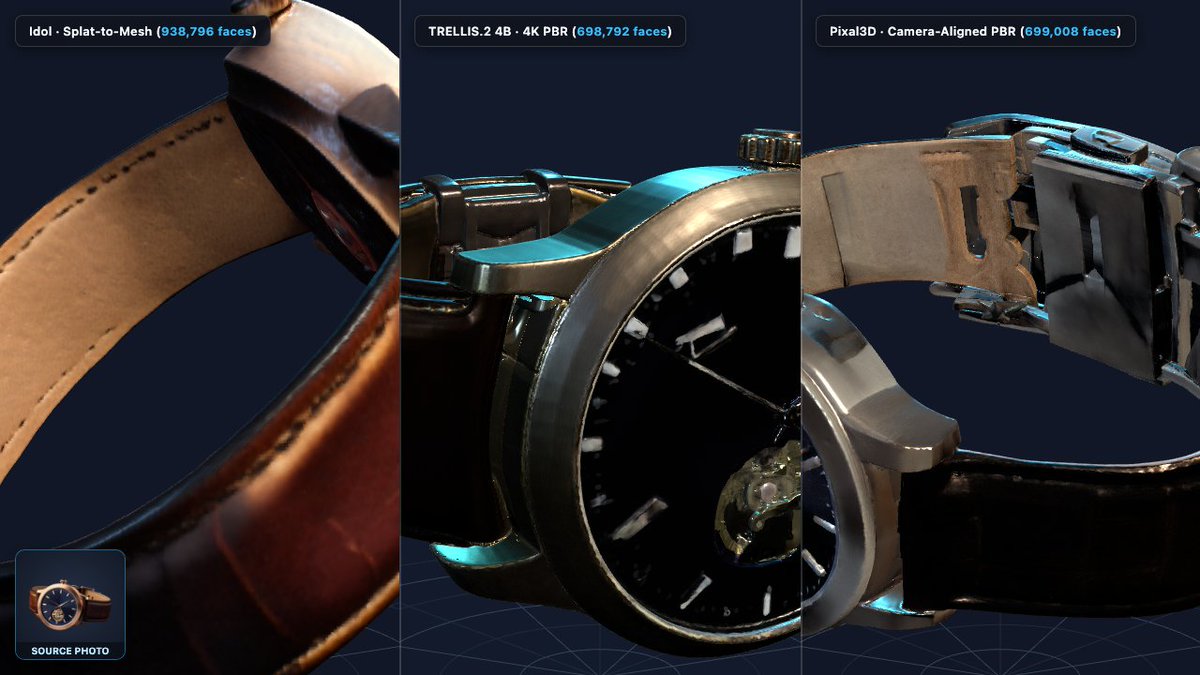
Turning a single studio photo into a watertight 3D mesh with baked 4K PBR textures, normal maps, and 3D Gaussian Splats — side by side in one ComfyUI workspace:
• Microsoft TRELLIS.2 4B (watertight mesh + 4K UV PBR bake)
• Tencent Pixal3D (camera-aligned single-photo PBR mesh)
• Idol (single-image 3D Gaussian Splatting & mesh extraction)
No per-mesh credits — runs on your own persistent swm cloud GPU workspace from pennies an hour ($0 when powered off):
Re-shooting an existing video from a completely new 3D camera trajectory — crane up +26°, orbit +44°, or keyframed 4D sweep — without reshooting on set.
This persistent ComfyUI workspace on swm cloud chains:
• MoGe-2 & Video-Depth-Anything-Small temporal metric depth
• Z-buffered 3D point-cloud reprojection (ReAngle + CrossViewWarp)
• LTX-2.5 22B Distilled + CrossView-Warp v2 IC-LoRA to synthesize disoccluded geometry along the new camera path
Run it unlimited times on your own GPU pod (~$0.30–$0.50/hr, $0 per-video API fee):
Removing an object from a 3D Gaussian Splat (.ply) without leaving a disocclusion hole across novel camera views is brutal.
This ComfyUI workspace on swm cloud chains:
1. Meta SAM 3.1 Object Multiplex for multi-object video & multi-view mask tracking
2. SpEdE 3D visual-hull Gaussian deletion
3. Qwen-Image 2.1 hero-view surface repair + MoGe-3 metric depth alignment to birth new 3D Gaussians inside the hole
Runs on any 24 GB+ GPU from ~$0.09–$0.35/hr, unlimited runs, $0 when powered off:
Stop paying per token for long <think> chains and heavy codegen loops.
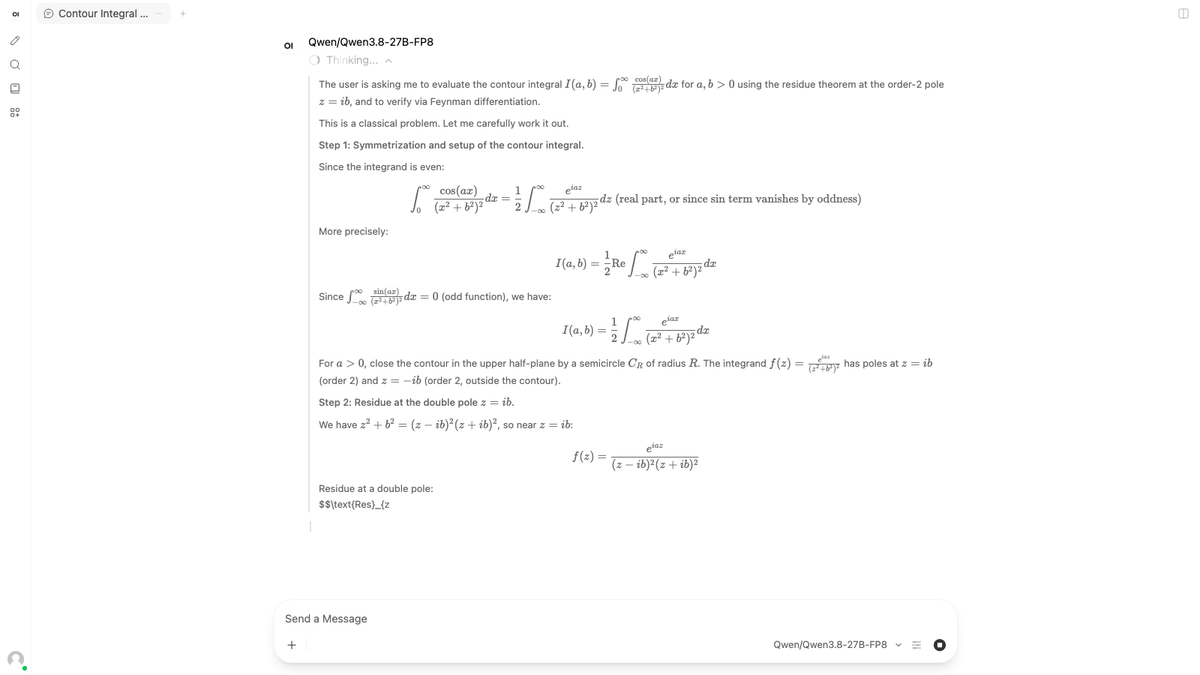
Here is Qwen/Qwen3.8-27B-FP8 running on its own dedicated vLLM 0.33 (--reasoning-parser qwen3) + Open WebUI workspace on swm cloud:
• 32k context with separated reasoning_content & tool calling
• Unlimited prompts, batch jobs & agent loops — $0 token spend
• Runs on a 48 GB GPU from ~$0.30–$0.50/hr across 10 clouds ($0 when powered off, persistent /workspace)
Viewers launch or fork your exact working setup on any cloud GPU across 10 providers, and you earn compute revenue share every minute it runs.
How creator publishing works:
https://t.co/zwA5l4ixe2
If you share ComfyUI workflows on GitHub or YouTube, half your comments are people stuck on missing custom nodes, wrong CUDA versions, or out-of-VRAM errors.
On swm cloud, you keep a persistent GPU /workspace and can publish a snapshot in 1 click.
• Set up your models, venvs, and nodes once
• Power off when done and pay $0 for compute
• Power back on any GPU (RTX 4090, L40S, A100, H100) with everything intact
• Built-in AI Pod Assistant (Cmd+J) + 1-click publishing:
https://t.co/sc34mjhUXE
The worst part of renting cloud GPUs isn't the hourly rate.
It's spending 40m reinstalling custom nodes, fixing PyTorch/CUDA wheels, and re-downloading 50 GB of checkpoints on every new pod.
We built swm cloud so your /workspace is persistent across 10 clouds:
Tired of reinstalling ComfyUI nodes and re-downloading 50GB weights every time you rent a cloud GPU?
swm cloud gives you a persistent /workspace across 10 GPU clouds ($0 compute when off) + 1-click creator publishing with compute share: https://t.co/sc34mjhUXE
Built swm cloud — a persistent cloud GPU workspace platform across 10 clouds.
Keep a persistent ComfyUI / AI /workspace (turn GPU off for $0 compute, resume on any GPU intact) + publish your setup in 1 click to earn compute revenue share: https://t.co/zwA5l4ixe2
@sunbaolong_2001 1.0 denoise video face restoration in ComfyUI with H3-FaceRefine + VOSR2 is a huge step up.
On swm cloud you keep a persistent /workspace across 10 GPU clouds + 1-click publishing so anyone can run/fork your exact setup (while you earn compute share): https://t.co/zwA5l4ixe2
@OlivioSarikas Great breakdown of Qwen-Image-2.1 and the 8-step Turbo workflow in ComfyUI!
With swm cloud you can keep a persistent /workspace across 10 GPU clouds & publish tutorial setups in 1 click so viewers run/fork them (while you earn compute share): https://t.co/zwA5l4ixe2
Mapping drone paths with Wan + training 3D splats with Spirula in ComfyUI is wild.
On swm cloud you keep a persistent /workspace across 10 clouds & publish in 1 click so viewers run/fork your exact setup with 0 missing-node errors (and you earn compute share): https://t.co/NeGWfVvHnO
@AInVFX@ComfyUI@ltx_io@bfl_ai LTX 2.5 + FLUX 3 Klein + ainvfx-fluid makes Paint a Plate such a clean ComfyUI VFX pipeline.
On swm cloud you keep a persistent /workspace across 10 GPU clouds + 1-click publishing so followers run/fork your exact setup (and you earn compute share): https://t.co/zwA5l4ixe2
@AInVFX@ComfyUI@ltx_io@bfl_ai LTX 2.5 + FLUX 3 Klein + ainvfx-fluid makes Paint a Plate such a clean ComfyUI VFX pipeline. On swm cloud you keep a persistent /workspace across 10 GPU clouds + 1-click publishing so followers run/fork your exact setup (and you earn compute share): https://t.co/zwA5l4ixe2
Two of our favorite 24 GB VRAM editing models right now:
• @DecartAI Lucy Edit Dev 5B for text-prompted video wardrobe & character swaps
• @bria_ai_ FIBO 2.0 Edit Turbo (4–8 steps) & Structured VGL JSON generation (~14 GB VRAM)
Both are live as pre-loaded 1-click workspaces on swm cloud.
Fibo 2.0 is live: the #1 open-weights image editing model on @ArtificialAnlys.
Ahead of 33 closed models from leading labs, and trained only on licensed data.
Try it in Bria Create: https://t.co/ytQk9bT8xp
Two of our favorite 24 GB VRAM editing models right now:
• @DecartAI Lucy Edit Dev 5B for text-prompted video wardrobe & character swaps
• @bria_ai_ FIBO 2.0 Edit Turbo (4–8 steps) & Structured VGL JSON generation (~14 GB VRAM)
Both are live as pre-loaded 1-click workspaces on swm cloud.