The full link to The Vault is https://t.co/Ft2kqdXBxd
It's the hub with custom codes, AI prompt systems, protocols & tools to turn raw https://t.co/2aool0NnCv HTML blocks into polished, conversion-focused sections. Phase 1 access is live (one-time €197, capped at 200).
Checkout here if you're ready: https://t.co/loZCo4r4R0
Solid resource for independent builders.
I’ve just created a new free tool for the @skool_biz community. 🦾
The Skool Invite Card Tool helps you create a premium, branded invite card for your community.
Customize the design, colors, labels, buttons, and background while seeing every change instantly in the live preview.
Once your card is ready, copy the raw HTML and add it to Systeme-io or any page builder that supports custom HTML.
It is designed to help you create a stronger, more branded front door for your Skool community.
✓ 100% free
✓ No signup required
✓ Direct access
link in the comments..
This is only the beginning. More Skool tools are planned. 💡
Systemize your web. Own your Space. 🪐
Now that Systeme-io has a free AI prompt generator, I think this can be really useful for anyone creating AI generated HTML for their pages.
It is also another great example that the raw HTML element can go way beyond just building page sections.
When I vibe code custom HTML for my Systeme-io pages, I always like to preview the code before placing it inside the raw HTML element.
So I built a 100% free HTML editor for https://t.co/LzbHL8Rntz users.
✦ No ads
✦ No signup
✦ No download
✦ Nothing to install
✦ Runs directly live in your browser
The cool part?
The editor itself runs entirely inside a Systeme-io raw HTML element.
You can use it to:
▸ Preview your HTML code before adding it to your Systeme-io raw HTML element.
▸ Test desktop and mobile view.
▸ Switch between html editor dark and light mode.
▸ Quickly search and replace text.
▸ Detect DOCTYPE, html, head, and body tags.
I added that last part because I like freestyling with AI and testing a lot of different code outputs.
Sometimes AI gives you a full HTML page, but in Systeme-io you only need the code that goes inside the raw HTML element.
So the editor helps you find what needs to be removed.
You can find it by searching on Google:
Systeme-io HTML Editor
or
HTML Editor for Systeme-io
The Systeme-io raw HTML element is seriously useful.
This whole editor is built inside the element.
Quick FAQ:
Q: Do I need to install anything?
No. It opens directly in your browser and works on any device.
Q: Can I use it for any HTML or only Systeme-io?
You can use it for any HTML, but it is optimized for the kind of code you place inside a Systeme-io raw HTML element.
Q: What happens if AI gives me a full HTML page?
The editor detects DOCTYPE, html, head, and body tags, then shows you where they are so you know what to remove or adjust.
Q: How are you running an editor inside the raw HTML element?
That is the fun part.
It is all HTML, CSS, and JavaScript inside a single raw HTML element.
The same thing you are building with, I built with.
Hope this helps other @systeme_io users who are experimenting with Systeme-io AI + custom HTML.
Systeme-io AI Builder
What It Is and How the Vault Supercharges It
@systeme_io officially confirmed a native AI Builder is coming.. one that generates your pages in a single click. This is the biggest update to Systeme-io since launch, and it changes everything about how we build pages on the platform.
Here is what you need to know.
What the Systeme-io AI Builder Is
The Systeme-io AI Builder (Systeme-io AI Studio) is an upcoming native AI integration inside Systeme-io.
Based on how Systeme-io is built and how AI integrations typically work in page builders, it will likely work in one of two ways:
→ Fully integrated into the page builder, AI generates elements, sections, pages directly on the canvas.
→ Connected to an LLM, AI processes prompts and outputs code into the raw HTML block.
Either way, the raw HTML block for me remains the most powerful building element in Systeme-io. Full design freedom. No constraints from default elements. Just pure, custom code that does exactly what you want.
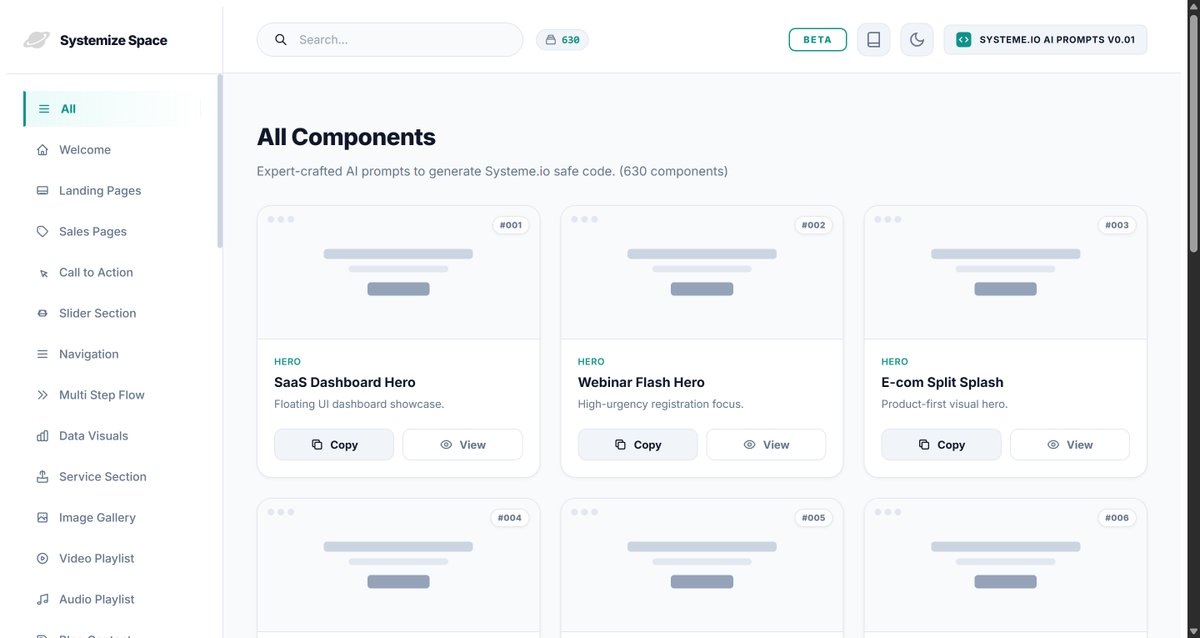
600+ Systeme-io Prompts Already AI-Powered
The Vault has 600+ AI code prompts built specifically for Systeme-io page building right now. Hero sections, pricing tables, navigation bars, countdown timers, testimonial grids, checkout flows, and more.
These prompts plug directly into any AI integration Systemeio builds, including the upcoming Systeme-io AI Builder.
Every prompt is carefully directed and created by AI, guided by Systemize Space specifically for Systeme-io. Not generic prompts. Precision-engineered for the platform's exact structure, constraints, and output format.
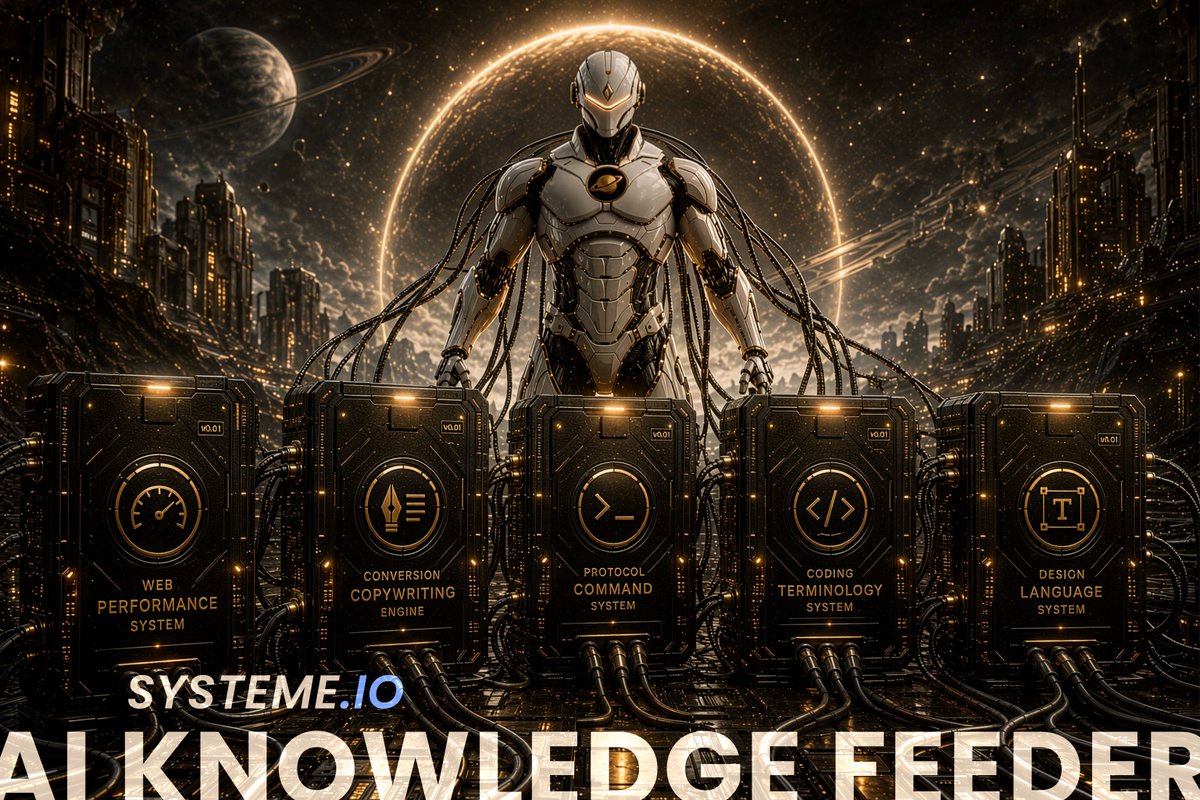
The Knowledge Feeder: 5 Protocol PDFs That Feed AI
Beyond the 600+ pre-built prompts, the Vault includes the Knowledge Feeder: an upgraded Safe Protocols system with five deep knowledge protocol PDFs designed to feed AI models with everything it needs:
→ Coding Terminology
Te complete vocabulary AI needs for Systeme.io-compatible code.
→ Design Language System
Visual rules, spacing, color harmonies, typography hierarchies.
→ Web Performance System
Lightweight, fast-loading code generation
→ Conversion Copywriting
Persuasion architecture, headlines, CTAs that convert.
→ Protocol Command System
Master instructions tying everything together
Upload any of these protocols and you create your own AI code engine that generates unlimited, context aware prompts on demand. The 600+ prompts are your starting point. The Knowledge Feeder is your unlimited expansion.
AI Safe Protocols, Evolved
AI Safe Protocols don't disappear when the Systeme-io AI Builder launches, they evolve. They also transform external HTML into safe Systeme-io code and guide editing custom codes.
The Knowledge Feeder represents this evolution: Safe Protocols upgraded into deep-knowledge AI feeding systems for every section type.
Custom Codes: Premium Starting Points
Battle tested, production ready Systeme-io code sections that go beyond what a standard AI Builder output produces.
Premium starting points for almost every section type. See the design you like, place it on your page, transform it into your brand. Plus a request system, if you need a section that doesn't exist yet, it gets built.
The Vault Makes the Systeme-io AI Builder Unstoppable
The Systeme-io AI Builder is the engine. The Vault is the premium fuel. Without expert prompts, the AI Builder produces generic output. With the Vault, it produces strategic, conversion optimized, platform specific epic page experiences.
The Vault Is Already Live
Already growing. Built by one person using AI to push Systeme-io beyond its default limits.
The AI Builder is coming. More people will flood into this space when it does. The ones already inside the Vault will be the experts from day one.
Why wait? Right now, every AI chat model is your unlimited canvas. No tokens. No subscription to a separate AI tool.
Unlimited premium html output for Systeme-io. You learn the roots of how AI and Systeme-io work together, and when the AI Builder launches, you are not catching up. You are leading.
The Vault is open. The AI Builder is coming. The only question is: are you inside when it arrives?
Systemize your web. Own your space. 🪐
Build your own Systeme-io AI Code Engine with free AI tools. In this first Systeme-io AI Workflow [01], I show you how to use @systeme_io and AI, @NotebookLM, @GeminiApp, Gemini Gems, Vibe Coding, and the Systemize Space Vault to create custom code, prompts, pages and funnels.








![systemizespace's tweet photo. Build your own Systeme-io AI Code Engine with free AI tools. In this first Systeme-io AI Workflow [01], I show you how to use @systeme_io and AI, @NotebookLM, @GeminiApp, Gemini Gems, Vibe Coding, and the Systemize Space Vault to create custom code, prompts, pages and funnels. https://t.co/l2osQcgEG3](https://pbs.twimg.com/media/HJDhzRKXsAAZpyP.jpg)





