How I build & launch apps (using AI).
Ideation
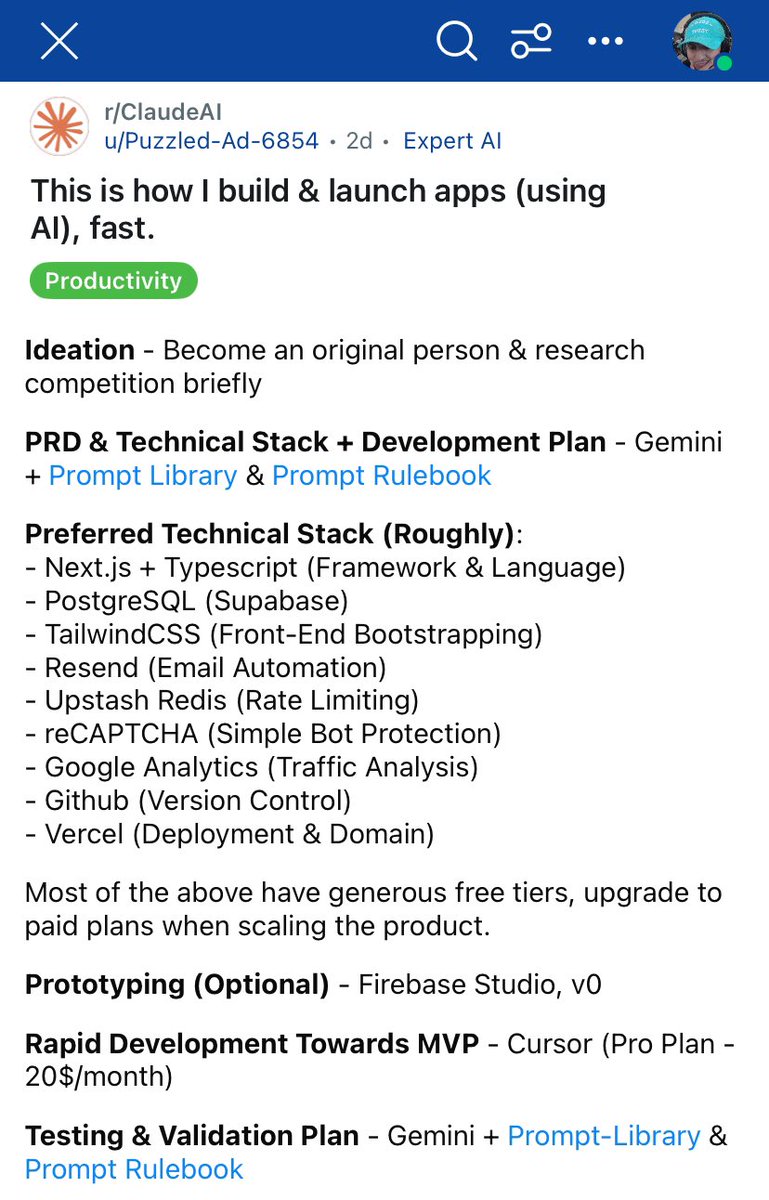
Become an original person & research competition briefly.
I have an idea, what now? To set myself up for success with AI tools, I definitely want to spend time on documentation before I start building. I leverage AI for this as well.
PRD (Product Requirements Document)
How I do it: I feed my raw ideas into the PRD Creation prompt template (find it here: https://t.co/lXtGD3Dr2d). Gemini acts as an assistant, asking targeted questions to transform my thoughts into a PRD. The product blueprint.
UX (User Experience & User Flow)
How I do it: Using the PRD as input for the UX Specification prompt template, Gemini helps me to turn requirements into user flows and interface concepts through guided questions. This produces UX Specifications ready for design or frontend.
MVP Concept & MVP Scope
How I do it:
Define the Core Idea (MVP Concept): With the PRD/UX Specs fed into the MVP Concept prompt template, Gemini guides me to identify minimum features from the larger vision, resulting in my MVP Concept Description.
Plan the Build (MVP Dev Plan): Using the MVP Concept and PRD with the MVP prompt template (or Ultra-Lean MVP), Gemini helps plan the build, define the technical stack, phases, and success metrics, creating my MVP Development Plan.
MVP Test Plan
How I do it: I provide the MVP scope to the Testing prompt template. Gemini asks questions about scope, test types, and criteria, generating a structured Test Plan Outline for the MVP.
https://t.co/WqTtkWbFQK Design (Optional)
Link: https://t.co/WqTtkWbFQK
How I do it: To quickly generate MVP frontend code:
Use the v0 Prompt Filler prompt template with Gemini. Input the UX Specs and MVP Scope. Gemini helps fill a visual brief (the v0 Visual Generation Prompt template) for the MVP components/pages.
Paste the resulting filled brief into https://t.co/WqTtkWbFQK to get initial React/Tailwind code based on the UX specs for the MVP.
Rapid Development Towards MVP
How I do it: Time to build! With the PRD, UX Specs, MVP Plan (and optionally v0 code) and Cursor, I can leverage AI assistance effectively for coding to implement the MVP features. The structured documents I mentioned before are key context and will set me up for success.
Preferred Technical Stack (Roughly):
Cursor IDE (AI Assisted Coding, Paid Plan ~ $20/month) - https://t.co/IAVFglreMa
https://t.co/WqTtkWbFQK (AI Assisted Designs, Paid Plan ~ $20/month) - https://t.co/WqTtkWbFQK
Next.js (Framework) - https://t.co/aVt6Ep9Q60
Typescript (Language) - https://t.co/741DCsyJ91
Supabase (PostgreSQL Database) - https://t.co/OQuyp3nCLc
TailwindCSS (Design Framework) - https://t.co/M9txUmiaVB
Framer Motion (Animations) - https://t.co/MjtRlYy0HS
Resend (Email Automation) - https://t.co/UdqbHxG1R8
Upstash Redis (Rate Limiting) - https://t.co/4w1WPVHcBX
reCAPTCHA (Simple Bot Protection) - https://t.co/eeg8LITdho
Google Analytics (Traffic & Conversion Analysis) - https://t.co/SZ8w2764Dm
Github (Version Control) - https://t.co/CKZu4ceXSa
Vercel (Deployment & Domain) - https://t.co/R6m4RWB21p
Vercel AI SDK (Open-Source SDK for LLM Integration) - https://t.co/34Ec1sxxLi (Docs: https://t.co/6jVhRbQKO0)
Stripe / Lemonsqueezy (Payment Integration) - https://t.co/IaNCbt1juC / https://t.co/Z0M9O0Nu30
(I choose a stack during MVP Planning, based on the MVP's specific needs. The above are just preferences.)
Upgrade to paid plans when scaling the product.
About Coding
I'm not sure if I'll be able to implement any of the tips, cause I don't know the basics of coding.
Well, you also have no-code options out there if you want to skip the whole coding thing. If you want to code, pick a technical stack like the one I presented you with and try to familiarise yourself with the entire stack if you want to make pages from scratch.
I have a degree in computer science so I have domain knowledge and meta knowledge to get into it fast so for me there is less risk stepping into unknown territory. For someone without a degree it might be more manageable and realistic to just stick to no-code solutions unless you have the resources (time, money etc.) to spend on following coding courses and such.
You can get very far with tools like Cursor and it would only require basic domain knowledge and sound judgement for you to make something from scratch. This approach does introduce risks because using tools like Cursor requires understanding of technical aspects and because of this, you are more likely to make mistakes in areas like security and privacy than someone with broader domain/meta knowledge.
As far as what coding courses you should take depends on the technical stack you would choose for your product. For example, it makes sense to familiarise yourself with javascript when using a framework like next.js. It would make sense to familiarise yourself with the basics of SQL and databases in general when you want integrate data storage. And so forth.
If you want to build and launch fast, use whatever is at your disposal to reach your goals with minimum risk and effort, even if that means you skip coding altogether.
You can take these notes, put them in an LLM like Claude or Gemini and just ask about the things I discussed in detail. Im sure it would go a long way.
LLM Knowledge Cutoff
LLMs are trained on a specific dataset and they have something called a knowledge cutoff. Because of this cutoff, the LLM is not aware about information past the date of its cutoff. LLMs can sometimes generate code using outdated practices or deprecated dependencies without warning.
In Cursor, you have the ability to add official documentation of dependencies and their latest coding practices as context to your chat. More information on how to do that in Cursor is found here: https://t.co/YNVCazp59O
Always review AI-generated code and verify dependencies to avoid building future problems into your codebase.
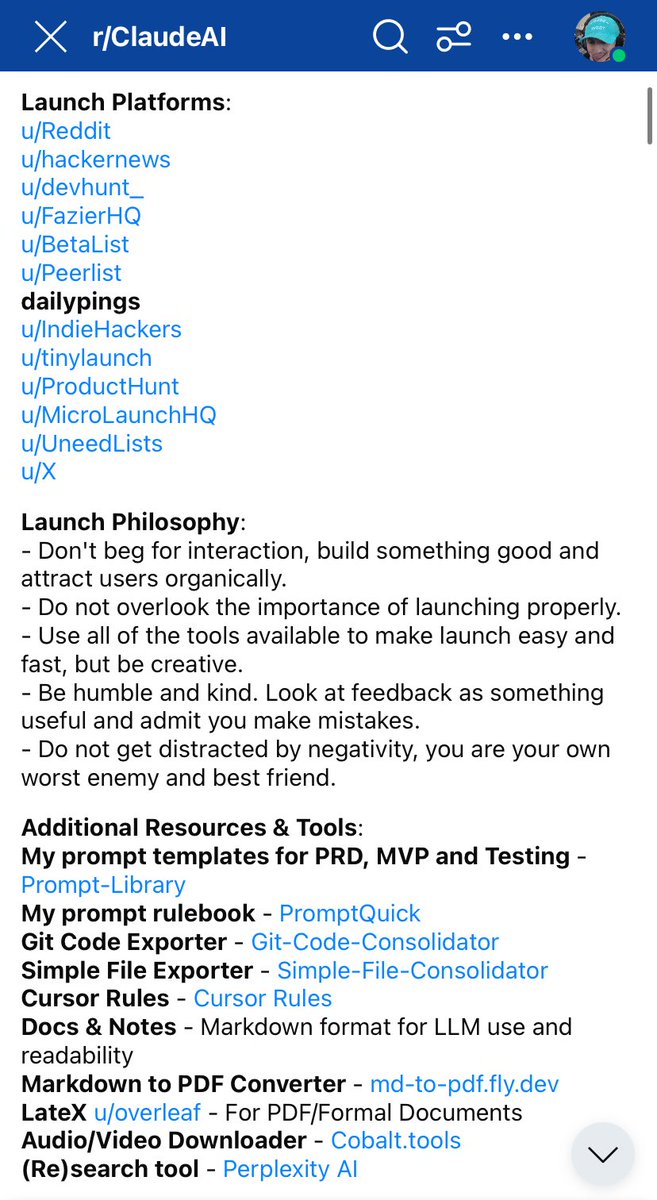
Launch Platforms:
Reddit - https://t.co/cj0gT08pBI
HackerNews - https://t.co/UbFK6nb68w
DevHunt - https://t.co/m7Tu21Vl7V
FazierHQ - https://t.co/hagH4DZcu5
BetaList - https://t.co/Oyfm8f3zNl
Peerlist - https://t.co/23NFb4ex3B
DailyPings - https://t.co/WKQXXxKKf0
IndieHackers - https://t.co/qBPXShxzp2
TinyLaunch - https://t.co/lSbwisF5bL
ProductHunt - https://t.co/OWowGYuQ6p
MicroLaunchHQ - https://t.co/D1gBNUyxMB
UneedLists - https://t.co/8p7yt0vf3h
X - https://t.co/LCTC6tCcew
Launch Philosophy:
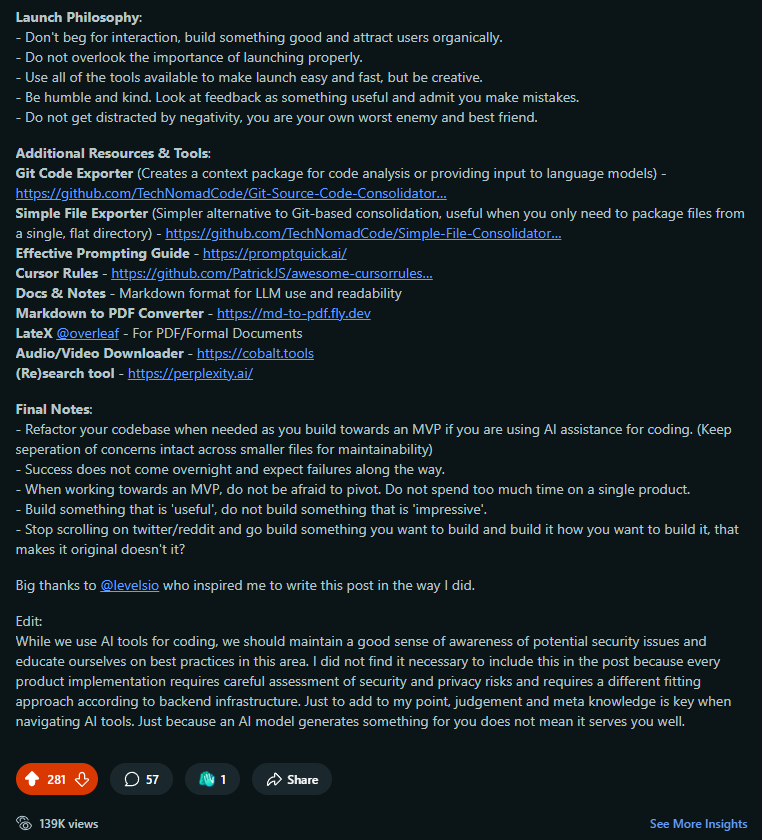
Don't beg for interaction, build something good and attract users organically.
Do not overlook the importance of launching. Building is easy, launching is hard.
Use all of the tools available to make launch easy and fast, but be creative.
Be humble and kind. Look at feedback as something useful and admit you make mistakes.
Do not get distracted by negativity, you are your own worst enemy and best friend.
Launch is mostly perpetual, keep launching.
Additional Resources & Tools:
My Prompt Rulebook (Useful For AI Prompts) - https://t.co/LbL140cmAo - https://t.co/WEyhRHsTcK
My Prompt Templates (Product Development) - Github link - https://t.co/lXtGD3Dr2d
Git Code Exporter - Github link - https://t.co/SHNNAApHjw
Simple File Exporter - Github link - https://t.co/ISthP8m0Ao
Cursor Rules - https://t.co/aATjDy5xUK
Docs & Notes - Markdown format for LLM use and readability
Markdown to PDF Converter - https://t.co/asFyGTx52X - https://t.co/PEKYkkxDIP
LateX (Formal Documents) - Overleaf - https://t.co/dmmo4sIGQE
Audio/Video Downloader - https://t.co/s5vDu4z1Dz - https://t.co/CEgkgkBJn6
(Re)Search Tool - https://t.co/aHiQgYXIho - https://t.co/Q8rqiSRp1D
Temporary Mailbox (For Testing) - Temp Mail - https://t.co/J1lCccQQdp
Final Notes:
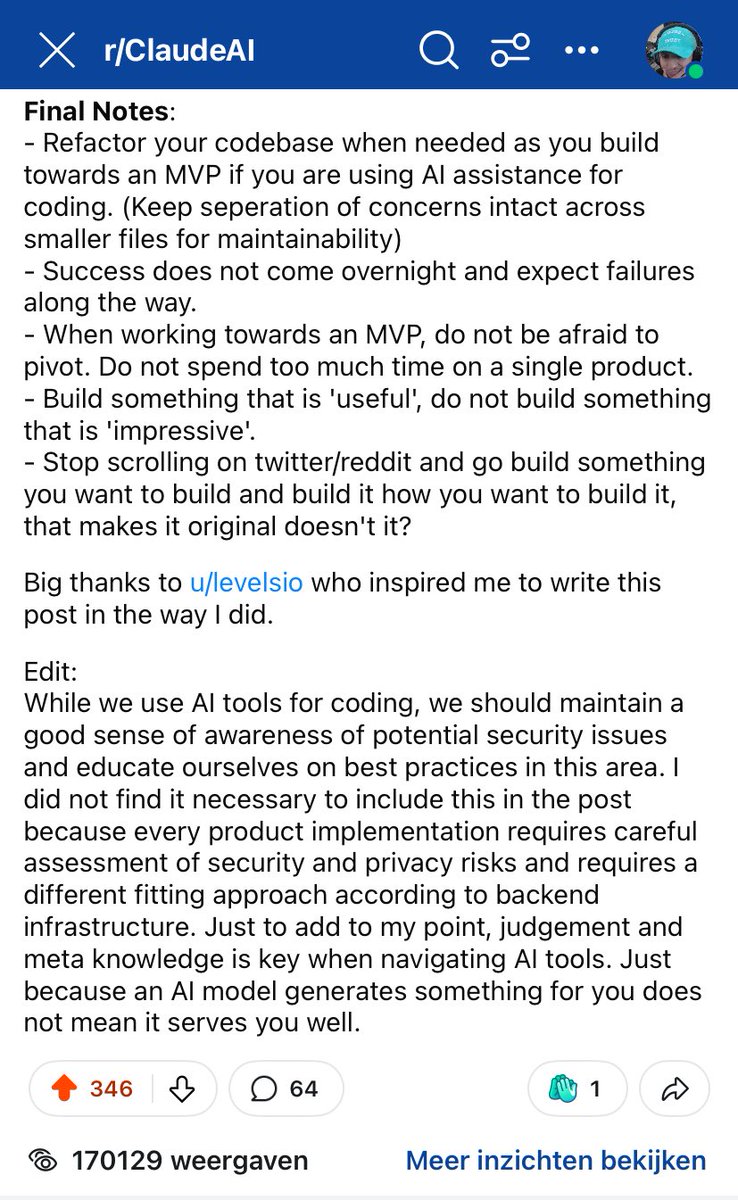
Refactor your codebase regularly as you build towards an MVP (keep separation of concerns intact across smaller files for maintainability).
Success does not come overnight and expect failures along the way.
When working towards an MVP, do not be afraid to pivot. Do not spend too much time on a single product.
Build something that is 'useful', do not build something that is 'impressive'.
While we use AI tools for coding, we should maintain a good sense of awareness of potential security issues and educate ourselves on best practices in this area.
Judgement and meta knowledge is key when navigating AI tools. Just because an AI model generates something for you does not mean it serves you well.
Stop scrolling on twitter/reddit and go build something you want to build and build it how you want to build it, that makes it original doesn't it?
Want resources to build and launch apps?
Need reliable and quick pre-coding documentation?
Save this for later. (Beginner or Advanced)
https://t.co/ZuLqp7JLI1
Want to turn something like this? 👇
----------------------------------------------------------
BRAINDUMP
Need an app for neighbors helping each other with simple stuff. Like basic tech help, gardening, carrying things. Just within our city, maybe even smaller area.
People list skills they can offer ('good with PCs', 'can lift things') and roughly when they're free. Others search for help they need nearby.
Location is key, gotta show close matches first. Maybe some kind of points system? Or just trading favors? Or totally free? Not sure yet, but needs to be REALLY simple to use. No complicated stuff.
App connects them, maybe has a simple chat so they don't share numbers right away.
Main goal: just make it easy for neighbors to find and offer small bits of help locally. Like a community skill board app.
----------------------------------------------------------
Into something like this, with AI? 👇
----------------------------------------------------------
Product Requirements Document: Neighbour Skill Share
1. Introduction / Overview
This document outlines the requirements for "NeighborLink," a new mobile application designed to connect neighbors within a specific city who are willing to offer simple skills or assistance with those who need help. The current methods for finding such informal help are often inefficient (word-of-mouth, fragmented online groups). NeighborLink aims to provide a centralized, user-friendly platform to facilitate these connections, fostering community support. The initial version (MVP) will focus solely on enabling users to list skills, search for providers based on skill and proximity, and initiate contact through the app. Any exchange (monetary, time-based, barter) is to be arranged directly between users outside the application for V1.
2. Goals / Objectives
Primary Goal (MVP): To facilitate 100 successful connections between Skill Providers and Skill Seekers within the initial target city in the first 6 months post-launch.
Secondary Goals:Create an exceptionally simple and intuitive user experience accessible to users with varying levels of technical proficiency.
Encourage community engagement and neighborly assistance.
Establish a base platform for potential future enhancements (e.g., exchange mechanisms, request postings).
3. Target Audience / User Personas
The application targets residents within the initial launch city, comprising two main roles:
Skill Providers:Description: Residents of any age group willing to offer simple skills or assistance. Examples include basic tech support, light gardening help, tutoring, pet sitting (short duration), help moving small items, language practice, basic repairs. Generally motivated by community spirit or potential informal exchange.
Needs: Easily list skills, define availability simply, control who contacts them, connect with nearby neighbors needing help.
Skill Seekers:Description: Residents needing assistance with simple tasks they cannot easily do themselves or afford professionally. May include elderly residents needing tech help, busy individuals needing occasional garden watering, students seeking tutoring, etc.
Needs: Easily find neighbors offering specific help nearby, understand provider availability, initiate contact safely and simply.
Note: Assume a wide range of technical abilities; simplicity is key.
4. User Stories / Use Cases
Registration & Profile:
As a new user, I want to register simply using my email and name so that I can access the app.
As a user, I want to create a basic profile indicating my general neighborhood/area (not exact address) so others know roughly where I am located.
As a Skill Provider, I want to add skills I can offer to my profile, selecting a category and adding a short description, so Seekers can find me.
As a Skill Provider, I want to indicate my general availability (e.g., "Weekends", "Weekday Evenings") for each skill so Seekers know when I might be free.
Finding & Connecting:
5. As a Skill Seeker, I want to search for Providers based on skill category and keywords so I can find relevant help.
6. As a Skill Seeker, I want the search results to automatically show Providers located near me (e.g., within 5 miles) based on my location and their indicated area, prioritized by proximity.
7. As a Skill Seeker, I want to view a Provider's profile (skills offered, description, general availability, area, perhaps a simple rating) so I can decide if they are a good match.
8. As a Skill Seeker, I want to tap a button on a Provider's profile to request a connection, so I can initiate contact.
9. As a Skill Provider, I want to receive a notification when a Seeker requests a connection so I can review their request.
10. As a Skill Provider, I want to be able to accept or decline a connection request from a Seeker.
11. As a user (both Provider and Seeker), I want to be notified if my connection request is accepted or declined.
12. As a user (both Provider and Seeker), I want access to a simple in-app chat feature with the other user only after a connection request has been mutually accepted, so we can coordinate details safely without sharing personal contact info initially.
Post-Connection (Simple Feedback):
13. As a user, after a connection has been made (request accepted), I want the option to leave a simple feedback indicator (e.g., thumbs up/down) for the other user so the community has some measure of interaction quality.
14. As a user, I want to see the aggregated simple feedback (e.g., number of thumbs up) on another user's profile.
5. Functional Requirements
1. User Management
1.1. System must allow registration via email and name.
1.2. System must manage user login (email/password, assuming standard password handling).
1.3. System must allow users to create/edit a basic profile including: Name, General Neighborhood/Area (e.g., selected from predefined zones or zip code).
1.4. Profile must display aggregated feedback score (e.g., thumbs-up count).
2. Skill Listing (Provider)
2.1. System must allow users designated as Providers to add/edit/remove skills on their profile.
2.2. Each skill listing must include:
2.2.1. Skill Category (selected from a predefined, easily understandable list managed by admins).
2.2.2. Short Text Description of the skill/help offered.
2.2.3. Simple Availability Indicator (selected from predefined options like "Weekends", "Weekdays", "Evenings").
2.3. Providers must be able to toggle a skill listing as "Active" or "Inactive". Only "Active" skills are searchable.
3. Skill Searching (Seeker)
3.1. System must allow Seekers to search for active skills.
3.2. Search must primarily filter by Skill Category and/or keywords matched in the skill Description. 3.3. Search results must be filtered and prioritized by geographic proximity:
3.3.1. System must attempt to use the Seeker's current GPS location (with permission).
3.3.2. Results must only show Providers whose indicated neighborhood/area is within a predefined radius (e.g., 5 miles) of the Seeker.
3.3.3. Results must be ordered by proximity (closest first).
3.4. Search results display must include: Provider Name, Skill Category, Skill Description snippet, Provider's General Area, Provider's aggregated feedback score.
4. Connection Flow
4.1. System must allow Seekers viewing a Provider profile to initiate a "Connection Request".
4.2. System must notify the Provider of the pending connection request (in-app notification).
4.3. System must allow Providers to view pending requests and "Accept" or "Decline" them.
4.4. System must notify the Seeker of the Provider's decision (accepted/declined).
5. In-App Communication
5.1. Upon mutual acceptance of a connection request, the system must enable a dedicated, simple 1-to-1 in-app chat instance between the Seeker and Provider.
5.2. Direct personal contact information (email, phone) must not be automatically shared by the system. Users may choose to share it within the chat.
6. Simple Feedback Mechanism
6.1. After a connection request is accepted, the system must allow both the Seeker and Provider to give simple feedback (e.g., single Thumbs Up) for that specific interaction/user.
6.2. Feedback can only be given once per accepted connection by each party.
6.3. System must aggregate the "Thumbs Up" count and display it on the user's profile.
7. Notifications
7.1. System must provide in-app notifications for: New connection request received (Provider), Connection request accepted/declined (Seeker).
6. Non-Functional Requirements
Usability:Critical Priority: Extremely simple, intuitive interface. Minimal steps, large tap targets, clear fonts, simple language. Must be usable by individuals with low technical proficiency.
Performance:App should feel responsive for core actions (search, profile view). Specific load times TBD, but usability is paramount. Scaled for initial city launch (e.g., few thousand users).
Reliability:Standard availability expected for a community app; minor downtime acceptable.
Security:Standard practices for user authentication and data protection. No highly sensitive data stored in V1 beyond registration info and location area. In-app chat should be secured.
Compatibility:Support recent versions of iOS and Android (e.g., iOS 15+, Android 10+).
Scalability:Built for a single city initially. Future expansion possible but not an MVP driver.
Maintainability:Admin should be able to easily update the predefined list of Skill Categories.
7. Design Considerations / Mockups
Simplicity First: UI/UX must prioritize ease of use above all else. Minimal visual clutter.
Accessibility: Consider larger font options and high contrast for readability. Use icons alongside text where helpful.
Mobile App: Primary interface is iOS/Android mobile apps.
Prototypes: Essential for testing usability with target users before development. (Availability: TBD)
8. Success Metrics
Number of successful connections (requests accepted).
Number of active users (weekly/monthly).
Number of skills listed.
Number of searches performed.
User feedback score distribution (e.g., % thumbs up).
Qualitative feedback on ease of use.
9. Open Questions / Future Considerations
Define Skill Categories: Finalize the initial list of predefined skill categories.
Define Proximity Radius: Set the specific distance (e.g., 5 miles) for search filtering.
Refine Feedback: Is "Thumbs Up" sufficient, or is a simple star rating better? How to handle potential misuse?
Safety & Trust: Consider basic safety tips or guidelines for users meeting neighbors. Verification features are out of scope for V1.
Monetization/Sustainability: Not applicable for V1 (connection focus), but a future consideration.
Points/Barter System: Deferred feature for potential future release.
Public 'Need' Postings: Deferred feature allowing Seekers to post requests.
User Blocking/Reporting: Basic mechanism may be needed early on.
Password Handling Details: Specify reset flow etc.
(How I made the templates):
https://t.co/WEyhRHsTcK
Actual templates:
https://t.co/vJFD8wf0kY
How I build & launch apps (using AI).
Ideation
Become an original person & research competition briefly.
I have an idea, what now? To set myself up for success with AI tools, I definitely want to spend time on documentation before I start building. I leverage AI for this as well.
PRD (Product Requirements Document)
How I do it: I feed my raw ideas into the PRD Creation prompt template (find it here: https://t.co/lXtGD3Dr2d). Gemini acts as an assistant, asking targeted questions to transform my thoughts into a PRD. The product blueprint.
UX (User Experience & User Flow)
How I do it: Using the PRD as input for the UX Specification prompt template, Gemini helps me to turn requirements into user flows and interface concepts through guided questions. This produces UX Specifications ready for design or frontend.
MVP Concept & MVP Scope
How I do it:
Define the Core Idea (MVP Concept): With the PRD/UX Specs fed into the MVP Concept prompt template, Gemini guides me to identify minimum features from the larger vision, resulting in my MVP Concept Description.
Plan the Build (MVP Dev Plan): Using the MVP Concept and PRD with the MVP prompt template (or Ultra-Lean MVP), Gemini helps plan the build, define the technical stack, phases, and success metrics, creating my MVP Development Plan.
MVP Test Plan
How I do it: I provide the MVP scope to the Testing prompt template. Gemini asks questions about scope, test types, and criteria, generating a structured Test Plan Outline for the MVP.
https://t.co/WqTtkWbFQK Design (Optional)
Link: https://t.co/WqTtkWbFQK
How I do it: To quickly generate MVP frontend code:
Use the v0 Prompt Filler prompt template with Gemini. Input the UX Specs and MVP Scope. Gemini helps fill a visual brief (the v0 Visual Generation Prompt template) for the MVP components/pages.
Paste the resulting filled brief into https://t.co/WqTtkWbFQK to get initial React/Tailwind code based on the UX specs for the MVP.
Rapid Development Towards MVP
How I do it: Time to build! With the PRD, UX Specs, MVP Plan (and optionally v0 code) and Cursor, I can leverage AI assistance effectively for coding to implement the MVP features. The structured documents I mentioned before are key context and will set me up for success.
Preferred Technical Stack (Roughly):
Cursor IDE (AI Assisted Coding, Paid Plan ~ $20/month) - https://t.co/IAVFglreMa
https://t.co/WqTtkWbFQK (AI Assisted Designs, Paid Plan ~ $20/month) - https://t.co/WqTtkWbFQK
Next.js (Framework) - https://t.co/aVt6Ep9Q60
Typescript (Language) - https://t.co/741DCsyJ91
Supabase (PostgreSQL Database) - https://t.co/OQuyp3nCLc
TailwindCSS (Design Framework) - https://t.co/M9txUmiaVB
Framer Motion (Animations) - https://t.co/MjtRlYy0HS
Resend (Email Automation) - https://t.co/UdqbHxG1R8
Upstash Redis (Rate Limiting) - https://t.co/4w1WPVHcBX
reCAPTCHA (Simple Bot Protection) - https://t.co/eeg8LITdho
Google Analytics (Traffic & Conversion Analysis) - https://t.co/SZ8w2764Dm
Github (Version Control) - https://t.co/CKZu4ceXSa
Vercel (Deployment & Domain) - https://t.co/R6m4RWB21p
Vercel AI SDK (Open-Source SDK for LLM Integration) - https://t.co/34Ec1sxxLi (Docs: https://t.co/6jVhRbQKO0)
Stripe / Lemonsqueezy (Payment Integration) - https://t.co/IaNCbt1juC / https://t.co/Z0M9O0Nu30
(I choose a stack during MVP Planning, based on the MVP's specific needs. The above are just preferences.)
Upgrade to paid plans when scaling the product.
About Coding
I'm not sure if I'll be able to implement any of the tips, cause I don't know the basics of coding.
Well, you also have no-code options out there if you want to skip the whole coding thing. If you want to code, pick a technical stack like the one I presented you with and try to familiarise yourself with the entire stack if you want to make pages from scratch.
I have a degree in computer science so I have domain knowledge and meta knowledge to get into it fast so for me there is less risk stepping into unknown territory. For someone without a degree it might be more manageable and realistic to just stick to no-code solutions unless you have the resources (time, money etc.) to spend on following coding courses and such.
You can get very far with tools like Cursor and it would only require basic domain knowledge and sound judgement for you to make something from scratch. This approach does introduce risks because using tools like Cursor requires understanding of technical aspects and because of this, you are more likely to make mistakes in areas like security and privacy than someone with broader domain/meta knowledge.
As far as what coding courses you should take depends on the technical stack you would choose for your product. For example, it makes sense to familiarise yourself with javascript when using a framework like next.js. It would make sense to familiarise yourself with the basics of SQL and databases in general when you want integrate data storage. And so forth.
If you want to build and launch fast, use whatever is at your disposal to reach your goals with minimum risk and effort, even if that means you skip coding altogether.
You can take these notes, put them in an LLM like Claude or Gemini and just ask about the things I discussed in detail. Im sure it would go a long way.
LLM Knowledge Cutoff
LLMs are trained on a specific dataset and they have something called a knowledge cutoff. Because of this cutoff, the LLM is not aware about information past the date of its cutoff. LLMs can sometimes generate code using outdated practices or deprecated dependencies without warning.
In Cursor, you have the ability to add official documentation of dependencies and their latest coding practices as context to your chat. More information on how to do that in Cursor is found here: https://t.co/YNVCazp59O
Always review AI-generated code and verify dependencies to avoid building future problems into your codebase.
Launch Platforms:
Reddit - https://t.co/cj0gT08pBI
HackerNews - https://t.co/UbFK6nb68w
DevHunt - https://t.co/m7Tu21Vl7V
FazierHQ - https://t.co/hagH4DZcu5
BetaList - https://t.co/Oyfm8f3zNl
Peerlist - https://t.co/23NFb4ex3B
DailyPings - https://t.co/WKQXXxKKf0
IndieHackers - https://t.co/qBPXShxzp2
TinyLaunch - https://t.co/lSbwisF5bL
ProductHunt - https://t.co/OWowGYuQ6p
MicroLaunchHQ - https://t.co/D1gBNUyxMB
UneedLists - https://t.co/8p7yt0vf3h
X - https://t.co/LCTC6tCcew
Launch Philosophy:
Don't beg for interaction, build something good and attract users organically.
Do not overlook the importance of launching. Building is easy, launching is hard.
Use all of the tools available to make launch easy and fast, but be creative.
Be humble and kind. Look at feedback as something useful and admit you make mistakes.
Do not get distracted by negativity, you are your own worst enemy and best friend.
Launch is mostly perpetual, keep launching.
Additional Resources & Tools:
My Prompt Rulebook (Useful For AI Prompts) - https://t.co/LbL140cmAo - https://t.co/WEyhRHsTcK
My Prompt Templates (Product Development) - Github link - https://t.co/lXtGD3Dr2d
Git Code Exporter - Github link - https://t.co/SHNNAApHjw
Simple File Exporter - Github link - https://t.co/ISthP8m0Ao
Cursor Rules - https://t.co/aATjDy5xUK
Docs & Notes - Markdown format for LLM use and readability
Markdown to PDF Converter - https://t.co/asFyGTx52X - https://t.co/PEKYkkxDIP
LateX (Formal Documents) - Overleaf - https://t.co/dmmo4sIGQE
Audio/Video Downloader - https://t.co/s5vDu4z1Dz - https://t.co/CEgkgkBJn6
(Re)Search Tool - https://t.co/aHiQgYXIho - https://t.co/Q8rqiSRp1D
Temporary Mailbox (For Testing) - Temp Mail - https://t.co/J1lCccQQdp
Final Notes:
Refactor your codebase regularly as you build towards an MVP (keep separation of concerns intact across smaller files for maintainability).
Success does not come overnight and expect failures along the way.
When working towards an MVP, do not be afraid to pivot. Do not spend too much time on a single product.
Build something that is 'useful', do not build something that is 'impressive'.
While we use AI tools for coding, we should maintain a good sense of awareness of potential security issues and educate ourselves on best practices in this area.
Judgement and meta knowledge is key when navigating AI tools. Just because an AI model generates something for you does not mean it serves you well.
Stop scrolling on twitter/reddit and go build something you want to build and build it how you want to build it, that makes it original doesn't it?
I'm skeptical about Artificial Super Intelligence.
I have always looked at the concept of ASI as something humans can spark, but cannot engineer or control.
If we are managing its development it will only ever be as smart as our ability to guide it.
I'm skeptical about Artificial Super Intelligence.
I have always looked at the concept of ASI as something humans can spark, but cannot engineer or control.
If we are managing its development it will only ever be as smart as our ability to guide it.
Running AI models is becoming cheaper as we speak
What runs for $200/mo today
Might run for a fraction of that price in the future
But that doesn't mean tech giants will charge you less though...
Running AI models is becoming cheaper as we speak
What runs for $200/mo today
Might run for a fraction of that price in the future
But that doesn't mean tech giants will charge you less though...
@BrianRoemmele@DrSohaibQadri I'm not trying to discredit any of your work Brian and I see great value in it, but that text does look like it is formatted with AI to say the least. Thank you for sharing the information on deepseek.