🥳Update 20 is live! 🥳
Here's what's new:
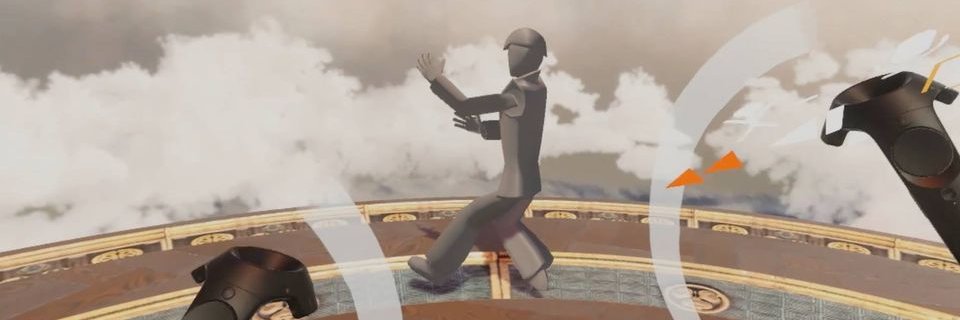
- Mesh room mapping for #Quest3
- Audio reactive brushes can be activated by voice
- Super resolution for #MetaQuest
- Voice chat for remote multiplayer
- Text editor improvements
- You can play multiple videos at a time
- Export your sketches as GLTF 3D models
- Easier import/export of #TiltBrush files
- Multiplayer room size increased to 16
- You can duplicate selected brush strokes easily
- Fixed Mixed Reality Capture (Quest)
Enjoy! 🥰
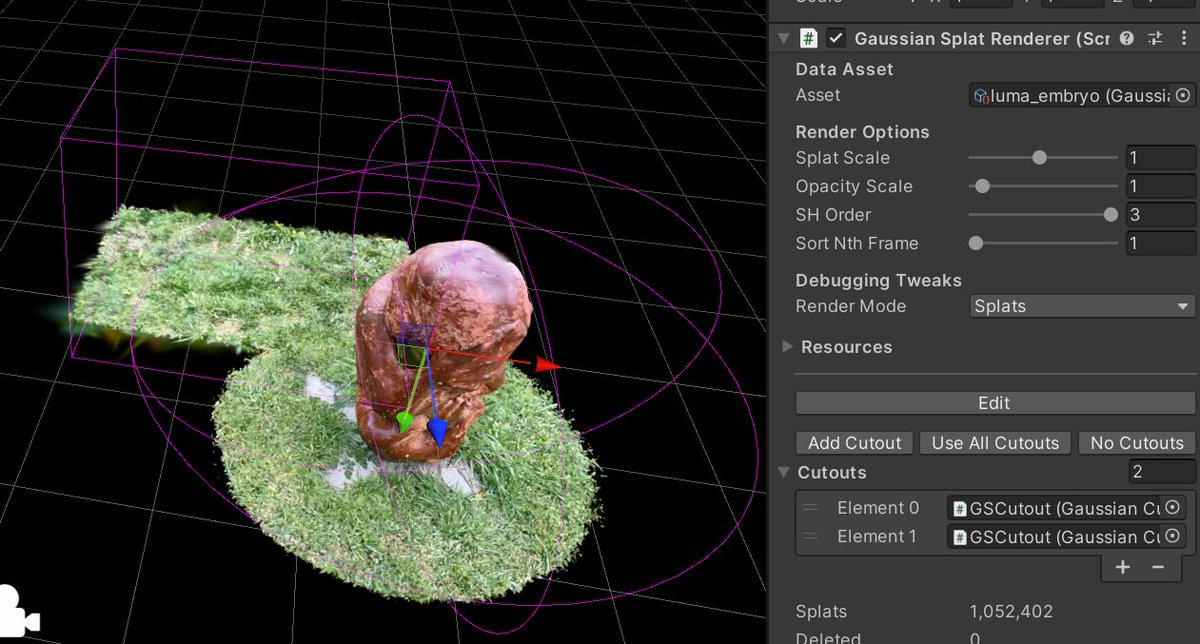
So! Unity Gaussian Splatting v0.7.0 got a bit faster rendering speed, and together with @hybridherbst added a "cutouts" feature for faster splat editing. And some other stuff. https://t.co/mb8aIGmiUd
The new 3D Gaussian Splatting intros from @LumaLabsAI are too good.
Behind-the-scenes from a little collab with my friends and the champion of radiance field portraiture, @franclucent.
2/100
#100daysofnerf
—————————
#3DGS#NeRF#AI#3D
#b3d tip: The Shrink / Fatten option is useful for example when you want to scale a Cylinder in width only. This video goes over how to use it, as well as the less known options it offers. More tips & free sample e-book:
https://t.co/4q3NW3MNxj
🔥 Looking to make awesome camera animations with 3D Gaussian Splatting? Look no further! I made a tutorial! Thanks to the @nerfstudioteam viewer!
It's so easy, you can get up and running in about 15 minutes.
#AI#3D#VFX
https://t.co/WrYfaNArOy
#b3d tip: Grid Fill quickly fills the empty space between the loops you’ve made. This video shows you how to use it correctly, including some tips you may not know! More tips & free sample e-book:
https://t.co/4q3NW3MNxj
This is really exciting! @leo_nid_k published a paper that shows it is possible to build 3D Guassian plat models in minutes on a CPU. He also produced meshes and more! Check out the link to the project in his post.
#AI#3D#Computervision
New on @huggingface — CoTracker simultaneously tracks the movement of multiple points in videos using a flexible design based on a transformer network — it models correlation of the points in time via specialized attention layers.
🤗 Try CoTracker ➡️ https://t.co/IdaUrH9Xxr
I just completed a splats inspired DX12/OpenXR particle demo that runs on both AMD and NVIDIA, with my 4090 running it at a whopping 2x2224x2160 @ 120 FPS
I'm still processing the results, but the Quest 3/Vision Pro VR season is definitely going to be wild!
[1/n]
We have added a demo Colab notebook for Neuralangelo 🗿🏛! https://t.co/dE94lmEy2N
The entire package -- setup, training, and 3D visualization -- all in your browser 😁
full code: https://t.co/8WlRC7WWoS
project page: https://t.co/JLnZV9YpE1
#b3d tip: Let's add some panel cuts using the crease brush. We can reduce the geometry with a decimate modifier and still get clean panel cuts using Dyntopo, which automatically adds geometry where needed. More tips & free sample e-book: https://t.co/4q3NW3MNxj
#b3d tip: Manually painting a mask for edge wear can be a good alternative to using a procedural method, as it can add a bit more of a hand-made look to your model. Fortunately you can create your own brushes in Blender. More tips & free sample e-book:
https://t.co/Zx97pxSolW
This was not recorded and is not a NerF either.
It's a technique called "Gaussian splatting" and it can generate 1080p/30fps videos without using ANY neural network.
Here's how it works:
1. Represent the scene with 3D Gaussians.
2. Optimize anisotropic covariance and density.
3. Use a fast visibility-aware rendering algorithm to accelerates training and allow realtime rendering.
With NVIDIA AI Playground, you can now experience the CLIP model running on GPU-accelerated stack directly from your browser.
Just upload a few images to the CLIP model and ask a question to identify the most relevant image. #generativeai
https://t.co/GFjxejmcmK
I got 3D Gaussian Splatting for Real-Time Radiance Field Rendering up and running with my own data. Here is my quick first impression. Much more to come! Just follow the YT channel to see more as it comes out. #AI#3D#NeuralNetworks https://t.co/tG8R37cQGB