I'll be in Bangalore from November 23–25!
Looking forward to connecting with founders, GTM, RevOps, and community professionals.
I'd love to meet new people, exchange ideas, build meaningful connections, and share how Hops can simplify the way teams work.
If you're around, let's catch up over coffee!
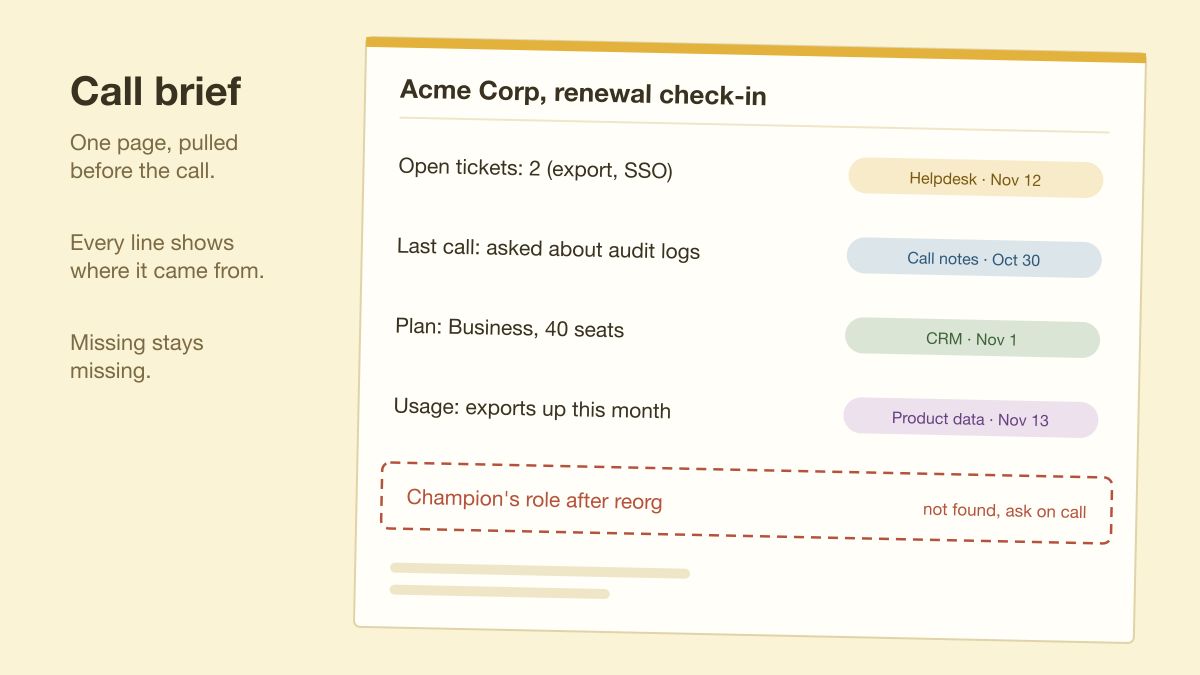
Before a customer call I want a one-page brief: open tickets, last call notes, plan, recent usage. An agent can pull that from the CRM and helpdesk, as long as every line shows its source and date, and anything it couldn't find is marked missing instead of guessed.
Per-seat pricing for AI tools decides who is in the loop. When a team buys seats for a few people, everyone else gets the output secondhand, pasted into Slack. Pricing the AI's work instead of each user (Hops does this) lets the whole team use one agent in the same doc.
A decision made in a Slack thread often gets recorded nowhere else. Two weeks later someone asks where it was agreed, and the thread is buried. An agent in that thread could write the decision into the tracker before the conversation ends, with a link back to the messages.
For one day, count how often you copy text out of a tool, paste it into an AI chat, and paste the answer back somewhere else. Each round trip leaves the sources and the original question behind, so the next person sees only the answer.
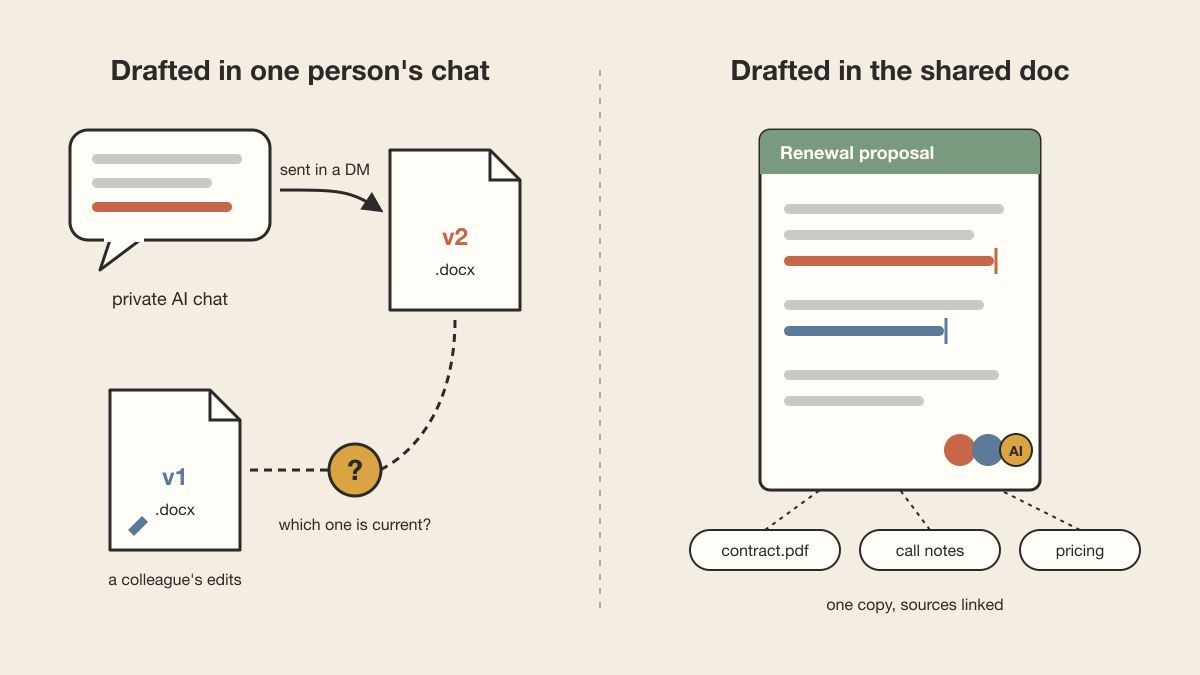
When an AI draft starts in one person's chat, it reaches the team as an attachment: v2.docx in a DM, while a colleague has already edited v1. The cleanup after that is version reconciliation. Drafting in the shared doc, with the source files linked, skips that step.
Release notes usually get written by whoever merged last, and support reads them the morning customers start asking. I'd draft them in a doc where engineering, docs and support edit together, and give support one section: what customers will ask about this change.
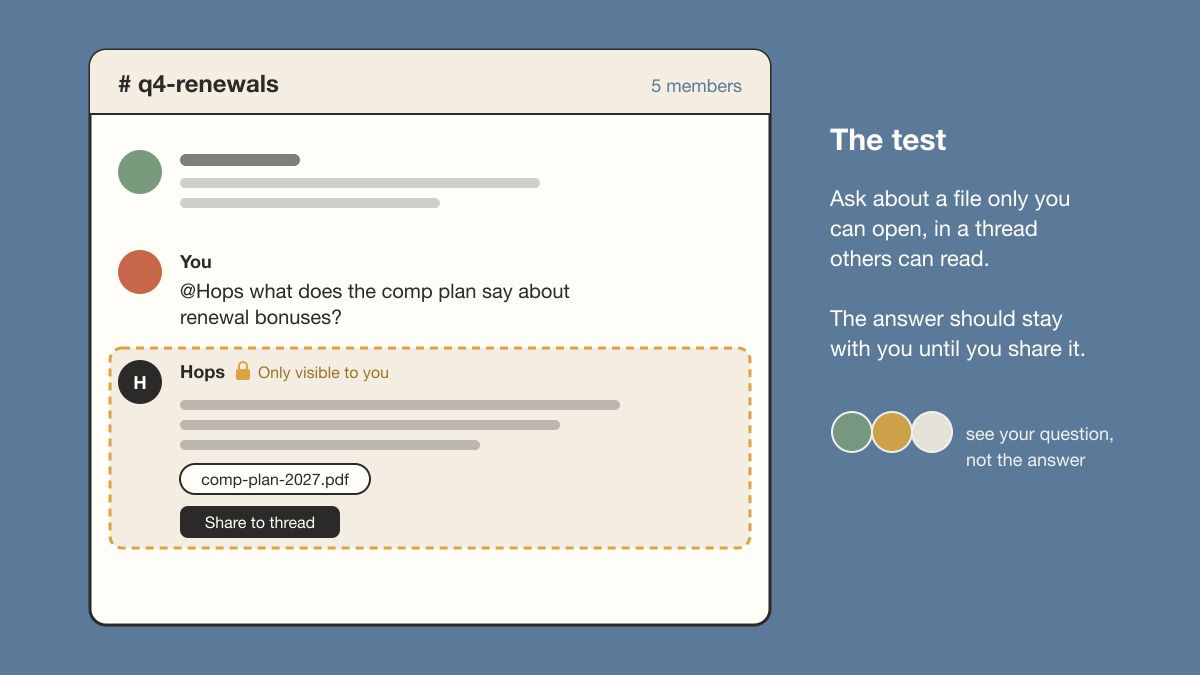
Before rolling out a shared AI workspace, run one test. Ask it about a file only you can open, in a thread others can read, and check who sees the answer. It should stay with you until you choose to share it. Hops (where I work) does this. I'd require it of any tool.
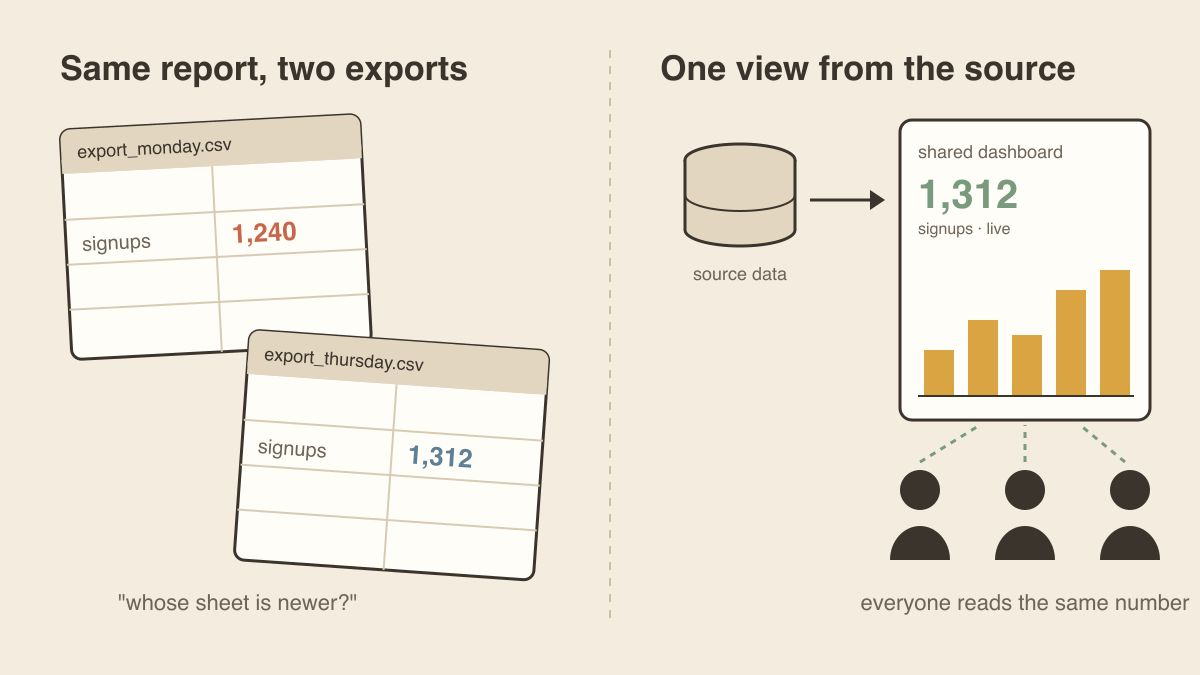
When two people bring different numbers to a meeting, they often pulled the same report from separate exports on different days. I'd rather everyone read one shared dashboard built from the source, so the meeting is about the number and not whose spreadsheet is newer.
Sales-to-support handoff notes tend to get written from memory at the end of a busy week. If an AI drafts the note from the CRM record, the call notes and the open tickets, with a link on each line, support gets a note they can check line by line.
Many support teams have an escalation checklist that mostly lives in someone's head. Write it down once as a method an AI agent can run, and every escalation arrives with the same repro steps, environment, and what was tried. In Hops that's a skill, and you pick who can use it.
One support escalation can involve a ticket, a Slack thread, a Jira issue, a Sentry trace, and a doc. Switching tabs costs less than re-explaining the customer's problem each time it changes hands. Keep those pieces in one place and each handoff starts where the last one stopped.
Good prompts at work often live in one person's chat history. If a call-prep prompt works, write it down as team instructions: which sources to read, cite the date of each fact, flag conflicts instead of picking one. Then anyone can run it and the reviewer knows what to check.
Day 2 of #WebSummit2026 canceled because of Storm Charles, so 70k tech people got an impromptu rain day in Lisbon.
Spent the morning in a hotel lobby planning dinner for our group across different hotels, all inside Hops.
Thread pulled everyone’s locations into a shared map, set up a ranked-choice voting table, and tallied the picks in under 15 minutes.
Real collaborative AI is built for messy group workflows like this.
@hops_ai@WebSummit
A DevRel use for a shared AI workspace: have it read the week's GitHub issues and community threads, then list the questions the docs don't answer, each linked to its thread. The docs team edits that list in the same place and can open any original thread.
I use Hops to prepare demos of Hops. At this point it knows the pitch better than I do.
Support tickets, video scripts, client demo prep: it all lives there now, and I've stopped losing my train of thought every time I switch tabs.
As of today, it's open to everyone.
Want a walkthrough? My DMs are open. I'll hop on a call with you, and I'll bring Hops along. It's had plenty of practice.