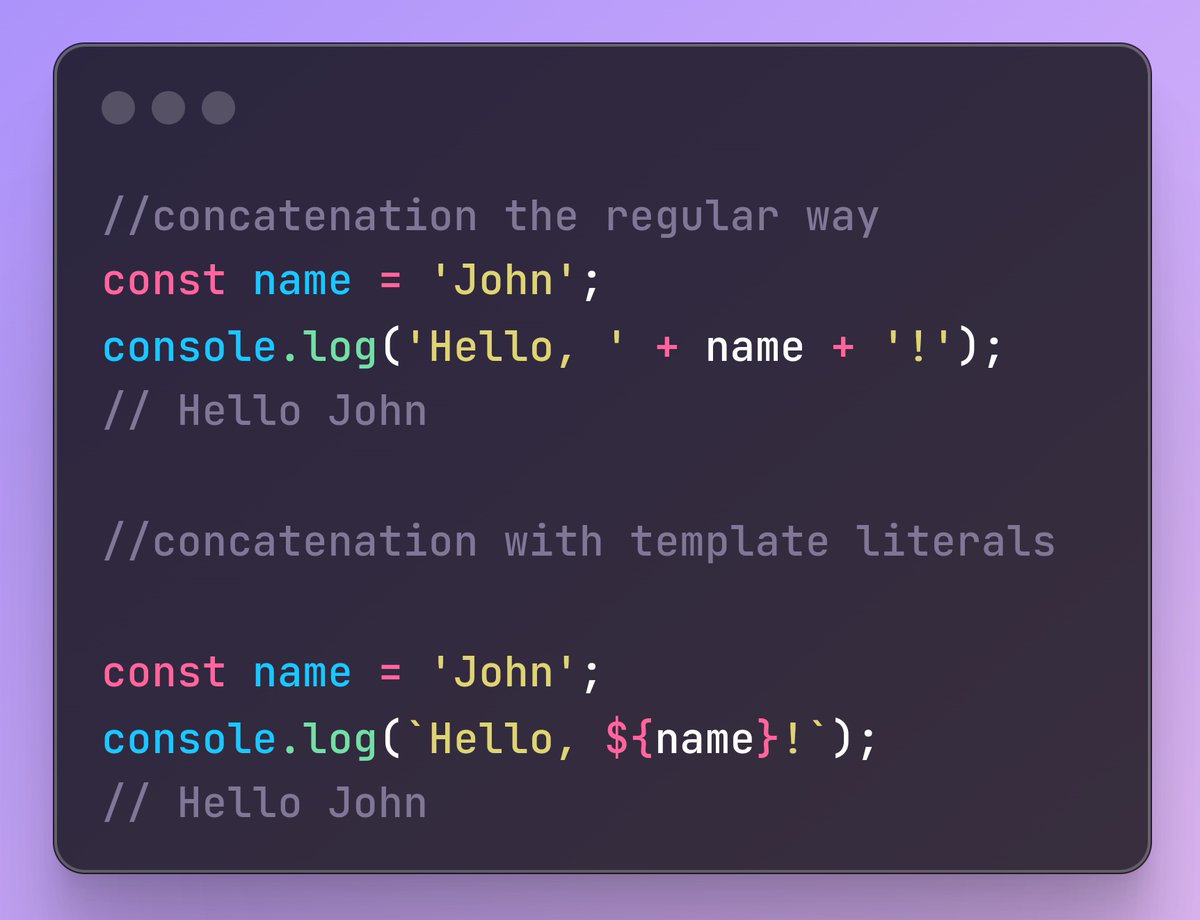
𝐒𝐢𝐦𝐩𝐥𝐢𝐟𝐲 𝐘𝐨𝐮𝐫 𝐂𝐨𝐝𝐞 𝐔𝐬𝐢𝐧𝐠 𝐓𝐞𝐦𝐩𝐥𝐚𝐭𝐞 𝐋𝐢𝐭𝐞𝐫𝐚𝐥𝐬!
Tired of messy string concatenation? Yeah, me too! That's why template literals are a game-changer.
Template literals let you embed expressions right into your strings.
#codersden#javascript
𝗖𝗹𝗼𝘀𝘂𝗿𝗲𝘀 𝗶𝗻 𝗝𝗦
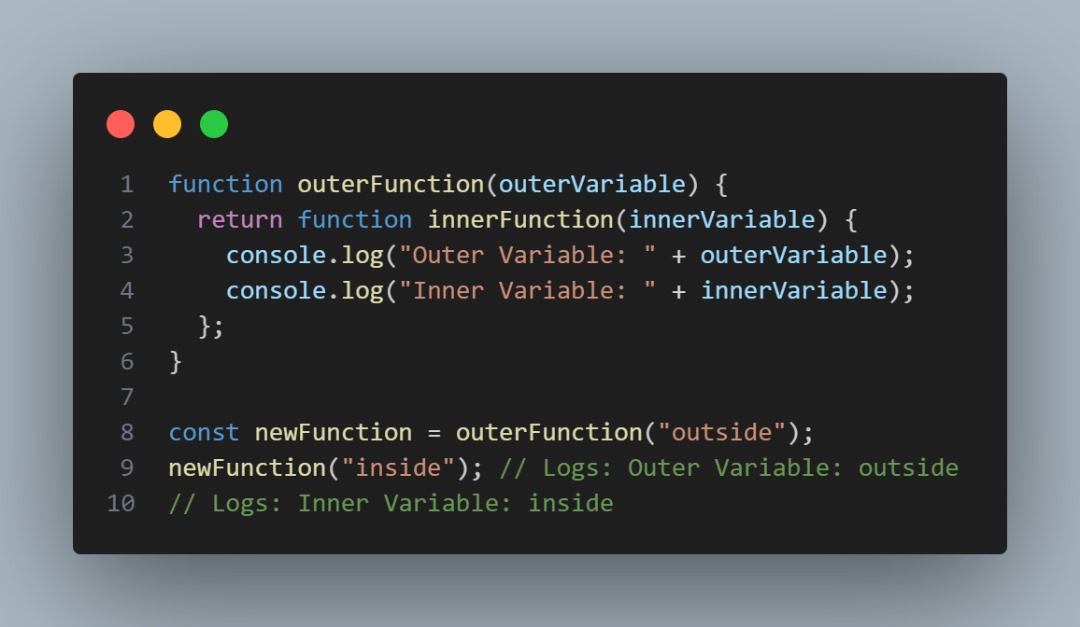
A closure is a feature in JavaScript where an inner function accesses the outer enclosing function’s variables — a scope chain.
The closure has 3 scope chains: Its own scope, the outer function's scope and the global variables
#javascript#developer
Here’s the magic: the inner function can access the outer function’s variables even after the outer function has returned.
This happens because functions in JavaScript form closures.
#programmers#codersden#javascript#developers
A closure is created when the inner function is made available to any scope outside the outer function
Closures are used extensively in JavaScript, for things like event handlers, callbacks, and asynchronous programming, among others
Got questions? Comment below 👇!
#javascript
𝗧𝗵𝗲 𝗣𝗼𝘄𝗲𝗿 𝗼𝗳 𝗩𝗲𝗿𝘀𝗶𝗼𝗻 𝗖𝗼𝗻𝘁𝗿𝗼𝗹
Ever accidentally delete a line of code and cry?
Version control systems like Git are your coding BFFs! Track changes, revert mistakes, & collaborate with ease. Never lose your work again!
#codersden#programmers#javascript
𝘾𝙤𝙣𝙩𝙙.
▪️𝗝𝗦 𝗧𝗶𝗽: svgr/webpack can help you render your SVG icons as react components within your project like this:
𝘪𝘮𝘱𝘰𝘳𝘵 𝘚𝘵𝘢𝘳 𝘧𝘳𝘰𝘮 './𝘴𝘵𝘢𝘳.𝘴𝘷𝘨'
𝘤𝘰𝘯𝘴𝘵 𝘈𝘱𝘱=()=>(
<𝘥𝘪𝘷>
<𝘚𝘵𝘢𝘳 />
</𝘥𝘪𝘷>
)
#developers#javascript#codersden
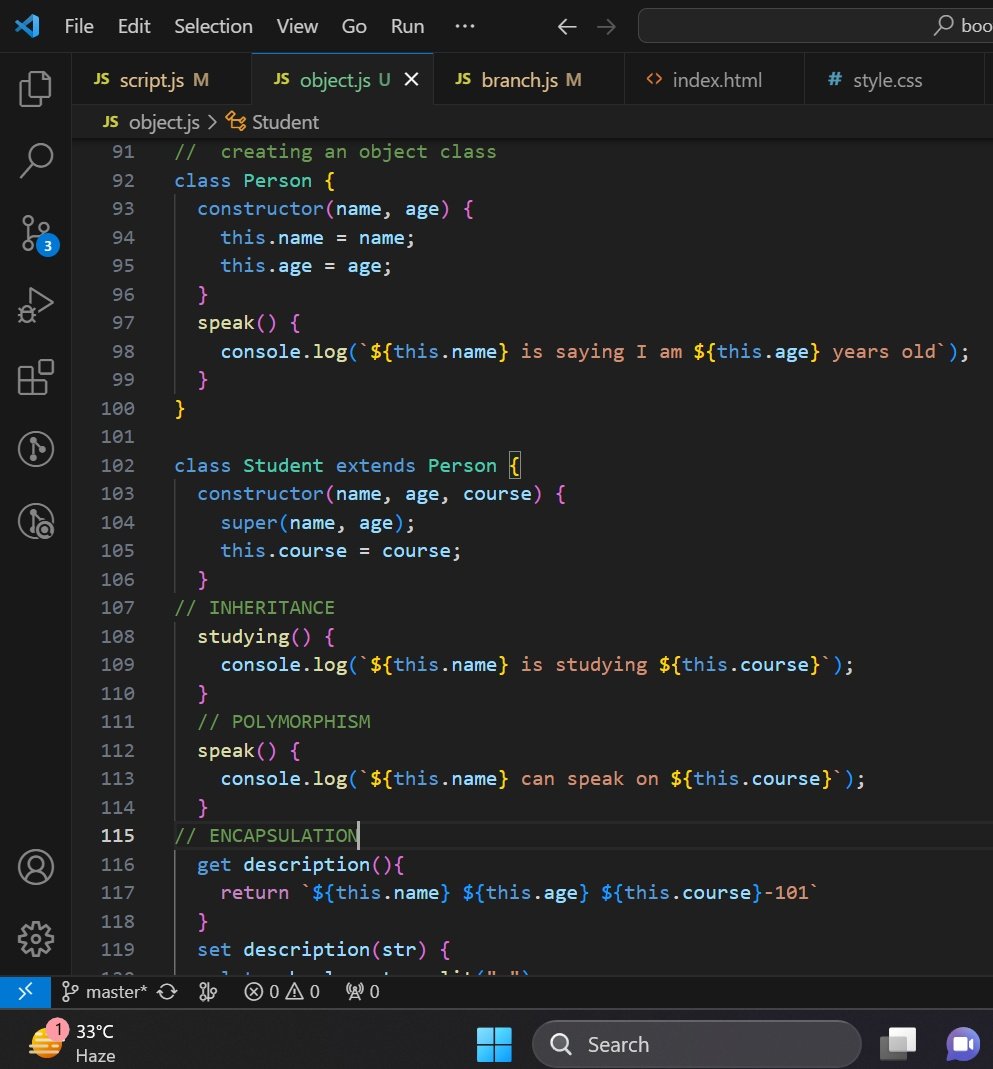
Today, I dived into Object Oriented Programming (OOP) in Javascript. A programming style based on classes and objects. 😊
I was able to understand the 4 pillars, which include Inheritance, Polymorphism, Encapsulation, and Abstraction and how they can be used in programming. 😎
#100DaysOfCode
#womenintech
#buildinpublic
CSS Tip! 🤙
You can create custom easings for your animations and transitions with linear() 🔥
:root { --bounce: linear(0, 0.39, 0.57, 0.52, ..., 1); }
.digit { transition: translate 1s var(--bounce); }
Perfect for adding character to animations like this MRR widget! 🫶
Some of the easing code is obfuscated in the snippet there 👆 You would likely write these custom eases once and then reuse them in your projects 🎬
For example, here's the CSS for an elastic ease 🎾
:root {
--elastic:
linear( 0, 0.0009 8.51%, -0.0047 19.22%, 0.0016 22.39%, 0.023 27.81%,
0.0237 30.08%, 0.0144 31.81%, -0.0051 33.48%, -0.1116 39.25%, -0.1181 40.59%,
-0.1058 41.79%, -0.0455, 0.0701 45.34%, 0.9702 55.19%, 1.0696 56.97%,
1.0987 57.88%, 1.1146 58.82%, 1.1181 59.83%, 1.1092 60.95%, 1.0057 66.48%,
0.986 68.14%, 0.9765 69.84%, 0.9769 72.16%, 0.9984 77.61%, 1.0047 80.79%,
0.9991 91.48%, 1 );
}
The idea is that you map a set of points between [0, 0] and [1, 1]. This is cool because you can convert something like an SVG path to these coordinates. Link below for a gist with some eases in 🤙
As for the MRR widget, the trick is to set out some number tracks and translate them to show the correct number 🧮 You can translate by line-height based on the value. And the original value you can convert to a currency string like $1,000,000.00 using JavaScript's Intl.NumberFormat()
const formatter = new Intl.NumberFormat('en-US', {
style: 'currency',
currency: 'USD',
})
formatter.format(1_000_000)
Check out the exploding view and the video to see how it all works! 👀
@CodePen link below! 👇