@rentadesk@rentadesk - yes, the black tip that fits over the silver arm. Unfortunately, that touch screen may require more static electricity to activate so I don't think our Push will work. There may be *some hack* with a 9V but we can't recommend it. ;)
@EmmaC_OT@AmazonHelp @amazonecho Hi. The message is by pressing the button again before operation. If the push button is pressed after operation, the corresponding message does not appear. We will try harder to speed up the between Amazon and Push so that we do not see the message. Thank you
@JasonSilva182@JasonSilva182 - It takes about 3 seconds for the arm to do a full extension. I don't think it is possible to do 3 presses within 1 second. We will check about adjusting the default to go below 3 seconds but that will only work if your button can activate on a 20% press depth.
You will love hearing our CEO interview with @neilchughes on the The Tech Blog Writer Podcast https://t.co/2Pxh3wmI9O and come see us this week at #CES2019 in Sands booth 43270 #iot
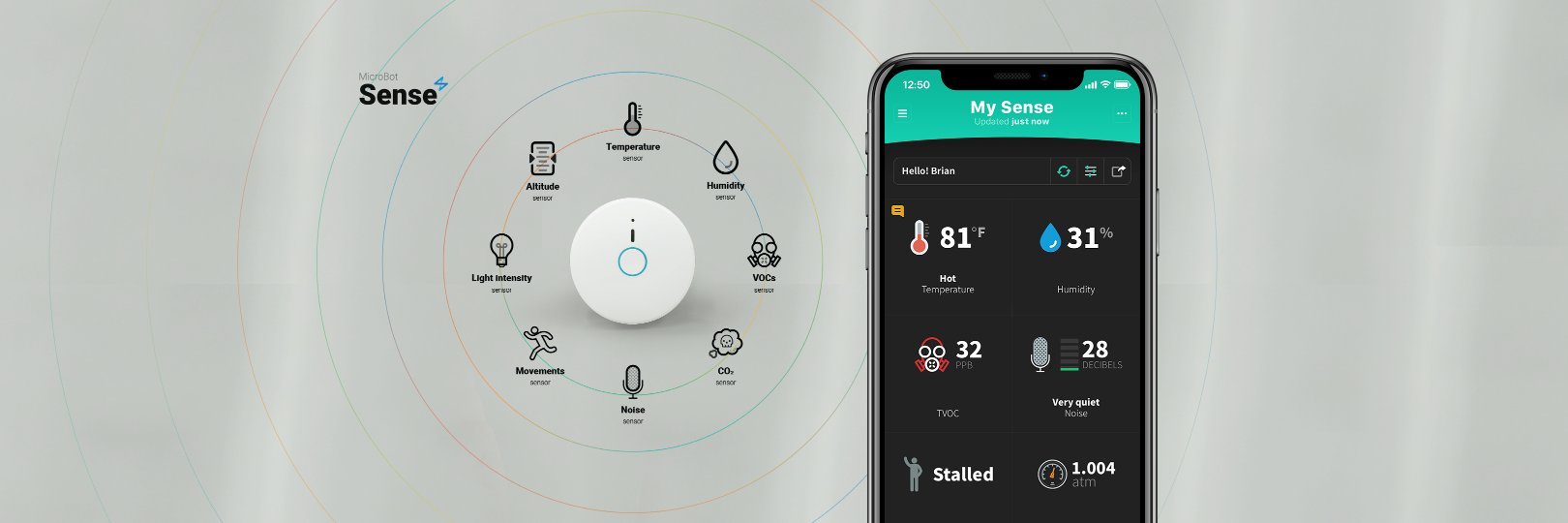
We were notified of an alleged trademark infringement regarding the name Sense. You might recall in our last update that we decided to update the name from Sense to Alert.
@KwConsumer Please go ahead and update the app first. In the app, you will see the orange buttons in the sidebar to start the firmware updates of your MicroBots. Thanks!
@Jan_72 Hi Jan! Could you please contact our Support team directly at https://t.co/EJdADMSTVK and give them your email account? They will handle your request. Thank you!
@MearWolf Could you please contact our Support team at https://t.co/EJdADMSTVK? They will be happy to give you some advice and check any issue you may have with your current installation. Thank you.
Discover our new MicroBot Push service on @IFTTT! https://t.co/Dl4KekIB7c
Integrate MicroBot Push with the services available on IFTTT and create automation rules to make your home smart! Check our guide to get started: https://t.co/Wryh78Gaju
@MearWolf Could you please contact our Support team at https://t.co/EJdADMSTVK? A short video showing that your MicroBot does not work may help solve your issue faster. Thank you
@MearWolf@IFTTT Hi! Using another phone as a hub allows you to control your MicroBots remotely and make them available for integrations (with IFTTT...). If you don't use a hub, you will need to stay within the Bluetooth range to operate your Push. Thanks