Grok Bot on your iPhone's Action Button (iOS):
iPhone 15 Pro or newer
1. Update the app to 1.16
2. Settings > Action Button > Shortcut
3. Grok Bot > Start Voice Chat
iPhone 14 or older
Shortcuts > Open App > Grok Bot, then Settings > Accessibility > Touch > Back Tap
@mattyp it got me ready for one of the biggest exams in med school. 5,500 slides, it planned, quizzed and reminded me until i knew the material. i just showed up and passed
use case: let grok bot drive claude code on your mac
> open the claude desktop app
> tell your bot what you want built
> it types the task into claude code and runs it
> the result lands in your chat
SpaceXSI : Grok Bot has been updated to version 0.75.0
Here are some of the new things they added:
• See suggested prompts in an agent panel and dismiss the ones you skip.
• Hover a library item to preview an image or video.
• Get help when a Microsoft admin needs to approve a connection.
Here are some things they have been working on but have not rolled out yet:
• Control apps on your Mac from an agent.
• Chat with teammates in a group around an agent.
• Import memories from past conversations.
• Invite teammates and open a permissions panel for what an agent can use.
• Pick an avatar shape and color from a card in chat.
• Connect a Microsoft Teams channel.
• Hover a link in a message to see a preview card.
• See analytics and a review queue for a team agent.
Some other things that were worked on since the last update:
• Open a setup flow to connect Glean as a remote tool.
• Use tools on your Mac.
• Open a details panel for a team bot, see who manages it and who can use it, and work through a review queue.
• Sign in with access to plugins and stay signed in on your computer, or connect without an account.
• Follow special rules for tools after stamps are reached.
• Open a map and take actions in a workspace where bots can talk to other bots in the cloud, limited to your team.
Note: features mentioned above may or may not be finished or active.
The changes above are AI generated based on new flags and strings detected since the last release. The stable version could have differences.
The official changelog does not list 0.75.0.
For the official changelog see here: https://t.co/WJMjsooHBy
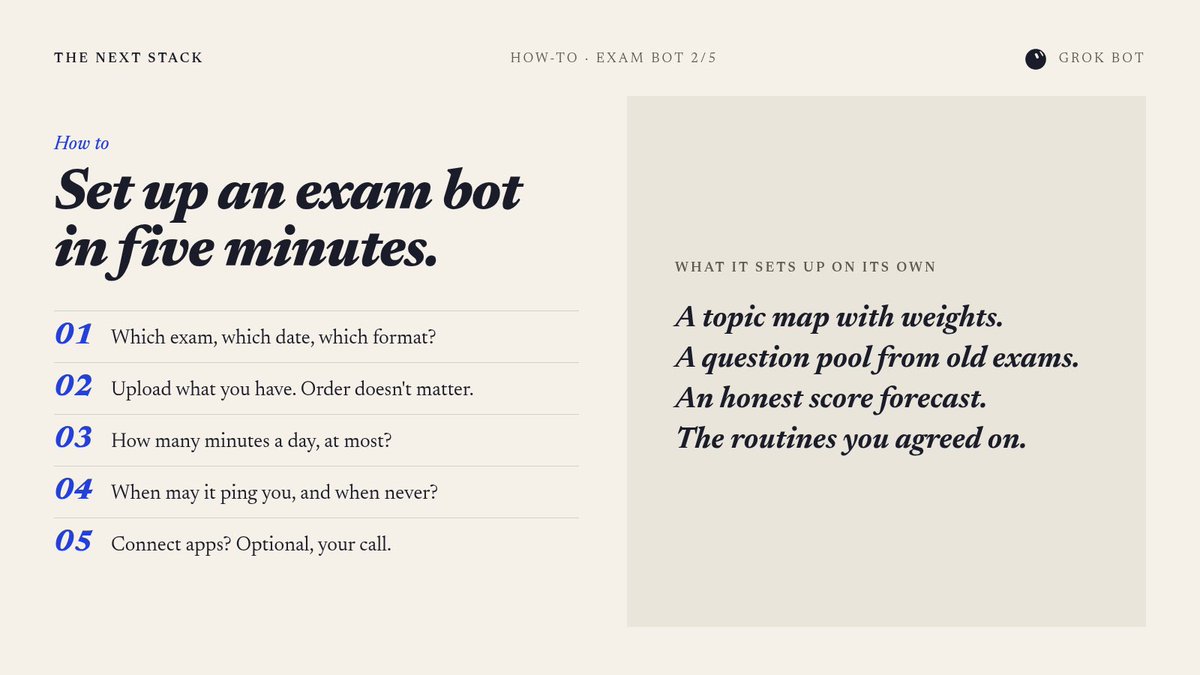
setting up my exam bot takes 5 min, it asks me 5 questions max (2/5)
> dump everything in: exam info, old exams, slides
> it sorts it all and builds a topic map
> it asks how much time you have and when it may ping you
then it sets up its own routines, you just study
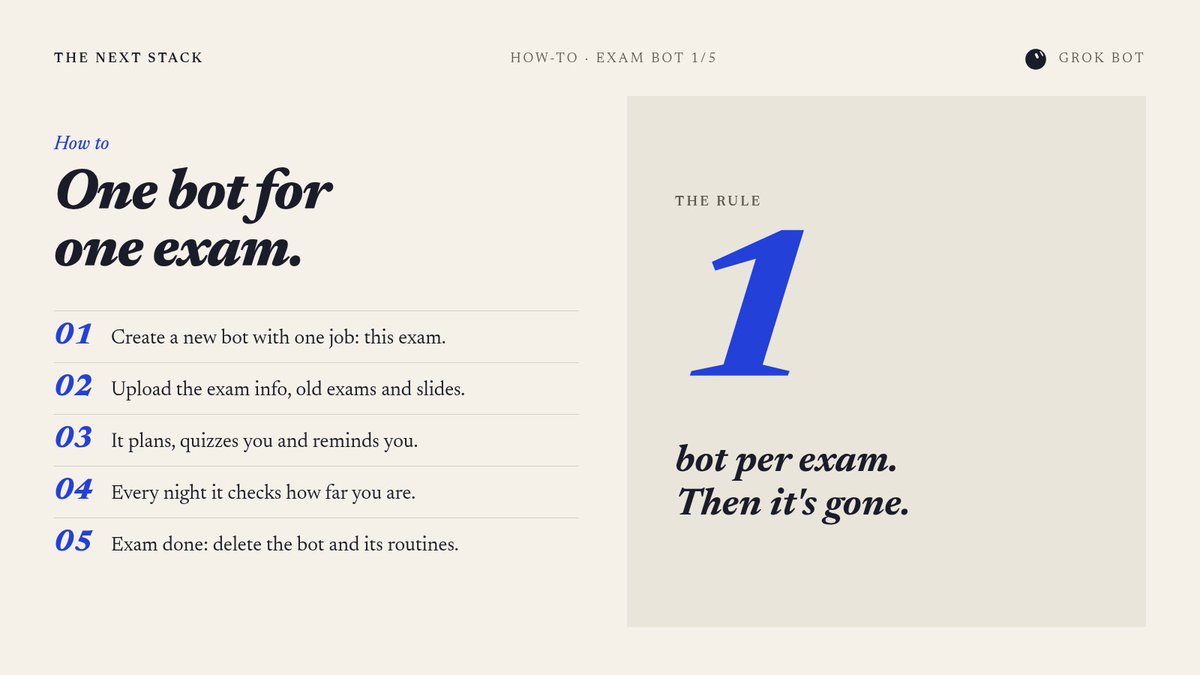
i make a new grok bot for every exam and delete it after (1/5)
> new bot, one job: get me through this exam
> it plans, quizzes me, reminds me and tracks my progress
> exam done: delete the bot, its routines go with it
no giant bot that tries to do everything
setting up my exam bot takes 5 min, it asks me 5 questions max (2/5)
> dump everything in: exam info, old exams, slides
> it sorts it all and builds a topic map
> it asks how much time you have and when it may ping you
then it sets up its own routines, you just study
We’re opening a research preview of Claude Duet, a new app where Claude works as a proactive agent.
It comes to you with what needs your attention, completes tasks you ask of it, keeps working when you step away, and checks with you before it acts on your behalf.
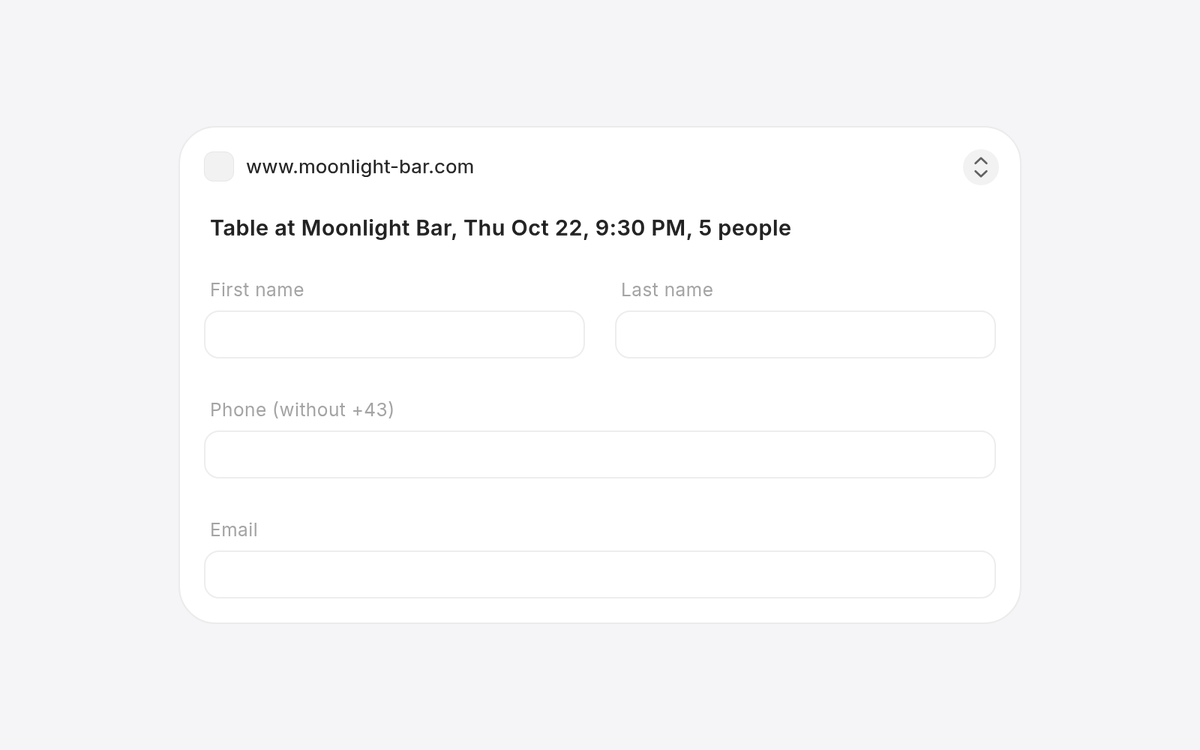
my grok bot was booking a table and hit the reservation form. instead of me jumping into its browser, this card just popped up in chat
> fill in name, phone, email
> hit send
> bot finishes the booking
small detail, huge difference. @grok@bot team really cooked with this one
Here's how to use Grok Bot with the action button on your iPhone
1. Open Settings
2. Search for Action Button
3. Swipe to Shortcut
4. Tap Choose a Shortcut
5. Search for Grok Bot
6. Tap Start Voice Chat under Grok Bot
7. Press the Action Button to start a voice chat