💡Quick WordPress Tip: Stop manually updating copyright years in your footer.
Create dynamic, reusable shortcodes (like [ao_year] or custom plain text) without writing complex PHP. Keep your header, footer, and body tags organized with Admin Optimizer.
https://t.co/o5VcuuYblt
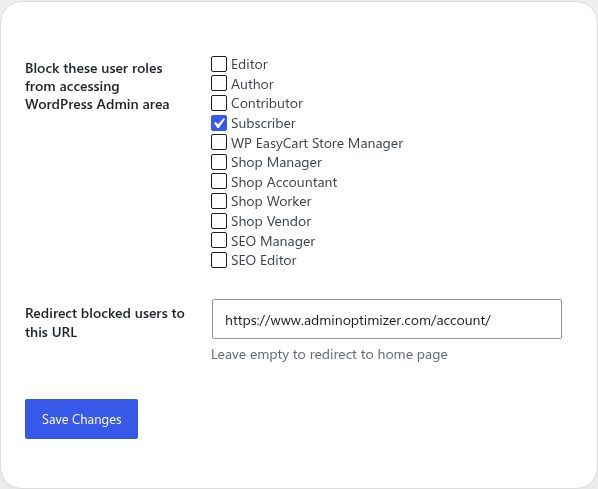
Every user role that can access wp-admin is another potential vulnerability.
Unless they actively manage the site, block them. Automatically redirect subscribers and customers to a custom URL to keep the backend secure.
Built into Admin Optimizer.
https://t.co/2hlQhPzmAa
#WP
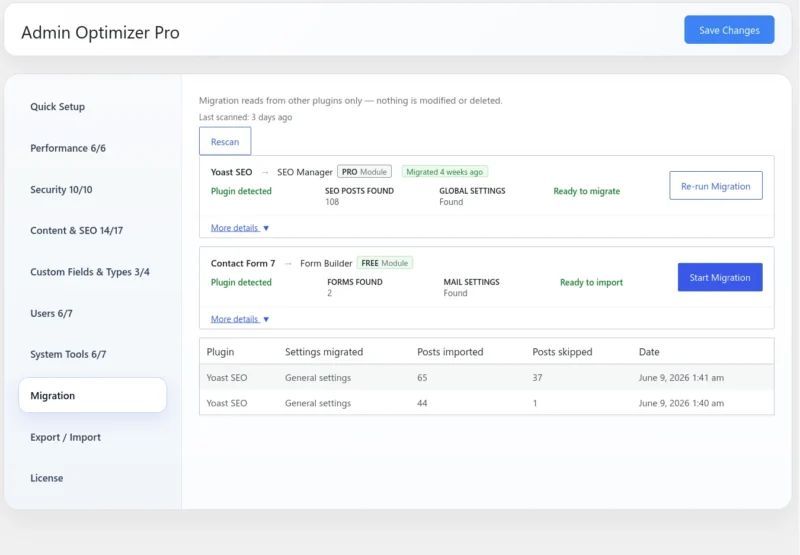
Afraid of losing your setup when cleaning up your WordPress site?
The new Admin Optimizer Migration Tool does it in 3 steps:
🔹 Scan your plugins
🔹 Review field-by-field
🔹 Migrate in 1 click
Zero data loss. Move Yoast, Rank Math, and CF7 safely.
https://t.co/dqyYAIGqUm
Still managing separate AI API keys for every WordPress plugin? 🤯
Centralize OpenAI, Gemini, and Claude into one secure layer with Admin Optimizer. Keep your site lightweight, organized, and running efficiently.
Full video guide below:
https://t.co/HjnNZjGivV
#WordPress#AI
Passwords get leaked. App-based 2FA is how you actually protect your WordPress site. But it only works if the whole team uses it. 🔑
Enforce 2FA for all user roles using Admin Optimizer, and track compliance at a glance with the built-in "2FA Enabled" user column.
#WordPress
📢 Admin Optimizer v2.4.0 is live!
Moving from Yoast, Rank Math, or CF7? Our new Migration Tool makes it seamless. Plus, enjoy advanced Form Builder options, Star Ratings, and per-form SMTP routing.
Check out the full breakdown on our blog:
https://t.co/wppBKOWLs3
#WordPress
Passwords get leaked. App-based 2FA is how you actually protect your WordPress site. But it only works if the whole team uses it. 🔑
Enforce 2FA for all user roles using Admin Optimizer, and track compliance at a glance with the built-in "2FA Enabled" user column.
#WordPress
💡 WP Admin Tip: Default WordPress doesn't show users' last login dates. Adding this simple metric helps you track team activity and protect your site from stale, vulnerable accounts.
Get a clear "Last Login" column on your screen using Admin Optimizer.
#WordPressTips#WebAdmin
SVGs are perfect for crisp website logos and fast loading times. But uploading them to WordPress can be a security gamble. 📉
Safeguard your site while keeping your design sharp by turning on SVG sanitization. Admin Optimizer lets you upload SVGs securely.
#WebDev#Security
Admin Optimizer 2.3.1 is live! 🚀
What’s new:
🔸 Ready-to-use Custom Field Presets
🔸 Multi-SMTP Profiles and Email Sender
🔸 Quick Sidebar SEO Settings
🔸 Per-provider AI key encryption
Check out the full blog post for all the details:
https://t.co/NGYniQWM33
#WordPress
Still using legacy plugins like Yoast or RankMath? Time for a plugin diet. 📉
SEO keeps your site visible, but heavy tools kill performance. Our new video shows you the ultimate, lightweight setup for a perfect SEO score.
Watch now: https://t.co/ypTHQwA7BR
#WordPress#SEO
Quick SEO tip: Setting your XML sitemap entries too high (over 2000) can cause server timeouts when search bots crawl your site.
Cap your entries, link it in your robots.txt, and let Admin Optimizer refine your native WordPress sitemaps automatically.
https://t.co/CV6L6GsOMA
Changing a WordPress URL without a redirect leads to broken links and lost SEO rank.
Protect your traffic by using 301 permanent redirects to guide visitors smoothly to the new page.
You can map and manage these rules seamlessly using Admin Optimizer's Redirect Manager.
#SEO
Want a faster WordPress site without sacrificing SEO?
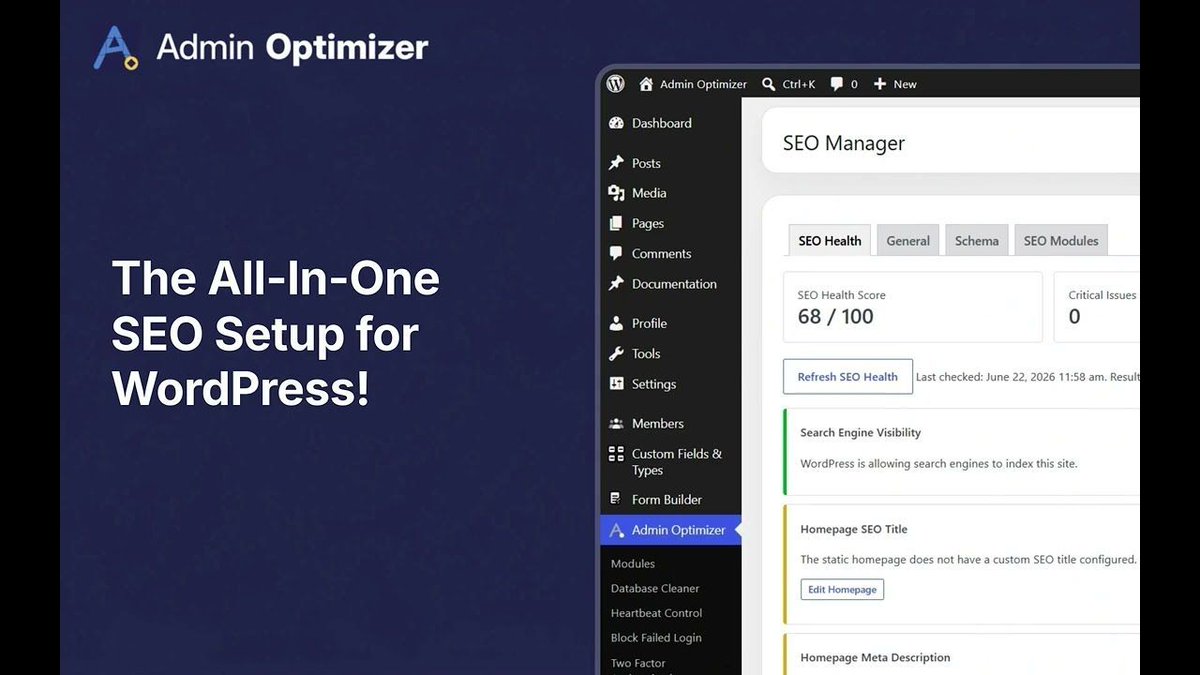
Ditch heavy standalone plugins. Admin Optimizer’s SEO Manager gives you lightweight control over meta tags, canonical URLs, and JSON-LD schema right from your dashboard. Keep it fast!
#WordPress#SEO#WebDev#PageSpeed
Admin Optimizer 2.3.0 is live! 🚀
Say hello to built-in AI Connectors (OpenAI, Gemini, Anthropic) and a performance-first SEO Manager. Stop plugin bloat and unlock a faster, more secure WordPress dashboard.
Check out what's new:
https://t.co/wcUrjxoDAu
#WordPress#AI
If a thief can't find your door, they can't pick the lock. 🚪
Standard WP sites keep /wp-login.php public, inviting non-stop bot attacks.
Moving to a secret login URL using Admin Optimizer hides your entryway so bots never even find it.
https://t.co/sc6hAxGPsP
#WordPress
Tired of bots trying to crack your WordPress site? 🛑
Learn how to stop brute force attacks in seconds. Our new tutorial walks you through setting up failed login blocking with Admin Optimizer.
https://t.co/Ewn8Y8OAOo
#WordPress#CyberSecurity
Inactive WordPress accounts are a security risk, but deleting them wipes out site logs and authorship history.
The safer route: Freeze the account. Revoke login access instantly without deleting the user or their data using Admin Optimizer.
#WordPress#WebSecurity
Missed leads ruin client launches. Relying on default server mail means contact forms eventually hit the spam trap due to poor authentication (SPF/DKIM). Use external SMTP to secure delivery.
You can route this safely using Admin Optimizer's built-in SMTP module.
#WebDev