INSTEAD OF WATCHING NETFLIX TONIGHT.
Spend 1 hour building this.
Obsidian + Claude Code = your own personal JARVIS.
A second brain that captures everything, connects every idea, and thinks alongside you using the most powerful AI model available.
Takes 1 hour to set up.
Works while you sleep.
The people who build this tonight will never work the same way again.
The people who skip it will still be taking scattered notes and losing their best ideas next year wondering why they cannot think clearly.
Your call.
how to run claude code with gemma 4 completely free (beginner's guide):
this guide shows you how to use claude code completely free with gemma 4, no subscriptions &no api keys.
just your laptop + 15 mins setup.
this lets you run open-source models (like google’s gemma) locally, meaning:
— no costs
— full privacy
what you need before starting, make sure you have:
vs code installed
— node.js (version 18+)
— stable internet (for one-time model download)
_____________
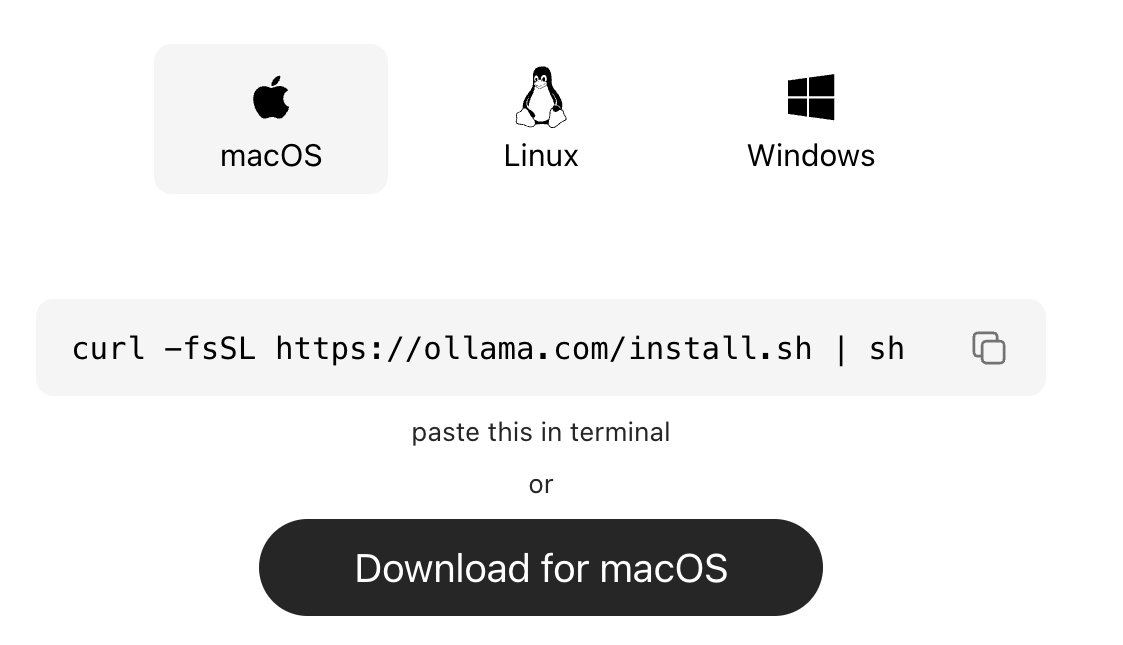
step 1: install ollama (the engine)
ollama is what runs ai models locally on your machine.
→ mac:
go to https://t.co/vbZUmD9sfj
click download for mac, open the file and install like any normal app. no terminal needed.
→ windows:
go to https://t.co/vbZUmD9sfj, click download and install
→ linux:
curl -fsSL https://t.co/KMqYYHJnZ0 | sh
check it worked:
ollama --version
_____________
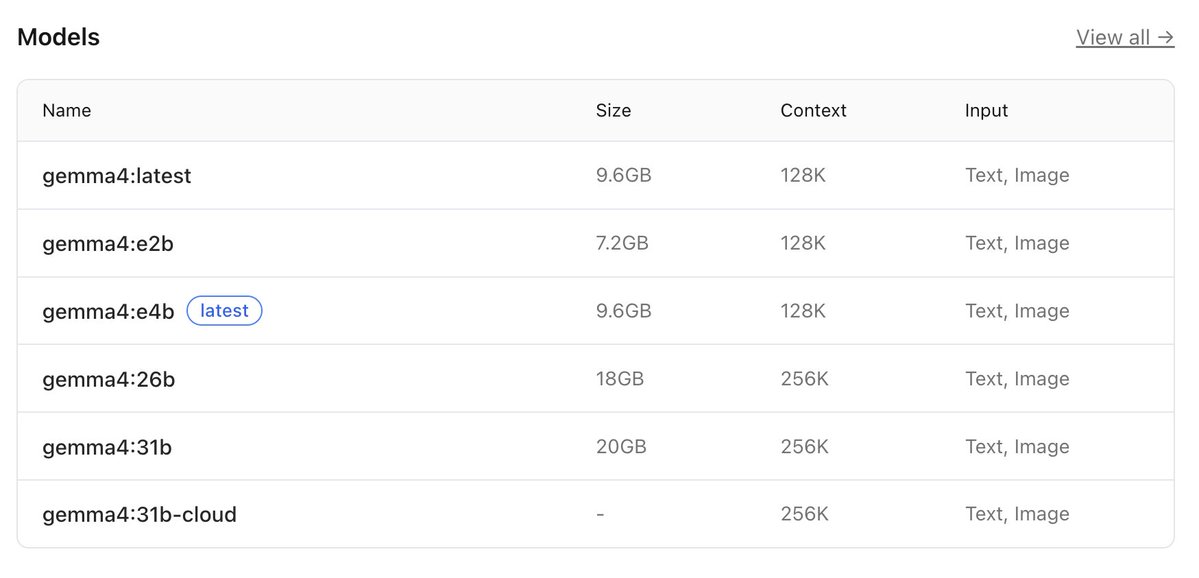
step 2: download gemma 4
this is the ai model you’ll run locally, pick based on your system:
→ low-end (8gb ram):
ollama pull gemma4:e2b
→ recommended (16gb ram):
ollama pull gemma4:e4b
→ high-end (32gb ram):
ollama pull gemma4:26b
⚠️ it’s a big download (7gb–18gb), so give it time.
after download is completed, verify with the command:
ollama list
_____________
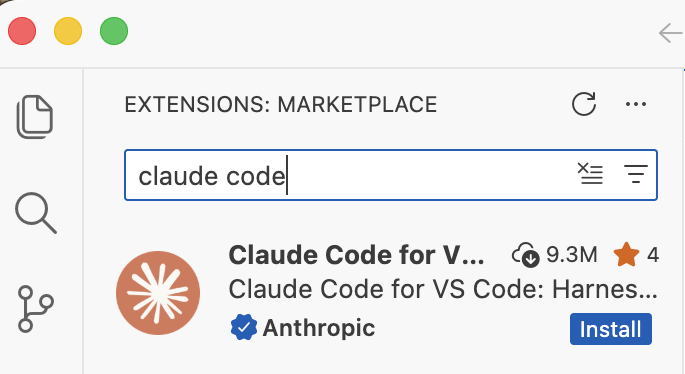
step 3: install claude code in VS code or any other IDE
this is your interface.
— open vs code
— press ctrl + shift + x
— search claude code
install the one by anthropic
after install → you’ll see a ⚡ icon in sidebar
_____________
step 4: connect claude code to ollama
by default, claude connects to the cloud. we’re redirecting it to your local machine.
so do this:
— press ctrl + shift + p
— search: open user settings (json)
— then paste this inside:
"claude-code.env": {
"ANTHROPIC_BASE_URL": "http://localhost:11434",
"ANTHROPIC_API_KEY": "",
"ANTHROPIC_AUTH_TOKEN": "ollama"
}
what this does:
— it routes everything to your local ollama server.
— nothing leaves your device.
_____________
step 5: run everything
1. start ollama with this command:
ollama serve
leave this running.
2. open claude code in vs code
click ⚡ icon
3. select your model
type:
gemma4:e4b
(or whichever you downloaded)
you’re done
_____________
you now have:
— claude code running
— powered by gemma 4
— fully local
completely free
try:
“explain this file”
“write a function”
“refactor this code”
_____________
common issues (quick fixes)
“unable to connect”
run:
ollama serve
asked to sign in
your json config is wrong
check for missing commas/brackets
very slow responses
your model is too big
switch to:
gemma4:e2b
model not found
run:
ollama list
copy exact name
quick recap
you just built:
a free claude setup
powered by local ai
no api costs
Follow for more AI contents like this!!!
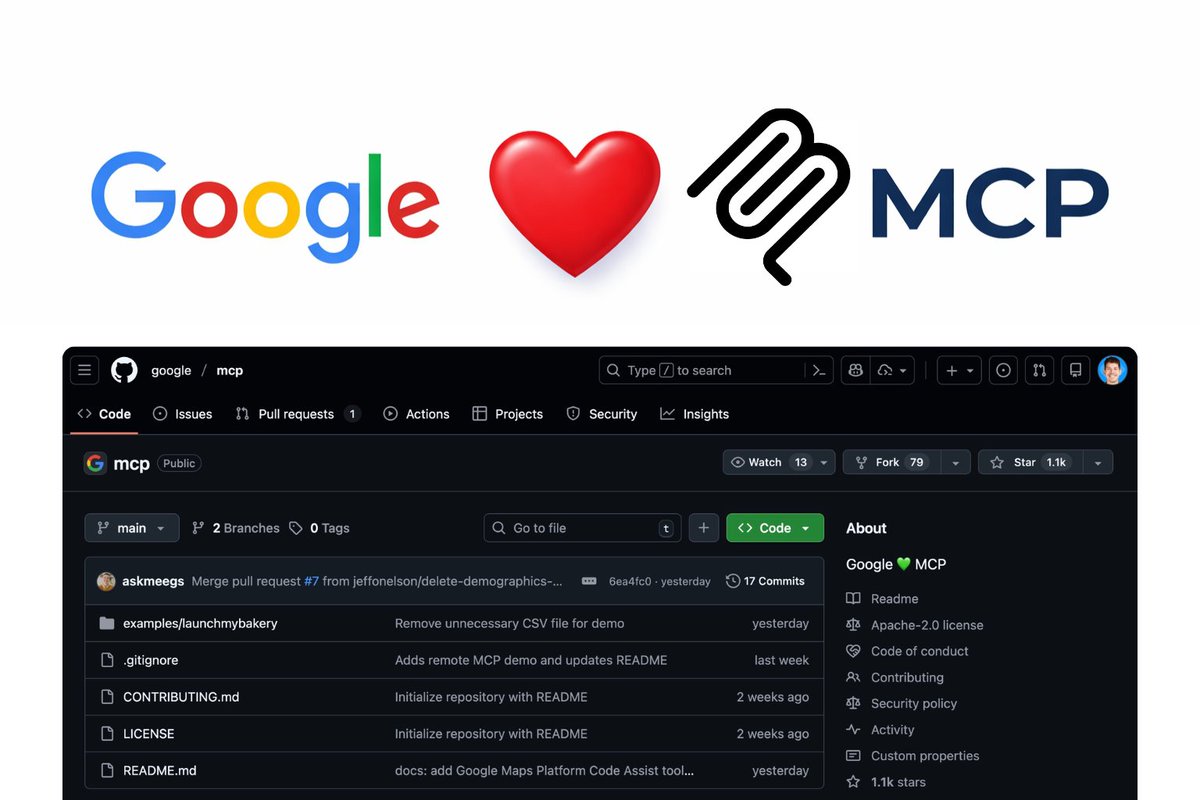
Google tiene todos sus MCP oficiales en un repositorio.
Con ejemplos reales y guías para desplegarlos y usarlos.
Google Maps, Analytics, Gmail, Docs y más
De código abierto → https://t.co/l2gG2ewOWp
🚨Este chico te enseña la manera de aprender cualquier cosa 10 veces más rápido con IA.
NotebookLM + Gemini + Obsidiana
Este es uno de los mejores vídeos que os traigo, dadle apoyo.
Si Figma y Claude Code tuvieran un hijo, sería esto.
Se llama Pencil:
✓ Diseña, versiona y genera código
✓ Para VSCode, Cursor, Claude Code
✓ Servidores MCP integrados
✓ Para Windows, macOS y Linux
Sin coste ni suscripción
→ https://t.co/88IkfyDmPS
¡Proyectazo! Si cargas contenido dinámico en tu web o app de React, lo necesitas.
Te genera automáticamente el skeleton de tus componentes. Sin calcular nada a mano.
Envuelves tus componentes con <Skeleton> y listo.
https://t.co/95p9i8FHrs
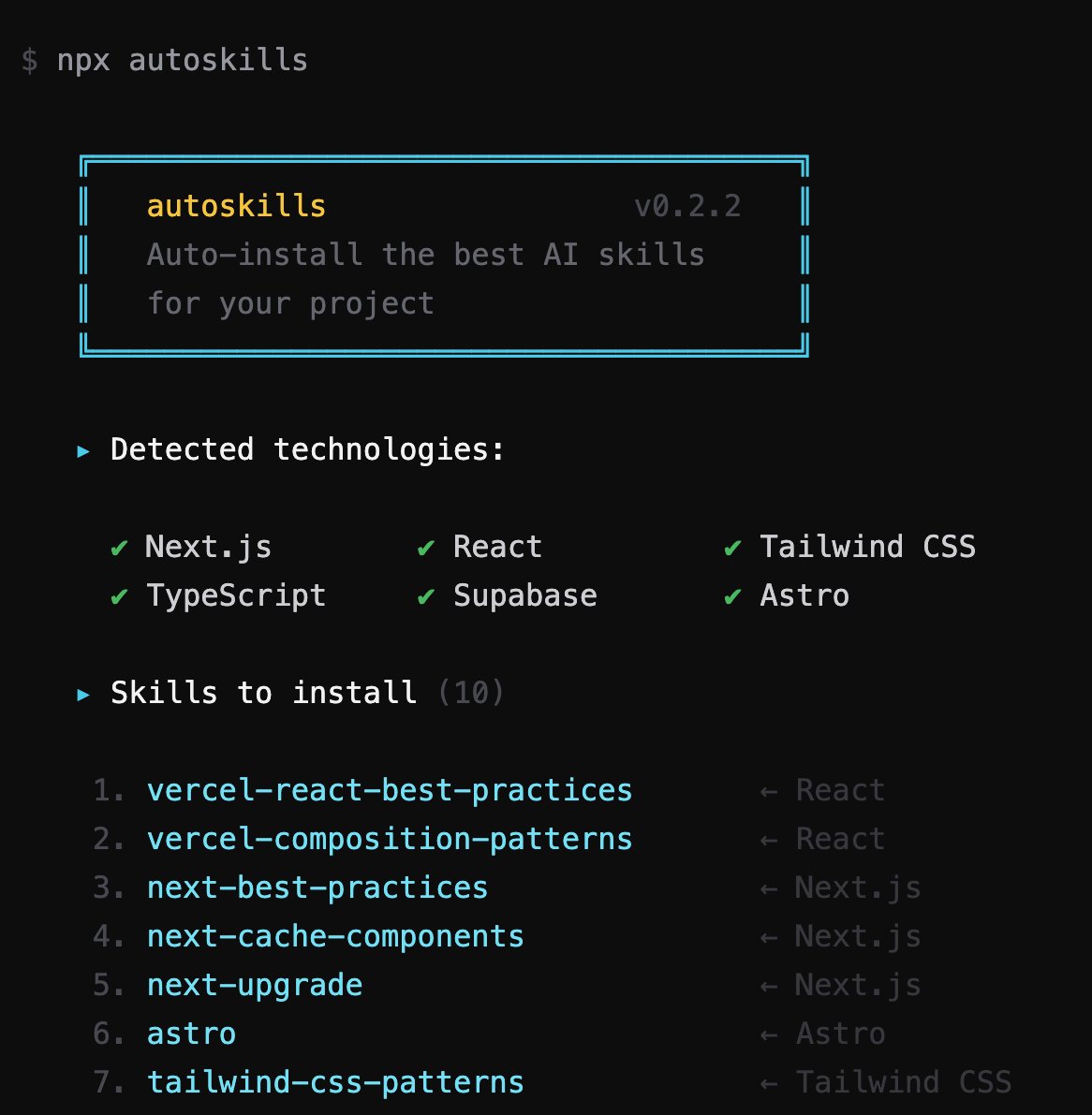
¡Si usas Agentes de IA, necesitas usar Agent Skills!
¿El problema? Hay miles y es imposible estar al día.
Esta herramienta detecta automáticamente las tecnologías de tu proyecto y te instala las mejores.
$ npx autoskills
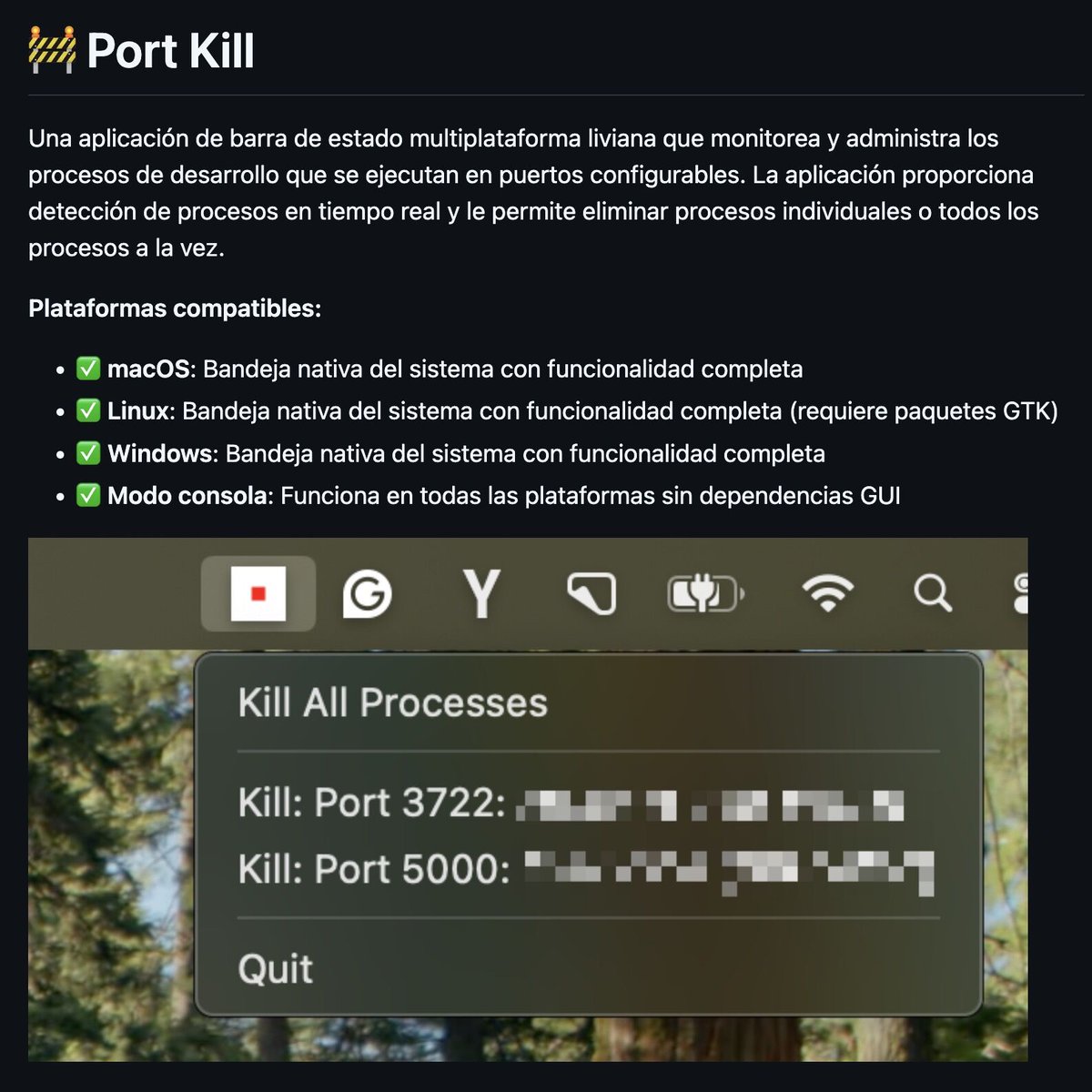
Esta a aplicación es perfecta para devs. Muestra los puertos que tienes abiertos y los cierras con un click.
Open Source y funciona en Windows, Linux y macOS:
¡Microsoft acaba de lanzar algo espectacular!
Se llama VibeVoice y es un modelo Open Source que genera voz en tiempo real con latencia bajísima.
En nueve idiomas distintos, incluido español.
Permite conversaciones largas con múltiples voces:
https://t.co/2vyZU621xB
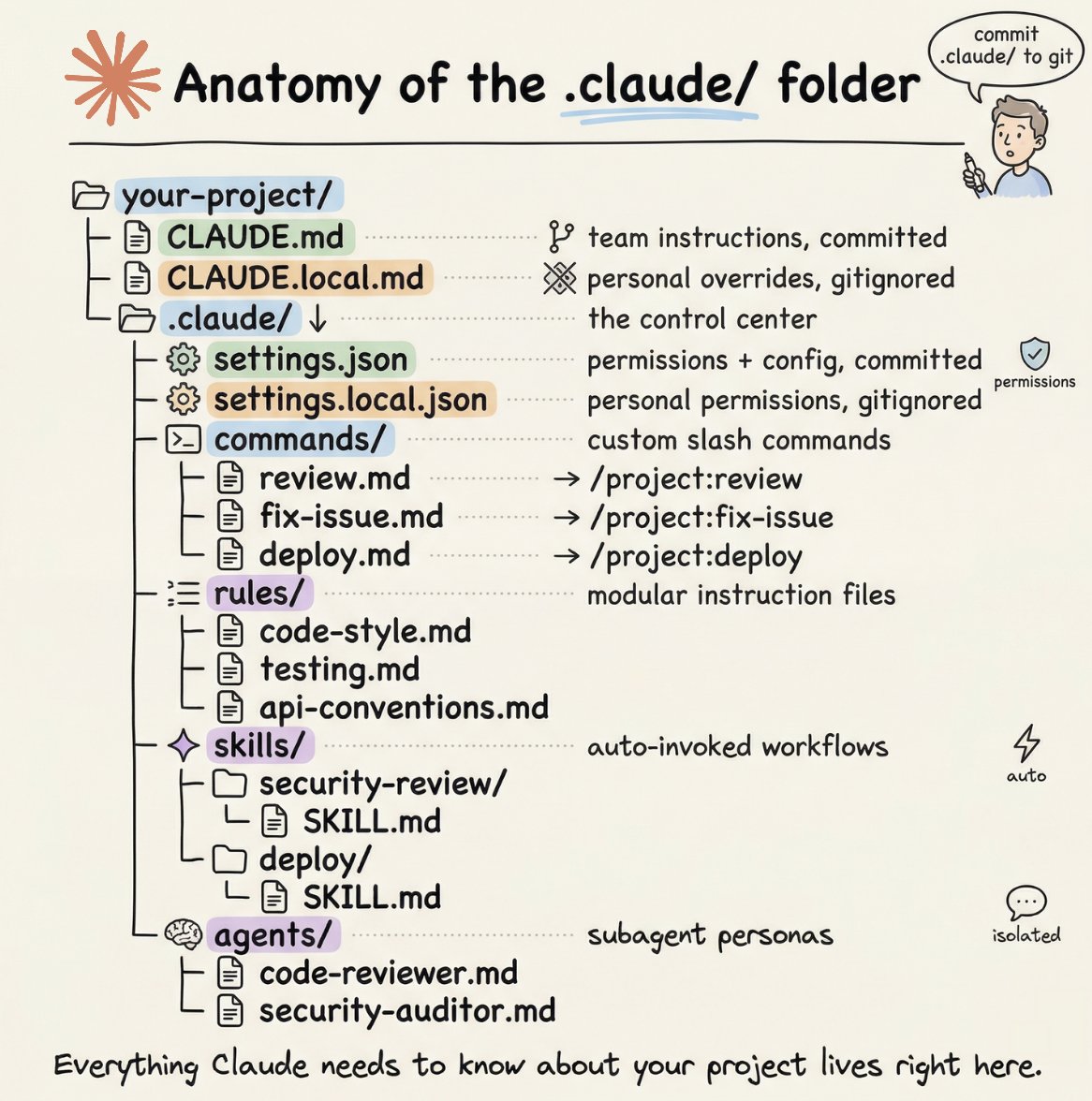
How to setup your Claude code project?
TL;DR
Most developers skip the setup and just start prompting. That's the mistake.
A proper Claude Code project lives inside a .𝗰𝗹𝗮𝘂𝗱𝗲/ folder. Start with 𝗖𝗟𝗔𝗨𝗗𝗘.𝗺𝗱 as Claude's instruction manual. Split it into a 𝗿𝘂𝗹𝗲𝘀/ folder as it grows. Add 𝗰𝗼𝗺𝗺𝗮𝗻𝗱𝘀/ for repeatable workflows, 𝘀𝗸𝗶𝗹𝗹𝘀/ for context-triggered automation, and 𝗮𝗴𝗲𝗻𝘁𝘀/ for isolated subagents. Lock down permissions in 𝘀𝗲𝘁𝘁𝗶𝗻𝗴𝘀.𝗷𝘀𝗼𝗻.
There are two .𝗰𝗹𝗮𝘂𝗱𝗲/ folders: one committed with your repo, one global at ~/.𝗰𝗹𝗮𝘂𝗱𝗲/ for personal preferences and auto-memory across projects.
The .𝗰𝗹𝗮𝘂𝗱𝗲/ folder is infrastructure. Treat it like one.
The article below is a complete guide to 𝗖𝗟𝗔𝗨𝗗𝗘.𝗺𝗱, custom commands, skills, agents, and permissions, and how to set them up properly.
🚨 Tu Cursor/Claude/Gemini ya sabe hacer webs bonitas…
pero las animaciones GSAP siempre eran su kriptonita.
Eso se ACABÓ hoy.
Un repo open source lleno de prompts y skills oficiales para que los agentes de vibe coding dominen GSAP como seniors.
REPOOO👇
Google finally launched an official CLI (gmail, drive, sheets, gmail, calendar, admin, keep, meet 10+ more).
$ npm i -g @googleworkspace/cli
$ npx skills add github:googleworkspace/cli
My prediction of 2026 being the year of CLI is coming true.
🚨 Someone just solved the biggest bottleneck in AI agents. And it's a 12MB binary.
It's called Pinchtab. It gives any AI agent full browser control through a plain HTTP API.
Not locked to a framework. Not tied to an SDK. Any agent, any language, even curl.
No config. No setup. No dependencies. Just a single Go binary.
Here's why every existing solution is broken:
→ OpenClaw's browser? Only works inside OpenClaw
→ Playwright MCP? Framework-locked
→ Browser Use? Coupled to its own stack
Pinchtab is a standalone HTTP server. Your agent sends HTTP requests. That's it.
Here's what this thing does:
→ Launches and manages its own Chrome instances
→ Exposes an accessibility-first DOM tree with stable element refs
→ Click, type, scroll, navigate. All via simple HTTP calls
→ Built-in stealth mode that bypasses bot detection on major sites
→ Persistent sessions. Log in once, stays logged in across restarts
→ Multi-instance orchestration with a real-time dashboard
→ Works headless or headed (human does 2FA, agent takes over)
Here's the wildest part:
A full page snapshot costs ~800 tokens with Pinchtab's /text endpoint.
The same page via screenshots? ~10,000 tokens.
That's 13x cheaper. On a 50-page monitoring task, you're paying $0.01 instead of $0.30.
It even has smart diff mode. Only returns what changed since the last snapshot. Your agent stops re-reading the entire page every single call.
1.6K GitHub stars. 478 commits. 15 releases. Actively maintained.
100% Open Source. MIT License.