We just published TimeTune 5.6.3, with even more bug fixes related to block editing 🐞
This kind of bugs usually get caught in beta, but this time some of them escaped!
More bug fixes! 🐞
We published TimeTune 5.6.2, solving a bug where a block's title and description were not displayed correctly after changing an activity
Attention beta testers! 📢
TimeTune 5.6 BETA 2 is on Google Play:
📱 New split button to add blocks or apply templates
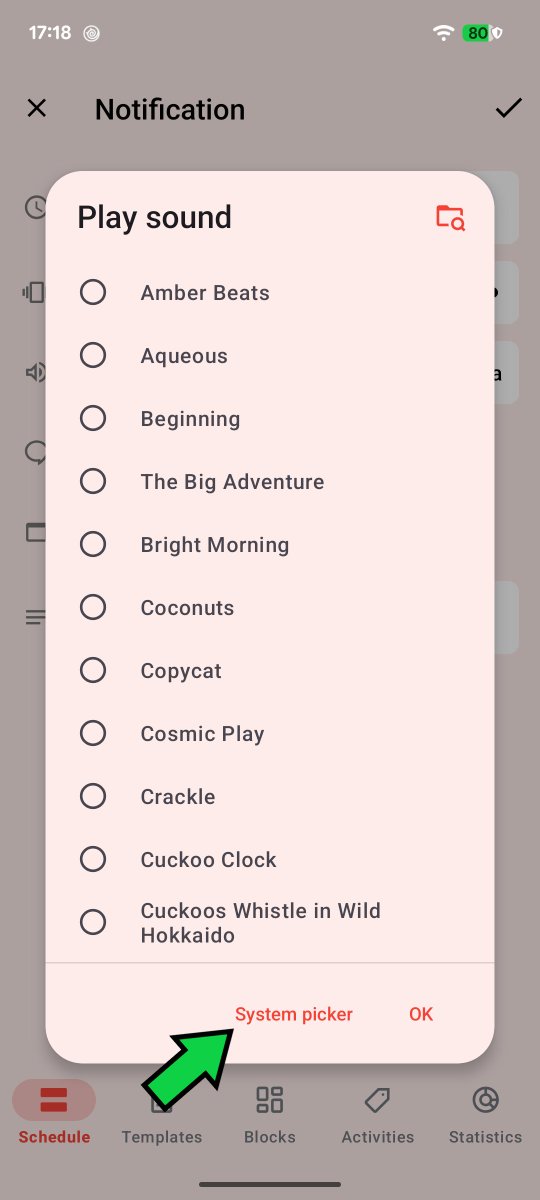
🔊 New option to open the system picker when choosing sounds
🧹 New option to clear the whole day in the schedule
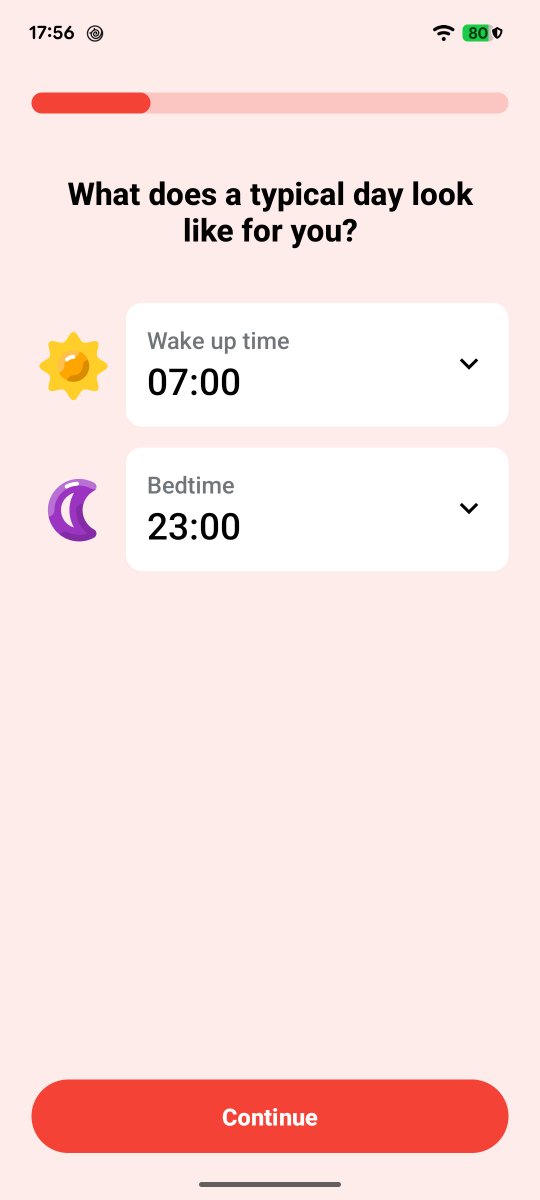
🚢 New onboarding screens
⚠️ New overlap icon
TimeTune 5.6 will include a new option to fully clear your day in the schedule 😍
This option will remove any applied templates from the day and individual blocks too ✨
So no more deleting blocks manually to clear your day!
Soon in beta!
TimeTune 5.6 will include a new option to open the device's sound picker instead of our custom sound picker
Why? 🤔
Manufacturers can include sounds that are only available through their built-in sound picker, so this is the only way to access them
Soon in beta! 😀
It’s okay if you have a hard time prioritizing.
It’s okay if you underestimate how long things will take.
It’s okay if unexpected shit goes wrong and you get so frustrated you could scream.
Slow progress is still progress.
It’s okay. You’re okay.
Instead of using two FABs like previously announced, TimeTune 5.6 will use a split FAB for the 'Apply template' and 'New block' actions
This approach is more compact and less overwhelming
Now both actions will be available with a single tap ✨
Soon in beta!
TimeTune 5.6 will move the 'Apply template' option from the top submenu to a new FAB
It makes more sense to have all scheduling options ('New block' and 'Apply template') together as main buttons
With that, both actions will require just one tap 🙌
Soon in beta!
TimeTune 5.6 will include new onboarding screens 🚢
The app will gather a few data points to quickly create a schedule template
The goal is to get new users to experience the benefit of templates as soon as possible ✨
TimeTune 5.6 will move the 'Apply template' option from the top submenu to a new FAB
It makes more sense to have all scheduling options ('New block' and 'Apply template') together as main buttons
With that, both actions will require just one tap 🙌
Soon in beta!
Are you spending too much time on social media?
On the internet in general?
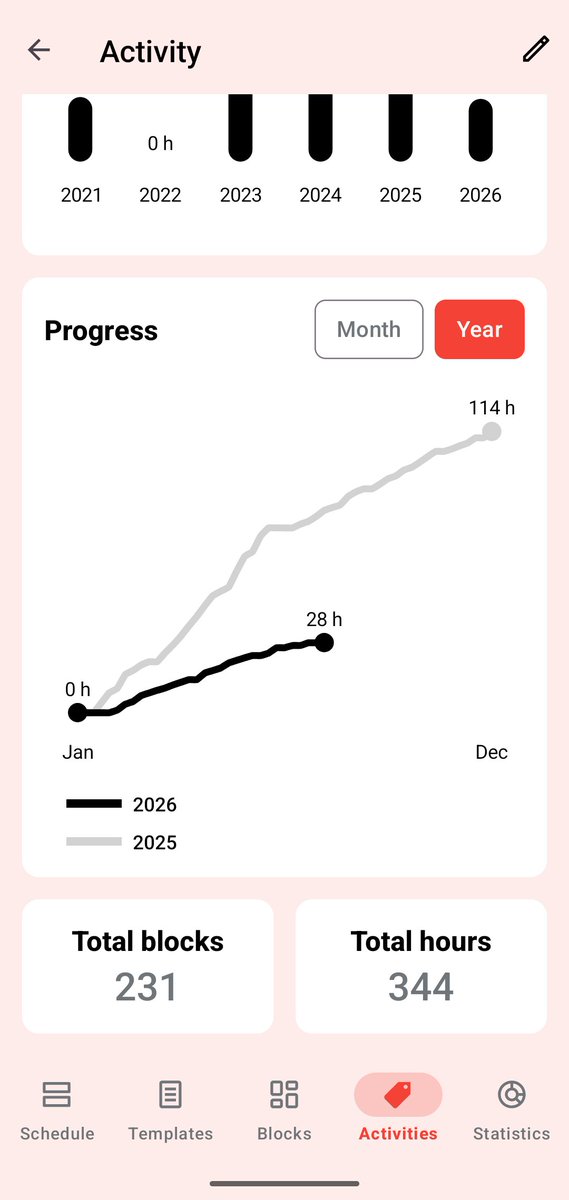
Activity statistics in TimeTune 5.6 will let you see your progress at a glance!
(Already in beta!)
Going forward, one of the biggest differentiators will be how a product makes you *feel*.
Features alone won’t set products apart when most functionality can be built and copied with a few prompts.
At TimeTune Studio our customer support is also human and personalized 😀
We're always happy to hear from you and we try to solve your questions as soon as possible
i also still do 100% of my own customer support
it’s been my biggest advantage i would say: having customers who care and i can make happy by replying directly and promptly
helps stay on the pulse of what customers want/need too, and after nearly 2 years now the platform has matured a lot cause of all the tender love and care of customer support :)
TimeTune 5.6 will indicate overlaps using a less stressful icon 😮💨
(the current exclamation indicator looks like an error)
However, we're aware that overlaps in general may require a different approach
What would you like to change about overlaps?
Attention beta testers! 📢
TimeTune 5.6 BETA 1 is on the Play Store 😀
The main change in this version are the new activity statistics in 'Activities' 📈
Do you like them? What can we improve there?
https://t.co/29qdhzZPJn
The new activity statistics in TimeTune 5.6 will also show a graph with your progress for that activity compared to the last month or year 🙀
This graph will become extremely useful if you want to increase (or decrease) the time spent doing a specific activity
Soon in beta!