We're a business invested in helping people better understand their technology. We repair computers, build websites, and teach people how to use their tech.
Miss the old shortcut to bring up the task manager instead of the menu that shows up on windows 7 and onward? Instead of CTRL + delete, try CTRL + SHIFT +ESC. That will skip right to the task manager
#TechTips#taskmanager#LifeHack#Windows#Windows10#windows7
CTRL + ALT + DELETE
used to bring up task manager. Now it brings up a menu with a button to bring up task manager. To directly bring up the task manager hold down CTRL and SHIFT and then hit ESCAPE
#TechTips#TechTuesday#LifeHacks#LifeHack
@Puggims@NoodlesPC While we at Top Range Technologies appreciate your "dank memery" we unfortunately must be responsible and clarify that, No unplugging your computer will not fix it. Also sand, mercury, and ape-like might are not repair apparatuses we recommend employing.
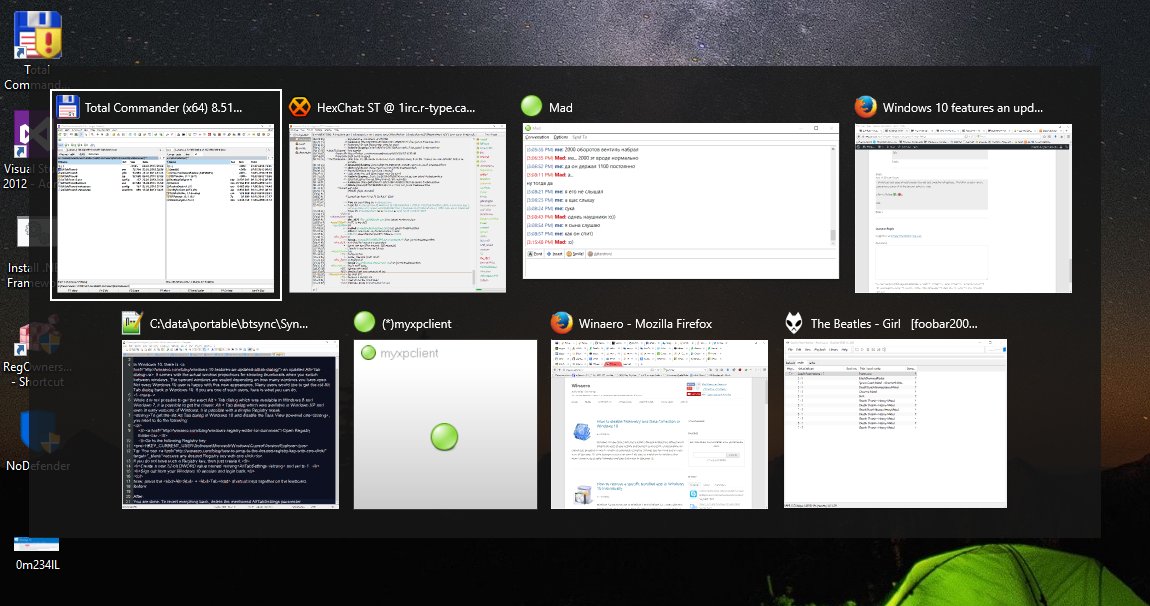
The fastest way to switch windows is to hit "ALT+TAB"
you can also hold the ALT key down and then tap the TAB key until you cycle to the window you want. #techtiptuesday#tech#techtips
Alternate way of "alt tabbing" on windows 10: press the windows key and then TAB. This brings up a display of all your windows. then just click on the one you're looking for. great for when your window count is out of control. #windows10#techtips#tech#techtipstuesday#lifehack
When using multiple tabs on google chrome you can hit "Ctrl + 1" to go to the tab farthest to the left. This works with tabs 1-8 as well. "Ctrl + 9" will go to your tab farthest to the right. #techtipstuesday#techtips#lifehack#chrome#googlechrome